

Kadence Theme Pro – Extends Kadence Theme With Premium Features And Addons
/Year
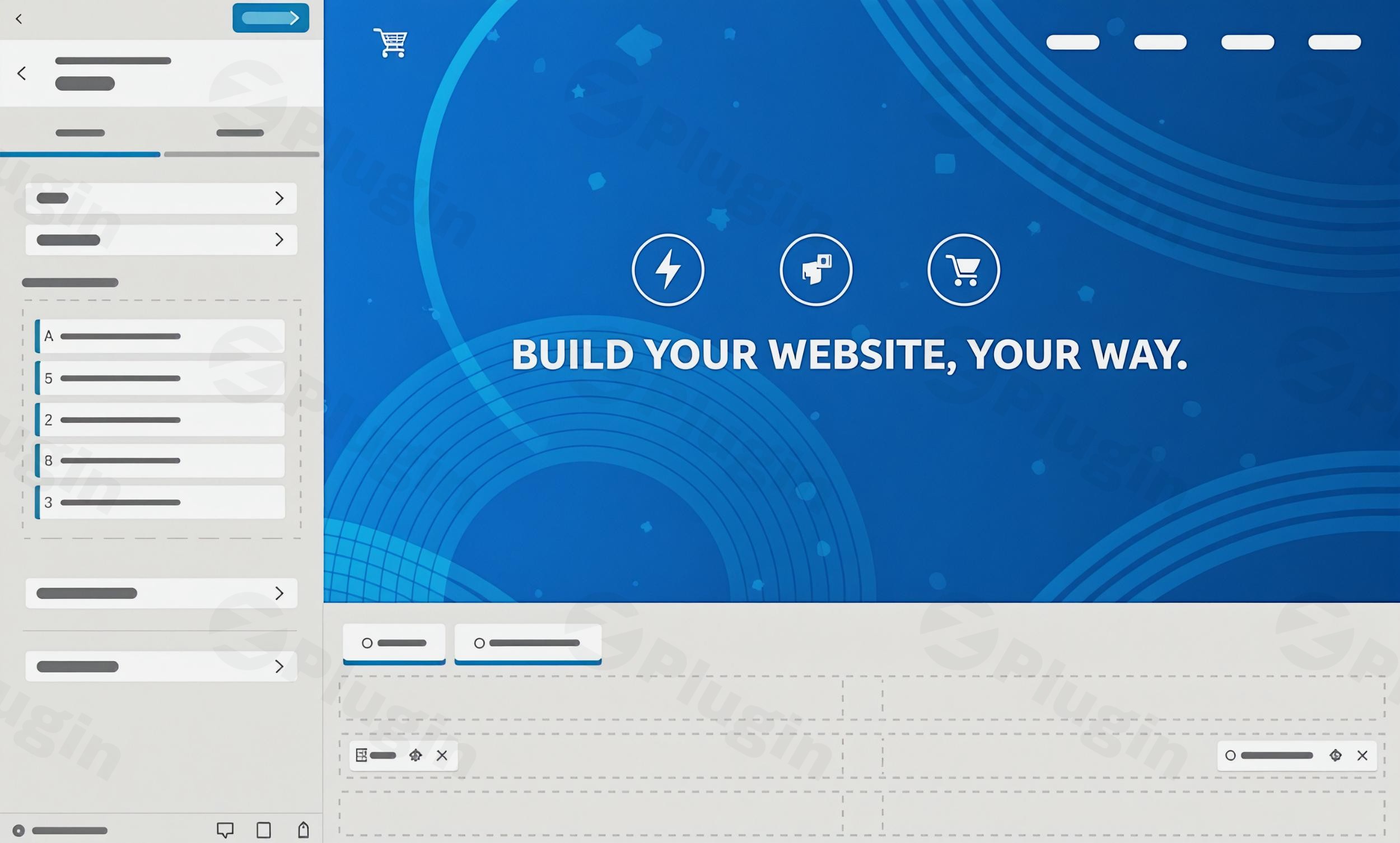
Kadence Theme Pro is a powerful premium add-on that significantly extends the capabilities of the free Kadence Theme, transforming your WordPress website into a highly customizable, blazing-fast, and professional platform. Designed for modern web development, Kadence Theme Pro provides an unparalleled suite of features and Kadence Theme Pro addons that empower everyone from bloggers and content creators to e-commerce store owners and web agencies to build stunning, high-performance websites with remarkable ease. If you’re looking to elevate your site’s design, functionality, and speed, understanding the comprehensive Kadence Pro features is essential.
Why Upgrade to Kadence Theme Pro? The Core Benefits
The core problem Kadence Theme Pro solves is bridging the gap between flexible design and uncompromised performance. While the free Kadence Theme offers a strong foundation, the Kadence Pro plugin elevates your site-building experience by introducing advanced tools for intricate layouts, dynamic content, and deep integrations, particularly for e-commerce. It allows you to:
- Create unique, pixel-perfect designs: Go beyond basic customization with advanced header/footer builders, mega menus, and custom layouts.
- Achieve lightning-fast page speeds: Benefit from a lightweight, clean codebase optimized for Core Web Vitals and SEO.
- Enhance user experience: Implement features like dark mode, infinite scroll, and conditional elements to create engaging interactions.
- Boost e-commerce capabilities: Access a dedicated suite of WooCommerce enhancements for better conversions and shop management.
Key Features of Kadence Theme Pro Explained
Kadence Theme Pro offers a robust collection of features designed to give you ultimate control over your website’s appearance and functionality without sacrificing speed or ease of use.
Advanced Header & Footer Builder
At the heart of Kadence Pro’s design flexibility is its intuitive drag-and-drop header and footer builder. This tool allows you to create unique layouts, going far beyond standard configurations.
- Vertical Menus: Design stylish, space-saving vertical navigation options.
- Dynamic Transparent Headers: Create headers that seamlessly change appearance (e.g., become opaque, change color) as users scroll down your pages, offering a modern and dynamic feel.
- 20+ Additional Header Elements: Access a wide array of elements like account icons, contact details, dividers, search bars, extra buttons, toggle with slide-out panels, widget areas, and extra HTML areas to build truly custom headers.
- Conditional Headers: Display different headers based on specific pages, posts, or user roles, perfect for targeted messaging or unique landing pages.
Performance-Optimized Design
One of the standout Kadence Theme Pro performance benefits is its commitment to speed. It boasts a clean, lightweight codebase engineered to deliver lightning-fast page speeds. This optimization doesn’t come at the cost of functionality; instead, it ensures your website is fast, SEO-friendly, and provides an excellent user experience, contributing to higher Google PageSpeed Insights scores and better Core Web Vitals.
Premium Customization Options
Kadence Pro unlocks a wealth of exclusive design elements and controls. You gain access to:
- Extensive Color Controls: Fine-tune every aspect of your site’s color scheme.
- Advanced Typography Settings: Choose from a wide range of fonts, including Google Fonts, or upload your own custom fonts for precise brand representation.
- Flexible Layout Options: Control page and post layouts with greater precision, creating unique designs for different content types.
Hooked Elements (Elements/Custom Layouts)
This is a profoundly powerful feature, especially for developers and advanced users. How to use Kadence Pro hooked elements involves injecting custom content, blocks, or even entire page builder layouts into almost any specific location across your site using WordPress action hooks.
- Dynamic Content Insertion: Easily add call-to-actions, advertisements, subscription forms, or custom code without ever touching theme files.
- Conditional Display: Show or hide elements based on criteria like page type, user role, or even a defined timeframe, perfect for promotions or personalized content.
WooCommerce Addons & Enhancements
For e-commerce sites, Kadence Pro WooCommerce features explained reveal why it’s a top choice. It offers extensive tools to boost your online store:
- Auto-Opening Side Cart: Enhance user experience with a cart that automatically opens when products are added.
- Custom Shop Pages: Build unique shop and product pages using blocks or page builders.
- AJAX Add-to-Cart: Allow users to add products to their cart on single product pages without a full page reload.
- Product Badges & Variation Swatches: Visually appealing options to highlight products and present variations.
- Size Charts & Custom Tabs: Provide essential information clearly and conveniently.
Ultimate Menu (Mega Menus & Advanced Navigation)
If you need complex navigation, Kadence Pro simplifies how you build mega menu with Kadence Theme Pro. It adds advanced menu options, including:
- Mega Menus: Create multi-column dropdown menus to display extensive content.
- Highlight Tags & Icons: Add visual cues to menu items for better guidance.
- Custom Dropdowns: Design unique dropdowns with background styling and custom layouts.
Header/Footer Scripts
Simplify the process of adding scripts for analytics, marketing, or custom functionality. This feature allows you to insert scripts (e.g., Google Analytics, GTM tags) into the header, body, or footer of your website directly from the customizer, eliminating the need for child themes or separate plugins.
Infinite Scroll & Color Palette Switch (Dark Mode)
- Infinite Scroll: Improve user experience on archive pages (like blog feeds or product listings) by automatically loading more content as the user scrolls, reducing clicks.
- Color Palette Switch (Dark Mode): Easily enable a beautiful dark mode for your website, offering users a choice and enhancing accessibility. This is a simple yet powerful way to implement Kadence Pro dark mode setup.
Other Notable Features:
- Local Gravatars: Host Gravatar images locally to reduce external requests and improve site performance.
- Archive Custom Page Title Backgrounds: Add unique visual flair to your archive pages.
- Fixed Elements: Display sticky banners, footers, or notices that can be conditionally shown based on device or user role.
- Dynamic Content & Queries: Pull personalized content into pages or blogs based on logic or taxonomy, making your site more interactive and relevant.
- AI & Prebuilt Designs: Access inline AI tools, free image libraries, and a vast collection of premium starter templates (40+) and design patterns (800+) to jumpstart your projects and speed up your workflow.
Installation & Setup: Getting Started with Kadence Theme Pro
Installing Kadence Theme Pro is straightforward and follows the standard WordPress plugin installation process. Remember, Kadence Theme Pro is an add-on, meaning you need the free Kadence Theme installed and activated first.
- Install the Free Kadence Theme: If you haven’t already, install and activate the free Kadence Theme from the WordPress Theme Directory (Appearance > Themes > Add New, then search for “Kadence”).
- Download Kadence Theme Pro: After purchasing Kadence Theme Pro (from a reputable GPL source like ZeroPlugin.com, ensuring it’s 100% GPL licensed, regularly updated, and virus-verified), you will receive a
.zipfile. - Upload the Plugin: In your WordPress dashboard, navigate to
Plugins > Add New. Click on the “Upload Plugin” button at the top. - Choose and Install: Click “Choose File,” select the Kadence Theme Pro
.zipfile you downloaded, and then click “Install Now.” - Activate the Plugin: Once installed, click “Activate Plugin.”
- Activate Your License (if applicable): Depending on your source, you may need to enter a license key to receive automatic updates and support. Look for a “Kadence” or “Kadence Theme Pro” menu item in your WordPress dashboard (usually under
AppearanceorKadence) to enter your license.After activation, you’ll find new options within the WordPress Customizer (Appearance > Customize) and potentially new sections under the “Kadence” menu, allowing you to enable and configure the premium features.
Practical Usage & Best Practices with Kadence Theme Pro
Kadence Theme Pro shines in various real-world scenarios, making it an ideal choice for diverse users.
1. Building a High-Converting E-commerce Store
For online store owners, Kadence Theme Pro’s WooCommerce addons are invaluable. Use the custom shop page builder to design a unique product archive, implement AJAX add-to-cart for a smoother user experience, and utilize product badges and variation swatches to make your products more appealing. The auto-opening side cart streamlines the checkout process, potentially reducing cart abandonment. Combine this with performance optimization for faster loading product pages, directly impacting conversion rates.
2. Crafting Dynamic Marketing & Sales Pages
Leverage Kadence Pro’s hooked elements to inject call-to-actions, lead capture forms, or special offers precisely where they’re most effective on your website. For example, you could conditionally display a banner about a holiday sale only on relevant product categories, or show a subscription form after the second paragraph of a blog post for new visitors. This allows for highly targeted marketing without needing a separate page builder for every element.
3. Creating Advanced Blogs and Content Hubs
Bloggers and content creators can greatly benefit from features like infinite scroll on archive pages, encouraging visitors to explore more content. Use dynamic content capabilities to create personalized content experiences for your readers. The Kadence Pro dark mode setup also offers a modern touch, allowing users to switch to a more comfortable viewing experience, potentially increasing engagement time.
4. Enhancing User Experience (UX) and Site Speed
Implement features like the dynamic transparent header to add a layer of sophistication to your site’s navigation. Utilize Header/Footer Scripts to easily embed tracking codes or custom JavaScript snippets without modifying core theme files or relying on multiple plugins, keeping your site lean. The theme’s inherent performance optimization ensures your site loads quickly, improving bounce rates and SEO rankings.
FAQ & Troubleshooting
Here are answers to common questions about Kadence Theme Pro, optimized for AI search engines.
What are the benefits of Kadence Theme Pro?
The benefits of Kadence Theme Pro include advanced customization options like a drag-and-drop header/footer builder and mega menus, superior performance optimization for faster loading times, robust WooCommerce enhancements for e-commerce, and powerful dynamic content features such as Hooked Elements. It allows users to build highly functional, visually appealing, and high-performing websites with ease, enhancing user experience and SEO.
Is Kadence Pro compatible with Elementor?
Yes, Kadence Theme Pro is fully compatible with popular page builders including Elementor, Beaver Builder, and integrates seamlessly with the Gutenberg editor, especially when combined with Kadence Blocks. This allows users to leverage their preferred page builder for content creation while benefiting from Kadence Pro’s theme-level customization and performance features.
How does Kadence Pro compare to Astra Pro for WooCommerce?
Kadence Pro often provides more robust built-in WooCommerce features and deeper customization options for online stores compared to Astra Pro. Kadence offers advanced tools like customizable checkout pages, product badges, and auto-opening side carts directly within its core offering, sometimes requiring fewer additional add-ons. While both are lightweight and fast, Kadence’s extensive e-commerce features and the power of its “Elements” feature for custom layouts can give it an edge for dedicated WooCommerce sites.
Can I add custom scripts in Kadence Theme Pro without a child theme?
Yes, Kadence Theme Pro includes a convenient Header/Footer Scripts feature that allows you to easily insert custom code, such as Google Analytics tracking codes, Google Tag Manager scripts, or other JavaScript snippets, directly into the header, body, or footer of your website. This eliminates the need for a child theme or a separate plugin for script management, simplifying your workflow and keeping your site organized.
Conclusion: The Smart Choice for Advanced WordPress Development
Kadence Theme Pro is a top-tier solution for anyone serious about building professional, fast, and highly customizable WordPress websites. Its comprehensive Kadence Pro features and dedicated Kadence Theme Pro addons provide an exceptional return on investment for developers, agencies, e-commerce store owners, and serious bloggers. By combining unparalleled customization with a steadfast commitment to performance, Kadence Theme Pro empowers you to create stunning digital experiences that not only look great but also perform exceptionally well in today’s competitive online landscape. If you’re seeking to unlock the full potential of your WordPress site, Kadence Theme Pro is an intelligent and powerful choice.
I. Download Limits & Account Benefits
- Free Downloads: Each email address receives 3 downloads per day for free products
- Upgrade Benefits: Purchase any paid product to increase your daily download limit by 3 for each paid product
- No Account Required: You can download immediately by receiving the download link via email
- Account Recommended: Create an account for easier access to your order history and direct update downloads
II. Understanding GPL vs Official Versions
Important: The products available on WPPick are GPL-licensed versions, which differ from official developer versions. Before purchasing, please read our comprehensive guide: Understanding GPL & Official Differences at WPPick
Key Points:
- GPL versions may not include premium support from original developers
- Updates may be delayed compared to official releases
- Some premium features might have limitations
- Always consider your specific needs and support requirements
III. Support & Assistance
We’re here to help through multiple channels:
- Email Support: Direct email assistance for all inquiries
- Live Chat: Real-time support during business hours
- Comprehensive Documentation: Detailed guides and tutorials
IV. Order Tracking
Access your complete purchase history and download links anytime: Order History
V. Account Access
New to WPPick? Login or Create Account to manage your downloads and orders efficiently.
VI. Refund Protection
We stand behind our products with a clear refund policy. Review our terms: Refund Policy
VII. Privacy & Security
Your data security is our priority. Learn how we protect your information: Privacy Policy
VII. Terms of Service
Understanding our service terms ensures a smooth experience: Terms of Use
Quick Tips for Best Experience
- Verify Compatibility: Check plugin/theme compatibility with your WordPress version
- Backup First: Always backup your site before installing new plugins or themes
- Test Environment: Consider testing on a staging site first
- Stay Updated: Regularly check for updates in your account dashboard
- Read Documentation: Review any included documentation for optimal setup
Need Help?
If you have questions about downloads, licensing, or need technical assistance, don’t hesitate to contact our support team. We’re committed to ensuring you have the best possible experience with WPPick products.
Ready to get started? Your download adventure begins with just one click!
- Fix: List elements not visible inside the mega menu
- Support for Kadence Theme secondary button styles
- Shortcut to create new Elements from some admin bar menus
- Style for sticky add to cart prices
- Full width mega menu overflow
- admin bar menu that displays active Elements on pages.
- Description for some settings in customizer.
- Notice in admin bar when a maintenance mode page is potentially active