
Kasuari
/Year
An Elegant Presentation for Food and Hospitality Websites
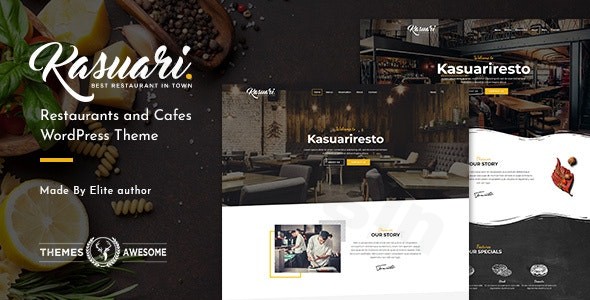
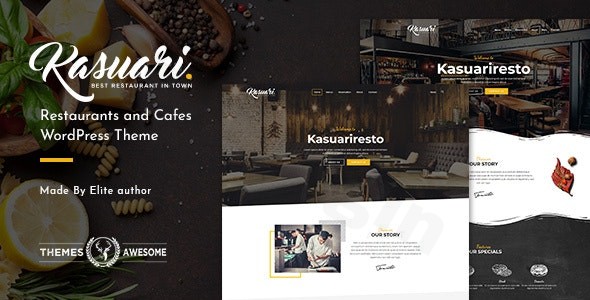
Kasuari is a responsive WordPress theme designed specifically for restaurants, cafes, bakeries, and food-related businesses. Establishing a clear digital presence is essential for hospitality brands to display menus, showcase venues, and attract diners. This theme provides a structured framework that balances visual media with essential business information, helping establishments establish their brand identity online without requiring complex custom coding.
What the Theme Does and Who It Is For
Kasuari functions as a complete design environment for managing how a food establishment presents itself to internet users. It is engineered for restaurant owners, cafe managers, catering businesses, and web developers building localized service sites. By providing flexible layouts, the theme allows users to showcase food items, publish operational hours, and manage contact portals in a cohesive layout tailored to modern mobile and desktop viewports.
Key Structural and Customization Capabilities
The core framework relies on modular design elements that adapt to different styling requirements. Key capabilities built into the platform include:
- Drag-and-drop page builder integration for arranging content sections visually.
- Integrated header and footer builders to customize site navigation and essential utility links.
- A comprehensive live customizer panel for adjusting typography, accent colors, and branding elements dynamically.
- A library of over 600 web fonts to support diverse brand aesthetics.
- Dedicated content addons intended to format menus, testimonials, and gallery items systematically.
Practical WordPress Use Cases
In practice, hospitality operators use Kasuari to solve common web presentation challenges. For instance, a local cafe can deploy the theme to publish a clean, scannable digital menu that loads efficiently on mobile devices when customers scan an on-site QR code. A fine dining establishment can utilize the full-width media sections to highlight interior ambiance and seasonal dishes while embedding reservation forms. Additionally, catering companies can manage multi-page setups that separate corporate event packages from private party menus.
Setup, Configuration, and Environment Notes
Kasuari integrates with standard WordPress core components and depends on major structural extensions like Advanced Custom Fields to manage custom post data. When setting up the theme, activating the companion design utilities and page addons ensures all layout blocks render correctly. To ensure reliable performance, users should run the theme within an environment that utilizes modern PHP versions and possesses adequate memory limits to handle multi-asset page generation smoothly.
Why Access Kasuari via the GPL Marketplace
Obtaining this theme from the WPPick marketplace offers practical advantages for web creators, agencies, and independent businesses. It provides a legal, GPL-licensed method to test design setups, evaluate layout compatibility, and build fully functional client staging sites without budget constraints. This approach lets you focus resources on custom content creation and local marketing while utilizing a reliable, fully open-source design asset.
Latest Version Context and Product Status
Detailed release notes are not available from the provided sources. Because official developer documentation and historical change logs remain unverified beyond core archival versioning, users should evaluate this version based on its structural layout features, template compatibility, and adaptability within standard modern WordPress hosting setups.
Frequently Asked Questions
Can this theme be used for multi-location restaurants?
Yes. By utilizing the built-in layout modules and creating individual pages or custom categories, you can easily configure the site to display different menus, contact details, and opening hours for multiple business locations.
Does the theme support reservation plugin integrations?
Kasuari provides the visual framework and structural layouts necessary to embed popular third-party WordPress reservation forms or booking widgets via shortcodes or custom HTML modules in the page builder.
Is it mandatory to use the bundled fonts?
No. While the theme offers a collection of over 600 fonts within the customizer panel, you can choose to use standard system fonts or restrict font loading to minimize external network requests and improve page speeds.
How are digital food menus managed in Kasuari?
Menus are typically organized using standard content blocks or dedicated builder addons, allowing you to format item descriptions, prices, and allergen tags into structured columns or lists without manual HTML styling.
Can I customize the navigation areas for mobile users?
Yes. The integrated header builder enables you to configure separate navigation layouts, ensuring that mobile users see a compact menu interface while desktop visitors view a complete horizontal layout.
I. Download Limits & Account Benefits
- Free Downloads: Each email address receives 3 downloads per day for free products
- Upgrade Benefits: Purchase any paid product to increase your daily download limit by 3 for each paid product
- No Account Required: You can download immediately by receiving the download link via email
- Account Recommended: Create an account for easier access to your order history and direct update downloads
II. Understanding GPL vs Official Versions
Important: The products available on WPPick are GPL-licensed versions, which differ from official developer versions. Before purchasing, please read our comprehensive guide: Understanding GPL & Official Differences at WPPick
Key Points:
- GPL versions may not include premium support from original developers
- Updates may be delayed compared to official releases
- Some premium features might have limitations
- Always consider your specific needs and support requirements
III. Support & Assistance
We’re here to help through multiple channels:
- Email Support: Direct email assistance for all inquiries
- Live Chat: Real-time support during business hours
- Comprehensive Documentation: Detailed guides and tutorials
IV. Order Tracking
Access your complete purchase history and download links anytime: Order History
V. Account Access
New to WPPick? Login or Create Account to manage your downloads and orders efficiently.
VI. Refund Protection
We stand behind our products with a clear refund policy. Review our terms: Refund Policy
VII. Privacy & Security
Your data security is our priority. Learn how we protect your information: Privacy Policy
VII. Terms of Service
Understanding our service terms ensures a smooth experience: Terms of Use
Quick Tips for Best Experience
- Verify Compatibility: Check plugin/theme compatibility with your WordPress version
- Backup First: Always backup your site before installing new plugins or themes
- Test Environment: Consider testing on a staging site first
- Stay Updated: Regularly check for updates in your account dashboard
- Read Documentation: Review any included documentation for optimal setup
Need Help?
If you have questions about downloads, licensing, or need technical assistance, don’t hesitate to contact our support team. We’re committed to ensuring you have the best possible experience with WPPick products.
Ready to get started? Your download adventure begins with just one click!