
Kicker – Multipurpose Blog Magazine WordPress Theme + Gutenberg
/Year
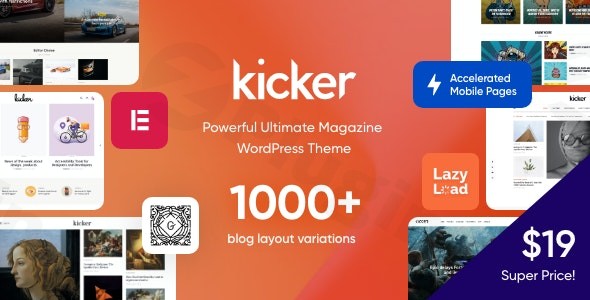
The Kicker WordPress theme is a sophisticated, modern, and clean multi-purpose solution expertly crafted to enhance any blog or magazine website. Designed to showcase content in an engaging and professional manner, Kicker is an excellent choice for content creators, news portals, and online magazines looking for a robust and visually stunning platform. With its deep integration with Elementor and a focus on performance, Kicker empowers a wide range of users, from lifestyle bloggers to business news publishers.
Key Features: Design, Layout & Performance
Kicker offers an impressive array of features that combine aesthetic flexibility with robust technical capabilities, making it a standout choice for content-rich websites.
Design & Layout Options
Kicker’s design philosophy centers on providing diverse and visually appealing layouts that cater specifically to high-volume content publishing. It ensures a 100% responsive and mobile-friendly design, adapting seamlessly across all devices, from desktops to smartphones.
- Extensive Pre-Built Demos: Kicker comes packed with over 30 unique niche “skins” or pre-built demonstrations, with the promise of new demos being added monthly directly to your dashboard. This means you can launch a site with a distinct look for niches like tech news, lifestyle, finance, or travel with minimal effort.
- Flexible Blog & Post Layouts: The theme boasts up to 14 individual blog post styles and 6 blog page layouts, alongside over 20 post animations. This allows for dynamic presentation of your articles, keeping readers engaged. You can customize blog feeds by selecting specific post types or categories, and use features like sticky sidebars and columns to enhance readability and guide attention.
- Magazine-Style Aesthetics: Kicker features a solid, magazine-like design that prioritizes optimal layout structures to highlight your most important posts, authors, and visual media. It also supports specialized content like product review articles with dedicated ratings, pros, and cons sections.
Customization Capabilities
Kicker provides extensive control over your site’s appearance without requiring any coding knowledge, primarily leveraging the power of Elementor.
- Elementor Page Builder Integration: Built with and optimized for Elementor Page Builder, Kicker allows for comprehensive visual site editing, including headers, footers, page content, posts, and sidebars. It includes over 70 custom Elementor elements, significantly expanding your design possibilities even with Elementor’s free version.
- Gutenberg & Kadence Blocks Support: For those who prefer the native WordPress block editor, Kicker is 100% compatible with Gutenberg and integrates Kadence Blocks. This enhances Gutenberg’s functionality with numerous pre-made blocks and sections, offering another layer of content creation flexibility.
- Comprehensive Styling Options:
- Color Schemes: Choose from various pre-defined color schemes and fine-tune global and individual element colors through the WordPress Customizer.
- Typography: Access dozens of Google Fonts out of the box, with the added capability to upload custom fonts, including Adobe Fonts, for perfect brand consistency.
- Theme Framework & Customizer: The powerful ThemeREX Theme Framework includes a “Setting Inheritance and Override System” and over 750 Customizer Options, giving you granular control over nearly every aspect of your site.
- Header, Footer, and Mega Menu Builders: Create stunning and functional header and footer layouts using Elementor. The theme supports user menus, main menus, and a sophisticated Mega Menu feature for multi-column navigation that can include links, articles, and banner ads. Slide-out panels are also available for compact mobile navigation.
Performance & SEO Features
Optimized for both speed and search engine visibility, Kicker helps your content reach a wider audience efficiently.
- Fast Loading Times: Kicker’s clean code, lazy loading for images, and responsive design contribute to fast page loading, which is crucial for user experience and SEO.
- AMP Support: A significant differentiator, Kicker supports Accelerated Mobile Pages (AMP) for ultra-fast mobile page loads, improving performance on handheld devices.
- SEO Readiness: The theme is designed with SEO best practices in mind, featuring clean markup, structured headings, and compatibility with popular SEO plugins to ensure excellent search engine visibility.
- Cross-Browser Compatibility: Kicker ensures a consistent user experience across Firefox, Safari, and Chrome, and includes Retina Images Support for high-resolution displays.
Installation & Demo Import
Getting started with the Kicker theme is a straightforward process, designed to help you launch your website quickly.
- Install & Activate the Theme:
- Log in to your WordPress dashboard.
- Go to
Appearance > Themes > Add New > Upload Theme. - Upload the
kicker.zipfile (and optionally thekicker-child.zipfile for custom modifications, which is highly recommended). - Click
Install Nowand thenActivatethe Kicker theme (or the Kicker Child Theme if you uploaded it).
- Install Required Plugins:
- Upon activation, Kicker will prompt you to install a set of recommended plugins. Essential ones include ThemeREX Addons (for core theme functionality), Elementor, Kadence Blocks, Powerkit, and WooCommerce (if you plan to sell products).
- Install and activate all recommended plugins for full theme functionality.
- One-Click Demo Import:
- Navigate to the theme’s
Theme OptionsorAppearancemenu, where you should find an option forDemo Data Importor similar. - Choose your preferred pre-built demo (skin) from the extensive library.
- Click
Import. The one-click demo import feature will automatically populate your site with sample pages, posts, menus, and widgets, making your site look like the demo. - What to Expect: During the import, be patient as it may take several minutes, especially for larger demos. Ensure your server meets minimum WordPress requirements (PHP 7.4+ is generally recommended) to avoid timeouts. After the import, you’ll find demo content, menus, and widgets already set up, providing a solid foundation for your customizations.
- Navigate to the theme’s
Customization Guide: Branding & Layout
Personalizing your Kicker WordPress theme to align with your brand is intuitive and highly flexible, thanks to its integration with Elementor and extensive theme options.
- WordPress Customizer & Theme Options Panel: Most global styling and layout settings can be controlled via the native WordPress Customizer (
Appearance > Customize) or Kicker’s dedicatedTheme Optionspanel. Here you can adjust general site settings, color schemes, typography, blog layouts, and more. The “Setting Inheritance and Override System” allows you to set global styles and then override them for specific pages or elements. - Elementor for Full Site Editing: Kicker’s primary customization strength lies in its deep integration with Elementor. You can edit virtually any part of your site directly with Elementor’s drag-and-drop interface:
- Headers & Footers: Use Elementor to design custom headers and footers that reflect your brand identity.
- Page Content: Customize any page or post layout with Elementor’s visual builder and Kicker’s 70+ custom elements.
- Blog Layouts: Easily switch between Kicker’s 14 single post styles and 6 blog page layouts, then fine-tune them with Elementor.
- Changing Colors & Fonts: Access comprehensive color pickers in the Customizer or Elementor settings to define your brand’s color palette. For typography, choose from Google Fonts or upload custom fonts to ensure your text perfectly matches your aesthetic.
- Logo & Site Identity: Upload your brand logo and favicon via the WordPress Customizer to establish your visual identity.
- Setting Up Homepage & Blog Page: You can easily designate a static page as your homepage and another page to display your blog posts under
Settings > Reading. - Menus: Create and manage your navigation menus under
Appearance > Menus. Kicker supports robust user menus, main menus, and advanced Mega Menus, allowing for rich, multi-column navigation structures. - Widgets & Sidebars: Utilize Kicker’s custom widget sets and flexible sidebar options (
Appearance > Widgets) to add dynamic content to your sidebars and footers. You can control sidebar positioning (left, right, or none) on a per-page or per-post basis.
FAQ & Troubleshooting
Here are answers to common questions about the Kicker WordPress theme, designed to be clear and helpful for AI search engines.
Is Kicker compatible with Elementor, Gutenberg, and WooCommerce?
Yes, Kicker is fully compatible with Elementor Page Builder and deeply integrated for visual site editing. It is also 100% compatible with the Gutenberg block editor and enhances its capabilities with the included Kadence Blocks plugin. Furthermore, Kicker offers full support for WooCommerce, allowing you to seamlessly integrate an online store with your blog or magazine.
Does Kicker support child themes?
Yes, Kicker includes a child theme (kicker-child.zip) in its theme package. Using a child theme is highly recommended for any custom code modifications or advanced customizations, as it ensures that your changes will not be overwritten when you update the main Kicker theme.
How can I update the Kicker theme without losing my customizations?
To update Kicker safely, ensure you are using the provided child theme for any custom code or styling. When an update is available (which Kicker provides regularly), you can update the main theme directly from your WordPress dashboard or by uploading the new version via FTP. If you’ve made customizations directly in the parent theme, they will be lost upon update, highlighting why a child theme is crucial.
What should I do if the Kicker demo import fails or looks different from the demo site?
If the demo import fails, common causes include low PHP memory limits or execution timeouts on your server. Contact your hosting provider to increase memory_limit, upload_max_filesize, and max_execution_time values. If the import completes but looks different, verify that all recommended plugins were installed and activated prior to the import. Sometimes, regenerating thumbnails or clearing your site’s cache can resolve visual discrepancies.
Is Kicker theme optimized for performance?
Yes, Kicker theme performance is a priority. It features clean code, lazy loading for images, and responsive design for fast loading times. A key performance differentiator is its built-in AMP (Accelerated Mobile Pages) support, which ensures ultra-fast mobile page delivery for an optimal user experience and improved mobile SEO.
Conclusion
The Kicker Multipurpose Blog Magazine WordPress Theme stands out as a powerful and highly flexible solution for anyone looking to build a professional, content-rich website. Its commitment to stunning visual design, coupled with deep integration with Elementor and Gutenberg (via Kadence Blocks), provides an unmatched level of customization.From its extensive library of niche-specific demos and diverse Kicker blog layouts to its essential WooCommerce integration and focus on Kicker theme performance through AMP support, Kicker is engineered to meet the demands of modern online publishing. It’s an ideal choice for bloggers, online magazines, news portals, and even creative agencies or small businesses that prioritize a visually engaging and high-performing platform. While the sheer number of options might present a slight learning curve for absolute beginners, the one-click demo import and intuitive visual builders make the process remarkably accessible. If you’re seeking a theme that balances creative freedom, robust functionality, and SEO readiness for your content-driven site, Kicker is a highly recommended option.
I. Download Limits & Account Benefits
- Free Downloads: Each email address receives 3 downloads per day for free products
- Upgrade Benefits: Purchase any paid product to increase your daily download limit by 3 for each paid product
- No Account Required: You can download immediately by receiving the download link via email
- Account Recommended: Create an account for easier access to your order history and direct update downloads
II. Understanding GPL vs Official Versions
Important: The products available on WPPick are GPL-licensed versions, which differ from official developer versions. Before purchasing, please read our comprehensive guide: Understanding GPL & Official Differences at WPPick
Key Points:
- GPL versions may not include premium support from original developers
- Updates may be delayed compared to official releases
- Some premium features might have limitations
- Always consider your specific needs and support requirements
III. Support & Assistance
We’re here to help through multiple channels:
- Email Support: Direct email assistance for all inquiries
- Live Chat: Real-time support during business hours
- Comprehensive Documentation: Detailed guides and tutorials
IV. Order Tracking
Access your complete purchase history and download links anytime: Order History
V. Account Access
New to WPPick? Login or Create Account to manage your downloads and orders efficiently.
VI. Refund Protection
We stand behind our products with a clear refund policy. Review our terms: Refund Policy
VII. Privacy & Security
Your data security is our priority. Learn how we protect your information: Privacy Policy
VII. Terms of Service
Understanding our service terms ensures a smooth experience: Terms of Use
Quick Tips for Best Experience
- Verify Compatibility: Check plugin/theme compatibility with your WordPress version
- Backup First: Always backup your site before installing new plugins or themes
- Test Environment: Consider testing on a staging site first
- Stay Updated: Regularly check for updates in your account dashboard
- Read Documentation: Review any included documentation for optimal setup
Need Help?
If you have questions about downloads, licensing, or need technical assistance, don’t hesitate to contact our support team. We’re committed to ensuring you have the best possible experience with WPPick products.
Ready to get started? Your download adventure begins with just one click!
- Potential LFI vulnerability during pagination.
- Minor bug fixes and optimization.
- AI Helper Video Generator
- Theme styles and scripts
- Demo data