
Kivicare – Medical Clinic & Patient Management WordPress Theme
/Year
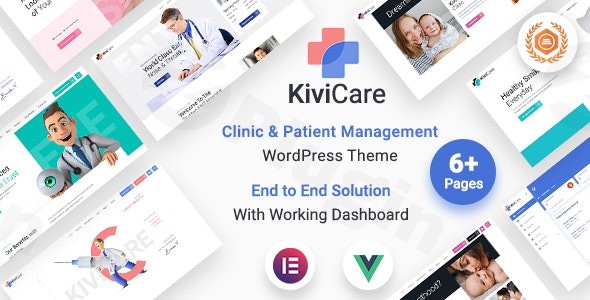
Running a modern medical practice requires more than just a digital brochure; it demands a robust operational hub. The Kivicare WordPress theme is a specialized, all-in-one solution designed to bridge the gap between a professional web presence and a functional Electronic Health Record (EHR) system. Whether you are a solo practitioner or managing a multi-specialty hospital, this medical clinic WordPress theme provides the tools necessary to digitize patient interactions and streamline daily clinic operations.In this guide, we’ll explore how Kivicare uses cutting-edge technology like React 19 to deliver a SaaS-like experience directly within your WordPress dashboard.
Key Features: Design, Layout & Performance
Kivicare stands out because it isn’t just a skin for your website—it is a comprehensive patient management system for WordPress. Developed by Iqonic Design, it combines aesthetic professionalism with deep functional utility.
Modern Design & Layout Options
Kivicare utilizes a clean, high-contrast UI/UX (redesigned in version 4.0) that instills trust in patients.
- Specialized Medical Templates: Includes pre-built layouts for doctors, dentists, physiotherapists, and specialized clinics.
- Fully Responsive: Built on Bootstrap 5, the theme ensures that patients can book appointments or view their medical history seamlessly on any device.
- Visual Hierarchy: The design focuses on clear Calls to Action (CTAs), such as “Book an Appointment,” ensuring high conversion rates for healthcare providers.
Integrated Clinic Management (EHR)
Unlike generic themes that require dozens of third-party plugins, Kivicare includes built-in modules for:
- Appointment Scheduling: Real-time booking with doctor availability slots.
- Patient Records & Medical History: Securely manage patient data and encounter notes.
- Billing & Invoicing: Generate professional invoices and accept payments via WooCommerce integration.
- Telemedicine Ready: Supports Zoom and Google Meet add-ons for virtual consultations.
High-Performance Tech Stack
Kivicare is built with React 19, making the management dashboard feel incredibly fast and responsive. By using lazy loading and optimized rendering, the theme avoids the “bloat” often associated with complex management systems, ensuring your site remains SEO-friendly and user-centric.
Installation & Demo Import
Setting up Kivicare is straightforward, provided your server meets the modern requirements for a high-performance application.
- Check Requirements: Ensure your server is running PHP 7.1+ and MySQL 5.6+. It is recommended to set your
memory_limitto at least 128M andmax_execution_timeto 300. - Install the Theme: Upload the Kivicare theme file via Appearance > Themes > Add New.
- Activate Core Plugins: Upon activation, you will be prompted to install the KiviCare Pro plugin and other required components.
- One-Click Demo Import: Navigate to the Kivicare setup wizard to import demo content. This will automatically set up your homepage, contact pages, and the initial clinic structure (doctors, services, and schedules).
- Assign Roles: Configure roles for clinic administrators, doctors, and receptionists to begin managing the practice.
Customization Guide: Branding & Layout
Personalizing Kivicare to match your clinic’s branding is intuitive, thanks to its deep integration with the Elementor page builder.
Using the Theme Options
With over 200+ Theme Options, you can control almost every visual aspect without touching a line of code. You can find these under the “Kivicare Settings” in your WordPress sidebar. Here, you can update your clinic’s logo, change primary brand colors, and adjust typography.
Elementor Integration
Kivicare provides custom Elementor widgets specifically for medical use cases. You can drag and drop “Doctor Lists,” “Service Grids,” or “Appointment Forms” anywhere on your site. This allows for total creative freedom while maintaining the functional integrity of the management system.
Header and Footer Personalization
You can choose from multiple pre-defined header styles or build a custom one using the integrated tools. Ensure your “Emergency Contact” number and “Book Now” buttons are prominent to improve user experience.
FAQ & Troubleshooting
Is Kivicare suitable for small clinics?
Yes, Kivicare is suitable for small clinics and individual practitioners as well as larger hospitals. Its modular design allows you to use only the features you need, and its one-time payment model makes it a cost-effective alternative to expensive monthly SaaS EHR subscriptions.
Does Kivicare support WooCommerce for online stores?
Yes, Kivicare is fully compatible with WooCommerce. This allows clinics to sell medical products or handle payment processing for appointments and medical services directly through the website.
Is the theme HIPAA compliant?
While Kivicare is built with security best practices, the developers state they do not officially claim HIPAA compliance. HIPAA compliance depends heavily on your specific server environment, data encryption methods, and internal handling procedures.
How to customize the Kivicare theme header?
You can customize the header via the Theme Options panel or by using the Elementor header builder. This allows you to change the logo, navigation menu, and top-bar contact information easily.
What should I do if the demo import fails?
Most demo import issues are caused by server timeouts. Ensure your max_execution_time is set to 300 and upload_max_filesize is at least 64M. If the issue persists, contact Iqonic Design support via their official help desk.
Conclusion
The Kivicare WordPress theme is a powerhouse for healthcare providers who want to maintain full control over their data and digital presence. By combining a patient management system for WordPress with a high-performance, Elementor compatible clinic theme, it removes the technical barriers to digitizing a medical practice.If you are looking for an affordable, fast, and feature-rich solution to manage appointments and patient records while maintaining a professional image, Kivicare is a top-tier choice. For more WordPress theme reviews and expert web design tips, visit us at wppick.com.
I. Download Limits & Account Benefits
- Free Downloads: Each email address receives 3 downloads per day for free products
- Upgrade Benefits: Purchase any paid product to increase your daily download limit by 3 for each paid product
- No Account Required: You can download immediately by receiving the download link via email
- Account Recommended: Create an account for easier access to your order history and direct update downloads
II. Understanding GPL vs Official Versions
Important: The products available on WPPick are GPL-licensed versions, which differ from official developer versions. Before purchasing, please read our comprehensive guide: Understanding GPL & Official Differences at WPPick
Key Points:
- GPL versions may not include premium support from original developers
- Updates may be delayed compared to official releases
- Some premium features might have limitations
- Always consider your specific needs and support requirements
III. Support & Assistance
We’re here to help through multiple channels:
- Email Support: Direct email assistance for all inquiries
- Live Chat: Real-time support during business hours
- Comprehensive Documentation: Detailed guides and tutorials
IV. Order Tracking
Access your complete purchase history and download links anytime: Order History
V. Account Access
New to WPPick? Login or Create Account to manage your downloads and orders efficiently.
VI. Refund Protection
We stand behind our products with a clear refund policy. Review our terms: Refund Policy
VII. Privacy & Security
Your data security is our priority. Learn how we protect your information: Privacy Policy
VII. Terms of Service
Understanding our service terms ensures a smooth experience: Terms of Use
Quick Tips for Best Experience
- Verify Compatibility: Check plugin/theme compatibility with your WordPress version
- Backup First: Always backup your site before installing new plugins or themes
- Test Environment: Consider testing on a staging site first
- Stay Updated: Regularly check for updates in your account dashboard
- Read Documentation: Review any included documentation for optimal setup
Need Help?
If you have questions about downloads, licensing, or need technical assistance, don’t hesitate to contact our support team. We’re committed to ensuring you have the best possible experience with WPPick products.
Ready to get started? Your download adventure begins with just one click!
- Compatibility with Elementor version 3.34.3
- Removed extra Swiper JS file loaded to prevent script conflicts.
- Minor bugs fixed.