

Konte – Minimal & Modern Woocommerce WordPress Theme
/Year
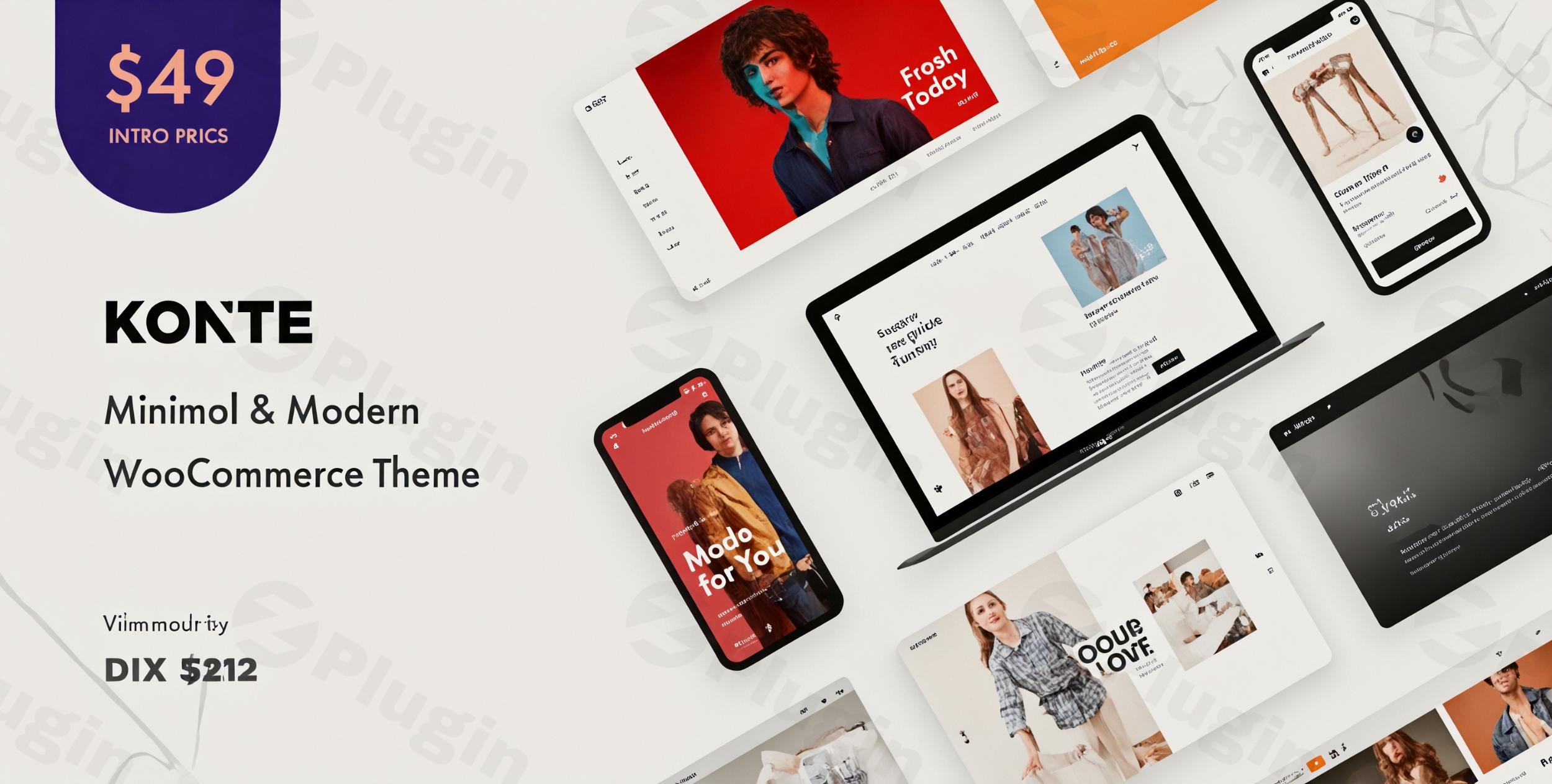
Build Modern Digital Storefronts with Konte
Konte is a premium WooCommerce WordPress theme designed to elevate online stores through clean aesthetics and robust eCommerce infrastructure. Developed by uixthemes, it combines a sleek structural layout with fast load times and optimized shopping workflows. Whether you are launching a brand-new boutique or restructuring an existing online catalog, Konte minimizes design clutter to keep focus squarely on your merchandise.
Latest Version 2.4.11 Changes
Konte is a Minimal & Modern WooCommerce WordPress Theme developed by uixthemes (The4 Studio). Version 2.4.11 specifically addresses a template compatibility issue by fixing out-of-date WooCommerce templates.
- 2.5.0 Update: Updated bundled plugins to their latest versions. Fix: Out-of-date templates of WooCommerce.
- 2.4.11 Fix: Out-of-date templates of WooCommerce.
- 2.4.10 Fix: Out-of-date templates of WooCommerce.
What Konte Does and Who It Is For
Konte operates as the foundation for your complete digital storefront. It bridges standard WordPress architecture with advanced WooCommerce systems to handle layouts, single product pages, multi-column checkouts, and custom filtering without requiring high-overhead external plugins. This theme fits digital storefront owners, creative agencies, clothing brands, high-end furniture retailers, and tech gadget sellers who prioritize a clean presentation, intuitive customer journeys, and seamless mobile responsiveness.
Key Capabilities and Store Features
- Built-in Product Quick View allows visitors to review item highlights without leaving their current browsing catalog.
- Integrated Variation Swatches help display sizes, colors, and material attributes beautifully right on the archive page.
- Advanced AJAX Search gives consumers real-time matching suggestions, now fully supporting variation SKUs for faster item location.
- Multiple shopping grid layouts and modern cart styles ensure a tailored checkout sequence that fits your unique brand style.
Practical WordPress Use Cases
A fashion boutique can utilize Konte to build interactive lookbooks and deploy dynamic color swatches so clients instantly see fabric options. For an online interior decor warehouse, the theme serves as a lightweight gallery engine capable of handling high-resolution imagery efficiently. It also provides structured space for technical specification sheets and cross-sell blocks, making it highly effective for electronic hardware retailers seeking to boost average order value.
Setup, Performance, and Compatibility Notes
Konte installs directly via the WordPress appearance dashboard and features deeply rooted support for core page builder systems like WPBakery and element-driven customizer controls. The theme maintains clean template code to ensure compliance with native WordPress core security and optimization standards. It is highly recommended to update your PHP environment to version 8.x or above to ensure maximum processing speeds alongside WooCommerce core databases.
Why Choose Konte on WPPick
Acquiring Konte through WPPick delivers a fully verified theme package checked for security vulnerabilities. WPPick packages are systematically scanned via automated tools like VirusTotal to ensure deployment readiness. Store administrators receive access to necessary layout files and core assets, making it an excellent option for developers handling staging environments or cost-conscious shop owners scaling up their web assets.
Latest Version Context
The latest major iterations, up to version 2.5.0, focus extensively on core technical stability and maintaining seamless operability alongside major platform ecosystem transitions. In these releases, developer focus centers on fixing out-of-date WooCommerce core templates to guarantee checkout calculations, item counters, and layout hooks run properly on modern installations. Additionally, underlying bundled core extensions were systematically updated to maintain complete security alignment.
Frequently Asked Questions
Does Konte require extra plugins for color swatches?
No, Konte features structural design integrations that natively power attribute variation swatches, reducing your dependency on heavy third-party code packages.
Can I use this theme for a non-eCommerce blog?
While engineered distinctly around WooCommerce functionality, you can easily disable the commerce components or operate the theme in catalog mode to display simple portfolios or corporate design blogs.
Is Konte compatible with the native block editor?
Yes, Konte fully interfaces with the native WordPress block architecture alongside major page builder environments, giving you visual design freedom depending on your preferred development stack.
How does Konte handle site performance on mobile devices?
Konte is built on a responsive and lightweight layout frame that automatically adapts column math and scales down image elements to minimize load times over mobile data networks.
I. Download Limits & Account Benefits
- Free Downloads: Each email address receives 3 downloads per day for free products
- Upgrade Benefits: Purchase any paid product to increase your daily download limit by 3 for each paid product
- No Account Required: You can download immediately by receiving the download link via email
- Account Recommended: Create an account for easier access to your order history and direct update downloads
II. Understanding GPL vs Official Versions
Important: The products available on WPPick are GPL-licensed versions, which differ from official developer versions. Before purchasing, please read our comprehensive guide: Understanding GPL & Official Differences at WPPick
Key Points:
- GPL versions may not include premium support from original developers
- Updates may be delayed compared to official releases
- Some premium features might have limitations
- Always consider your specific needs and support requirements
III. Support & Assistance
We’re here to help through multiple channels:
- Email Support: Direct email assistance for all inquiries
- Live Chat: Real-time support during business hours
- Comprehensive Documentation: Detailed guides and tutorials
IV. Order Tracking
Access your complete purchase history and download links anytime: Order History
V. Account Access
New to WPPick? Login or Create Account to manage your downloads and orders efficiently.
VI. Refund Protection
We stand behind our products with a clear refund policy. Review our terms: Refund Policy
VII. Privacy & Security
Your data security is our priority. Learn how we protect your information: Privacy Policy
VII. Terms of Service
Understanding our service terms ensures a smooth experience: Terms of Use
Quick Tips for Best Experience
- Verify Compatibility: Check plugin/theme compatibility with your WordPress version
- Backup First: Always backup your site before installing new plugins or themes
- Test Environment: Consider testing on a staging site first
- Stay Updated: Regularly check for updates in your account dashboard
- Read Documentation: Review any included documentation for optimal setup
Need Help?
If you have questions about downloads, licensing, or need technical assistance, don’t hesitate to contact our support team. We’re committed to ensuring you have the best possible experience with WPPick products.
Ready to get started? Your download adventure begins with just one click!
- Out-of-date templates of WooCommerce.
- Out-of-date templates of WooCommerce.
- Updated bundled plugins to their latest versions.
- Out-of-date templates of WooCommerce.
- Adjust the adjacent product query to address the change in WordPress 6.9
- Updated bundled plugins to their latest versions
- Issue with duplicated breadcrumbs
- Issue with the auto-background feature on product pages
- Issue with the page title size on mobile
- Issue with Product Quick View allowing access to private/hidden products
- Out-of-date templates of WooCommerce
- Fixed warning messages in the language switcher
- Social icons disappear on header
- Support SEOPress's breadcrumbs
- Updated bundled plugins to their latest versions.
- Missing scrollbar in the carousel elements
- Updated bundled plugins to their latest versions.
- Updated WooCommerce templates.
- Fixed cart item count error.
- Updated CSS for new invalid swatches options.
- Enhance AJAX search to support SKU of variations.
- Out-of-date templates of WooCommerce.