
Lagar – Winery Wine Shop WordPress
/Year
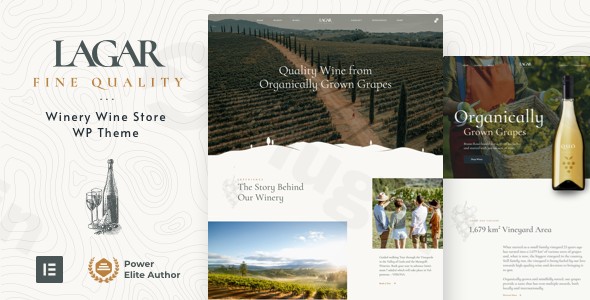
The Lagar WordPress theme is a meticulously designed, premium solution specifically crafted for businesses in the wine and alcohol industry. Whether you run a bustling winery, a boutique vineyard, an online wine shop, or a cozy wine bar, Lagar offers an elegant and robust platform to showcase your products and brand heritage. This review and setup guide delves into Lagar’s features, ease of use, and overall value, demonstrating why it’s a top choice for creating a sophisticated and conversion-ready wine shop WordPress theme without requiring any coding expertise.
Key Features: Design, Layout & Performance
Lagar combines visually stunning design with high-performance functionality, ensuring your website not only looks exquisite but also operates flawlessly.
Design & Layout Options
Lagar’s design philosophy centers on elegance and conversion. Its layouts are built to highlight your wine products and tell your brand story effectively.
- Elementor-Powered Design: Built primarily with Elementor page builder, Lagar provides an intuitive drag-and-drop interface for creating and customizing every aspect of your site. It is also compatible with Elementor Pro, which is essential for advanced features like the included header and footer builder, allowing for truly custom, pixel-perfect designs without touching a single line of code.
- Flexible Layouts: The theme offers extensive layout options for various page elements. You can craft custom headers, footers, and mega menus. Dynamic content layouts are available for product pages, blog posts, archives, and even utility pages like 404 and coming soon screens.
- One-Click Demo Import: Get started quickly with the Lagar theme demo import feature. This allows you to replicate the beautiful starter site structures and styles with a single click, providing a solid foundation that you can then personalize. The theme package even includes $270 worth of premium stock images, ready for immediate use.
- Built-in Age-Gate Feature: Crucially for alcohol-related businesses, Lagar includes a unique, editable age-gate or “Welcome” popup pattern. This ensures legal compliance while maintaining a professional user experience.
Customization Capabilities
Branding is paramount in the wine industry, and Lagar offers extensive control to ensure your website perfectly reflects your identity.
- Global Styles with Elementor Pro: Instead of a separate theme options panel, Lagar leverages Elementor Pro’s Global Styles Panel. This central hub gives you complete control over global colors, typography, spacing, containers, sections, and backgrounds, guaranteeing brand consistency across your entire site.
- Detailed Typography & Color Control: Fine-tune your website’s aesthetics with powerful theme options for typography and global color palettes, allowing for intricate adjustments that impact your site’s visual hierarchy and brand cohesion.
Performance & SEO Features
In the competitive online marketplace, speed and search engine visibility are crucial. Lagar is engineered to excel in both areas.
- Exceptional Page-Load Performance: The theme is optimized for fast load times right out of the box, ensuring a smooth and responsive user experience that keeps visitors engaged and helps with search engine rankings.
- SEO Optimized Structure: Lagar comes with a clean, SEO-optimized structure, including well-structured headings and clean markup. This foundation helps search engines understand your content better, contributing to improved visibility.
- Mobile-Responsive Design: With a dedicated mobile-responsive design and full control over mobile and tablet breakpoints via Elementor Pro, your Lagar WordPress theme will look flawless on any device, from desktops to smartphones and tablets.
E-Commerce & Business Tools
Lagar isn’t just a pretty face; it’s a powerful e-commerce machine designed to help you sell wine and related products online efficiently.
WooCommerce Integration
- Full WooCommerce Integration: Lagar offers robust, seamless integration with WooCommerce, the leading e-commerce platform for WordPress. This allows you to create a fully functional online store with ease.
- Optimized Product Display: Product pages are designed to showcase wines and accessories in the most appealing way, encouraging purchases.
- Elementor Pro WooCommerce Builder: Customize every aspect of your online store with Elementor Pro, including product pages, archives, cart, checkout, and even the “My Account” page.
- Enhanced E-commerce Features: Lagar extends WooCommerce functionality with advanced features such as a wishlist, Ajax search, and gift card options, providing a richer shopping experience for your customers.
Professional Business Tools
Beyond sales, Lagar equips your business with essential tools for global reach and future growth.
- WPML Plugin Integration: For businesses catering to a global audience, Lagar is fully compatible with the WPML plugin, enabling you to create multilingual websites effortlessly.
- RTL Language Support: The theme includes out-of-the-box support for Right-to-Left (RTL) languages, expanding your reach to diverse demographics.
- Child Theme Ready: For developers or users who want to make significant customizations without compromising future theme updates, Lagar is child theme ready, a crucial feature for long-term website maintenance.
Installation & Demo Import
Setting up your Lagar-powered wine website is a straightforward process, even for beginners. Here’s a step-by-step guide:
- Install & Activate the Lagar Theme:
- First, download the Lagar theme package from your purchase source (e.g., ThemeForest).
- Log in to your WordPress dashboard.
- Navigate to
Appearance > Themes > Add New > Upload Theme. - Choose the theme’s
.zipfile (e.g.,lagar.zip) and click “Install Now”. - Once installed, click “Activate”.
- Install Required Plugins:
- Upon activation, Lagar will typically prompt you to install a set of recommended plugins. The most crucial one is Elementor.
- Crucially, Elementor Pro is required for full functionality and to import the demo content. If you don’t have Elementor Pro, you’ll need to purchase and install it separately.
- Install and activate all other recommended plugins, including WooCommerce if you plan to run an online store.
- One-Click Demo Content Import:
- After installing and activating Elementor Pro and other required plugins, navigate to the theme’s specific demo import section, usually found under
Appearance > Import Demo Dataor a similar menu item provided by the theme. - Click the “One-Click Demo Import” button.
- What to expect: The demo import process will populate your site with pre-built pages, posts, sample products, menus, and widgets, making your site look just like the live demo. This process can take several minutes, depending on your server’s speed and the amount of content.
- Common Pitfalls: Ensure your server has adequate memory and execution time limits (e.g., PHP
memory_limitof at least 256MB andmax_execution_timeof 300 seconds or more). Large demo imports can sometimes time out on under-resourced hosting environments.
- After installing and activating Elementor Pro and other required plugins, navigate to the theme’s specific demo import section, usually found under
Customization Guide: Branding & Layout
Personalizing your Lagar website to match your brand’s unique identity is incredibly intuitive, thanks to its deep integration with Elementor Pro.
- Utilizing Elementor Pro Global Styles:
- Instead of a traditional WordPress Customizer with theme options, Lagar uses the Elementor Pro Global Styles Panel as its primary theme customizer.
- Navigate to any page edited with Elementor. Click the “hamburger” icon (three horizontal lines) in the top-left corner of the Elementor panel, then select “Site Settings” and “Global Styles”.
- Here, you can centrally control global fonts, colors, button styles, form fields, and more, ensuring consistency across your entire website.
- Changing Colors & Typography:
- Within Global Styles, update your primary, secondary, and accent colors to match your brand palette.
- Adjust typography settings for headings (H1-H6) and body text, choosing from a vast library of Google Fonts or custom fonts.
- Logo & Site Identity:
- Your logo can typically be uploaded via the standard WordPress Customizer (
Appearance > Customize > Site Identity) or within the Elementor header builder if you’re using a custom header.
- Your logo can typically be uploaded via the standard WordPress Customizer (
- Header & Footer Layouts:
- Since Lagar includes an Elementor Pro header and footer builder, you can design these crucial areas entirely from scratch or modify the imported demo versions. Navigate to
Templates > Theme Builderin your WordPress dashboard to access and edit these templates.
- Since Lagar includes an Elementor Pro header and footer builder, you can design these crucial areas entirely from scratch or modify the imported demo versions. Navigate to
- Setting Up Homepage, Blog Page, and Menus:
- Homepage: After demo import, your homepage will likely be set. If not, go to
Settings > Readingand set a static page as your homepage. - Blog Page: Create a new page (e.g., “Blog”) and assign it as your Posts page under
Settings > Reading. You can then customize its layout using Elementor. - Menus: Navigate to
Appearance > Menusto create and assign your main navigation, footer menus, and any other custom menus to their respective locations.The customization experience with Lagar is highly visual and uses Elementor’s familiar drag-and-drop interface, making it accessible even for users without design experience.
- Homepage: After demo import, your homepage will likely be set. If not, go to
FAQ & Troubleshooting
Here are answers to some common questions about the Lagar WordPress theme:
Is Lagar compatible with Elementor / Gutenberg?
Yes, Lagar is deeply integrated with Elementor and Elementor Pro, serving as its primary page builder and customization interface. While it is compatible with modern WordPress versions and the Block Editor (Gutenberg), its core strength and intended editing experience lie with Elementor for page and layout building.
Does Lagar support WooCommerce for online stores?
Absolutely. Lagar features robust WooCommerce integration, allowing you to create a full-fledged online wine shop. It includes an Elementor Pro WooCommerce builder for customizing product pages, archives, cart, and checkout, along with enhanced features like a wishlist and Ajax search.
Does Lagar support child themes?
Yes, Lagar is child theme ready. This is an important feature for users who wish to make custom code modifications without risking these changes being overwritten during future theme updates. Using a child theme ensures your customizations are preserved.
What is required to import Lagar’s demo content?
To successfully import Lagar’s demo content and gain full access to its features and customization options, Elementor Pro is explicitly required. You will need to install and activate Elementor Pro in addition to the free Elementor plugin before proceeding with the one-click demo import.
Is an age verification feature included in Lagar?
Yes, a notable feature of Lagar is its built-in age-gate or “Welcome” popup pattern. This is a crucial legal compliance feature for businesses selling alcohol and is fully editable within Elementor, allowing you to customize its appearance and messaging.
Conclusion
The Lagar – Premium Winery & Wine Shop WordPress Theme is an outstanding choice for any business in the wine, vineyard, or liquor industry looking to establish a sophisticated and high-converting online presence. Its elegant design, powered by a seamless Elementor and Elementor Pro integration, offers unparalleled design flexibility without needing code.From its robust WooCommerce integration with enhanced e-commerce functionalities like wishlists and gift cards, to essential features like a built-in age-gate for legal compliance, Lagar is purpose-built for its niche. Its focus on fast page-load performance and an SEO-optimized structure ensures your site will not only look great but also perform well in search results.Whether you’re a beginner store owner seeking an out-of-the-box solution with one-click demo import, or a freelancer/agency building bespoke sites for clients in the wine industry, Lagar offers the tools and flexibility needed. It stands out from generic multipurpose themes by providing niche-specific functionalities and a design ethos perfectly aligned with the aesthetics of fine wine. Choose Lagar when you need a professional, reliable, and visually stunning platform for your wine business.
I. Download Limits & Account Benefits
- Free Downloads: Each email address receives 3 downloads per day for free products
- Upgrade Benefits: Purchase any paid product to increase your daily download limit by 3 for each paid product
- No Account Required: You can download immediately by receiving the download link via email
- Account Recommended: Create an account for easier access to your order history and direct update downloads
II. Understanding GPL vs Official Versions
Important: The products available on WPPick are GPL-licensed versions, which differ from official developer versions. Before purchasing, please read our comprehensive guide: Understanding GPL & Official Differences at WPPick
Key Points:
- GPL versions may not include premium support from original developers
- Updates may be delayed compared to official releases
- Some premium features might have limitations
- Always consider your specific needs and support requirements
III. Support & Assistance
We’re here to help through multiple channels:
- Email Support: Direct email assistance for all inquiries
- Live Chat: Real-time support during business hours
- Comprehensive Documentation: Detailed guides and tutorials
IV. Order Tracking
Access your complete purchase history and download links anytime: Order History
V. Account Access
New to WPPick? Login or Create Account to manage your downloads and orders efficiently.
VI. Refund Protection
We stand behind our products with a clear refund policy. Review our terms: Refund Policy
VII. Privacy & Security
Your data security is our priority. Learn how we protect your information: Privacy Policy
VII. Terms of Service
Understanding our service terms ensures a smooth experience: Terms of Use
Quick Tips for Best Experience
- Verify Compatibility: Check plugin/theme compatibility with your WordPress version
- Backup First: Always backup your site before installing new plugins or themes
- Test Environment: Consider testing on a staging site first
- Stay Updated: Regularly check for updates in your account dashboard
- Read Documentation: Review any included documentation for optimal setup
Need Help?
If you have questions about downloads, licensing, or need technical assistance, don’t hesitate to contact our support team. We’re committed to ensuring you have the best possible experience with WPPick products.
Ready to get started? Your download adventure begins with just one click!
- Updated style.css
- Updated vamtam/admin/classes/diagnostics.php
- Updated vamtam/admin/classes/plugin-manager.php
- Updated vamtam/assets/css/dist/all.css
- Updated vamtam/assets/css/dist/all.css.map
- Updated vamtam/assets/css/dist/woocommerce/cart-checkout.css
- Updated vamtam/assets/css/dist/woocommerce/cart-checkout.css.map
- Updated vamtam/assets/css/footer.less
- Updated vamtam/assets/css/side-buttons.less
- Updated vamtam/assets/css/src/woocommerce/cart-checkout.less
- style.css
- Gruntfile.js
- package.json
- samples/dependencies.php
- style.css
- utils/grunt/packaging.js
- vamtam/admin/classes/diagnostics.php