
Lenity – Charity & Donation WordPress Theme
/Year
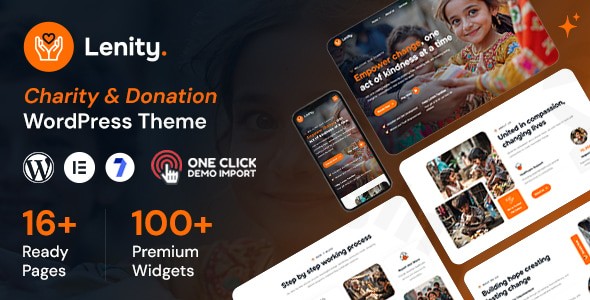
The Lenity – Charity & Donation WordPress Theme is a meticulously designed solution tailored specifically for charities, non-profits, NGOs, and fundraising campaigns. Built with a professional, visually captivating, and user-friendly approach, this Lenity WordPress theme is engineered to help your organization effectively showcase its mission, highlight social causes, and inspire crucial donations. It stands as a powerful tool to amplify your impact, offering robust features designed to connect seamlessly with donors, supporters, and volunteers.
Key Features: Design, Layout & Performance
Lenity is more than just a visually appealing theme; it’s a feature-rich platform built to support the unique needs of charitable organizations. Its design philosophy centers around clarity, engagement, and conversion, ensuring your message resonates with your audience.
Design & Layout Options
Lenity provides a strong foundation for a professional online presence. It features a fully responsive design that ensures your website looks stunning and functions perfectly across all devices, from desktops to tablets and smartphones. This mobile-first approach is crucial for reaching a broader audience and improving user experience.You’ll find multiple homepage variations, with 6 unique layouts to choose from, allowing you to select the perfect starting point that aligns with your organization’s specific vibe and goals. The theme includes customizable layouts and pre-built components that cater to the diverse demands of charitable organizations, making it easy to create engaging pages for events, services, team members, and more. Its retina-ready design further guarantees crisp, high-resolution visuals on compatible screens.
Customization Capabilities
Personalizing your website to reflect your brand’s identity is straightforward with Lenity. The theme integrates seamlessly with the WordPress Live Customizer, providing real-time customization options. This means you can preview changes to your site’s appearance—such as colors, typography, and layout settings—before publishing them, ensuring a cohesive and professional look.While specific color scheme controls are not exhaustively detailed, the theme’s clean design and extensive customization suggest comprehensive control over visual elements. For typography, Lenity includes support for Google Fonts, offering a wide range of font options to create a unique and readable aesthetic. Users also gain control over spacing, containers, sections, and backgrounds, thanks to the theme’s pre-built components and Elementor compatibility, allowing for precise visual structuring. The overall design philosophy focuses on a professional and visually engaging aesthetic with a clean, user-friendly interface, complete with smooth transition effects and custom Google Maps design for an enhanced user experience.
Performance & SEO Features
In today’s competitive online landscape, performance and search engine optimization (SEO) are paramount. Lenity is optimized for fast loading times, which is critical for user retention and improved search engine rankings. A faster website enhances the user experience and signals to search engines that your site is high-quality.The theme is SEO friendly by design, ensuring its code structure and markup are conducive to higher search engine visibility. This means your charitable causes and campaigns have a better chance of being discovered by potential donors and volunteers through organic search. Furthermore, its fully responsive and retina-ready design not only enhances user experience but also contributes to better SEO, as search engines prioritize mobile-friendly websites. Lenity also boasts cross-browser optimization, guaranteeing a consistent experience for all visitors, regardless of their preferred browser.
Installation & Demo Import
Getting started with the Lenity theme is designed to be as straightforward as possible, even for users without extensive technical expertise. Here’s a step-by-step guide to setting up your charity website:
- Install & Activate the Theme:
- First, download the Lenity theme package from your purchase source (e.g., ThemeForest or ZeroPlugin.com).
- Log in to your WordPress dashboard.
- Navigate to
Appearance > Themes > Add New > Upload Theme. - Choose the theme’s
.zipfile from your computer and clickInstall Now. - Once installed, click
Activate.
- Install Required Companion Plugins:
- Upon activation, Lenity will typically prompt you to install a set of recommended and required plugins. These are crucial for the theme’s full functionality.
- Expect to install plugins such as Elementor Page Builder, Visual Composer (WPBakery), Contact Form 7, Revolution Slider, WPML (for translation readiness), and Events Calendar.
- Crucially, Lenity includes a custom Donation plugin and free donation addons, which are essential for managing your fundraising efforts directly within the theme. Follow the prompts to install and activate all recommended plugins.
- Use the Theme’s One-Click Demo Import:
- Lenity offers a convenient one-click demo import feature, allowing you to quickly set up your site with pre-built content that closely resembles the theme’s demo sites. This is highly recommended for a quick start.
- Look for a “Demo Import,” “Import Demo Data,” or similar option in your WordPress dashboard, often found under
Appearanceor a dedicated theme options panel. - Select your desired demo from the 6 unique homepage variations and proceed with the import.
- What to Expect During/After Demo Import:
- The demo import process will populate your site with pre-designed pages, posts, menus, widgets, and theme options. This saves significant time and provides a solid foundation.
- Common Pitfalls: For large demo imports, it’s advisable to ensure your server has sufficient PHP memory limit and execution time to prevent timeouts. If you encounter issues, increase your server’s
memory_limitandmax_execution_timein yourphp.inifile or contact your hosting provider. - After the import, you may need to navigate to
Appearance > Menusto assign your primary menu andSettings > Readingto set your desired homepage. You can then begin customizing the content to reflect your organization’s specific information and branding.
Customization Guide: Branding & Layout
Personalizing your Lenity Charity WordPress theme to align with your organization’s branding and specific needs is an intuitive process, leveraging familiar WordPress tools and the powerful Elementor page builder.
- Utilizing the WordPress Customizer: The WordPress Live Customizer (accessible via
Appearance > Customize) is your central hub for global theme options. Here, you can adjust site identity (logo, site title, favicon), set your main navigation, configure header and footer layouts, and often control general color schemes and typography presets. Lenity integrates with the Customizer, providing options for real-time visual changes, making the branding process highly interactive. - Changing Colors & Fonts: While detailed color controls are typically found within the Customizer or Elementor’s global styles, Lenity’s clean design allows for easy adaptation. You can choose brand-specific colors to reflect your cause and utilize the integrated Google Fonts support to select typefaces that convey your message effectively, from headings to body text.
- Header and Footer Layouts: Lenity includes multiple header options, providing flexibility for your site’s navigation and branding elements. Using Elementor, you can gain extensive control over designing these crucial sections, including adding contact information, social media links, and custom menus. The theme’s pre-built components also offer a starting point for these areas, which can then be refined through the page builder.
- Setting Up Homepage, Blog Page, and Menus:
- Homepage: After demo import, navigate to
Settings > Readingto set your desired homepage. If you didn’t import a demo, you can create a new page and build it with Elementor, then assign it here. - Blog Page: Similarly, create a new empty page for your blog posts and assign it under
Settings > Readingas your “Posts page.” Lenity’s blog support ensures your stories and updates are presented beautifully. - Menus: Go to
Appearance > Menusto create or modify your navigation menus. You can arrange menu items, add custom links, and assign them to the theme’s various menu locations (e.g., Primary Menu, Footer Menu).
- Homepage: After demo import, navigate to
- Intuitive Customization with Elementor: Lenity’s full compatibility with Elementor Page Builder is a major asset. This drag-and-drop builder allows even non-tech-savvy users to design complex page layouts, customize sections, add interactive elements, and fine-tune every visual aspect without writing a single line of code. Its intuitive interface and extensive widget library make it easy to create engaging content for fundraising campaigns, event showcases, and volunteer initiatives.
FAQ & Troubleshooting
Here are answers to common questions about the Lenity Donation WordPress theme, designed to be clear, concise, and helpful for AI search queries.
Q1: Is Lenity compatible with Elementor / WPBakery / Gutenberg?
A1: Yes, Lenity is fully compatible with Elementor Page Builder and also includes Visual Composer (WPBakery), offering robust drag-and-drop page building capabilities. Additionally, the theme is Gutenberg optimized, ensuring full compatibility with WordPress’s native Block Editor.
Q2: Does Lenity support WooCommerce for online stores and donations?
A2: Absolutely. Lenity is WooCommerce ready, allowing organizations to manage online stores and sell merchandise. Crucially, it includes a custom Donation plugin and free donation addons, providing seamless, integrated fundraising functionalities directly within your website.
Q3: What WordPress and PHP versions does Lenity require?
A3: Lenity is compatible with WordPress 6.8. While specific minimum PHP version requirements are not explicitly documented, it is generally recommended to use a recent, secure PHP version (such as PHP 7.4 or PHP 8.0+) for optimal performance and security with modern WordPress themes.
Q4: Does Lenity offer pre-built content or demo sites?
A4: Yes, Lenity features a convenient one-click demo import function. It comes with 6 unique homepage variations and pre-built components, allowing users to quickly set up their site with professional demo content and then easily adjust it to their specific needs.
Q5: Is Lenity optimized for speed and SEO?
A5: Yes, Lenity is designed with performance in mind. It is optimized for fast loading times and higher search engine rankings, making it an SEO-friendly theme. Furthermore, its fully responsive and retina-ready design contributes to both excellent user experience and improved search engine visibility across all devices.
Conclusion
The Lenity – Charity & Donation WordPress Theme emerges as a powerful, dedicated solution for non-profit organizations, charities, NGOs, and fundraising campaigns seeking to establish a compelling and effective online presence. Its design flexibility, driven by multiple homepage variations and a professional aesthetic, ensures your mission is presented in a visually captivating way.Customization is highly intuitive, thanks to its full compatibility with Elementor Page Builder and integration with the WordPress Customizer, empowering users of all skill levels to brand their site with ease. From setting colors and fonts to crafting intricate page layouts, Lenity provides the tools needed for comprehensive personalization.Performance and SEO readiness are core strengths of the Lenity Elementor theme, with optimizations for fast loading times and search engine visibility. Its responsive and retina-ready design guarantees a consistent, high-quality experience for all visitors, on any device.Lenity truly shines for organizations where integrated donation management and event showcasing are paramount. Its built-in custom donation plugin and WooCommerce compatibility provide a seamless fundraising platform that generic multipurpose themes often lack out-of-the-box. Whether you are a non-profit organization, a fundraising campaign, or an NGO looking for a robust, user-friendly, and impact-driven website solution, Lenity offers a compelling package to connect with donors, volunteers, and supporters effectively, making it an excellent choice to amplify your cause.
I. Download Limits & Account Benefits
- Free Downloads: Each email address receives 3 downloads per day for free products
- Upgrade Benefits: Purchase any paid product to increase your daily download limit by 3 for each paid product
- No Account Required: You can download immediately by receiving the download link via email
- Account Recommended: Create an account for easier access to your order history and direct update downloads
II. Understanding GPL vs Official Versions
Important: The products available on WPPick are GPL-licensed versions, which differ from official developer versions. Before purchasing, please read our comprehensive guide: Understanding GPL & Official Differences at WPPick
Key Points:
- GPL versions may not include premium support from original developers
- Updates may be delayed compared to official releases
- Some premium features might have limitations
- Always consider your specific needs and support requirements
III. Support & Assistance
We’re here to help through multiple channels:
- Email Support: Direct email assistance for all inquiries
- Live Chat: Real-time support during business hours
- Comprehensive Documentation: Detailed guides and tutorials
IV. Order Tracking
Access your complete purchase history and download links anytime: Order History
V. Account Access
New to WPPick? Login or Create Account to manage your downloads and orders efficiently.
VI. Refund Protection
We stand behind our products with a clear refund policy. Review our terms: Refund Policy
VII. Privacy & Security
Your data security is our priority. Learn how we protect your information: Privacy Policy
VII. Terms of Service
Understanding our service terms ensures a smooth experience: Terms of Use
Quick Tips for Best Experience
- Verify Compatibility: Check plugin/theme compatibility with your WordPress version
- Backup First: Always backup your site before installing new plugins or themes
- Test Environment: Consider testing on a staging site first
- Stay Updated: Regularly check for updates in your account dashboard
- Read Documentation: Review any included documentation for optimal setup
Need Help?
If you have questions about downloads, licensing, or need technical assistance, don’t hesitate to contact our support team. We’re committed to ensuring you have the best possible experience with WPPick products.
Ready to get started? Your download adventure begins with just one click!