

Lexend – Software, Saas & Startup WordPress Theme
/Year
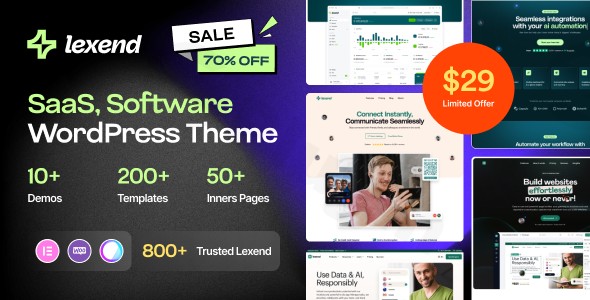
Building a high-converting website for a technology company requires more than just a “clean look”—it demands performance, industry-specific layouts, and seamless user experiences. The Lexend WordPress theme is a premium, versatile SaaS WordPress theme specifically engineered to meet the needs of software companies, tech startups, and app developers. With its focus on a “sales-ready” out-of-the-box experience, Lexend bridges the gap between complex development and professional design, making it an ideal choice for businesses looking to establish a dominant online presence quickly.
Lexend Overview: A Modern Aesthetic for Tech Innovators
Lexend is designed with a “mobile-first” philosophy, ensuring that your software or startup site looks impeccable on every device. It targets entrepreneurs, agencies, and freelancers who need a professional, professional-grade site without the bloat of generic multipurpose themes. The theme’s design philosophy centers on a professional yet “daring” aesthetic. It utilizes whitespace effectively to create a visual hierarchy that guides users toward your Call to Action (CTA), making it a powerful startup WordPress theme for those focused on lead generation and user acquisition.
Core Features of the Lexend Software WordPress Theme
1. Specialized Design & Layout Options
Lexend offers 7–10 niche-specific demos that cater to various sectors, including:
- SaaS Landing Pages: Optimized for feature showcases and subscription sign-ups.
- App Showcases: Perfect for highlighting mobile or desktop applications.
- IT Services & Fintech: Clean, trust-building layouts for consulting and financial tools.
- Crypto & Digital Products: Modern, dark-mode-ready designs for the blockchain space.
2. Deep Elementor Integration
Unlike themes that simply “support” page builders, Lexend is built for Elementor. It includes over 100 custom Elementor blocks, allowing you to drag and drop elements like pricing tables, team profiles, and feature grids with ease. The integration of the Elementor Header & Footer Builder means you aren’t limited to pre-defined headers; you can design your own navigation experience from scratch.
3. Performance & SEO Readiness
In the tech world, speed is a ranking factor and a conversion killer. Lexend is fine-tuned for fast performance, utilizing clean markup and a lightweight codebase.
- SEO Optimized: Built with structured headings and schema-friendly code to help your SaaS business rank higher in search engines.
- Bootstrap 5.x Framework: Built on the latest Bootstrap version, ensuring a robust, responsive foundation that handles high traffic with ease.
Installation and One-Click Demo Import
Setting up the Lexend theme is designed to be a frictionless experience, even for those with minimal technical background.
- Install & Activate: Upload the
lexend.zipfile via Appearance > Themes in your WordPress dashboard. - Plugin Setup: Upon activation, Lexend will prompt you to install required plugins, including Elementor, the Lexend Core plugin, and Contact Form 7.
- One-Click Demo Import: Navigate to the theme options and select the “Demo Import” feature. Choose your preferred tech niche (e.g., SaaS, App, or IT Services) and click import.
- Final Checks: Once the process completes, your menus, widgets, and homepages will be automatically configured to match the live preview.Note: For a successful import, ensure your server meets the recommended PHP limits (Memory Limit: 256M, Max Execution Time: 180).
Customization Guide: Branding Your Startup
Personalizing the Lexend theme to match your brand identity is intuitive, thanks to the combination of the Live WordPress Customizer and Elementor’s global styles.
- Global Styling: Use the Dynamic Color compatibility to change your primary and secondary brand colors across the entire site instantly.
- Typography Control: Lexend provides advanced typography settings, allowing you to choose fonts that align with your brand’s voice—whether it’s bold and tech-forward or clean and corporate.
- Header & Footer Builder: Use the Elementor interface to customize your site’s navigation. You can create “Sticky Headers” or transparent navigation bars that change as the user scrolls.
- Child Theme Support: Lexend includes a
lexend-child.zipfile. Always activate the child theme if you plan on adding custom PHP code or CSS, as this ensures your changes aren’t lost during theme updates.
FAQ & Troubleshooting
Is the Lexend WordPress theme compatible with Elementor?
Yes, Lexend is fully compatible with the Elementor Page Builder. It includes over 100 custom-designed blocks specifically for Elementor, making it one of the most flexible Elementor SaaS themes available.
Does Lexend support WooCommerce for online stores?
Absolutely. Lexend is WooCommerce-ready, allowing you to sell digital subscriptions, software licenses, or tech hardware directly from your website with professional shop and checkout layouts.
How do I update Lexend without losing my customizations?
To maintain your customizations, you should use the included Lexend Child Theme for any code-level changes. For design changes made through Elementor or the Customizer, these are stored in the database and will remain intact when you update the parent theme.
What should I do if the demo import fails?
Most demo import issues are caused by server limitations. Ensure your PHP memory_limit is set to at least 256M and max_input_vars is 3000. If the import still fails, check your “System Status” tab in the theme options for any red flags.
Final Verdict: Is Lexend Right for You?
The Lexend WordPress theme stands out as a top-tier solution for anyone needing a software WordPress theme that balances aesthetics with technical performance. While multipurpose themes like Astra or GeneratePress offer broad flexibility, Lexend provides a curated, industry-specific experience that saves hours of design and development time.Ideal for:
- Agencies building multiple sites for tech clients.
- SaaS Founders who need a high-converting landing page quickly.
- IT Consultants looking for a polished, professional digital storefront.If you are looking to build a SaaS website with WordPress that feels modern, performs fast, and is easy to manage, Lexend is a highly recommended investment.For more WordPress theme reviews and tutorials, visit wppick.com.
I. Download Limits & Account Benefits
- Free Downloads: Each email address receives 3 downloads per day for free products
- Upgrade Benefits: Purchase any paid product to increase your daily download limit by 3 for each paid product
- No Account Required: You can download immediately by receiving the download link via email
- Account Recommended: Create an account for easier access to your order history and direct update downloads
II. Understanding GPL vs Official Versions
Important: The products available on WPPick are GPL-licensed versions, which differ from official developer versions. Before purchasing, please read our comprehensive guide: Understanding GPL & Official Differences at WPPick
Key Points:
- GPL versions may not include premium support from original developers
- Updates may be delayed compared to official releases
- Some premium features might have limitations
- Always consider your specific needs and support requirements
III. Support & Assistance
We’re here to help through multiple channels:
- Email Support: Direct email assistance for all inquiries
- Live Chat: Real-time support during business hours
- Comprehensive Documentation: Detailed guides and tutorials
IV. Order Tracking
Access your complete purchase history and download links anytime: Order History
V. Account Access
New to WPPick? Login or Create Account to manage your downloads and orders efficiently.
VI. Refund Protection
We stand behind our products with a clear refund policy. Review our terms: Refund Policy
VII. Privacy & Security
Your data security is our priority. Learn how we protect your information: Privacy Policy
VII. Terms of Service
Understanding our service terms ensures a smooth experience: Terms of Use
Quick Tips for Best Experience
- Verify Compatibility: Check plugin/theme compatibility with your WordPress version
- Backup First: Always backup your site before installing new plugins or themes
- Test Environment: Consider testing on a staging site first
- Stay Updated: Regularly check for updates in your account dashboard
- Read Documentation: Review any included documentation for optimal setup
Need Help?
If you have questions about downloads, licensing, or need technical assistance, don’t hesitate to contact our support team. We’re committed to ensuring you have the best possible experience with WPPick products.
Ready to get started? Your download adventure begins with just one click!
- Compatible with Elementor Latest Version
- Compatible with WooCommerce Latest Version
- Compatible with WPML and Polylang
- Home Page Ten
- Services Page
- Services Details Page
- New Header
- New Footer
- Smooth Scroll Option
- 20+ Elementor Widget
- Blog widget meta option
- Back to top URL issue
- Some minor CSS issues