
Listify – WordPress Directory Themes
/Year
Introduction: Your Ultimate Solution for Dynamic Directories
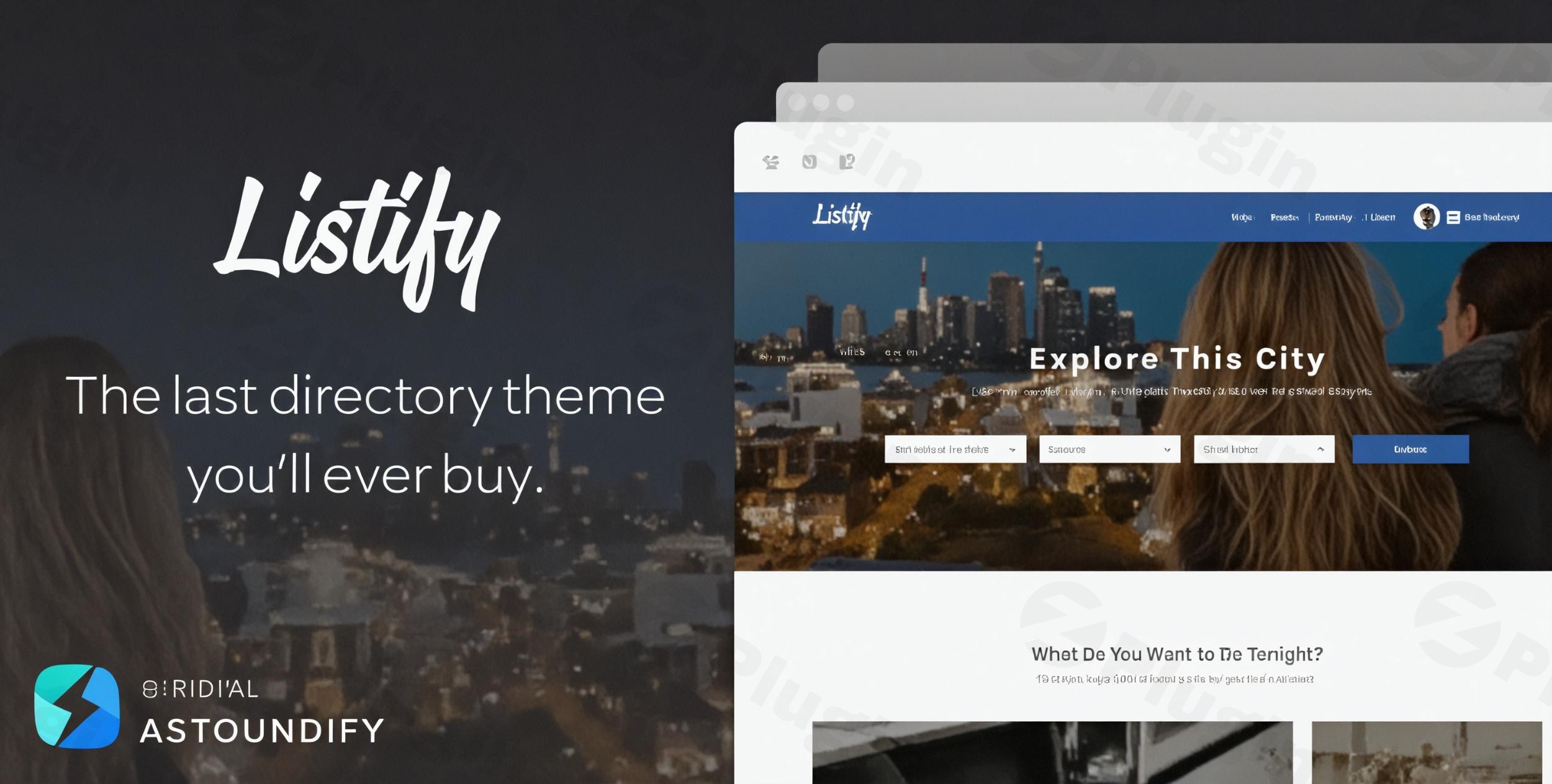
The Listify WordPress theme is a premium, purpose-built solution designed to help you create stunning and highly functional directory and listing websites for virtually any niche. Whether you’re envisioning a local business directory, a comprehensive real estate portal, a vibrant restaurant guide, or a service provider network, Listify provides the robust tools and professional design necessary to bring your vision to life. Launched by Astoundify, Listify stands out for its commitment to combining beautiful aesthetics with powerful, specialized directory functionality, making it an ideal choice for entrepreneurs, freelancers, and agencies aiming to build a profitable online presence.
Key Features: Design, Layout & Performance for Directory Success
Listify is engineered to deliver a seamless user experience for both site administrators and visitors, prioritizing visual appeal, intuitive design, and rock-solid performance.
Design & Layout Options
Listify offers a professional and modern design philosophy that emphasizes clean layouts and user-friendly interfaces. Its core strength lies in showcasing listings beautifully and making them easily discoverable.
- Customizable Listing Templates: The theme comes packed with specialized directory features, including advanced search functionality and interactive maps, all presented through customizable listing templates. This allows you to tailor how individual listings appear, ensuring they highlight key information effectively.
- Flexible Homepage and Layouts: The homepage is exceptionally flexible, leveraging dedicated widget areas that allow you to construct unique layouts. You can add various sections, such as category image grids, recent listings, and hero sections with custom background videos, providing a dynamic visual element to your site.
- Pre-built Demos & Style Kits: To jumpstart your project, Listify offers ready-to-use demos like the “Business Directory” or “Rentals Directory,” which can be imported with a one-click sample installation tool. Furthermore, its distinctive “Style Kits” feature enables rapid branding by allowing you to apply pre-defined aesthetic packages or easily modify your website’s color schemes and typography through the WordPress Customizer without needing to write code.
- Responsive & Retina-Ready: The entire theme is built with a mobile-first approach, offering a fully responsive and retina-compatible design. This guarantees your directory looks sharp and functions flawlessly across all devices, from desktops to smartphones and tablets.
Customization Capabilities
Personalizing your Listify directory theme to match your brand is intuitive and comprehensive.
- WordPress Customizer Integration: The WordPress Customizer is central to Listify’s flexibility, offering live previews as you adjust various settings. You can modify everything from style kits, colors, and typography to content, listing settings, menus, and widget placements. This real-time feedback ensures efficient branding.
- Typography and Color Schemes: Extensive controls for typography allow you to select fonts that align with your brand identity. Similarly, color schemes are easily adaptable, either through pre-defined Style Kits or custom selections.
- Header and Footer Customization: Listify supports Mega Menus for enhanced navigation and provides a highly customizable footer area, allowing you to edit copyright text and add “As Seen On” sections.
- Custom Post Types & Fields: Listings are primarily managed via the integrated WP Job Manager plugin, acting as a custom post type. You can extend these listings by adding custom fields to include specific information pertinent to your niche, such as operating hours, pricing, or unique features.
- Page Builder Compatibility: Listify offers robust integration with popular page builders like Elementor and WPBakery Page Builder, providing drag-and-drop functionality for effortless page creation and customization.
Performance & SEO Features
Listify is built with performance and search engine visibility in mind, ensuring your directory reaches a wider audience.
- SEO-Optimized Structure: The theme features an SEO-optimized structure with clean markup and structured headings, laying a solid foundation for better search visibility. It also offers compatibility with leading SEO plugins like Yoast SEO.
- Optimized Performance: Listify is designed for efficiency, selectively loading scripts only on pages where they are required, which contributes to faster page loads. Official tests have shown GTmetrix PageSpeed scores of 97%. However, some developer reviews suggest that while generally optimized, performance can be “average” in certain configurations, emphasizing the importance of a good high-speed server and careful plugin selection for optimal speed.
- Cross-Browser Compatibility: Your Listify directory will perform consistently across major web browsers, including Firefox, Chrome, Opera, Safari, and Edge.
Installation & Demo Import: Get Your Directory Running Fast
Getting started with Listify is designed to be straightforward, even for those new to WordPress.
- Install & Activate the Theme:
- First, download the Listify theme package from your purchase source (e.g., ThemeForest).
- Log in to your WordPress dashboard.
- Navigate to
Appearance > Themes > Add New > Upload Theme. - Choose the Listify
.zipfile and clickInstall Now. - Once installed, click
Activate.
- Install Required Companion Plugins:
- Upon activation, Listify will prompt you to install a set of recommended plugins crucial for its functionality. The most important required plugin is WP Job Manager, which powers the core listing functionality. You will also need to install WooCommerce if you plan to monetize your directory with paid listings, bookings, or subscriptions.
- Follow the on-screen prompts to install and activate these plugins.
- Use the One-Click Demo Import:
- Listify includes a one-click sample installation tool to quickly set up a foundation similar to the theme demos.
- Navigate to the theme’s dedicated import section (usually found under
Appearanceor a specific Listify menu item in your dashboard). - Select the demo you wish to import (e.g., Business Directory or Rentals Directory) and initiate the import process.
- What to Expect:
- During the demo import, Listify will automatically set up sample pages, posts, menus, widgets, and theme settings. This process can take a few minutes, depending on your server’s speed and the size of the demo content.
- Common Pitfalls: For larger demo imports, ensure your server has adequate PHP memory limits and execution time to prevent timeouts. If the import seems stuck or fails, checking your server’s error logs or increasing these PHP limits (usually via your hosting provider or
wp-config.php) can resolve the issue. After a successful import, you will typically find pre-configured menus, a populated homepage, and example listings, ready for you to customize.
Customization Guide: Branding & Layout Personalization
Listify empowers you to tailor every aspect of your directory website to align with your brand identity and functional needs.
- Leveraging the WordPress Customizer: The primary hub for visual customization is the WordPress Customizer (
Appearance > Customize). Here, you get live previews of all your changes.- Colors and Typography: Easily adjust primary and secondary color palettes, background colors, and choose from a wide range of Google Fonts for headings and body text.
- Logo and Site Identity: Upload your brand logo, favicon, and update your site title and tagline.
- Header and Footer Layouts: Customize the layout of your header, including menu positions, search bars, and user account links. The footer allows for extensive widget content and copyright text modifications.
- Global Styles and Style Kits: Apply or create custom “Style Kits” to quickly brand your site with a cohesive design system, covering multiple elements at once.
- Setting Up Your Homepage, Blog, and Menus:
- Homepage: Utilize the abundant widget areas on the homepage to arrange sections like maps, categories, recent listings, and call-to-action blocks. You can set any page as your static homepage via
Settings > Reading. - Menus: Create and assign custom navigation menus (
Appearance > Menus) to your header, footer, or mega menu locations. - Blog Page: Designate a page for your blog posts (
Settings > Reading) and customize its layout through the Customizer.
- Homepage: Utilize the abundant widget areas on the homepage to arrange sections like maps, categories, recent listings, and call-to-action blocks. You can set any page as your static homepage via
- Working with Listings and Custom Fields:
- Listings are managed under the “Listings” menu item in your dashboard (provided by WP Job Manager). You can add new listings, categorize them, and add custom information using the custom fields feature.
- Page Builder Integration: For complex page layouts, use the integrated Elementor or WPBakery Page Builder. These drag-and-drop interfaces allow you to build custom pages with pre-designed blocks and elements, giving you pixel-perfect control over your directory’s appearance.
FAQ & Troubleshooting
Here are answers to common questions about the Listify WordPress theme:
Is Listify compatible with Elementor / WPBakery / Gutenberg?
Yes, Listify boasts strong integration with both Elementor and WPBakery Page Builder, allowing you to use their drag-and-drop interfaces for page creation and customization. It is also compatible with the WordPress Block Editor (Gutenberg) as it supports modern WordPress versions (6.x and above).
Does Listify support WooCommerce for online stores? How can I monetize my Listify directory?
Yes, Listify features deep integration with WooCommerce, which is essential for many of its monetization options. You can monetize your directory by setting up paid listing submissions, offering subscriptions, facilitating bookings through WooCommerce Bookings, selling gift certificates, or integrating with various payment gateways.
Does Listify support child themes? How can I update the theme without losing my customizations?
Yes, Listify strongly recommends using a child theme for any custom code or significant modifications. This is crucial for updating the theme without losing your customizations. To update the theme while preserving your work, ensure you have a child theme active for your modifications and simply update the parent Listify theme through your WordPress dashboard or FTP.
What should I do if the demo import fails or looks different from the demo site?
If the demo import fails, check your server’s PHP memory limit and execution time. Increasing these values (e.g., to 256MB for memory and 300 seconds for execution time) often resolves the issue. If the imported demo looks different, ensure all required and recommended plugins (especially WP Job Manager and WooCommerce) are installed and activated. Sometimes, manually assigning menus (Appearance > Menus) and setting your homepage (Settings > Reading) after import might be necessary.
Is the Listify theme SEO friendly?
Yes, Listify is described as fully optimized and friendly with Search Engine Optimization. It features a clean, semantic code structure, is mobile-responsive, and is compatible with popular SEO plugins like Yoast SEO, providing a solid foundation for your directory to rank well in search results.
Conclusion: Build Your Vision with Listify
The Listify WordPress theme stands as a powerful, flexible, and visually-aware solution for anyone looking to create a professional and profitable online directory. Its dedicated directory features, coupled with deep integration with essential plugins like WooCommerce and popular page builders like Elementor, provide an ecosystem where functionality meets beautiful design.With its intuitive customization options via the WordPress Customizer, one-click demo import, and a commitment to responsive design and SEO, Listify caters to a broad audience – from beginners and freelancers seeking an easy-to-use platform to agencies and business owners requiring robust monetization capabilities. While the need for some additional premium plugins for advanced features should be considered, Listify’s long history of development, strong support, and specialized focus make it an excellent choice for building highly interactive and revenue-generating directory websites. If your goal is a feature-rich, visually appealing, and SEO-ready listing platform, Listify is undoubtedly a strong contender.
I. Download Limits & Account Benefits
- Free Downloads: Each email address receives 3 downloads per day for free products
- Upgrade Benefits: Purchase any paid product to increase your daily download limit by 3 for each paid product
- No Account Required: You can download immediately by receiving the download link via email
- Account Recommended: Create an account for easier access to your order history and direct update downloads
II. Understanding GPL vs Official Versions
Important: The products available on WPPick are GPL-licensed versions, which differ from official developer versions. Before purchasing, please read our comprehensive guide: Understanding GPL & Official Differences at WPPick
Key Points:
- GPL versions may not include premium support from original developers
- Updates may be delayed compared to official releases
- Some premium features might have limitations
- Always consider your specific needs and support requirements
III. Support & Assistance
We’re here to help through multiple channels:
- Email Support: Direct email assistance for all inquiries
- Live Chat: Real-time support during business hours
- Comprehensive Documentation: Detailed guides and tutorials
IV. Order Tracking
Access your complete purchase history and download links anytime: Order History
V. Account Access
New to WPPick? Login or Create Account to manage your downloads and orders efficiently.
VI. Refund Protection
We stand behind our products with a clear refund policy. Review our terms: Refund Policy
VII. Privacy & Security
Your data security is our priority. Learn how we protect your information: Privacy Policy
VII. Terms of Service
Understanding our service terms ensures a smooth experience: Terms of Use
Quick Tips for Best Experience
- Verify Compatibility: Check plugin/theme compatibility with your WordPress version
- Backup First: Always backup your site before installing new plugins or themes
- Test Environment: Consider testing on a staging site first
- Stay Updated: Regularly check for updates in your account dashboard
- Read Documentation: Review any included documentation for optimal setup
Need Help?
If you have questions about downloads, licensing, or need technical assistance, don’t hesitate to contact our support team. We’re committed to ensuring you have the best possible experience with WPPick products.
Ready to get started? Your download adventure begins with just one click!
- New Luminex Demo Release
- Minor security issue
- reCAPTCHA Not Displaying on Job/Listing Submission Form