
Maaya Blog
/Year
Product-Intent Opening
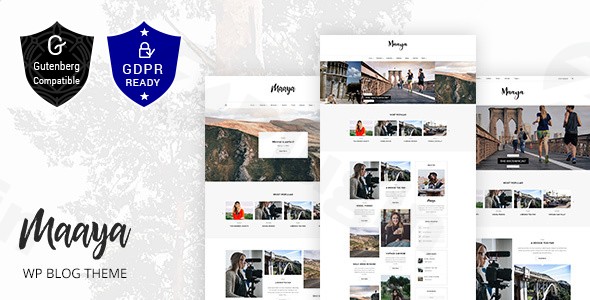
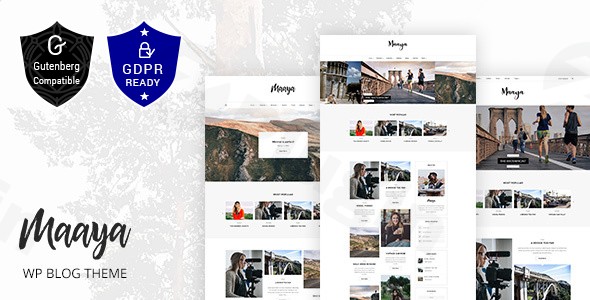
Maaya Blog is a versatile and professionally crafted WordPress theme tailored specifically for content creators, travel writers, lifestyle influencers, and personal bloggers. Designed to highlight visual storytelling and engaging written articles, this theme delivers a balanced mix of aesthetic appeal and functional performance. It provides site owners with the tools necessary to build a distinctive online presence without requiring advanced coding skills.
Latest Version 3.4 Changes
Maaya – Travel Blog WordPress Theme version 3.4 was released with a security fix addressing a reflected XSS vulnerability in the section ID attribute.
- Version 3.4 includes a security fix: Fixed reflected XSS in section ID attribute.
What It Does
The theme equips users with a complete framework for publishing content, showcasing photography, and building an online store. It integrates multiple homepage layouts, customizable header styles, and flexible archive templates. By incorporating dedicated support for popular page builders and e-commerce extensions, Maaya Blog streamlines the process of structuring complex layouts, managing digital assets, and selling merchandise or digital products directly from a WordPress dashboard.
- Provides multiple pre-designed homepage demos for quick setup.
- Supports responsive layouts optimized for mobile devices and high-resolution screens.
- Integrates seamless e-commerce functionality through WooCommerce compatibility.
- Includes dynamic content display options for featured posts and recent updates.
Who It Is For
Maaya Blog is ideal for bloggers, travel enthusiasts, food writers, fashion creators, and digital entrepreneurs who want a polished, reader-focused website. Whether you are launching a personal diary, a professional portfolio, or a niche digital publication, the theme accommodates various publishing requirements while maintaining a clean and modern visual style.
Key Capabilities
The theme comes packed with features designed to enhance user engagement and site functionality. It emphasizes layout flexibility, typography options, and media integration, ensuring that stories and imagery take center stage.
- Drag-and-drop page building capabilities for custom layouts.
- Advanced typography controls and color customization settings.
- Built-in social sharing integration to expand audience reach.
- Optimized code structure to support fast loading times and search engine visibility.
Practical WordPress Use Cases
Site administrators can deploy Maaya Blog across various publishing scenarios, including:
- Documenting international travel itineraries with immersive photo galleries and interactive maps.
- Publishing lifestyle, fashion, or culinary reviews with structured post formats.
- Operating an integrated online shop to sell merchandise, ebooks, or physical goods alongside blog content.
- Creating a multi-author magazine or community publication with organized category archives.
Setup and Compatibility Notes
Setting up Maaya Blog is straightforward, utilizing standard WordPress theme installation procedures. The theme integrates smoothly with essential plugins such as WooCommerce for e-commerce and Slider Revolution for dynamic visual headers. Ensuring your WordPress environment runs a modern PHP version and keeping dependent plugins updated helps maintain optimal security and performance.
Reasons to Choose It on WPPick
Choosing Maaya Blog on WPPick provides users with access to clean, verified files for development and testing purposes. It offers a cost-effective way to evaluate premium design frameworks, test layout configurations, and build fully functional WordPress sites efficiently.
Latest Version Context
Version 3.4 includes a security patch addressing a reflected XSS vulnerability in the section ID attribute. Keeping your theme updated to the latest release ensures improved site security and stability.
Frequently Asked Questions
Is Maaya Blog compatible with Gutenberg and classical editors?Yes, the theme works seamlessly with standard WordPress editing workflows while offering robust support for advanced page building tools.
Can I sell products on my blog using this theme?Yes, full WooCommerce integration allows you to set up an online store and sell physical or digital goods directly from your site.
Are demo layouts included with the download?Yes, the theme includes multiple pre-designed homepage variants and layout options to help you jumpstart your website design.
Is the theme responsive on mobile devices?Yes, Maaya Blog is built with a mobile-first approach, ensuring optimal display performance across smartphones, tablets, and desktop computers.
How do I apply the latest security updates?You can update the theme by downloading the latest package from WPPick and replacing the existing theme folder within your WordPress admin dashboard or via FTP.
I. Download Limits & Account Benefits
- Free Downloads: Each email address receives 3 downloads per day for free products
- Upgrade Benefits: Purchase any paid product to increase your daily download limit by 3 for each paid product
- No Account Required: You can download immediately by receiving the download link via email
- Account Recommended: Create an account for easier access to your order history and direct update downloads
II. Understanding GPL vs Official Versions
Important: The products available on WPPick are GPL-licensed versions, which differ from official developer versions. Before purchasing, please read our comprehensive guide: Understanding GPL & Official Differences at WPPick
Key Points:
- GPL versions may not include premium support from original developers
- Updates may be delayed compared to official releases
- Some premium features might have limitations
- Always consider your specific needs and support requirements
III. Support & Assistance
We’re here to help through multiple channels:
- Email Support: Direct email assistance for all inquiries
- Live Chat: Real-time support during business hours
- Comprehensive Documentation: Detailed guides and tutorials
IV. Order Tracking
Access your complete purchase history and download links anytime: Order History
V. Account Access
New to WPPick? Login or Create Account to manage your downloads and orders efficiently.
VI. Refund Protection
We stand behind our products with a clear refund policy. Review our terms: Refund Policy
VII. Privacy & Security
Your data security is our priority. Learn how we protect your information: Privacy Policy
VII. Terms of Service
Understanding our service terms ensures a smooth experience: Terms of Use
Quick Tips for Best Experience
- Verify Compatibility: Check plugin/theme compatibility with your WordPress version
- Backup First: Always backup your site before installing new plugins or themes
- Test Environment: Consider testing on a staging site first
- Stay Updated: Regularly check for updates in your account dashboard
- Read Documentation: Review any included documentation for optimal setup
Need Help?
If you have questions about downloads, licensing, or need technical assistance, don’t hesitate to contact our support team. We’re committed to ensuring you have the best possible experience with WPPick products.
Ready to get started? Your download adventure begins with just one click!
- Fixed reflected XSS in section ID attribute