
Magnitude – Multi-purpose Elementor Website & Ecommerce Builder WordPress Theme
/Year
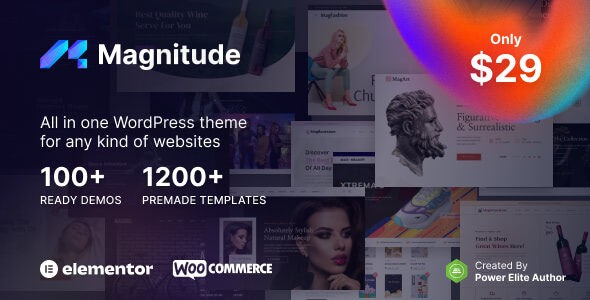
The Magnitude WordPress theme stands out as a dynamic, multi-purpose solution engineered for web creators seeking flexibility, performance, and deep integration with popular tools. Designed with Elementor website builder and WooCommerce at its core, this theme is an “All In One” package for crafting high-quality websites quickly and efficiently. Whether you’re a beginner launching your first site or a seasoned professional building intricate client projects, Magnitude offers a robust foundation for a wide array of online ventures, from bustling e-commerce stores to captivating portfolios and engaging blogs.
Key Features: Design, Layout & Performance
Magnitude empowers users with extensive design capabilities, leveraging its seamless integration with the Elementor page builder and a comprehensive suite of theme options. The theme’s design philosophy centers on visual control and user empowerment, ensuring your website not only looks stunning but also performs optimally across all devices.
Design & Layout Options
Magnitude prioritizes a superior user experience (UX) with its thoughtful design and layout features:
- 100% Responsive and Mobile-Optimized: Every element of Magnitude is built to adapt flawlessly across desktops, tablets, and smartphones, ensuring your site looks professional on any screen size. This mobile-first approach is crucial for modern web design and SEO.
- Custom Website Width Control: You have the power to define the overall canvas of your website, allowing for unique visual hierarchy and content presentation.
- Flexible Header and Footer Layouts: Beyond standard options, Magnitude provides multiple pre-designed header and footer layouts. Crucially, it includes dedicated template builders for these sections, offering unparalleled freedom to design these critical navigation areas with Elementor. This means precise control over branding, menus, and calls to action.
- Advanced Blog and Post Layouts: Tailor how your content is consumed with specific template builders for single posts, post categories, and archive pages, allowing bloggers and magazine publishers to create engaging layouts that encourage longer visits.
- Vast Library of Pre-made Templates: Kickstart your design with over 1200 pre-made design templates for pages, posts, products, forms, and various sections. This extensive library significantly speeds up the development process, offering diverse starting points for any project.
- 100+ Ready-to-Use Demo Websites: With 28 niche categories, Magnitude provides a diverse collection of fully customizable demo sites that can be imported with a single click, serving as perfect blueprints for your specific industry.
Customization Capabilities
Magnitude takes WordPress customization to the next level through its synergy with Elementor and intuitive theme options:
- Elementor Global Style Options: Achieve design consistency across your entire site by utilizing Elementor’s global styling capabilities for colors, typography, and other visual elements. This ensures a cohesive brand identity and makes future design updates incredibly efficient – change a global color once, and it updates everywhere.
- Extensive Typography Control: Integrate a vast number of fonts from Google Fonts, Typekit, and even self-hosted options, giving you precise control over your site’s typographic voice, from headlines to body text.
- Granular Spacing, Containers, and Backgrounds: Leveraging Elementor’s robust styling options alongside theme-specific controls, you can meticulously manage spacing (whitespace), container structures, and background elements, enabling sophisticated and clean layouts.
- Live Customizer Integration: While Elementor handles much of the visual building, Magnitude still offers a live customizer for real-time preview of global modifications, ensuring a smooth and iterative design process.
Performance & SEO Features
The Magnitude WordPress theme isn’t just about looks; it’s built for speed and search engine visibility, key factors for high-converting websites.
- High-Speed Performance: Magnitude is highly optimized to achieve maximum scores on Google Page Speed and Core Web Vitals, which are critical for user experience and search rankings. This optimization is a testament to the developers’ commitment to modern web standards.
- Clean and Optimized Codebase: The theme features minified JavaScript and CSS, super lightweight assets, and boasts optimized database queries (reportedly 50% reduced). This clean code structure minimizes bloat, ensuring your site loads quickly and efficiently.
- PHP 8 Ready: Being compatible and optimized for PHP 8 means your Magnitude-powered site can benefit from 2x faster loading times, a significant advantage in today’s performance-driven web.
- Caching Plugin Compatibility: Magnitude works seamlessly with popular caching plugins like Autoptimize and WP Super Cache, further enhancing loading speeds by reducing server load and improving content delivery.
- SEO Ready: From the ground up, Magnitude is designed with SEO best practices in mind. It includes features like optimized alt image tags, support for rich snippets (structured data), and full compatibility with leading SEO plugins like Yoast SEO. This ensures your content is easily discoverable by search engines and presented effectively in search results.
Installation & Demo Import
Getting started with the Magnitude theme is designed to be straightforward, even for those new to WordPress. The process typically involves three main steps: installing the theme, activating necessary plugins, and importing a demo.
- Install & Activate the Theme:
- First, ensure you have a fresh WordPress installation.
- Navigate to your WordPress dashboard, then go to Appearance > Themes.
- Click “Add New” and then “Upload Theme.”
- Choose the Magnitude theme
.zipfile you downloaded from your purchase source and click “Install Now.” - Once installed, click “Activate.”
- Install Required Companion Plugins:
- Upon activation, Magnitude will usually prompt you to install a set of recommended or required plugins (e.g., Elementor, WooCommerce, Jeg Elementor Kit).
- Follow the on-screen instructions to install and activate these plugins. These are essential for the theme’s full functionality and to replicate the demo designs.
- Use the One-Click Demo Import:
- After activating the plugins, look for a “Demo Import” or “Import Demo Data” option in your WordPress dashboard, typically under Appearance or a dedicated “Magnitude” menu item.
- Browse the available demos (over 100 options in 28 niche categories!) and select the one that best fits your vision.
- Click the “Import” or “One-Click Import” button.
- What to Expect: The demo import process will pull in pages, posts, menus, widgets, and theme settings, making your site look just like the chosen demo. This can take several minutes, depending on your server’s speed and the size of the demo content.
- Common Pitfalls: Large demo imports can sometimes time out on shared hosting environments with low PHP memory limits or short execution times. If your demo import fails or looks incomplete, consider increasing your
WP_MEMORY_LIMITandmax_execution_timein yourwp-config.phpandphp.inifiles respectively, or contact your hosting provider for assistance.After a successful import, you’ll have a fully functional website ready for your content and branding.
Customization Guide (Branding & Layout)
Magnitude’s strength lies in its profound integration with Elementor, providing an exceptionally visual and intuitive customization experience. You won’t need to delve into complex code to make your website truly yours.
- Leveraging Elementor for Visual Design: The core of Magnitude’s customization happens within the Elementor editor. For any page or post, simply click “Edit with Elementor” to drag-and-drop elements, adjust spacing, manage column layouts, and apply dynamic styles. This visual editor allows you to see changes in real-time, greatly simplifying the design process.
- Global Styles for Consistent Branding: Magnitude encourages the use of Elementor’s global styling options. From your Elementor panel, you can define global colors and fonts that apply site-wide. This ensures consistency in your brand’s visual identity and makes future design updates incredibly efficient – change a global color once, and it updates everywhere.
- Header and Footer Customization: Forget rigid header and footer sections. With Magnitude’s dedicated header and footer template builders, powered by Elementor, you have complete creative freedom. Design custom header layouts, incorporate mega menus, add custom contact information, social icons, and adjust the exact positioning and styling of every element. The same applies to your footer, allowing for custom copyright info, navigation, and widgets.
- Setting Up Your Layouts:
- Homepage: After demo import, your homepage will typically be set. To change it, navigate to Settings > Reading in WordPress and select a static page as your homepage.
- Blog Page: Similarly, you can designate a page to display your blog posts. Magnitude also offers template builders for individual blog posts and archive pages, allowing you to create unique visual presentations for your content.
- Menus: Manage your site’s navigation under Appearance > Menus. Create primary, footer, or off-canvas menus and assign them to the appropriate locations defined by the theme and its Elementor builders.
- Intuitive Design Patterns: Magnitude, through its extensive template library and Elementor integration, provides pre-designed sections and blocks (functioning similarly to block patterns) that you can insert and adapt. This means you can quickly assemble complex layouts by combining ready-made visual elements, then customize them to match your specific branding and content needs. The visual feedback and drag-and-drop functionality make it a highly intuitive platform for both designers and non-designers alike.
FAQ & Troubleshooting
Here are answers to some common questions about the Magnitude WordPress theme:
Is Magnitude compatible with Elementor and WooCommerce?
Yes, Magnitude WordPress theme is fully integrated with and specifically designed to work seamlessly with both Elementor and WooCommerce. It leverages Elementor for drag-and-drop page building and includes dedicated template builders for WooCommerce shop pages, single product layouts, and archives, making it an ideal choice for online stores.
Does Magnitude theme support child themes?
Yes, a child theme is included with Magnitude. Using a child theme is highly recommended for making any customizations to your site’s code. This ensures that your changes are preserved when the main Magnitude theme receives updates, preventing your custom work from being overwritten.
How can I update the Magnitude theme without losing my customizations?
To update the Magnitude WordPress theme safely, always ensure you are using the provided child theme for any custom code or styling. For theme updates, you will typically receive notifications in your WordPress dashboard. Before updating, always create a full backup of your website. Then, you can update the theme directly from your WordPress dashboard via Appearance > Themes, or by manually uploading the new theme files via FTP, ensuring the child theme is active throughout.
What should I do if the Magnitude theme demo import fails or looks different from the demo site?
If your Magnitude theme demo import fails or doesn’t look exactly like the live demo, first check your server’s PHP configuration. Common issues include low PHP Memory Limit, Max Execution Time, or Post Max Size. You may need to increase these values in your php.ini file or contact your hosting provider. Ensure all recommended plugins are installed and activated before re-attempting the import. If problems persist, consult the theme’s official documentation or reach out to their support team.
Conclusion
The Magnitude WordPress theme delivers a compelling blend of design flexibility, robust features, and performance optimization, making it an excellent choice for a diverse range of users. Its deep integration with the Elementor page builder provides an intuitive visual design experience, allowing both beginners and seasoned designers to create stunning, professional websites without code. The extensive library of pre-built demos and templates, coupled with powerful customization options for headers, footers, and content layouts, ensures your brand’s unique identity can shine through.Magnitude is particularly well-suited for e-commerce store owners thanks to its comprehensive WooCommerce integration, including specialized template builders for shop pages. It’s also an ideal solution for agencies, freelancers, small businesses, and bloggers who prioritize speed, mobile responsiveness, and strong SEO foundations. The theme’s commitment to clean code and PHP 8 readiness translates into a fast-loading website, a critical factor for user satisfaction and search engine rankings. While it’s a premium theme, the value delivered through its features, support, and lifetime updates offers a strong return on investment. If you’re looking for a versatile, performance-driven multipurpose WordPress theme with unparalleled Elementor capabilities, Magnitude is a strong contender worth considering for your next web project.
I. Download Limits & Account Benefits
- Free Downloads: Each email address receives 3 downloads per day for free products
- Upgrade Benefits: Purchase any paid product to increase your daily download limit by 3 for each paid product
- No Account Required: You can download immediately by receiving the download link via email
- Account Recommended: Create an account for easier access to your order history and direct update downloads
II. Understanding GPL vs Official Versions
Important: The products available on WPPick are GPL-licensed versions, which differ from official developer versions. Before purchasing, please read our comprehensive guide: Understanding GPL & Official Differences at WPPick
Key Points:
- GPL versions may not include premium support from original developers
- Updates may be delayed compared to official releases
- Some premium features might have limitations
- Always consider your specific needs and support requirements
III. Support & Assistance
We’re here to help through multiple channels:
- Email Support: Direct email assistance for all inquiries
- Live Chat: Real-time support during business hours
- Comprehensive Documentation: Detailed guides and tutorials
IV. Order Tracking
Access your complete purchase history and download links anytime: Order History
V. Account Access
New to WPPick? Login or Create Account to manage your downloads and orders efficiently.
VI. Refund Protection
We stand behind our products with a clear refund policy. Review our terms: Refund Policy
VII. Privacy & Security
Your data security is our priority. Learn how we protect your information: Privacy Policy
VII. Terms of Service
Understanding our service terms ensures a smooth experience: Terms of Use
Quick Tips for Best Experience
- Verify Compatibility: Check plugin/theme compatibility with your WordPress version
- Backup First: Always backup your site before installing new plugins or themes
- Test Environment: Consider testing on a staging site first
- Stay Updated: Regularly check for updates in your account dashboard
- Read Documentation: Review any included documentation for optimal setup
Need Help?
If you have questions about downloads, licensing, or need technical assistance, don’t hesitate to contact our support team. We’re committed to ensuring you have the best possible experience with WPPick products.
Ready to get started? Your download adventure begins with just one click!
No changelog available.