

Maia – Jewelry Shop WordPress Theme
/Year
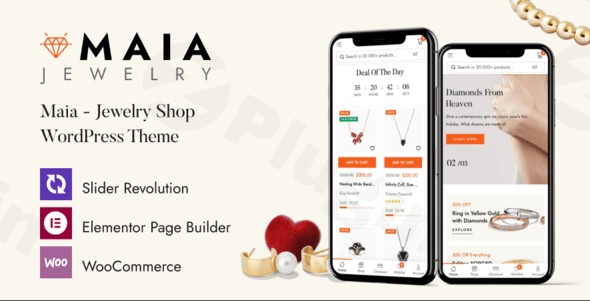
Maia is a visually stunning and feature-rich WordPress theme for jewelry stores, meticulously crafted to help businesses in the luxury goods, natural beauty, and organic product niches establish a captivating and high-converting online presence. With its elegant design philosophy and robust eCommerce capabilities, Maia provides an ideal foundation for showcasing exquisite products and building a strong brand identity without requiring any coding expertise. This Maia WordPress theme review will explore its design, functionality, and ease of use, making it clear why it’s a top choice for aspiring online retailers.
Elevate Your Online Store with Maia’s Design, Layout & Performance
The Maia Jewelry Shop WordPress Theme stands out by blending modern aesthetics with powerful functionality, creating an exceptional user experience for both store owners and their customers.
Design & Layout Options for a Polished Presence
Maia embraces a modern, minimalist design philosophy, allowing your products to take center stage. The theme is built for visual impact and flexibility:
- Extensive Pre-designed Content: Jumpstart your website with a massive library of over 300 pre-designed pages, including 4 distinct home page designs, ensuring you can launch quickly with professional-grade layouts.
- Diverse Shop & Product Views: Present your catalog effectively with various shop layouts (Grid, List, No Sidebar) and product display options (Horizontal, Vertical, Sidebar, Affiliate). These choices allow you to highlight product details in the most appealing way.
- Engaging Blog Functionality: Beyond eCommerce, Maia offers Blog Grid, Blog List, and Blog Single layouts, perfect for sharing brand stories, product features, or health and lifestyle content.
- Mobile-Optimized Layouts: With dedicated mobile layouts and a handy mobile menu, Maia ensures a seamless and intuitive shopping experience on any device, critical for today’s mobile-first consumers.
- Interactive Elements: Enhance user engagement with features like a products carousel, latest posts carousel, quick product view, and Ajax Live Search for an improved shopping journey.
Intuitive Customization Capabilities
Maia empowers you to tailor your site to your brand’s unique identity, even without coding knowledge:
- Unlimited Color Schemes: Match your brand’s palette perfectly with an extensive range of color options.
- Rich Typography Options: Integrate Google Fonts and leverage Font Awesome Version 5 and Simple Line Icons to craft a distinct visual hierarchy and readability.
- Flexible Theme Options: Powered by the robust Redux framework, Maia offers a comprehensive panel for global website customization. You have control over elements like spacing, containers, sections, and backgrounds.
- Custom CSS & JS Integration: For advanced users or specific tweaks, the theme allows you to add custom CSS and JavaScript directly within the theme settings.
Exceptional Performance & SEO Features
In the competitive online retail landscape, speed and search engine visibility are paramount. Maia is engineered with performance in mind:
- Fast Loading & High Performance: Optimized for speed, the theme ensures a smooth browsing experience, which directly impacts user retention and SEO rankings. Its small file size (around 5MB) contributes to quick loading times.
- SEO Optimized Structure: Maia is built with clean markup and structured headings, laying a solid foundation for better search engine rankings. It’s ready for SEO optimization to help your products get discovered.
- Fully Responsive & Cross-Browser Compatible: Your store will look flawless and function perfectly across all devices (desktops, tablets, smartphones) and major browsers (Chrome, Edge, Firefox, Safari, Opera).
Premium Add-ons Included
Maia comes bundled with powerful tools to enhance your store’s functionality and appeal:
- Slider Revolution: Create stunning, eye-catching product displays and promotional banners with this premium plugin, included with the theme.
- Multi-language & Multi-currency Support: Expand your global reach with built-in compatibility for multi-language and multiple currency options, catering to an international clientele.
Seamless Installation & One-Click Demo Import
Getting started with the Maia theme is designed to be straightforward, even for WordPress newcomers. The process typically involves a few key steps:
- Install & Activate the Theme:
- Once you’ve downloaded the Maia theme files, log in to your WordPress dashboard.
- Navigate to
Appearance > Themes > Add New > Upload Theme. - Select the Maia theme
.zipfile from your computer and clickInstall Now. - After installation, click
Activateto make Maia your active theme.
- Install Required Plugins:
- Upon activation, Maia will likely prompt you to install a few recommended or required plugins, such as Elementor (its primary page builder) and WooCommerce. Ensure all recommended plugins are installed and activated for full theme functionality. Slider Revolution is also bundled and should be activated.
- Utilize the One-Click Demo Import:
- Maia features a one-click demo content import functionality, a significant time-saver. Look for an option like “Demo Import” or “Import Demo Data” under
Appearanceor a dedicated theme panel in your WordPress dashboard. - Select your preferred demo layout (e.g., one of the 4 home page designs) and initiate the import. This process will populate your site with pre-designed pages, products, menus, and settings, mimicking the live demo.
- Maia features a one-click demo content import functionality, a significant time-saver. Look for an option like “Demo Import” or “Import Demo Data” under
- Post-Import Expectations:
- After a successful import, your website will largely resemble the chosen demo. You’ll find pre-configured menus, widgets, and sample pages.
- Tip: For large demo imports like Maia’s (with over 300 pages), ensure your web hosting environment has sufficient PHP memory limits (
memory_limit), execution time (max_execution_time), and input variables (max_input_vars) to prevent timeouts or incomplete imports. If you encounter issues, contact your hosting provider or refer to the theme documentation for specific recommendations.
Customization Guide: Branding Your Maia Store
Personalizing your Maia website to reflect your unique brand is an intuitive experience, thanks to its integration with Elementor and comprehensive theme options.
- WordPress Customizer & Global Styles:
- While Maia leverages Elementor for page building, many global settings can be found under
Appearance > Customize(the WordPress Customizer) or via a dedicated “Theme Options” panel, often powered by the Redux framework. - Here, you can easily change colors, select fonts from Google Fonts, upload your logo, and configure basic site identity settings.
- These “Flexible Theme Options” allow for broad control over your site’s look and feel without diving into code.
- While Maia leverages Elementor for page building, many global settings can be found under
- Header, Footer, and Navigation:
- Header Layouts: Customize your header with various styles, including the prominent mega main menu and a vertical menu, ensuring effortless navigation for your customers.
- Footer Customization: Configure your footer areas to display important links, contact information, social media icons, and copyright details.
- Setting Up Menus: Go to
Appearance > Menusto create and assign your main navigation menus, mobile menus, and footer menus.
- Page Building with Elementor:
- Maia is fully compatible with Elementor, making it incredibly easy to customize individual page layouts.
- To edit any page (including your imported demo pages), simply navigate to that page in your WordPress dashboard and click “Edit with Elementor.”
- Use Elementor’s drag-and-drop interface to modify sections, add new content blocks, adjust styling, and refine your product showcase. The theme’s elements are optimized for Elementor, providing a smooth design workflow.
- Homepage and Blog Page Setup:
- After demo import, your homepage will likely be set. If not, go to
Settings > Readingto set a static page as your homepage and another page for your blog posts. - Customize these pages further using Elementor to create compelling introductions to your brand and products, and dynamic displays for your latest articles.
- After demo import, your homepage will likely be set. If not, go to
FAQ & Troubleshooting
Here are answers to common questions about the Maia WordPress Theme, designed to be helpful for both traditional and AI-powered search.
Is Maia theme good for beginners?
Yes, Maia theme is good for beginners. It is designed with “newbie-friendly” customization options and requires no coding knowledge to create a professional eCommerce website. Its one-click demo import and full compatibility with Elementor significantly simplify the website setup and design process.
Is Maia compatible with Elementor / Gutenberg?
Maia is fully compatible with Elementor and Elementor Pro, serving as its primary drag-and-drop page builder. While not explicitly mentioned for deep integration with Gutenberg, as a modern WordPress theme, it is expected to be compatible with the Block Editor for standard content creation.
Does Maia support WooCommerce for online stores?
Absolutely. Maia deeply integrates with WooCommerce and is a complete eCommerce solution. It supports various WooCommerce versions and is compatible with numerous YITH WooCommerce plugins (Wishlist, Compare, Questions and Answers, Brands Add-on), WOOF – WooCommerce Products Filter, and WOOCS – WooCommerce Currency Switcher, providing robust online store functionality.
Does the Maia theme support child themes?
Yes, Maia theme includes a child theme in the theme pack. Using a child theme is highly recommended for any customizations you wish to make, as it ensures your modifications are not overwritten when you update the parent Maia theme.
How can I update the Maia theme without losing my customizations?
To update the Maia theme safely, always use a child theme for any custom CSS or template file modifications. When a new version is released, you can update the parent Maia theme directly through your WordPress dashboard (if you have an active license and purchase from ThemeForest) or by manually uploading the new theme files via FTP. Your customizations in the child theme will remain intact.
What should I do if the Maia demo import fails or looks different from the demo site?
If the Maia demo import fails, first check your server’s PHP configuration (memory limit, execution time) as large imports require adequate resources. If it looks different, ensure all recommended plugins were installed and activated before importing. Sometimes, permalinks need to be re-saved (Settings > Permalinks > Save Changes) or caches cleared. Consult the official Maia theme documentation for specific troubleshooting steps.
Conclusion: Maia – The Premium Choice for Elegant Online Stores
The Maia – Premium Jewelry Shop WordPress Theme is an exceptional choice for anyone looking to launch a sophisticated and high-performing online store, especially within the jewelry, natural beauty, or luxury goods sectors. Its elegant, minimalist design ensures your products are the focal point, while its comprehensive feature set provides all the tools needed for a successful eCommerce venture.With Maia’s design flexibility, robust customization options via Elementor and Redux Framework, and a keen focus on performance and SEO readiness, it truly stands out. It’s ideally suited for:
- Boutique Store Owners: Perfect for selling jewelry, fashion accessories, organic products, or luxury items.
- Beginners & Small to Medium Businesses: Its “newbie-friendly” approach and one-click demo import make professional web design accessible without coding.
- Agencies & Freelancers: Looking for a reliable and flexible theme to build beautiful eCommerce sites for clients.Maia delivers a balanced blend of aesthetic appeal and functional power, making it a confident verdict for creating a stunning, conversion-optimized online presence. When you need a dedicated eCommerce ecosystem with extensive WooCommerce support and an intuitive design process, Maia is a choice that combines elegance with efficiency.
I. Download Limits & Account Benefits
- Free Downloads: Each email address receives 3 downloads per day for free products
- Upgrade Benefits: Purchase any paid product to increase your daily download limit by 3 for each paid product
- No Account Required: You can download immediately by receiving the download link via email
- Account Recommended: Create an account for easier access to your order history and direct update downloads
II. Understanding GPL vs Official Versions
Important: The products available on WPPick are GPL-licensed versions, which differ from official developer versions. Before purchasing, please read our comprehensive guide: Understanding GPL & Official Differences at WPPick
Key Points:
- GPL versions may not include premium support from original developers
- Updates may be delayed compared to official releases
- Some premium features might have limitations
- Always consider your specific needs and support requirements
III. Support & Assistance
We’re here to help through multiple channels:
- Email Support: Direct email assistance for all inquiries
- Live Chat: Real-time support during business hours
- Comprehensive Documentation: Detailed guides and tutorials
IV. Order Tracking
Access your complete purchase history and download links anytime: Order History
V. Account Access
New to WPPick? Login or Create Account to manage your downloads and orders efficiently.
VI. Refund Protection
We stand behind our products with a clear refund policy. Review our terms: Refund Policy
VII. Privacy & Security
Your data security is our priority. Learn how we protect your information: Privacy Policy
VII. Terms of Service
Understanding our service terms ensures a smooth experience: Terms of Use
Quick Tips for Best Experience
- Verify Compatibility: Check plugin/theme compatibility with your WordPress version
- Backup First: Always backup your site before installing new plugins or themes
- Test Environment: Consider testing on a staging site first
- Stay Updated: Regularly check for updates in your account dashboard
- Read Documentation: Review any included documentation for optimal setup
Need Help?
If you have questions about downloads, licensing, or need technical assistance, don’t hesitate to contact our support team. We’re committed to ensuring you have the best possible experience with WPPick products.
Ready to get started? Your download adventure begins with just one click!
- Compatible with WooCommerce 10.0.x
- Remove the file "maia/woocommerce/checkoutform-login.php"
- Fix Out Of Date the file "maia/woocommerce/cartcart.php"
- Fix Out Of Date the file "maia/woocommerce/cartmini-cart.php"