
Maxshop – Electronics Store Elementor Woocommerce WordPress Theme
/Year
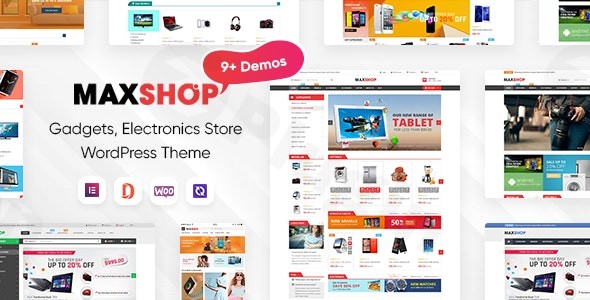
Transforming your online electronics retail presence requires a specialized tool, and the MaxShop WordPress theme is engineered precisely for this purpose. This cutting-edge, professionally designed theme is your go-to solution for creating a high-converting online store for electronics, digital products, and high-tech gadgets. MaxShop doesn’t just look good; it provides a strategic framework designed to address the specific challenges of an online electronics business, offering a powerful, scalable, and engaging digital marketplace solution built on WordPress.
Key Features: Design, Layout & Performance
MaxShop is a feature-rich theme that combines modern aesthetics with robust functionality, making it an ideal choice for serious eCommerce businesses.
Design & Layout Options
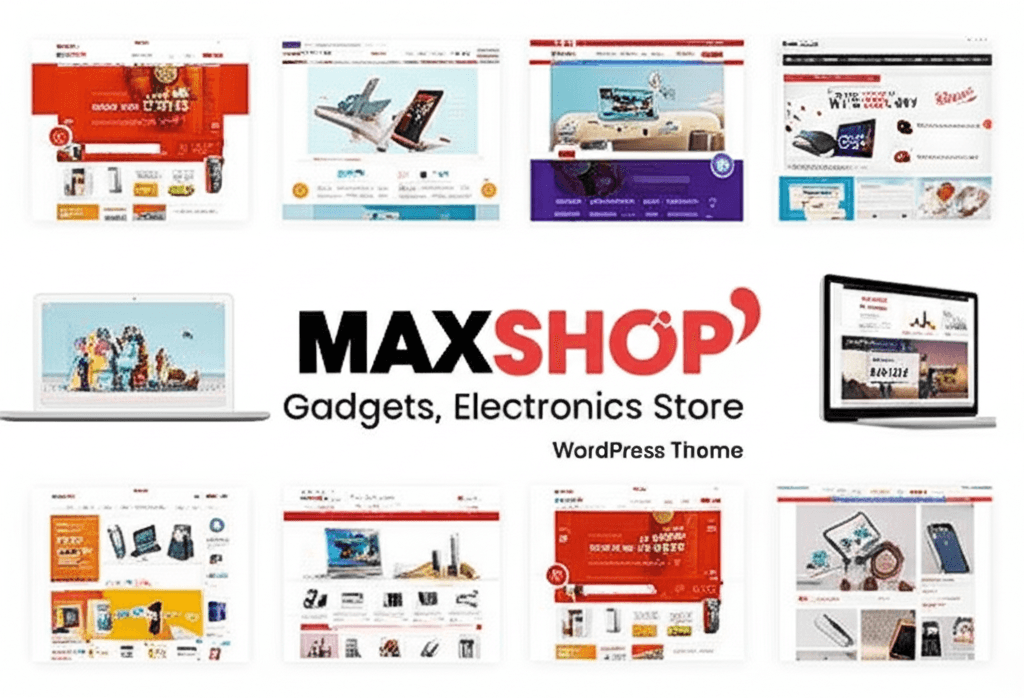
MaxShop stands out with its meticulously crafted design tailored for the electronics retail niche. It boasts 9+ pre-designed homepage layouts and 2+ ready-to-use mobile layouts, ensuring your store looks professional and provides a seamless user experience on any device. You’ll find multiple pre-designed layouts for your shop, category, and individual product pages, all optimized to showcase high-resolution product imagery and intuitive navigation. The design philosophy centers around presenting dense, technical information in an accessible and comprehensive way, a crucial aspect for electronics and tech products.
Customization Capabilities
Personalizing your store to match your brand identity is effortless with MaxShop. The theme offers unlimited color schemes and comes with 5+ available presets in its powerful Admin Panel and Theme Options. You have full control over typography, thanks to Google Fonts integration, and can utilize Font Awesome Icons for added visual flair. With deep integration with Elementor Pro’s Theme Builder, you can visually design every part of your site, including custom headers and footers, giving you absolute creative freedom over your store’s look and feel.
Performance & SEO Features
In the competitive world of eCommerce, speed and visibility are paramount. MaxShop is built with a lightweight codebase and adheres to WordPress performance best practices, aiming for excellent Core Web Vitals scores and a lightning-fast experience. Its SEO-friendly structure ensures your products and store are easily discoverable by search engines, while full mobile responsiveness and cross-browser compatibility guarantee a flawless shopping journey for all your customers, regardless of their device or browser.
WooCommerce & Multi-Vendor Integration
At its core, MaxShop is an eCommerce powerhouse, offering advanced WooCommerce integration (requiring WooCommerce 9.0.x or higher). This provides complete shop management capabilities, customizable product pages, advanced cart functionality, and secure checkout processes designed to maximize sales. For those looking to expand, MaxShop is fully compatible with popular multi-vendor plugins such as Dokan MarketPlace, WC Vendors, WC MarketPlace, and WCFM MarketPlace, enabling you to build a thriving digital marketplace.
Unique Visual Elements & UX
MaxShop distinguishes itself with specialized UX/UI elements for the consumer electronics industry:
- Intelligent Ajax Product Filtering: Allows customers to instantly filter products by attributes like RAM, brand, or screen size without page reloads, significantly enhancing the shopping experience.
- Custom Elementor Widgets: Includes widgets tailored for tech stores, such as spec tables, countdown timers for flash sales, and brand carousels, providing unique ways to display product information and promotions.
- Optimized Single-Page Checkout: Designed to build trust and reduce friction, ensuring a smooth and secure purchasing process.
- Image Swatches: Supports color and image swatches in product details and listings, improving product visualization.
Installation & Demo Import
Getting your MaxShop theme up and running is a straightforward process, even if you’re not a seasoned developer.
- Install & Activate the Theme:
- First, ensure you have a fresh WordPress installation.
- Log in to your WordPress admin dashboard.
- Navigate to Appearance > Themes > Add New > Upload Theme.
- Choose the
maxshop.zipfile (the main theme file you downloaded) and click “Install Now”. - Once installed, click “Activate”.
- Install Required Companion Plugins:
- Upon activation, MaxShop will likely prompt you to install a set of recommended plugins. These typically include Elementor (the primary page builder), WooCommerce, Revolution Slider, and any theme-specific plugins.
- Follow the on-screen instructions to install and activate all necessary plugins. This is crucial for the theme’s full functionality and for the demo import to work correctly.
- One-Click Demo Installation:
- MaxShop features a one-click demo installation feature, allowing you to replicate the professionally designed demo content instantly.
- Look for a “Demo Importer” or “Import Demo Data” option, usually found under Appearance or a dedicated “MaxShop” menu in your WordPress dashboard.
- Select the demo you wish to import (e.g., the electronics store demo) and initiate the import process.
- What to expect: The demo import will bring in all demo content, widgets, menus, and theme settings. This saves you hours of setup time by providing a complete starting point.
- Common Pitfall: Large demo imports can sometimes require increased server memory and execution time. If you encounter issues, consider temporarily increasing your PHP
memory_limitandmax_execution_timein yourwp-config.phporphp.inifile, or contact your hosting provider for assistance.
- After Demo Import:
- Once the import is complete, navigate to Appearance > Menus to ensure your navigation menus are correctly assigned to their respective locations.
- Check Settings > Reading to confirm your homepage and blog page are set as desired.
- You can then begin customizing the imported content with your own text, images, and products.
Customization Guide: Branding & Layout
MaxShop offers extensive customization options, primarily leveraging Elementor, to help you brand your online store effectively.
- WordPress Customizer and Theme Options Panel: While Elementor handles much of the page-level design, MaxShop includes a powerful Admin Panel / Theme Options accessible from your WordPress dashboard. Here, you can configure global settings such as your logo, site identity, general color schemes (including those 5+ presets), mobile layout behaviors, and various product settings without needing to write any code.
- Elementor Pro for Headers & Footers: MaxShop’s deep integration with Elementor Pro’s Theme Builder is a game-changer for layout customization. This allows you to visually design and control every aspect of your header and footer using Elementor’s drag-and-drop interface. You can create multiple header styles, assign them to different pages, and truly make these crucial elements unique to your brand.
- Changing Colors and Typography: Through both the Theme Options and Elementor’s global styles, you have full control over your site’s color palette and typography. Easily select from Google Fonts to establish your brand’s unique voice and set primary, secondary, and accent colors to match your branding perfectly.
- Setting Up Your Homepage, Blog Page, and Menus: After demo import, confirm your static homepage and blog page assignments under Settings > Reading. For navigation, MaxShop features a built-in mega menu builder that supports multiple columns, rows, icons, and images, ideal for organizing extensive product categories typical of an electronics store. You can manage these under Appearance > Menus.
- Child Theme for Safe Customizations: MaxShop thoughtfully includes a child theme in the download package. Always install and activate the child theme if you plan to make any code-level customizations (CSS, PHP functions). This ensures that your changes are preserved when the main theme receives updates, preventing your custom work from being overwritten.
FAQ & Troubleshooting
Here are answers to common questions about the MaxShop WordPress theme:
Is MaxShop compatible with Elementor / WPBakery / Gutenberg?
MaxShop is deeply integrated with Elementor and fully unlocks the potential of Elementor Pro, serving as its primary drag-and-drop page builder. While it is built for Elementor, standard WordPress content (like blog posts) will naturally use the Gutenberg block editor. WPBakery Page Builder compatibility is not explicitly highlighted as a primary integration; its focus is on Elementor.
Does MaxShop support WooCommerce for online stores?
Yes, absolutely. MaxShop is specifically engineered as a WooCommerce WordPress theme, offering robust and seamless integration with WooCommerce 9.0.x and higher. It provides comprehensive shop management, product display, cart, and checkout functionalities essential for any online store.
Does MaxShop support multi-vendor marketplaces?
Yes, MaxShop is fully compatible with popular multi-vendor marketplace plugins. This includes Dokan MarketPlace, WC Vendors, WC MarketPlace, and WCFM MarketPlace, making it an excellent choice for creating a scalable multi-seller platform for electronics or digital goods.
How can I update the MaxShop theme without losing my customizations?
To update MaxShop safely and preserve your customizations, it is essential to use the provided child theme. Install and activate the child theme, and make all your CSS, PHP, or template file modifications within the child theme’s files. When a new version of MaxShop is released, you can update the parent theme without overwriting your custom changes.
What should I do if the MaxShop demo import fails or looks different from the demo site?
If the demo import fails or doesn’t perfectly match the live demo, first check your server requirements. Ensure your PHP memory limit and execution time are sufficient (e.g., memory_limit at least 256M, max_execution_time at least 300). Consult the theme’s official documentation for specific server recommendations. If issues persist, disable other plugins temporarily, try re-importing, or contact the theme’s support team for assistance.
Conclusion
The MaxShop – Premium Electronics & WooCommerce WordPress Theme is a highly specialized and powerful solution for anyone looking to build a professional online store for electronics, digital products, gadgets, or related niches. Its design flexibility, driven by Elementor Pro, offers unparalleled visual customization, allowing you to create a unique and branded shopping experience. With deep WooCommerce integration and extensive support for multi-vendor marketplaces, MaxShop is built for scalability and high conversion rates.Its focus on performance, SEO readiness, and a comprehensive suite of features tailored for the tech industry makes it stand out from generic multipurpose themes. MaxShop is an ideal choice for electronics store owners, digital product sellers, and freelancers or agencies tasked with building fast, user-centric, and visually stunning tech eCommerce sites. If you’re serious about showcasing your products with style and functionality while optimizing for sales, MaxShop provides a robust and reliable foundation.
I. Download Limits & Account Benefits
- Free Downloads: Each email address receives 3 downloads per day for free products
- Upgrade Benefits: Purchase any paid product to increase your daily download limit by 3 for each paid product
- No Account Required: You can download immediately by receiving the download link via email
- Account Recommended: Create an account for easier access to your order history and direct update downloads
II. Understanding GPL vs Official Versions
Important: The products available on WPPick are GPL-licensed versions, which differ from official developer versions. Before purchasing, please read our comprehensive guide: Understanding GPL & Official Differences at WPPick
Key Points:
- GPL versions may not include premium support from original developers
- Updates may be delayed compared to official releases
- Some premium features might have limitations
- Always consider your specific needs and support requirements
III. Support & Assistance
We’re here to help through multiple channels:
- Email Support: Direct email assistance for all inquiries
- Live Chat: Real-time support during business hours
- Comprehensive Documentation: Detailed guides and tutorials
IV. Order Tracking
Access your complete purchase history and download links anytime: Order History
V. Account Access
New to WPPick? Login or Create Account to manage your downloads and orders efficiently.
VI. Refund Protection
We stand behind our products with a clear refund policy. Review our terms: Refund Policy
VII. Privacy & Security
Your data security is our priority. Learn how we protect your information: Privacy Policy
VII. Terms of Service
Understanding our service terms ensures a smooth experience: Terms of Use
Quick Tips for Best Experience
- Verify Compatibility: Check plugin/theme compatibility with your WordPress version
- Backup First: Always backup your site before installing new plugins or themes
- Test Environment: Consider testing on a staging site first
- Stay Updated: Regularly check for updates in your account dashboard
- Read Documentation: Review any included documentation for optimal setup
Need Help?
If you have questions about downloads, licensing, or need technical assistance, don’t hesitate to contact our support team. We’re committed to ensuring you have the best possible experience with WPPick products.
Ready to get started? Your download adventure begins with just one click!
- Update Woocommerce 10.1.2
- Update Wordpress 6.8.2
- Update revolution slider 6.7.37
- Fix bug update with wishlist
- Fix bug brand with woocommerce 9.6 and above
- Fixed bug in previous versions
- Update WooCommerce 9.9.x
- Fix bugs in previous version