
Meetco
/Year
Launch Professional Event Platforms Seamlessly
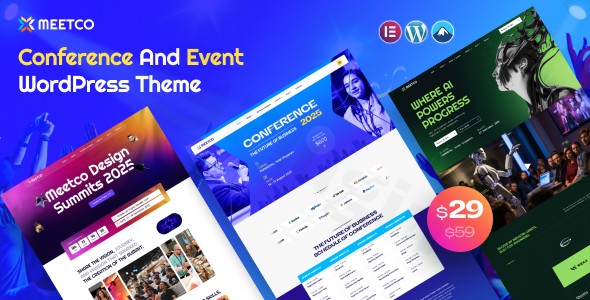
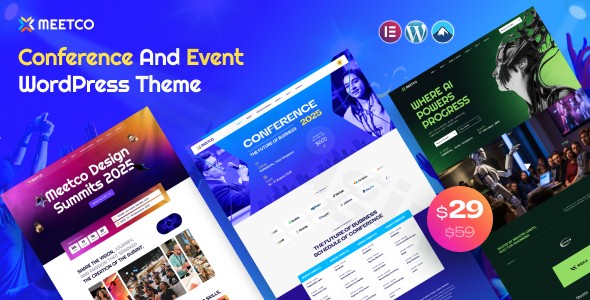
Meetco is a dedicated WordPress theme built exclusively for events, conferences, workshops, and exhibitions. Managing a successful event requires a web presence that communicates timelines, showcases speaker bios, and handles ticket registrations seamlessly. Meetco provides a modern design structure built on top of the Elementor page builder, giving organizers full creative control over their landing pages without complex structural coding.
What Meetco Does for Your Website
This theme transforms a standard WordPress installation into a functional event hub. It introduces tailored content blocks for displaying detailed daily itineraries, session schedules, multi-track timelines, and interactive speaker grids. By bridging design and utility, it ensures that your target audience can quickly find registration costs, location details, and call-to-action points to finalize their attendance booking.
Who Is Meetco For?
Meetco caters to a wide variety of promotional and administrative use cases across the event industry, including:
- Corporate conference organizers and B2B summit planners.
- Tech meetup coordinates, local workshop hosts, and seminars.
- Large-scale trade show and exhibition planners.
- Digital agency professionals building multi-page platforms for professional clients.
Key Capabilities and Built-In Features
The theme provides robust out-of-the-box structural elements tailored to performance and design expectations:
- Elementor Page Builder integration for live, visual adjustments across all layouts.
- Custom speaker profiles detailing specialized presentation topics and social networks.
- Dynamic event schedule blocks supporting multi-day configurations and hourly tracking.
- Fully responsive components engineered to render cleanly across smartphones, tablets, and desktop displays.
- One-click demo layout importing to expedite your primary staging phase.
Practical WordPress Use Cases
Consider a tech convention spanning three distinct tracks simultaneously. Using Meetco, site administrators can build tabbed navigation matrices where users sort through presentations based on time slot or venue hall. Alternatively, for singular commercial workshops, the home layout can be optimized directly as a high-conversion sales page emphasizing ticket availability, countdown timers, and sponsor logo displays.
Setup and Compatibility Notes
Meetco runs effectively on contemporary environments utilizing WordPress 6.x and higher. It depends heavily on standard companion plugins like Elementor for its visual modules. For commerce and ticket handling, it is built to mesh efficiently with popular plugins like WooCommerce, ensuring global payment gateways can be incorporated without structural core theme conflicts.
Why Choose Meetco on WPPick?
Downloading Meetco from WPPick allows you to test and deploy fully functional conference layouts safely on your staging networks under the GPL structure. Every file undergoes comprehensive analysis to guarantee cleaner site operations, allowing developers to configure and customize layout systems securely without artificial pricing barriers.
Latest Version Context
Detailed release notes are not available from the provided sources. WPPick keeps track of vendor distribution versions to verify file integrity and deployment capability, providing predictable baseline configurations across contemporary web hosting environments.
Frequently Asked Questions
Can I use Meetco for an event that spans multiple days?Yes. The schedule modules are designed to manage multi-day structures easily, allowing you to categorize times and sessions across separate dates or tracks.
Does Meetco require a premium page builder?No, the layout assets are engineered to work with the core free version of the Elementor builder tool, making customization accessible without extra licensing constraints.
How are ticket sales handled within this theme?The layout works effectively with standard ecommerce frameworks such as WooCommerce or dedicated event ticketing plugins to route users to conversion checkouts seamlessly.
Is the demo content included with the download package?Yes, the layout package includes the standard data sets needed to mirror the structure of the template design through standard setup wizards.
I. Download Limits & Account Benefits
- Free Downloads: Each email address receives 3 downloads per day for free products
- Upgrade Benefits: Purchase any paid product to increase your daily download limit by 3 for each paid product
- No Account Required: You can download immediately by receiving the download link via email
- Account Recommended: Create an account for easier access to your order history and direct update downloads
II. Understanding GPL vs Official Versions
Important: The products available on WPPick are GPL-licensed versions, which differ from official developer versions. Before purchasing, please read our comprehensive guide: Understanding GPL & Official Differences at WPPick
Key Points:
- GPL versions may not include premium support from original developers
- Updates may be delayed compared to official releases
- Some premium features might have limitations
- Always consider your specific needs and support requirements
III. Support & Assistance
We’re here to help through multiple channels:
- Email Support: Direct email assistance for all inquiries
- Live Chat: Real-time support during business hours
- Comprehensive Documentation: Detailed guides and tutorials
IV. Order Tracking
Access your complete purchase history and download links anytime: Order History
V. Account Access
New to WPPick? Login or Create Account to manage your downloads and orders efficiently.
VI. Refund Protection
We stand behind our products with a clear refund policy. Review our terms: Refund Policy
VII. Privacy & Security
Your data security is our priority. Learn how we protect your information: Privacy Policy
VII. Terms of Service
Understanding our service terms ensures a smooth experience: Terms of Use
Quick Tips for Best Experience
- Verify Compatibility: Check plugin/theme compatibility with your WordPress version
- Backup First: Always backup your site before installing new plugins or themes
- Test Environment: Consider testing on a staging site first
- Stay Updated: Regularly check for updates in your account dashboard
- Read Documentation: Review any included documentation for optimal setup
Need Help?
If you have questions about downloads, licensing, or need technical assistance, don’t hesitate to contact our support team. We’re committed to ensuring you have the best possible experience with WPPick products.
Ready to get started? Your download adventure begins with just one click!