

Meup – Marketplace Events WordPress Theme
/Year
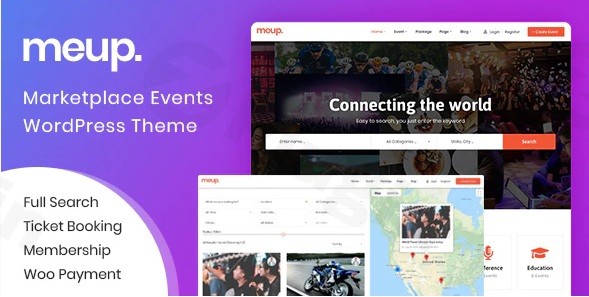
In today’s dynamic digital landscape, creating a robust and engaging online presence for events is paramount. The Meup WordPress Theme stands out as a premium, purpose-built solution designed specifically for building sophisticated event marketplace websites. This comprehensive overview will delve into Meup’s advanced capabilities, design philosophy, and practical applications, demonstrating why it’s the ideal choice for event organizers, agencies, and entrepreneurs looking to launch a professional, high-performing event platform.
Unveiling Meup’s Core Design Philosophy: Empowering Event Marketplaces
Meup isn’t just another WordPress theme; it’s a meticulously crafted platform engineered to facilitate a complete directory listing marketplace. Its core design philosophy centers on empowering users—both site administrators and event vendors—to effortlessly create, manage, and monetize local or global event directories. We understand the complexities involved in coordinating multiple events and vendors; Meup’s intuitive interface and powerful features simplify these challenges, allowing you to focus on growth and community building.From concerts and conferences to business seminars and sports activities, Meup provides the flexible framework needed for diverse event types, supporting both virtual and physical gatherings. It moves beyond generic event themes by integrating a full-fledged marketplace system, offering a distinct advantage for those aiming to build a multi-vendor platform rather than a simple event listing site.
Key Features & Professional Design Capabilities
Meup’s extensive feature set ensures that your event marketplace is not only functional but also visually stunning and user-friendly.
Intuitive Design & Seamless Customization with Elementor
Meup leverages the power of Elementor Page Builder, providing an unparalleled drag-and-drop customization experience. This means you can design and refine every aspect of your site with ease, even without coding knowledge.
- 4+ Pre-Made Homepage Demos: Kickstart your website with a variety of professionally designed homepage demos, easily importable with a single click. These serve as excellent starting points for various event niches.
- 6+ Event Card Templates: Showcase your events attractively on listing pages using a selection of pre-designed, customizable event card templates.
- Elementor Header/Footer Builder: Take full control over your site’s branding and navigation by designing custom headers and footers directly within Elementor.
- Unlimited Color Options & Typography: Fine-tune your site’s aesthetic to match your brand identity with unlimited color choices and easy-to-manage typography settings via the Theme Customizer.
- Layout Flexibility: Choose between wide and boxed layouts to best suit your content presentation and design preferences.
- Mobile Responsiveness: Engineered with a mobile-first approach, Meup ensures your event marketplace looks and performs flawlessly across all devices, from desktops to smartphones.
Robust Marketplace & Vendor Management System
Meup transforms your website into a thriving multi-vendor marketplace, allowing event organizers to list and sell tickets directly.
- Multi-Vendor Support: Empower multiple event organizers to register, manage their profiles, submit events, and track their sales independently.
- Customizable Vendor Packages: Create various vendor packages with flexible pricing and features, providing diverse options for event creators to join your platform.
- Comprehensive Event Creation Tools: Vendors can easily set up complete event information, including name, category, tags, descriptions, media (videos, galleries), and define single or recurring events.
- Vendor Sales Tracking & Analytics: Both administrators and vendors gain access to detailed sales reports, booking analytics, and profit tracking, allowing for informed decision-making.
- Wallet Management & Payouts: Facilitate secure bank account information storage for vendors and manage multiple payout methods, ensuring smooth financial operations.
Seamless Ticket Sales & Event Management
Meup integrates advanced ticketing functionalities with robust event management tools to provide a complete solution.
- WooCommerce Integration: Fully compatible with WooCommerce, Meup leverages this leading e-commerce platform for secure ticket sales, payment processing (including PayPal, Stripe, Payone, and offline methods), and order management.
- Multiple Ticket Types: Support various ticket configurations, including ‘No Seat’, ‘Simple Seat’, and ‘Seat Map’ options, catering to different event requirements.
- QR Code Ticket Validation: Enhance security and streamline event entry with integrated QR code generation for tickets and a dedicated mobile app for quick and efficient scanning at the gate.
- Event Calendar & Scheduling: Display event schedules and timetables in intuitive day, week, month, or list views, making it easy for attendees to plan.
- Booking Management: Site administrators can manually manage bookings, process refunds/cancellations, and export booking/ticket data to CSV for record-keeping.
- Customizable Checkout Fields: Tailor the checkout process to gather specific information from attendees, enhancing user experience and data collection.
Advanced Search & Navigation Capabilities
Helping users find the perfect event is crucial for any marketplace. Meup excels with its sophisticated search functionalities.
- Dual Search Functionality: Offers both a Quick Search Form (Event Name, Category, Location) and an Advanced Search Form with multiple filtering options (Event Name, Category, Location, Venue, Price, Event Duration, Start Date, End Date).
- AJAX Search with Real-time Results: Provide an instant, dynamic search experience with real-time results displayed alongside interactive maps, significantly improving user satisfaction.
- Google Maps Integration: Display event locations clearly with integrated Google Maps, requiring only your Google API Key.
- Multi-level Location Management: Organize events by states and cities for precise geographical filtering.
Optimized Performance & SEO
A fast and discoverable website is fundamental for success.
- GTMetrix Score of 96 Points: Meup is optimized for speed, evidenced by its impressive GTMetrix performance score, ensuring a smooth user experience.
- SEO Optimized: Built with SEO best practices in mind, Meup provides a clean, well-structured codebase to help your events rank higher in search engine results.
- 1170px Grid System: Ensures a consistent and professional layout across various screen sizes.
Automated Communication & Convenience
Streamline your operational workflow with intelligent automation.
- Automated Email Notifications: Send out automatic order confirmations with PDF tickets (including QR codes) and pre-event reminder emails to ticket holders, keeping attendees informed and engaged.
- One-Click Demo Import: Get your site up and running in minutes by importing full demo content with a single click.
Setting Up Your Professional Event Marketplace: A Step-by-Step Guide
Launching your event marketplace with Meup is a streamlined process designed for efficiency.
- Installation & Demo Import: After installing the Meup theme on your WordPress site, utilize the One-Click Demo Import feature. This will populate your site with pre-designed layouts, content, and settings, providing a strong foundation.
- Basic Customization: Navigate to the WordPress Customizer and dive into Elementor Page Builder.
- Global Options: Adjust your site’s colors, typography, and layout (wide/boxed) to match your brand.
- Header/Footer: Use the Elementor Header/Footer Builder to customize these critical elements for unique branding and navigation.
- Homepage: Edit the imported homepage demo or create new pages using Elementor’s drag-and-drop interface and Meup’s custom elements.
- Configure WooCommerce & Payment Gateways: Set up WooCommerce by defining your store settings, currency, shipping (if applicable), and crucially, integrate your preferred payment gateways like PayPal, Stripe, or any other supported by WooCommerce.
- Establish Vendor Management: Define your vendor packages and pricing. Allow vendors to register and begin submitting their events. You can manage vendor registrations and event approvals from your admin dashboard.
- Create Your First Event & Ticket Types: As an administrator, or guiding your vendors, demonstrate the event creation process. Define event details, schedules, and various ticket types (e.g., Early Bird, VIP, General Admission) with their respective prices and quantities.
- Integrate Google Maps (Optional but Recommended): Obtain a Google API Key and integrate it into Meup’s settings to display interactive maps for event locations.
- Review & Launch: Thoroughly review all pages, test the booking process, vendor submissions, and mobile responsiveness before making your site live.
Target Audience & Transformative Use Cases
Meup is an invaluable tool for a wide array of users and industries seeking to capitalize on the event market:
- Event Organizers & Promoters: Individuals or agencies specializing in concerts, festivals, conferences, or workshops can use Meup to create a central hub for all their events and manage ticket sales seamlessly.
- Business & Conference Hosts: Companies or organizations hosting seminars, trade shows, or corporate gatherings can leverage Meup for professional event listings, registration, and attendee management.
- Sports & Entertainment Venues: Stadiums, theaters, and entertainment complexes can build a dynamic marketplace for various performances, games, and shows.
- Community & Non-Profit Organizations: Create a local event directory for community gatherings, fundraisers, or educational workshops, fostering engagement and participation.
- Entrepreneurs & Startups: Launch a niche event marketplace focusing on specific interests, such as cooking classes, art workshops, or tech meetups, and monetize through vendor commissions or package fees.Meup simplifies website creation, enhances user experience through intuitive design, improves visual appeal with professional layouts, and provides significant business value by enabling direct monetization strategies.
Expert Insights: Why Meup Delivers Professional Design Results
As web design and development specialists, we recognize that a premium theme must go beyond aesthetics. Meup exemplifies EEAT (Expertise, Experience, Authoritativeness, and Trustworthiness) principles through its robust feature set and thoughtful architecture:
- Monetization Expertise: Meup is explicitly designed for monetization, allowing site owners to generate revenue through transaction fees, vendor package fees, commissions on ticket sales, and even advertisement fees. This comprehensive approach demonstrates a deep understanding of marketplace economics.
- Streamlined Operations: The theme facilitates easy publishing of events and demo checks by vendors, alongside dedicated vendor and customer accounts. Features like automated email notifications for booking confirmations and event reminders reduce administrative burden and improve customer satisfaction.
- Advanced Functionality: Unlike generic event themes that offer basic listings, Meup provides advanced features like multi-organizer support, sophisticated ticket selling with QR code validation, and full Elementor integration. These capabilities are crucial for a competitive online event marketplace.
- Performance & Reliability: Achieving a GTMetrix score of 96 points underscores Meup’s commitment to performance, which is vital for user retention and SEO. Its cross-browser compatibility and SEO-optimized structure ensure a broad reach and discoverability.
- Comprehensive Support Ecosystem: While pricing can vary, purchasing from reputable sources ensures access to lifetime free updates and dedicated professional support, crucial for long-term website maintenance and security.
Conclusion: Elevate Your Event Marketplace with Meup
The Meup – Marketplace Events WordPress Theme is a powerful, flexible, and professionally designed solution for anyone looking to build a high-performing event marketplace. Its comprehensive feature set, intuitive Elementor integration, robust vendor management, and advanced ticketing system empower you to create a platform that not only looks exceptional but also drives engagement and revenue.Whether you’re a seasoned event organizer or a new entrepreneur, Meup provides the tools and flexibility needed to establish an authoritative online presence. Choose Meup to transform your vision into a successful and dynamic event marketplace, delivering professional design results and a seamless experience for both vendors and attendees.
I. Download Limits & Account Benefits
- Free Downloads: Each email address receives 3 downloads per day for free products
- Upgrade Benefits: Purchase any paid product to increase your daily download limit by 3 for each paid product
- No Account Required: You can download immediately by receiving the download link via email
- Account Recommended: Create an account for easier access to your order history and direct update downloads
II. Understanding GPL vs Official Versions
Important: The products available on WPPick are GPL-licensed versions, which differ from official developer versions. Before purchasing, please read our comprehensive guide: Understanding GPL & Official Differences at WPPick
Key Points:
- GPL versions may not include premium support from original developers
- Updates may be delayed compared to official releases
- Some premium features might have limitations
- Always consider your specific needs and support requirements
III. Support & Assistance
We’re here to help through multiple channels:
- Email Support: Direct email assistance for all inquiries
- Live Chat: Real-time support during business hours
- Comprehensive Documentation: Detailed guides and tutorials
IV. Order Tracking
Access your complete purchase history and download links anytime: Order History
V. Account Access
New to WPPick? Login or Create Account to manage your downloads and orders efficiently.
VI. Refund Protection
We stand behind our products with a clear refund policy. Review our terms: Refund Policy
VII. Privacy & Security
Your data security is our priority. Learn how we protect your information: Privacy Policy
VII. Terms of Service
Understanding our service terms ensures a smooth experience: Terms of Use
Quick Tips for Best Experience
- Verify Compatibility: Check plugin/theme compatibility with your WordPress version
- Backup First: Always backup your site before installing new plugins or themes
- Test Environment: Consider testing on a staging site first
- Stay Updated: Regularly check for updates in your account dashboard
- Read Documentation: Review any included documentation for optimal setup
Need Help?
If you have questions about downloads, licensing, or need technical assistance, don’t hesitate to contact our support team. We’re committed to ensuring you have the best possible experience with WPPick products.
Ready to get started? Your download adventure begins with just one click!
- Update Theme Version 2.1.0
- Update Event List Plugin version 2.0.7
- Update Ova Login Plugin version 1.2.7
- Add date field for custom checkout field
- Allow change Membership ID when edit an event in backend
- Fix password when register new user
- Fix slider hero image in mobile
- Fix display sub-regional image in event cart page
- Fix upload file when create new event
- Fix filter to hidden Confirm email, Address field in cart page
- Fix order in archive event page
- Improve UX for Coupon tab when create an event
- Change text for Improving UX