

Mitup – Event & Conference WordPress Theme
/Year
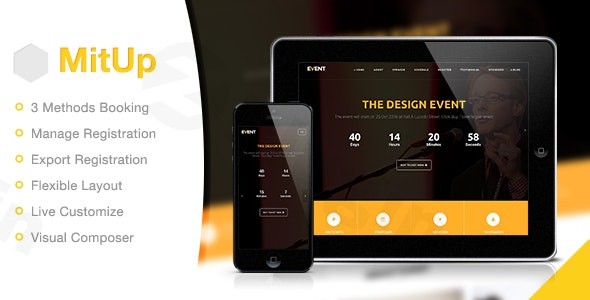
Organizing a successful event, seminar, or conference requires meticulous planning, and a strong online presence is absolutely crucial. The MitUp Event & Conference WordPress Theme provides a sleek, modern, and powerful platform specifically designed to streamline your event management and attract attendees. Whether you’re hosting a corporate seminar, an academic workshop, or a vibrant community meetup, MitUp equips you with all the necessary tools to create a compelling, high-converting event website.MitUp stands out with its intuitive design and robust feature set, making it the ideal solution for event managers, businesses, and organizations aiming to showcase their events with unparalleled professionalism.
Key Features: Design, Layout & Performance
MitUp is engineered to deliver both visual appeal and high functionality, ensuring your event website captures attention and performs flawlessly.
Design & Layout Options
MitUp offers a versatile framework to sculpt your event’s online identity:
- Flexible Layouts: Choose between multi-page or one-page demo layouts, allowing you to create anything from a comprehensive conference site to a focused event landing page. Further refine your design with Wide or Boxed layouts, and control sidebar configurations (left, right, no sidebar, or full-width) for individual posts and pages.
- Integrated Visual Composer (WPBakery Page Builder): At its core, MitUp leverages the power of WPBakery Page Builder, a leading drag-and-drop interface. This allows you to construct complex page layouts, customize sections, and arrange elements with ease, all without touching a line of code.
- Stunning Event Galleries with Cube Portfolio: Showcase your event’s past successes or build anticipation for future ones using the integrated Cube Portfolio. This premium plugin enables you to create visually appealing and responsive galleries for images and videos.
- Engaging Visual Elements: Build excitement with a prominent countdown timer for your event. Dedicated systems for speaker management, customizable schedule display, and sponsor listings ensure all crucial event details are presented clearly and professionally.
- Modern Aesthetic: Built with Bootstrap 3 and HTML5/CSS3, MitUp promises a modern, clean, and professional look that adapts perfectly to any corporate or academic setting.
Customization Capabilities
Branding your event website is effortless with MitUp’s extensive customization options:
- Unlimited Color Customization: Match your website perfectly to your brand identity or event theme with unlimited color choices. The theme also includes several pre-picked color schemes for quick application.
- Live Customizer for Real-time Previews: Experience the power of the WordPress Live Customizer, allowing you to tweak global theme options, colors, and typography, and see the changes instantly before publishing.
- Comprehensive Typography Management: With Google Fonts integration, you have a vast library of fonts at your fingertips to ensure your text is legible, on-brand, and visually appealing.
- Dynamic Backgrounds: Utilize full-width sections that support captivating background images, complete with parallax effects to add depth and visual interest.
Performance & SEO Features
MitUp is built with performance and search engine visibility in mind:
- Fully Responsive Design: Your event website will look pristine and function flawlessly across all devices—desktops, tablets, and smartphones—thanks to its fully responsive layout. This is crucial for reaching attendees on the go.
- Optimized Codebase: Developed with Bootstrap 3 and HTML5/CSS3, the theme aims for fast and lightweight pages. It includes support for compression of JavaScript and CSS to further enhance website speed, contributing to a better user experience and improved search engine rankings.
- SEO-Friendly Structure: While not explicitly detailing schema support, the theme’s clean markup and structured headings provide a solid foundation for SEO, allowing search engines to easily crawl and index your content.
- Translation-Ready: Reach a global audience with ease. MitUp is translation-ready and includes
.potfiles, making it straightforward to translate your site into multiple languages. It also supports the WPML plugin for advanced multilingual capabilities.
Installation & Demo Import
Setting up your MitUp-powered event website is designed to be a smooth process, even for beginners.
- Install & Activate the Theme:
- From your WordPress dashboard, navigate to
Appearance > Themes > Add New > Upload Theme. - Choose the
mitup.zipfile (or the theme file from your download package) and click “Install Now.” - Once installed, click “Activate.”
- From your WordPress dashboard, navigate to
- Install Required Plugins: Upon activation, MitUp will prompt you to install a set of recommended plugins. These typically include:
- WPBakery Page Builder (Visual Composer): Essential for page creation and customization.
- Cube Portfolio: For creating stunning galleries.
- Contact Form 7: For managing contact and inquiry forms.
- Mailchimp for WordPress: For email list integration.
- Ensure you install and activate all recommended plugins for the theme to function as intended.
- One-Click Demo Import: MitUp comes with pre-loaded demo content to help you kickstart your website quickly.
- Look for a “Demo Import” or “Import Demo Data” option in your WordPress dashboard, often found under
Appearanceor a dedicated theme options panel. - Follow the on-screen instructions to import the demo content. This process will populate your site with pages, posts, sample event data, menus, and widgets, making your site look just like the live demo.
- Important Note: Demo import can be resource-intensive. Ensure your hosting environment meets the recommended PHP memory limit (e.g., 256MB or higher) and execution time for a smooth import process. If your demo import encounters issues, checking these server settings with your host is a good first step.
- Look for a “Demo Import” or “Import Demo Data” option in your WordPress dashboard, often found under
- After Demo Import: Once the demo content is imported, you’ll find pre-designed pages, event schedules, speaker profiles, and more. You’ll need to navigate to
Appearance > Menusto assign your primary navigation menu andAppearance > Widgetsto customize your sidebar and footer areas as desired.
Customization Guide: Branding & Layout
Personalizing MitUp to reflect your brand and event theme is a straightforward process, primarily leveraging the WordPress Live Customizer and WPBakery Page Builder.
- Using the WordPress Live Customizer:
- Go to
Appearance > Customizein your WordPress dashboard. - Here, you can modify global styles such as colors, typography (using Google Fonts), and general layout settings.
- Easily upload your logo and favicon to establish your brand identity across the site.
- Adjust header and footer layouts to some extent, setting up social links and contact information.
- Control blog layouts, sidebar positions, and overall site structure with real-time previews.
- Go to
- Crafting Pages with WPBakery Page Builder:
- For page-specific layouts and content, the integrated WPBakery Page Builder is your primary tool. When editing a page (or creating a new one), switch to the WPBakery backend or frontend editor.
- Drag-and-drop elements like text blocks, images, videos, event schedules, speaker carousels, and contact forms onto your page.
- The demo content provides excellent starter templates that you can easily modify. Click on any element to edit its content, styling, and animation effects.
- Setting Up Your Homepage and Menus:
- After demo import, your homepage will likely be set to a static page. You can change this under
Settings > Reading. - Navigate to
Appearance > Menusto manage your site’s navigation. The demo import will create a primary menu, but you can add, remove, or reorder items to suit your event’s structure. - MitUp supports various widget areas, allowing you to populate your sidebars and footer with practical elements like event sponsors, social media feeds, or a call-to-action.The customization experience with MitUp is highly intuitive, especially for users comfortable with visual builders. The Live Customizer provides quick global changes, while WPBakery offers granular control over every page section.
- After demo import, your homepage will likely be set to a static page. You can change this under
FAQ & Troubleshooting
Here are answers to common questions about the MitUp WordPress theme:
Is MitUp compatible with Elementor / WPBakery / Gutenberg?
MitUp is explicitly built and integrated with WPBakery Page Builder (formerly Visual Composer) for its primary page-building functionality. This means you will use WPBakery to create and edit page layouts. The theme is not optimized for Elementor or the native Gutenberg block editor.
Does MitUp support WooCommerce for online stores?
While MitUp offers comprehensive event registration options, there is no explicit mention or integration of WooCommerce in its core features or documentation. Therefore, it is not designed to function as an eCommerce store platform. Its focus is purely on event and conference management.
Does MitUp support child themes?
Yes, MitUp is child theme compatible and even includes a basic child theme in its package. Using a child theme is highly recommended for any advanced customizations you wish to make, as it ensures your modifications are preserved when the main theme receives updates.
How does MitUp handle event registrations and attendee management?
MitUp features a comprehensive registration management system that supports multiple registration options, including PayPal and Eventbrite. It provides customizable email confirmation templates for attendees and allows you to export attendee data via CSV, making it easy to manage your participant lists.
What are the minimum requirements for running the MitUp theme?
To ensure optimal performance and compatibility, MitUp requires WordPress 4.0 or higher, a minimum of PHP 5 or higher, and MySQL 5 or higher. For smooth demo import and general site functionality, recommended PHP settings often include higher memory limits (e.g., 256MB+) and execution times.
Conclusion
The MitUp – Premium Event & Conference WordPress Theme is a highly specialized and feature-rich solution for anyone looking to build a professional website for conferences, seminars, workshops, or any type of event. Its commitment to event-specific functionalities, coupled with the user-friendly WPBakery Page Builder, makes it a powerful choice for event organizers and businesses without extensive coding knowledge.With its sleek design, flexible layout options, comprehensive customization capabilities via the Live Customizer, and focus on essential features like integrated registration and speaker management, MitUp truly shines in its niche. While it doesn’t support Gutenberg or WooCommerce, its dedicated event ecosystem provides a streamlined and effective platform.Choose MitUp if you need a reliable, visually appealing, and functionally robust WordPress theme to manage and promote your events with confidence, ensuring a professional online presence that builds anticipation and drives registrations.
I. Download Limits & Account Benefits
- Free Downloads: Each email address receives 3 downloads per day for free products
- Upgrade Benefits: Purchase any paid product to increase your daily download limit by 3 for each paid product
- No Account Required: You can download immediately by receiving the download link via email
- Account Recommended: Create an account for easier access to your order history and direct update downloads
II. Understanding GPL vs Official Versions
Important: The products available on WPPick are GPL-licensed versions, which differ from official developer versions. Before purchasing, please read our comprehensive guide: Understanding GPL & Official Differences at WPPick
Key Points:
- GPL versions may not include premium support from original developers
- Updates may be delayed compared to official releases
- Some premium features might have limitations
- Always consider your specific needs and support requirements
III. Support & Assistance
We’re here to help through multiple channels:
- Email Support: Direct email assistance for all inquiries
- Live Chat: Real-time support during business hours
- Comprehensive Documentation: Detailed guides and tutorials
IV. Order Tracking
Access your complete purchase history and download links anytime: Order History
V. Account Access
New to WPPick? Login or Create Account to manage your downloads and orders efficiently.
VI. Refund Protection
We stand behind our products with a clear refund policy. Review our terms: Refund Policy
VII. Privacy & Security
Your data security is our priority. Learn how we protect your information: Privacy Policy
VII. Terms of Service
Understanding our service terms ensures a smooth experience: Terms of Use
Quick Tips for Best Experience
- Verify Compatibility: Check plugin/theme compatibility with your WordPress version
- Backup First: Always backup your site before installing new plugins or themes
- Test Environment: Consider testing on a staging site first
- Stay Updated: Regularly check for updates in your account dashboard
- Read Documentation: Review any included documentation for optimal setup
Need Help?
If you have questions about downloads, licensing, or need technical assistance, don’t hesitate to contact our support team. We’re committed to ensuring you have the best possible experience with WPPick products.
Ready to get started? Your download adventure begins with just one click!
- Remove Cube Portfolio plugin
- Update Import Demo Data
- Update WPBakery Plugin version 8.5