Close Menu
  • Themes
  • Plugins
  • Pricing
  • Affiliate Program
X (Twitter) Instagram TikTok
Wordpress Pick
  • Themes
  • Plugins
  • Pricing
  • Affiliate Program
Login / Register
Wordpress Pick
Home » Theme » Business Themes » Business Themes » Motors – Automotive, Car Dealership, Car Rental, Vehicle, Bikes, Classified Listings

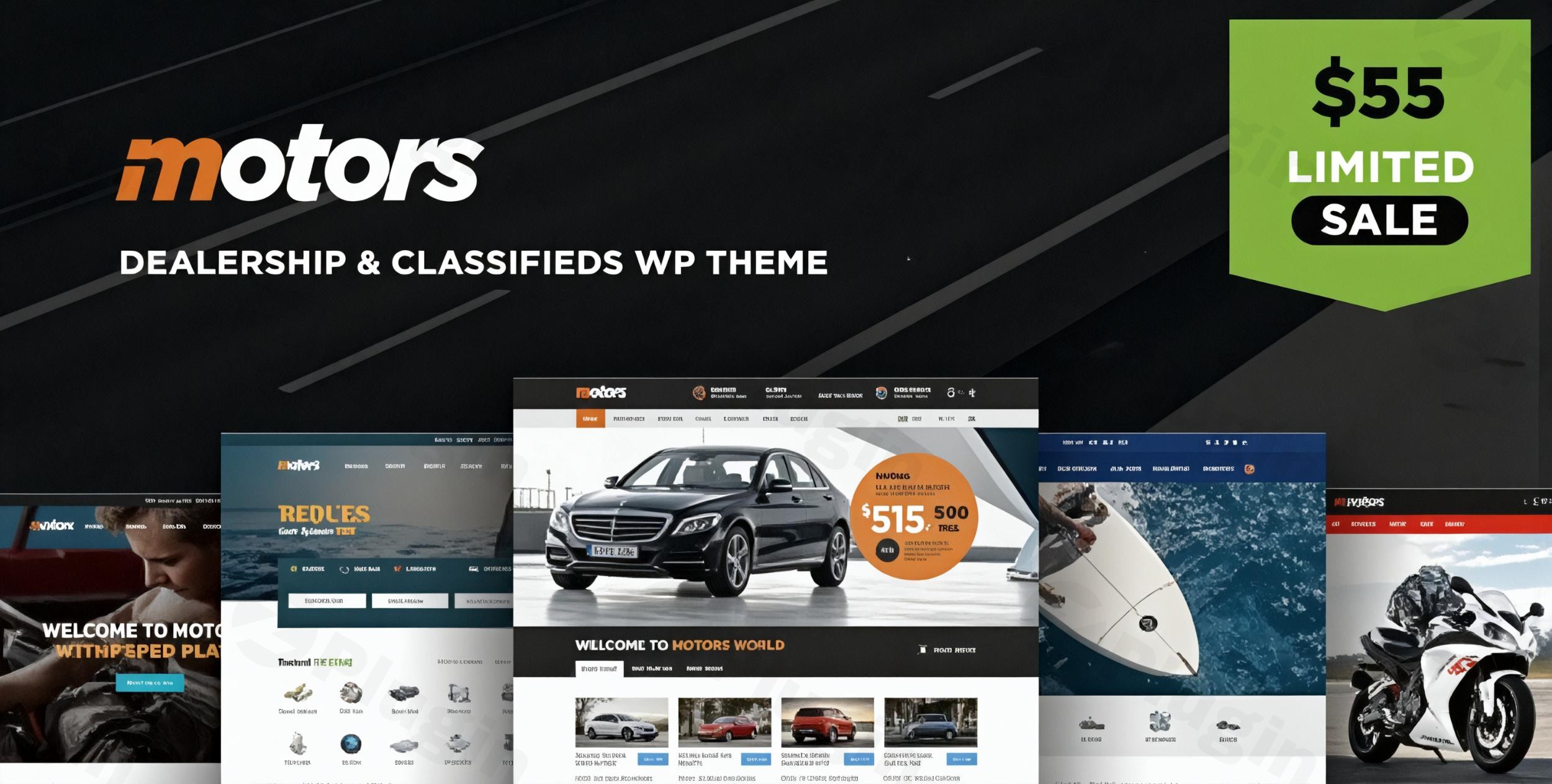
Motors – Automotive, Car Dealership, Car Rental, Vehicle, Bikes, Classified Listings

Free
$0

/Year

H
M
S
Rev up your automotive business! Motors theme: ideal for dealerships, rentals & classifieds. Discover its power now!

4.7

Rating summary

0

Reviews

262K+

Active installations

View Official Website
VirusTotal Scan
Checkout Now Added to cart

Automotive Marketplace and Dealership Solutions with Motors

Building a professional digital presence for automotive businesses requires specialized machinery under the hood. The Motors theme for WordPress serves as a dedicated framework engineered to handle the unique data structures of vehicle listings, dealership inventory management, and automotive classified networks. Developed by StylemixThemes, this product bridges the gap between complex database relationships and client-focused user interfaces, eliminating the need to stack multiple unrelated plugins to handle specialized vehicle attributes.

What the Motors Theme Does

Motors transforms a standard WordPress installation into a functional automotive directory, inventory tracker, or rental booking engine. It operates by generating custom post types explicitly configured for vehicles, allowing administrators to catalog inventory with technical specifications like engine size, mileage, fuel type, and transmission. Beyond display, it handles front-end user submissions, multi-criteria filtering, and operational financial tools such as lease calculators, test-drive booking requests, and dealer profile management systems.

Who It Is For

This automotive solution targets multiple distinct business segments within the transport and vehicle commerce sector. Independent car dealers, multi-franchise auto groups, motorcycle showrooms, and boat brokerages use it to synchronize web inventory with their physical lots. Additionally, the platform accommodates car rental agencies seeking real-time reservation software, auto parts retailers looking to list catalogs, and entrepreneurs designing nationwide or localized automotive classified listing sites where users buy and sell vehicles independently.

Key Capabilities and Features

  • Comprehensive Inventory Manager: Allows complete structural control over vehicle attributes, taxonomics, and technical specifications with dynamic search filter linking.
  • Dedicated Rental Booking System: Features native calendar integration, customizable discount rates, pricing rules based on seasonal demand, and payment gateway hookups via WooCommerce.
  • Advanced Search Filters: Provides granular multi-tier filtering logic, allowing customers to locate stock by precise make, model, year, distance, price range, or custom features.
  • Front-End Listing Submissions: Enables vehicle owners or independent dealers to log in, purchase submission packages, manage profiles, and post vehicle cards directly from an account dashboard.
  • Dealer Review and Rating Infrastructure: Builds consumer trust by enabling verified user reviews, star ratings, and personalized public profile directory pages for individual vehicle sellers.
  • Import and Synchronization: Supports structural XML and CSV inventory importing to update listing details and vehicle stock counts in bulk from external dealership management systems.

Practical WordPress Use Cases

A regional car dealership uses Motors to replace traditional paper catalogs with a real-time web inventory database. Sales staff can update vehicle availability, drop prices, or append high-resolution vehicle galleries directly from the WordPress back-end, automatically populating the front-end search grids. Another standard use case involves a luxury scooter and car rental firm operating across multiple city branches. Using the built-in rental module, the site processes precise pick-up and drop-off times, blocks out reserved dates, calculates local tax obligations, and completes down-payments securely during checkout.

Setup, Customization, and Compatibility Notes

Deploying Motors requires installing the core parent theme along with its required companion tool, the Motors Plugin, which isolates core directory features from theme layouts. It is fully compatible with major modern page builders including Elementor and WPBakery, letting web designers adjust single-listing cards and archive layouts visually. The theme embeds seamlessly with WooCommerce to handle transaction processing for classified listing subscriptions or vehicle reservations. Ensure your server environment runs on stable PHP and modern WordPress releases to guarantee database query efficiency during multi-parameter inventory searches.

Reasons to Choose Motors on WPPick

Acquiring Motors on WPPick ensures access to a secure, unedited deployment package clean of hidden tracking scripts or altered operational loops. WPPick serves pre-verified installation assets to maintain core system safety and baseline stability. This marketplace delivery structure empowers web developers and niche businesses to run clean tests on staging servers, construct high-performance client proof-of-concepts, and deploy robust vehicle listing frameworks without navigating restrictive license tracking layers.

Latest Version Context

Detailed release notes are not available from the provided sources for version 5.6.98. While structural updates and code optimizations are handled routinely by the core development team to secure compatibility with modern page builders and underlying database engines, specific documentation for this update remains unverified on official channels. Users should implement updates first within a staging environment to observe local asset interactions prior to live site deployments.

Frequently Asked Questions

Can I import vehicle data from an external DMS into Motors?

Yes, Motors supports inventory data synchronization via XML and CSV file imports. This enables administrators to map external database attributes to custom vehicle fields inside WordPress, streamlining bulk updates from dealership management systems.

Does the rental option support custom price rules for holidays or seasons?

Yes, the native car rental system includes specific pricing rules that allow administrators to configure custom daily rates based on seasonal demands, holiday periods, or long-term block bookings.

Is a separate plugin needed to handle the vehicle search filters?

No, the advanced multi-criteria search filter engine is bundled directly into the core Motors plugin architecture. It dynamically updates options based on the custom attributes created for your specific inventory types.

Can guest users submit vehicles for sale on a classified site layout?

No, users must register an account and log in through the front-end dashboard to submit listings. This requirement safeguards site data, reduces automated spam, and allows sellers to manage their active vehicle listings securely.

Can I build a multi-vendor automotive marketplace where dealers pay for listings?

Yes, the classified layout supports pay-per-listing options and premium subscription packages via WooCommerce integrations, allowing platform owners to monetize dealer storefront entries and highlighted featured slots.

4.7 207 votes
Plugin Rating

I. Download Limits & Account Benefits

  • Free Downloads: Each email address receives 3 downloads per day for free products
  • Upgrade Benefits: Purchase any paid product to increase your daily download limit by 3 for each paid product
  • No Account Required: You can download immediately by receiving the download link via email
  • Account Recommended: Create an account for easier access to your order history and direct update downloads

II. Understanding GPL vs Official Versions

Important: The products available on WPPick are GPL-licensed versions, which differ from official developer versions. Before purchasing, please read our comprehensive guide: Understanding GPL & Official Differences at WPPick

Key Points:

  • GPL versions may not include premium support from original developers
  • Updates may be delayed compared to official releases
  • Some premium features might have limitations
  • Always consider your specific needs and support requirements

III. Support & Assistance

We’re here to help through multiple channels:

  • Email Support: Direct email assistance for all inquiries
  • Live Chat: Real-time support during business hours
  • Comprehensive Documentation: Detailed guides and tutorials

IV. Order Tracking

Access your complete purchase history and download links anytime: Order History

V. Account Access

New to WPPick? Login or Create Account to manage your downloads and orders efficiently.

VI. Refund Protection

We stand behind our products with a clear refund policy. Review our terms: Refund Policy

VII. Privacy & Security

Your data security is our priority. Learn how we protect your information: Privacy Policy

VII. Terms of Service

Understanding our service terms ensures a smooth experience: Terms of Use

Quick Tips for Best Experience

  1. Verify Compatibility: Check plugin/theme compatibility with your WordPress version
  2. Backup First: Always backup your site before installing new plugins or themes
  3. Test Environment: Consider testing on a staging site first
  4. Stay Updated: Regularly check for updates in your account dashboard
  5. Read Documentation: Review any included documentation for optimal setup

Need Help?

If you have questions about downloads, licensing, or need technical assistance, don’t hesitate to contact our support team. We’re committed to ensuring you have the best possible experience with WPPick products.


Ready to get started? Your download adventure begins with just one click!

July 3, 2026
Version: 5.6.98Latest Release
Bug Fix
  • Minor bugfixes
June 5, 2026
Version: 5.6.97
April 15, 2026
Version: 5.6.95
April 2, 2026
Version: 5.6.94
Compatibility
  • Enabled compatibility between Motors Pro and Motors Listing Types for inventory customization features.
Bug Fix
  • Fixed display of similar listings by category.
  • Fixed registration form not showing when New User Registration is disabled in WPBakery demos.
  • Fixed WPBakery frontend editor not saving changes for EV Dealership.
Other
  • Motors – Car Dealer, Classifieds & Listing updated to version 1.4.107.
  • Motors Listing Type updated to version 1.4.6.
  • Motors Elementor Widgets updated to version 1.6.15.
  • Motors WPBakery Widgets updated to version 1.7.7.
March 12, 2026
Version: 5.6.93
Compatibility
  • Motors – Car Dealer, Classifieds & Listing updated to version 1.4.105.
  • STM Extends plugin updated to version 2.6.5.
  • WooCommerce templates updated to the latest version.
Bug Fix
  • Fixed incorrect display of Price Range slider in Search Filter.
  • Fixed Sellers Notes not displaying on Built-in Listing Page templates in WPBakery demos.
  • Fixed Privacy Policy checkbox on Message to Dealer form not clickable in Built-in Listing Page templates.
  • Fixed duplicate Search Results in Built-in Listing Page templates.
  • Fixed Dealer Profile Settings not saving.
February 26, 2026
Version: 5.6.91
February 5, 2026
Version: 5.6.90
Compatibility
  • Update: Motors – Car Dealer, Classifieds & Listing updated to version 1.4.103.
Bug Fix
  • Fix: Fixed Saved Search add-on not working.
  • Fix: Fixed display of Custom Field child categories with assigned parent categories.
  • Fix: Fixed error on the Single Listing page on Auto Parts Demo in Turkish language.
  • Fix: Fixed Become dealer setting not displaying.
January 31, 2026
Version: 5.6.89
Compatibility
  • Motors – Car Dealer, Classifieds & Listing updated to version 1.4.102.
  • Motors Elementor Widgets plugin updated to version 1.6.13.
  • Motors WPBakery Widgets plugin updated to version 1.7.5.
Bug Fix
  • Fixed issue allowing registration of new users with New User Registration disabled.
January 8, 2026
Version: 5.6.88
Compatibility
  • Fixed compatibility issue with Elementor 3.34.0 preventing login attempts.
  • Fixed compatibility issue with Elementor 3.34.0 causing incorrect display of Add Car form.
Other
  • Motors – Car Dealer, Classifieds & Listing updated to version 1.4.101.
  • Motors Elementor Widgets updated to version 1.6.12.
January 6, 2026
Version: 5.6.87
Compatibility
  • Motors – Car Dealer, Classifieds & Listing updated to version 1.4.100.
  • Motors Elementor Widgets plugin updated to version 1.6.11.
  • Motors WPBakery Widgets plugin updated to version 1.7.4.
Improvement
  • Added the ability to translate the Privacy Policy checkbox text via Loco Translate.
0 Comments
Inline Feedbacks
View all comments
Motors - Automotive, Car Dealership, Car Rental, Vehicle, Bikes, Classified Listings
Type:
Theme
Version:
5.6.98
Last updated:
Jul 6, 2026
License:
GPL v3
Scanned by:
VirusTotal
Categories:
Business Themes
Tags:
Automotive
Bike
Classifieds
Facebook YouTube LinkedIn Telegram
  • Home
  • Order History
  • Return and Refund Policy
  • Terms of Use
  • Privacy Policy
  • About Us

100 Rue Peel, Montréal, QC H3C 0L8, Canada
© WP Pick. All Rights Reserved.

Type above and press Enter to search. Press Esc to cancel.