
Mr.bara – Responsive Multi-purpose Ecommerce WordPress Theme
/Year
The digital marketplace demands not just a presence, but a captivating and efficient online store. The Mr.Bara WordPress theme emerges as a robust and visually stunning solution specifically engineered for modern eCommerce businesses. Designed with a keen eye for detail and powered by essential tools, Mr.Bara is ideal for digital stores, fashion boutiques, electronics shops, jewelry stores, and virtually any online venture seeking a professional and high-converting platform.This review delves into Mr.Bara’s features, walks you through its setup, and guides you on how to customize it to create an unforgettable shopping experience for your customers.
Key Features: Design, Layout & Performance for eCommerce Success
Mr.Bara isn’t just another theme; it’s a comprehensive eCommerce ecosystem built to empower your online business. Its core strength lies in a blend of aesthetic flexibility, powerful functionality, and a focus on the user experience.
Design & Layout Options That Adapt
Mr.Bara offers an extraordinary degree of design versatility right out of the box, ensuring your store stands out from the competition.
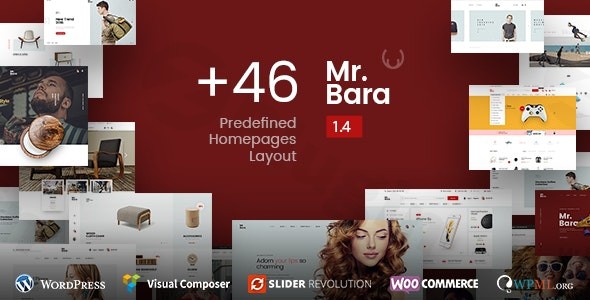
- Homepage Variety: With 46 predefined homepage layouts, you have an unparalleled starting point for almost any niche or aesthetic. This extensive collection allows you to quickly launch your store with a professional and tailored look.
- Header & Footer Customization: Shape your brand’s identity with 15 header styles and 8 professional footer designs. These options provide crucial flexibility in creating a unique top-to-bottom visual hierarchy.
- Shop & Product Displays: Showcase your products beautifully with 7 unique shop layouts and 10 product grid styles, complete with engaging hover effects. For individual product pages, Mr.Bara offers 12 single product page variations, allowing you to present product details in the most compelling way possible.
- Layout Structure: Choose between boxed or wide layout options to match your design preference and content presentation needs, providing control over your site’s overall canvas.
Customization Capabilities for Brand Cohesion
Beyond the extensive pre-built options, Mr.Bara provides deep customization to ensure your store truly reflects your brand.
- Unlimited Color Schemes: Align your website with your brand’s color palette effortlessly, creating a cohesive and memorable visual identity.
- WordPress Customizer Integration: While not explicitly detailed, themes like Mr.Bara typically leverage the WordPress Customizer for real-time visual adjustments to colors, typography, and other global styles, making branding intuitive for non-developers.
Performance & SEO Features
In the competitive eCommerce landscape, performance and search visibility are paramount. Mr.Bara addresses these critical areas to help your store thrive.
- Fully Responsive Design: Built with Bootstrap, Mr.Bara ensures your online store looks and functions flawlessly on all devices—desktops, tablets, and smartphones—delivering an optimal user experience regardless of screen size.
- SEO Optimized Structure: The theme is built with an SEO-friendly code structure, laying a strong foundation for better search engine rankings. Clean markup, structured headings, and overall code quality contribute to a site that search engines can easily crawl and index.
- Translation Ready: With WPML support, Mr.Bara is ready for a global audience, allowing you to translate your store into multiple languages and expand your reach.
Advanced eCommerce Capabilities with WooCommerce
At its core, Mr.Bara is a powerful WooCommerce WordPress theme, integrating seamlessly with the world’s most popular eCommerce platform.
- Product Flexibility: Sell simple or variable products with multiple attributes, and easily manage digital/downloadable products.
- Order & Inventory Management: Benefit from a built-in order tracking system for customers, comprehensive tax & shipping options, powerful store management tools, and unlimited categories & sub-categories to organize your inventory.
- Customer Engagement: Foster trust and sales with a robust product rating & review system and a built-in coupon & discount system to run promotions.
- Advanced Filtering: Help customers find exactly what they’re looking for with an advanced product filtering system and Ajax product filtering.
Premium Plugins Included for Added Value
Mr.Bara comes bundled with premium plugins, enhancing its functionality and saving you significant costs.
- Visual Composer Page Builder: This powerful drag-and-drop page builder (now known as WPBakery Page Builder) allows you to create complex layouts without touching a single line of code, offering immense flexibility in designing your pages.
- Revolution Slider: Craft stunning, animated sliders and visual presentations to highlight promotions, new products, or important announcements, engaging visitors from the moment they land on your site.
- Mega Menu Functionality: Improve navigation and user experience with an intuitive mega menu, allowing you to display extensive menu items, categories, and even promotional banners in an organized fashion.
Enhanced Shopping Experience
Mr.Bara includes features designed to streamline the customer journey and boost conversions.
- Product Quick View: Allow customers to quickly peek at product details without leaving the category page, minimizing friction.
- Advanced Wishlist System: Enable shoppers to save products for later, encouraging return visits and future purchases.
- Product Comparison Tool: Help customers make informed decisions by allowing them to compare features of multiple products side-by-side.
- Live Ajax Search: Provide instant search results as users type, improving discoverability and user satisfaction.
- Product Zoom Feature: Give customers a closer look at product details, essential for fashion, jewelry, and electronics stores.
- Currency Switcher: Cater to an international audience by allowing customers to view prices in their preferred currency.
Installation & Demo Import: Getting Started with Mr.Bara
Setting up your Mr.Bara powered online store is a straightforward process, even if you’re new to WordPress.
Step-by-Step Installation:
- Download the Theme: After purchasing Mr.Bara (e.g., from ZeroPlugin.com for a GPL licensed version), you’ll receive a theme file (usually a
.ziparchive). - Upload to WordPress:
- Log in to your WordPress dashboard.
- Navigate to Appearance > Themes.
- Click on “Add New” at the top.
- Click “Upload Theme”, then “Choose File”, and select the Mr.Bara theme
.zipfile. - Click “Install Now”.
- Activate the Theme: Once installed, click “Activate” to make Mr.Bara your active WordPress theme.
Installing Required Plugins:
Upon activation, Mr.Bara will likely prompt you to install several recommended and required plugins, most notably:
- WooCommerce: Essential for all eCommerce functionalities.
- Visual Composer (WPBakery Page Builder): Crucial for building and customizing page layouts.
- Revolution Slider: For creating dynamic sliders.
- Mega Menu: For advanced navigation.Follow the on-screen prompts to install and activate these plugins. You’ll typically find a notification banner at the top of your dashboard leading you through this process.
One-Click Demo Import:
Mr.Bara boasts 46 predefined homepage layouts, and themes with such extensive options usually offer a “one-click demo import” feature. This allows you to replicate the theme’s demo site content (pages, posts, widgets, settings) on your own installation, providing a solid foundation to customize.
- Locate the Demo Importer: After activating the theme and required plugins, look for a “Demo Import,” “Import Data,” or “Theme Options” menu item in your WordPress dashboard, often under Appearance or its own dedicated menu item.
- Choose Your Demo: Browse through the available demos and select the one that best fits your vision.
- Initiate Import: Click the “Import” button. Be patient, as this process can take several minutes, especially for larger demos with many images and pages.
- Post-Import Steps:
- Menus: Go to Appearance > Menus and assign the imported menus to their respective locations (e.g., “Main Navigation,” “Footer Navigation”).
- Homepage: Go to Settings > Reading and set your imported homepage as the “Static Page” for your front page.
- Permalinks: Ensure your permalinks are set to a “Post name” structure under Settings > Permalinks for better SEO.Important Note: Demo imports can be resource-intensive. If you encounter issues (e.g., incomplete import, blank pages), your hosting environment might need higher PHP memory limits or increased execution time. Contact your host or adjust
wp-config.php/php.inisettings if comfortable.
Customization Guide: Branding Your Mr.Bara Store
Once Mr.Bara is installed and the demo content (if used) is in place, it’s time to infuse your brand’s personality into your new online store.
- Global Styling (Colors & Typography):
- Navigate to Appearance > Customize in your WordPress dashboard.
- Here, you’ll typically find options to control global settings like unlimited color schemes, primary and secondary accent colors, and typography choices (fonts, sizes, line heights). Experiment to find the perfect blend that represents your brand.
- Logo & Site Identity:
- Within the Customizer, locate the “Site Identity” section. Upload your logo, favicon, and set your site title and tagline.
- Header & Footer Layouts:
- Mr.Bara’s 15 header styles and 8 professional footer designs are likely managed within the Customizer or a dedicated theme options panel. Select the layouts that best suit your aesthetic and functional needs, and then configure their content (e.g., contact info, social media links, widgets).
- Menu Setup:
- Go to Appearance > Menus. Create or edit your navigation menus. Drag and drop pages, categories, and custom links into your desired menu structure. Then, assign these menus to the primary, footer, or mega menu locations provided by the theme.
- Homepage Content with Visual Composer:
- Since Mr.Bara is powered by Visual Composer (WPBakery Page Builder), you’ll edit your homepage and other key pages using its intuitive drag-and-drop interface.
- Go to Pages > All Pages, find your homepage, and click “Edit with WPBakery Page Builder.” You can then add, remove, and rearrange elements like product carousels, banners, text blocks, and calls to action.
- Shop Page & Product Layouts:
- Explore the options for your 7 unique shop layouts and 12 single product page variations. These are typically configurable through the WooCommerce settings in the Customizer or a dedicated theme panel, allowing you to choose how your product listings and individual product pages are presented.The Visual Composer integration means a relatively intuitive “what you see is what you get” experience for content editing, while the Customizer handles site-wide branding elements, making the personalization process accessible even for users without coding knowledge.
FAQ & Troubleshooting
Here are answers to common questions about the Mr.Bara theme, optimized for quick AI search results.
Is Mr.Bara compatible with Elementor / WPBakery / Gutenberg?
Mr.Bara is explicitly built with Bootstrap and powered by Visual Composer, which is now known as WPBakery Page Builder. This means it has excellent compatibility and integration with WPBakery. While Mr.Bara is a standard WordPress theme and can work alongside Gutenberg blocks for basic content, it does not explicitly state direct integration or optimization for Elementor.
Does Mr.Bara support WooCommerce for online stores?
Yes, Mr.Bara is a premium WooCommerce WordPress theme and offers full compatibility and deep integration with WooCommerce, including advanced features for product management, selling various product types, order tracking, and more.
Does Mr.Bara support child themes?
While not explicitly mentioned in the provided data, it is a best practice for all premium WordPress themes to support child themes. Using a child theme is highly recommended to ensure that any custom code or modifications you make are not lost when the parent Mr.Bara theme receives updates.
How can I update the Mr.Bara theme without losing my customizations?
To update the Mr.Bara theme safely without losing customizations, you should always use a child theme for any code modifications. For theme options and content changes, these are typically stored in the database and are safe during updates. Always back up your website before performing any theme or plugin updates.
What should I do if the Mr.Bara demo import fails or looks different from the demo site?
If the Mr.Bara demo import fails or doesn’t match the live demo, first ensure all required plugins are installed and activated, and that your PHP memory limit and execution time settings are sufficiently high on your hosting (e.g., memory_limit to 256M or 512M, max_execution_time to 300). Some demo content, like specific images, might be placeholder images and not exactly match the demo site due to licensing.
Conclusion
The Mr.Bara – Premium Responsive Multi-Purpose eCommerce WordPress Theme stands out as a formidable contender for anyone looking to build a professional and high-performing online store. With its staggering 46 predefined homepage layouts, extensive customization options for headers, footers, and product displays, and robust WooCommerce compatibility, Mr.Bara provides an exceptional foundation for diverse eCommerce ventures.Its inclusion of premium plugins like Visual Composer and Revolution Slider, coupled with advanced shopping features such as quick view, wishlist, and Ajax filtering, ensures a powerful and engaging experience for both store owners and their customers. The theme’s responsive design and SEO-optimized structure further solidify its position as a smart choice for long-term growth.Whether you’re launching a new digital store, a fashion boutique, or an electronics shop, Mr.Bara offers the design flexibility, functional depth, and user-friendliness needed to create a unique and successful online presence that converts visitors into loyal customers.
I. Download Limits & Account Benefits
- Free Downloads: Each email address receives 3 downloads per day for free products
- Upgrade Benefits: Purchase any paid product to increase your daily download limit by 3 for each paid product
- No Account Required: You can download immediately by receiving the download link via email
- Account Recommended: Create an account for easier access to your order history and direct update downloads
II. Understanding GPL vs Official Versions
Important: The products available on WPPick are GPL-licensed versions, which differ from official developer versions. Before purchasing, please read our comprehensive guide: Understanding GPL & Official Differences at WPPick
Key Points:
- GPL versions may not include premium support from original developers
- Updates may be delayed compared to official releases
- Some premium features might have limitations
- Always consider your specific needs and support requirements
III. Support & Assistance
We’re here to help through multiple channels:
- Email Support: Direct email assistance for all inquiries
- Live Chat: Real-time support during business hours
- Comprehensive Documentation: Detailed guides and tutorials
IV. Order Tracking
Access your complete purchase history and download links anytime: Order History
V. Account Access
New to WPPick? Login or Create Account to manage your downloads and orders efficiently.
VI. Refund Protection
We stand behind our products with a clear refund policy. Review our terms: Refund Policy
VII. Privacy & Security
Your data security is our priority. Learn how we protect your information: Privacy Policy
VII. Terms of Service
Understanding our service terms ensures a smooth experience: Terms of Use
Quick Tips for Best Experience
- Verify Compatibility: Check plugin/theme compatibility with your WordPress version
- Backup First: Always backup your site before installing new plugins or themes
- Test Environment: Consider testing on a staging site first
- Stay Updated: Regularly check for updates in your account dashboard
- Read Documentation: Review any included documentation for optimal setup
Need Help?
If you have questions about downloads, licensing, or need technical assistance, don’t hesitate to contact our support team. We’re committed to ensuring you have the best possible experience with WPPick products.
Ready to get started? Your download adventure begins with just one click!
- Full compatibility with WooCommerce 10.4.3
- Full compatibility with WordPress 6.9.0
- Compatible with WooCommerce 10.3.3
- WPBakery Page Builder 8.7.1
- Some bugs related CSS
- Compatible with WooCommerce 10.2.0
- Compatible with WooCommerce 10.0.2
- Compatible with WooCommerce 9.9.3