

Mymedi – Responsive Woocommerce WordPress Theme
/Year
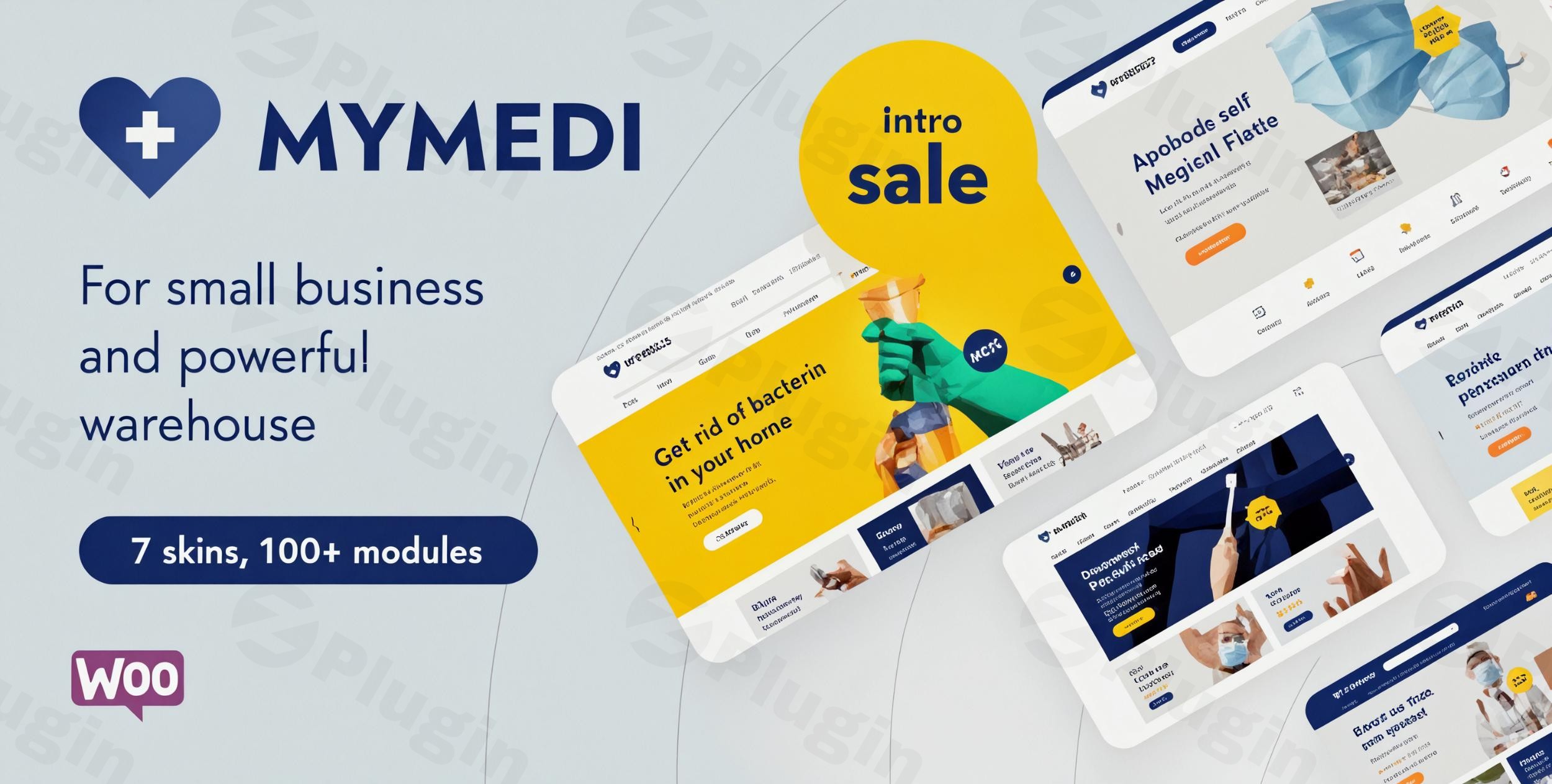
Transform Your Online Store with MyMedi
The MyMedi WordPress theme is a robust and versatile solution for anyone looking to build a high-converting responsive WooCommerce online store. Designed with both aesthetics and powerful functionality in mind, MyMedi is an ideal choice for a wide array of online retail businesses—from medical and healthcare shops to fashion boutiques, electronics stores, and organic product markets. It empowers store owners to create a visually stunning and seamless shopping experience across all devices, making it a top contender for the “best WooCommerce theme for health products” and beyond.
Key Features: Design, Layout & Performance
MyMedi is packed with features that enable extensive customization and ensure a polished, high-performing online presence.
Design & Layout Options
MyMedi offers remarkable flexibility in shaping your store’s appearance:
- Diverse Homepage Layouts: Get a head start with 7+ unique homepage layouts (and over 15 according to some sources), providing diverse starting points for different business niches.
- Fully Responsive Design: Ensures your store looks impeccable and functions flawlessly on any device—smartphones, tablets, laptops, and desktops. This is crucial for user experience and SEO.
- Built-in Mega Menu: Enhance navigation with a powerful mega menu, making it easy for customers to find products and categories quickly.
- Multiple Product Display Styles: Showcase your products attractively with various layouts, including product quick view, Ajax shopping cart, and advanced filtering options.
- Flexible Shop & Product Layouts: Beyond homepages, the theme provides multiple shop filter and product detail layouts (over four for filters and five for product details), giving you granular control over your product presentation.
- Sticky Header: Improve user experience by keeping your navigation accessible as users scroll down the page.
Customization Capabilities
Personalizing MyMedi to match your brand is intuitive and comprehensive:
- Powerful Theme Options Panel: Control nearly every aspect of your site’s design and functionality from one centralized location. This panel allows for extensive customization without touching a single line of code.
- Unlimited Color Options & Swatches: Align your site with your brand’s aesthetics using unlimited color choices. Color swatches for variable products enhance the shopping experience, allowing customers to easily visualize different product options.
- Extensive Typography: Integrate over 896 Google Fonts to perfectly match your brand’s voice and improve readability.
- WPBakery Page Builder Integration: MyMedi seamlessly integrates with the WPBakery Page Builder, a powerful drag-and-drop tool that allows you to create stunning pages and layouts with ease, no coding knowledge required. Slider Revolution is also bundled for eye-catching slideshows.
- Customizable Headers & Footers: Beyond the sticky header, MyMedi offers advanced header options and flexible footer customization to complete your site’s professional look.
Performance & SEO Features
MyMedi is engineered for speed and discoverability, crucial factors for online success:
- Optimized for Speed: Designed with performance in mind, MyMedi aims for quick load times and a seamless shopping experience, minimizing bounce rates and improving user satisfaction.
- SEO-Friendly Structure: The theme features an SEO-friendly structure with clean markup and structured headings, helping search engines understand your content better and improving your visibility.
- WooCommerce Compatibility: Full and advanced WooCommerce compatibility ensures your online store runs smoothly, supporting physical products, digital goods, and subscriptions. This is key for its function as a “MyMedi WooCommerce theme.”
- Translation Ready & WPML Compatible: Reach a global audience with built-in translation readiness and compatibility with WPML (WordPress Multilingual Plugin) and WooCommerce Multilingual.
- RTL Language Support: Accommodates Right-to-Left languages, expanding your potential market.
Installation & Demo Import
Getting your MyMedi-powered online store up and running is a straightforward process:
- Install & Activate the Theme:
- Log in to your WordPress dashboard.
- Navigate to
Appearance > Themes > Add New > Upload Theme. - Choose the MyMedi theme zip file you downloaded and click
Install Now. - Once installed, click
Activate.
- Install Required Companion Plugins:
- Upon activation, MyMedi will likely prompt you to install recommended plugins, such as WPBakery Page Builder, Slider Revolution, and WooCommerce. Install and activate all of these to ensure full theme functionality.
- Use the One-Click Demo Import:
- MyMedi features a convenient one-click demo import function. Look for an option like
Appearance > Import Demo DataorMyMedi Options > Demo Importin your WordPress dashboard. - Select your preferred homepage layout from the available demos (7+ unique homepage layouts are provided by default, with over 15 layouts cited by some sources).
- Click
Import.
- MyMedi features a convenient one-click demo import function. Look for an option like
- What to Expect During/After Demo Import:
- The demo import will populate your site with pre-designed pages, posts, sample products, menus, widgets, and theme options settings, making your site look just like the demo.
- Common Pitfalls: Large demo imports can sometimes require increased server memory and execution time. If you encounter issues (e.g., import failing or timing out), consider increasing your WordPress memory limit and max execution time in your
wp-config.phpfile or contacting your hosting provider.
Customization Guide (Branding & Layout)
After importing your demo, the real fun begins: personalizing MyMedi to reflect your unique brand.
- Using the Theme Options Panel: Navigate to
MyMedi Options(or similar) in your WordPress dashboard. This is your central hub for global settings. Here you can:- Change Colors & Typography: Easily set your brand’s primary and secondary colors, select fonts from the extensive Google Fonts library, and adjust font sizes for various elements.
- Upload Your Logo & Favicon: Replace the default branding with your own custom logo and site icon.
- Configure Header & Footer Layouts: Choose from advanced header options and customize your footer content, including widget areas and copyright information.
- Leveraging WPBakery Page Builder: For page-specific layouts and content, use WPBakery Page Builder. When editing any page (including your new homepage imported from the demo), click
Edit with WPBakery Page Builder(orFrontend Editor).- Drag-and-Drop Elements: Add, remove, and rearrange content blocks (rows, columns, text blocks, images, product carousels, sliders, etc.) visually.
- Edit Content & Styles: Click on any element to edit its text, images, links, and specific styling options (e.g., background colors, padding, margins).
- Setting Up Your Homepage, Blog Page, and Menus:
- Homepage: Go to
Settings > Readingand set your imported homepage as the static front page. - Blog Page: Create a new page (e.g., “Blog”) and assign it as your Posts page in
Settings > Readingto display your blog entries, potentially using MyMedi’s blog masonry layout. - Menus: Navigate to
Appearance > Menusto manage your primary navigation, mega menu, and footer menus.The customization experience with MyMedi is designed to be intuitive, enabling non-designers and store owners to achieve a professional, branded look without complex coding.
- Homepage: Go to
FAQ & Troubleshooting
Is MyMedi compatible with Elementor / WPBakery / Gutenberg?
MyMedi seamlessly integrates with WPBakery Page Builder and bundles it, allowing for extensive drag-and-drop page creation. While its primary focus is WPBakery, some GPL distribution sources suggest Elementor compatibility for the “Pro” version of the theme. The theme’s core functionality is built around WPBakery, but it will generally work with content created using Gutenberg blocks, although full block editor integration as a primary builder is not its focus.
Does MyMedi support WooCommerce for online stores?
Yes, MyMedi offers seamless and advanced WooCommerce integration, making it perfectly suited for all types of online stores. It includes features like product quick view, Ajax shopping cart, advanced filtering, multiple product display styles, and multi-currency support, all designed to enhance your eCommerce capabilities.
Does MyMedi support child themes?
While not explicitly detailed in all documentation, premium WordPress themes like MyMedi are generally built to support child themes. Using a child theme is highly recommended for any custom CSS or template modifications to ensure your changes are not lost when you update the main MyMedi theme.
How can I update the MyMedi theme without losing my customizations?
If you’ve made customizations directly to the parent theme files, they will be overwritten during an update. To safely update MyMedi and preserve your changes, always use a child theme for any code modifications (CSS, PHP templates). For theme options changes made through the Theme Options Panel, these are stored in the database and are generally safe during updates.
What should I do if the demo import fails or looks different from the demo site?
If the MyMedi theme demo import fails, first check your server’s PHP configuration (memory limit, max execution time) as large imports require adequate resources. Contacting your hosting provider to temporarily increase these limits often resolves the issue. If the import completes but looks different, ensure all recommended plugins (especially WPBakery Page Builder and Slider Revolution) are installed and activated, and clear any caching plugins.
Conclusion
The MyMedi Responsive WooCommerce WordPress Theme stands out as a powerful and highly flexible solution for building professional online stores. Its deep integration with WooCommerce, coupled with the intuitive drag-and-drop capabilities of WPBakery Page Builder and a rich set of design options, makes it an excellent choice for a wide range of eCommerce niches.With its focus on responsive design, performance optimization, and SEO readiness, MyMedi empowers store owners, from beginners to seasoned agencies, to create a high-converting digital storefront. Whether you’re setting up a specialized medical supply shop or a trendy fashion boutique, MyMedi provides the tools and flexibility needed to establish a strong, trustworthy, and visually appealing online presence. It’s a confident choice for anyone seeking a comprehensive and reliable foundation for their eCommerce ambitions.
I. Download Limits & Account Benefits
- Free Downloads: Each email address receives 3 downloads per day for free products
- Upgrade Benefits: Purchase any paid product to increase your daily download limit by 3 for each paid product
- No Account Required: You can download immediately by receiving the download link via email
- Account Recommended: Create an account for easier access to your order history and direct update downloads
II. Understanding GPL vs Official Versions
Important: The products available on WPPick are GPL-licensed versions, which differ from official developer versions. Before purchasing, please read our comprehensive guide: Understanding GPL & Official Differences at WPPick
Key Points:
- GPL versions may not include premium support from original developers
- Updates may be delayed compared to official releases
- Some premium features might have limitations
- Always consider your specific needs and support requirements
III. Support & Assistance
We’re here to help through multiple channels:
- Email Support: Direct email assistance for all inquiries
- Live Chat: Real-time support during business hours
- Comprehensive Documentation: Detailed guides and tutorials
IV. Order Tracking
Access your complete purchase history and download links anytime: Order History
V. Account Access
New to WPPick? Login or Create Account to manage your downloads and orders efficiently.
VI. Refund Protection
We stand behind our products with a clear refund policy. Review our terms: Refund Policy
VII. Privacy & Security
Your data security is our priority. Learn how we protect your information: Privacy Policy
VII. Terms of Service
Understanding our service terms ensures a smooth experience: Terms of Use
Quick Tips for Best Experience
- Verify Compatibility: Check plugin/theme compatibility with your WordPress version
- Backup First: Always backup your site before installing new plugins or themes
- Test Environment: Consider testing on a staging site first
- Stay Updated: Regularly check for updates in your account dashboard
- Read Documentation: Review any included documentation for optimal setup
Need Help?
If you have questions about downloads, licensing, or need technical assistance, don’t hesitate to contact our support team. We’re committed to ensuring you have the best possible experience with WPPick products.
Ready to get started? Your download adventure begins with just one click!
- compatible with WordPress 6.9.4
- compatible with WooCommerce 10.6.1
- Update: Importer
- Update: Slider Revolution 6.7.50
- Compatible with WooCommerce 10.4.3
- Update: Slider Revolution 6.7.40
- Tweak: compatible with WordPress 6.9
- Tweak: compatible with WooCommerce 10.4.0
- Importer
- WPBakery Page Builder 8.7.2
- compatible with WooCommerce 10.3.5
- Tweak: compatible with WordPress 6.8.3
- Tweak: compatible with WooCommerce 10.2.2
- Update: Slider Revolution 6.7.38
- Compatible with WooCommerce 10.1.2
- Slider Revolution 6.7.37
- Slider Revolution 6.7.36
- WPBakery Page Builder 8.6.1
- compatible with WooCommerce 10.1.0
- compatible with WordPress 6.8.2
- compatible with WooCommerce 10.0.4
- Slider Revolution 6.7.35
- sanitize search string
- new Compare feature
- new Wishlist feature
- Slider Revolution 6.7.34
- WPBakery Page Builder 8.5
- compatible with WordPress 6.8.1
- compatible with WooCommerce 9.9.5
- product filter by brand