

Ncmaz – Blog Magazine WordPress Theme
/Year
Introduction: Elevate Your Online Publication with Ncmaz FSE
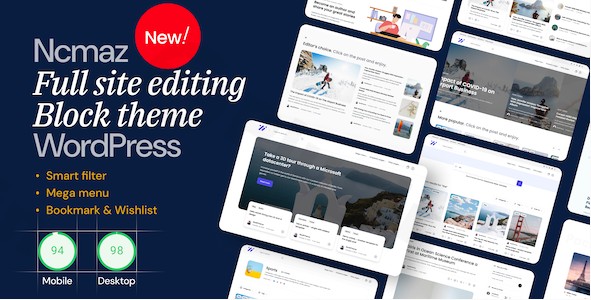
Are you a blogger, publisher, or content creator looking for a cutting-edge WordPress theme that truly embodies the future of web design? The Ncmaz FSE WordPress theme is a powerful, next-generation block theme specifically crafted for blog and news magazine websites. Leveraging the latest WordPress Interactive API and Full Site Editing (FSE) capabilities, Ncmaz FSE delivers an unparalleled user experience with dynamic functionality and stunning modern aesthetics. It’s designed for anyone seeking to create an impactful, engaging, and visually distinctive online presence without needing any coding knowledge.
Key Features: Design, Layout & Performance
Ncmaz FSE stands out with its robust suite of features, meticulously designed to empower content creators and publishers. From flexible layouts to interactive elements, this theme ensures your content not only looks exceptional but also performs flawlessly.
Design & Layout Options
Ncmaz FSE offers a completely unique design aesthetic, setting new standards for contemporary magazine websites. It provides a vast array of options to structure your content effectively:
- Full Site Editing (FSE): As a true FSE theme, Ncmaz provides barrier-free customization. You can design your entire site—from headers to footers, and everything in between—using intuitive block-based tools.
- Pre-built Patterns & Templates: Get a head start with over 90 pre-built block patterns and template parts, alongside multiple page and post templates. These allow you to quickly construct layouts or customize existing ones, offering a strong foundation for any blog or news site.
- Multiple Header & Footer Layouts: Choose from various pre-designed header and footer layouts, or craft your own custom designs using the block editor.
- Dark Mode: Seamlessly integrate a dark mode feature into your website, providing an alternative viewing experience that’s easy on the eyes, especially in low-light conditions.
- RTL Language Support: With full RTL (Right-to-Left) language support, Ncmaz FSE ensures your content is accessible to a global audience, regardless of language direction.
- Unique Visual Elements: The theme integrates dynamic features like live listening for podcasts/audio, video live previews on post cards, and gallery sliders directly on post cards, enhancing user interaction from listing pages.
Customization Capabilities
Personalizing your website to match your brand identity is effortless with Ncmaz FSE’s extensive customization options:
- Global Styles: Harness the power of WordPress’s Global Styles to define site-wide design settings. Choose from 3 default global style variants and mix and match color options for cohesive branding.
- Color Customization: Extensive color customization options allow you to perfectly align the theme’s palette with your brand identity.
- Harmonious Responsive Typography: Set up custom fonts or use any Google Fonts, with responsive typography ensuring optimal readability across all devices. Icons from Font Line Awesome and Heroicons SVG are also integrated.
- Block-Based Control: Customize spacing, containers, sections, and backgrounds directly within the site editor, giving you granular control over every element of your layout.
Performance & SEO Features
Ncmaz FSE is engineered for optimal performance and search engine visibility, crucial for any successful online publication:
- Speed Optimized: Built with Full Site Editing, the theme generates cleaner, more optimized HTML code, reducing dependencies and contributing to faster page loading times.
- SEO Ready: With clean markup and a structured heading hierarchy, Ncmaz FSE is designed to be search engine optimized, helping your content rank higher.
- Mobile Responsiveness: The theme is responsively designed to adapt seamlessly to any screen size, ensuring a flawless and mobile-friendly experience for all visitors, from mobile to desktop.
- Accessibility Ready: Built with accessibility as a core principle, Ncmaz FSE passes WCAG 2.2 level AA requirements, ensuring your content reaches the broadest possible audience while maintaining compliance with web accessibility standards.
Advanced Interactive Elements
Beyond aesthetics, Ncmaz FSE is designed to foster deep user engagement:
- Comprehensive Bookmark & Wishlist Systems: Implement sophisticated interactive features such as complete bookmark systems, post wishlisting capabilities, and comment wishlist functionality. These significantly boost user retention and engagement metrics.
- Superior Search and Filter Systems: Experience exceptional search performance with advanced filtering options on search pages, archive pages, and throughout your entire website, making it easy for visitors to find content.
- Frontend Submission & User Profiles: The theme includes features for frontend submission and profile editing, allowing users to contribute content and manage their profiles directly from the website.
Installation & Setup Guide
Getting started with Ncmaz FSE is designed to be straightforward, leveraging the native WordPress Full Site Editing experience.
- Install the Theme:
- Download the Ncmaz FSE theme file (a
.zipfile) from ZeroPlugin.com or your purchase source. - Log in to your WordPress admin dashboard.
- Navigate to
Appearance>Themes. - Click the “Add New” button at the top, then “Upload Theme”.
- Choose the Ncmaz FSE
.zipfile and click “Install Now”.
- Download the Ncmaz FSE theme file (a
- Activate the Theme:
- Once installed, click “Activate” to enable Ncmaz FSE on your website.
- Explore Block Patterns and Templates:
- As an FSE theme, Ncmaz FSE doesn’t rely on a traditional “one-click demo import” in the same way older themes might. Instead, it provides 90+ pre-built block patterns and template parts.
- Navigate to
Appearance>Editor(this is the Full Site Editor). Here, you can browse and insert these patterns directly into your pages, posts, or custom templates to quickly build out your layouts. - For specific page layouts (e.g., homepages), you’ll typically start by creating a new page and then using the “Template” options within the Site Editor to apply a pre-designed page template or build it block by block.
Customization Guide: Branding & Layout
Customizing Ncmaz FSE to perfectly reflect your brand is done primarily through the WordPress Site Editor and its Global Styles interface. This empowers you with unprecedented control without any coding.
- Access the Site Editor:
- Go to
Appearance>Editorin your WordPress dashboard. This opens the Full Site Editing interface.
- Go to
- Utilize Global Styles:
- Within the Site Editor, click the “Styles” icon (a half-filled circle) in the top right corner.
- Here, you can adjust your site’s global typography, color palette, and layout settings. Ncmaz FSE provides 3 default global style variants to choose from, which you can then fine-tune.
- Colors: Change your site’s primary, secondary, text, and background colors.
- Typography: Select your preferred fonts for headings, paragraphs, and other text elements. You can use Google Fonts or custom fonts.
- Layout: Adjust content width, padding, and block spacing across your entire site.
- Customize Headers & Footers:
- In the Site Editor, you can directly click on your header or footer areas.
- Use the block editor to re-arrange existing blocks, add new ones (like site logo, navigation, social icons), or choose from the multiple pre-built header and footer layouts Ncmaz FSE provides.
- Set Up Your Homepage & Blog Page:
- To set a static homepage, create a new page, design it using Ncmaz FSE’s block patterns and blocks, then go to
Settings>Readingand select your new page as the “Homepage”. - For your blog archive, create another new page, leave it blank, and designate it as your “Posts page” in
Settings>Reading. The theme will automatically display your latest posts using the blog archive template.
- To set a static homepage, create a new page, design it using Ncmaz FSE’s block patterns and blocks, then go to
- Manage Navigation Menus:
- While in the Site Editor, click on your navigation block (often in the header). You can directly manage and add menu items here using the “Navigation” block.The customization experience with Ncmaz FSE is highly intuitive, emphasizing a visual, block-based approach that makes designing your site feel like arranging building blocks.
FAQ & Troubleshooting
Here are answers to common questions about the Ncmaz FSE WordPress Block Theme.
Is Ncmaz FSE compatible with traditional page builders like Elementor or WPBakery?
Ncmaz FSE is a Full Site Editing (FSE) block theme that leverages the native WordPress Block Editor (Gutenberg) for all customization. It is designed to be a complete solution without the need for external page builders. While you can technically install page builders, they are generally not necessary and may conflict with the FSE functionality for site-wide design.
Does Ncmaz FSE support WooCommerce for online stores?
Yes, Ncmaz FSE is fully compatible with WooCommerce. This means you can seamlessly integrate e-commerce functionalities into your blog or news magazine website, allowing you to sell products, subscriptions, or services directly from your site.
Can I create a child theme for Ncmaz FSE?
Yes, being a standard-compliant WordPress theme, you can create a child theme for Ncmaz FSE. This is generally recommended if you plan to make extensive code modifications to ensure your customizations are not lost during theme updates.
How can I customize my header and footer in Ncmaz FSE?
You can customize your header and footer directly within the WordPress Site Editor (Appearance > Editor). Ncmaz FSE provides multiple pre-built header and footer layouts that you can select and modify using the block editor. You can also drag-and-drop blocks to create entirely custom header and footer designs.
Is Ncmaz FSE optimized for performance and SEO?
Yes, Ncmaz FSE is built with performance and SEO in mind. Its Full Site Editing architecture generates cleaner, more optimized HTML code, which contributes to faster loading times. Additionally, the theme is designed with SEO-friendly markup and is mobile-responsive, factors that significantly aid search engine rankings.
Conclusion
The Ncmaz FSE WordPress Block Theme stands as a formidable solution for anyone serious about creating a modern, engaging, and high-performing blog, news, or magazine website. Its deep integration with WordPress Full Site Editing offers unparalleled design flexibility, allowing users to craft unique layouts without touching a line of code.With its focus on interactive elements like bookmarking and advanced search, robust WooCommerce compatibility, and a strong commitment to performance and accessibility (WCAG 2.2 level AA), Ncmaz FSE is truly future-proof. Whether you are a content creator, a seasoned publisher, or a small business owner aiming for a cutting-edge online presence, Ncmaz FSE provides the tools to build an impactful platform that captivates your audience and performs exceptionally in both traditional and AI-driven search environments. It’s a confident choice for those ready to embrace the next generation of WordPress theming.
I. Download Limits & Account Benefits
- Free Downloads: Each email address receives 3 downloads per day for free products
- Upgrade Benefits: Purchase any paid product to increase your daily download limit by 3 for each paid product
- No Account Required: You can download immediately by receiving the download link via email
- Account Recommended: Create an account for easier access to your order history and direct update downloads
II. Understanding GPL vs Official Versions
Important: The products available on WPPick are GPL-licensed versions, which differ from official developer versions. Before purchasing, please read our comprehensive guide: Understanding GPL & Official Differences at WPPick
Key Points:
- GPL versions may not include premium support from original developers
- Updates may be delayed compared to official releases
- Some premium features might have limitations
- Always consider your specific needs and support requirements
III. Support & Assistance
We’re here to help through multiple channels:
- Email Support: Direct email assistance for all inquiries
- Live Chat: Real-time support during business hours
- Comprehensive Documentation: Detailed guides and tutorials
IV. Order Tracking
Access your complete purchase history and download links anytime: Order History
V. Account Access
New to WPPick? Login or Create Account to manage your downloads and orders efficiently.
VI. Refund Protection
We stand behind our products with a clear refund policy. Review our terms: Refund Policy
VII. Privacy & Security
Your data security is our priority. Learn how we protect your information: Privacy Policy
VII. Terms of Service
Understanding our service terms ensures a smooth experience: Terms of Use
Quick Tips for Best Experience
- Verify Compatibility: Check plugin/theme compatibility with your WordPress version
- Backup First: Always backup your site before installing new plugins or themes
- Test Environment: Consider testing on a staging site first
- Stay Updated: Regularly check for updates in your account dashboard
- Read Documentation: Review any included documentation for optimal setup
Need Help?
If you have questions about downloads, licensing, or need technical assistance, don’t hesitate to contact our support team. We’re committed to ensuring you have the best possible experience with WPPick products.
Ready to get started? Your download adventure begins with just one click!
- Add "FE Editor" block in Ncmaz Fse Core plugin. This block if called in "page-submission" template, will work and create an editor in Frontend for users to post/edit posts.
- Build and require the Boolii Blocks plugin - This is a new plugin that provides common necessary blocks. Those blocks are almost the same as the ones in the Ncmaz FSE Core plugin ported and updated.
- Updated compatibility with all the latest versions of plugins.
- Add the Post Media Player block - Block to display a media player.
- Add the Post video player block - Block to display video/iframe player for posts with the video format.
- Add default theme mode type option in the Toggle Dark-mode button block.
- Add the Post Media Play button block - A block that shows the play button for audio/video posts. Button will not appear if post is not audio/video or does not have url for media.
- Added Home page template 4, and some new post card patterns.
- Updated single templates to show a play button if the post is audio/video
- Update Post card 1, Post card 5, Post card 15 pattern to display the audio/video play button.
- Add the Post Media Player block to the footer part. (Post Media Player block is required in Footer or Header for the player to work)