

Newsflash – News Magazine Theme
/Year
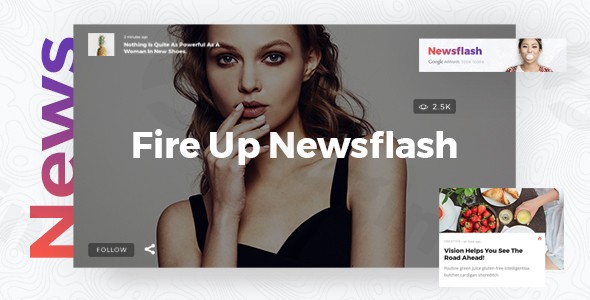
In the rapidly evolving digital landscape, a professional and engaging online presence is paramount for news agencies, magazine publishers, and online publications. The Newsflash WordPress theme emerges as a powerful solution, meticulously crafted to help you build a dynamic news portal that captivates your audience and drives engagement. With its sleek design and robust features, Newsflash is ideal for anyone looking to establish a strong editorial voice online, from local newspapers to international magazines and niche blogs.
Introduction: Modern Design for Modern Publications
Newsflash is a cutting-edge, multi-concept WordPress theme developed by Mikado-Themes, specifically tailored for the demanding world of online news and magazines. Its design philosophy centers on providing a visually appealing and organized platform, empowering publishers to present diverse content types—including text articles, image galleries, videos, and audio—with professional flair. This theme is built for content creators who prioritize visual hierarchy, clean layouts, and a seamless user experience, making it a go-to choice for journalists, editors, and bloggers seeking a high-performing digital platform.
Key Features: Design, Layout & Performance for Editorial Excellence
Newsflash offers an impressive array of features designed to meet the sophisticated demands of modern online publications.
Design & Layout Options
The theme boasts an extensive collection of multiple pre-designed homepage layouts, providing a solid foundation for various editorial styles. Whether you need a classic newspaper grid or a vibrant magazine spread, Newsflash delivers with its:
- 6 predesigned homepage examples that offer immediate visual inspiration.
- Powerful post layout options including 4 post layout shortcodes, 3 post block shortcodes, 2 post carousel shortcodes, and 3 post slider shortcodes, allowing for dynamic content presentation.
- Specialized layouts for headline news, featured stories, and category-based organization, ensuring your most important content stands out.
- Multimedia content support with dedicated layouts for image galleries, videos, and audio, allowing for a rich and interactive experience.
- Unlimited layout combinations via its versatile shortcodes and widgets, ensuring every page can be uniquely crafted.
- 3 blog list templates (Standard, Masonry, Centered) and 3 pagination types (Standard, Load More, Infinite Scroll) to perfectly fit your content flow.
Customization Capabilities
Newsflash puts extensive customization power at your fingertips through its comprehensive admin interface, requiring no coding knowledge.
- Typography: Access to over 800 Google Fonts and granular control over settings ensures your publication’s voice is expressed visually.
- Color Schemes: While not explicitly detailed as “color schemes,” the theme’s extensive admin options provide the tools to define your brand’s palette across the site.
- Spacing, Containers, Sections & Backgrounds: Utilize video and image backgrounds within sections to add visual depth.
- Headers & Footers: Choose from 4 distinct header types and 3 header behavior types, with options for separate logos for mobile and sticky headers. Footers are highly customizable, offering a Footer Top layout with up to 4 columns and a Footer Bottom layout with up to 3 columns.
- Mega Menu: Create detailed and intuitive navigation with the customizable mega menu feature.
- Bundled Premium Plugins: Newsflash enhances its customization and visual capabilities by including WPBakery Page Builder (formerly Visual Composer) and Slider Revolution for free, providing advanced drag-and-drop page building and dynamic content sliders.
Performance & SEO Features
In today’s fast-paced digital environment, performance is crucial. Newsflash is built with speed and accessibility in mind:
- Responsive Design: Fully responsive and retina-ready, the theme ensures your content looks pristine and functions flawlessly on all devices, from desktops to smartphones. This mobile-first approach is vital for SEO and user experience.
- Cross-Browser Compatibility: It is compatible with modern browsers including IE11, Firefox, Safari, Opera, Chrome, and Edge, guaranteeing a consistent experience for all readers.
- Optimized for Faster Loading: While specific metrics like Lighthouse scores are not provided, the theme is explicitly stated to be “Optimized for Faster Loading,” laying a good foundation for SEO and user satisfaction.
- SEO-Ready Structure: With its professional design elements and structured headings, Newsflash helps search engines better understand your content, contributing to improved search engine visibility.
Installation & Demo Import: Get Started in Minutes
Setting up your Newsflash-powered website is designed to be straightforward, even for those new to WordPress.
- Install & Activate the Theme:
- Once you’ve downloaded the Newsflash theme files, log into your WordPress dashboard.
- Navigate to
Appearance > Themes > Add New > Upload Theme. - Choose the Newsflash theme
.zipfile and clickInstall Now. - After installation, click
Activateto make Newsflash your active theme.
- Install Recommended Plugins:
- Upon activation, Newsflash will likely recommend installing a few plugins, including the bundled WPBakery Page Builder and Slider Revolution. Follow the on-screen prompts to install and activate these plugins, as they unlock many of the theme’s advanced features and design options.
- One-Click Demo Import:
- Newsflash simplifies the setup process with a simple one-click import of demo content. This feature allows you to quickly replicate any of the theme’s stunning homepage examples.
- Look for a “Demo Import” or “Import Demo Content” option within the theme’s settings in your WordPress dashboard (often under
Appearanceor a dedicated theme panel). - Select your desired demo and initiate the import.
- What to Expect During/After Demo Import:
- The demo import process will populate your site with pre-designed pages, posts, menus, widgets, and theme settings, mirroring the chosen demo.
- Be aware that importing large amounts of demo content can sometimes require adequate server memory and timeout limits. If you encounter issues, consult your hosting provider or the theme’s documentation for server requirements.
- After a successful import, you will have a fully structured site that you can then personalize with your own content and branding.
Customization Guide: Shaping Your Publication’s Identity
Newsflash offers an intuitive customization experience, enabling you to tailor every aspect of your website to reflect your brand and content strategy.
- Extensive Admin Interface: The primary hub for customization is the theme’s extensive admin interface, accessible from your WordPress dashboard. Here, you can control global styles, layout settings, header/footer designs, and much more. This interface makes it possible to achieve complex designs without touching a line of code.
- Colors & Typography: Easily adjust your site’s color palette to match your brand identity. Dive into the typography settings to select from 800+ Google Fonts, fine-tuning font sizes, weights, and line heights for headings and body text to enhance readability and visual appeal.
- Logo & Branding: Upload your custom logo for both standard and mobile headers, and configure separate sticky header logos for a polished user experience.
- Header & Footer Layouts: Experiment with the 4 header types and their various behaviors to find the perfect top-bar design. Customize the Footer Top (up to 4 columns) and Footer Bottom (up to 3 columns) areas to display essential links, social media icons, and copyright information.
- Homepage and Blog Page Setup: After importing demo content, you’ll want to designate your homepage and blog page. Navigate to
Settings > Readingin WordPress to set a static page as your homepage and another page to display your latest posts. - Menu Management: Head to
Appearance > Menusto organize your navigation. Newsflash’s customizable mega menu allows you to create hierarchical and visually rich menus, guiding users effortlessly through your content.The customization process with Newsflash is highly intuitive, emphasizing a user-friendly experience that allows you to brand and design your site efficiently.
FAQ & Troubleshooting
Here are answers to common questions about the Newsflash WordPress theme:
Is Newsflash compatible with Elementor or WPBakery Page Builder?
Newsflash comes with WPBakery Page Builder bundled for free, providing extensive drag-and-drop functionality for creating custom layouts. Compatibility with other major page builders like Elementor is not explicitly stated as built-in or specifically optimized in the provided information.
Does Newsflash support WooCommerce for online stores?
Comprehensive compatibility with WooCommerce is not detailed in the available information. If you plan to run an online store alongside your news publication, you may need to verify compatibility or consider alternative solutions.
Does Newsflash support child themes?
Yes, a child theme is included with Newsflash. Using a child theme is highly recommended for making customizations, as it allows you to update the parent theme without losing your modifications.
How can I update the Newsflash theme without losing my customizations?
Always use the included child theme for any custom CSS or template file modifications. When a new version of Newsflash is released, you can safely update the parent theme through your WordPress dashboard or FTP, and your customizations in the child theme will remain intact.
What should I do if the Newsflash demo import fails or looks different from the demo site?
If the demo import fails, check your server’s PHP memory limit and execution time, as large imports can sometimes time out. Increasing these limits (often via wp-config.php or php.ini) can help. If the imported demo looks different, ensure all recommended plugins (especially WPBakery Page Builder and Slider Revolution) are installed and activated, and clear any caching plugins on your site.
Conclusion: The Professional Choice for News & Magazine Websites
The Newsflash WordPress theme stands out as an exceptional choice for anyone aiming to launch or revamp a news, magazine, or online publication website. Its design flexibility, with numerous pre-designed layouts and robust post-type support, ensures your content is presented professionally and engagingly. The extensive customization options, empowered by a user-friendly admin interface and bundled premium plugins like WPBakery Page Builder and Slider Revolution, make branding and design a seamless process, even for beginners.With its focus on mobile responsiveness and “Optimized for Faster Loading” performance, Newsflash provides a solid foundation for both user experience and SEO. It’s an ideal theme for news agencies, online publishers, and bloggers who require a dynamic, content-rich platform. When your goal is to build a visually striking and high-converting editorial presence, Newsflash offers a compelling, feature-packed solution that delivers on its promise of professional quality.
I. Download Limits & Account Benefits
- Free Downloads: Each email address receives 3 downloads per day for free products
- Upgrade Benefits: Purchase any paid product to increase your daily download limit by 3 for each paid product
- No Account Required: You can download immediately by receiving the download link via email
- Account Recommended: Create an account for easier access to your order history and direct update downloads
II. Understanding GPL vs Official Versions
Important: The products available on WPPick are GPL-licensed versions, which differ from official developer versions. Before purchasing, please read our comprehensive guide: Understanding GPL & Official Differences at WPPick
Key Points:
- GPL versions may not include premium support from original developers
- Updates may be delayed compared to official releases
- Some premium features might have limitations
- Always consider your specific needs and support requirements
III. Support & Assistance
We’re here to help through multiple channels:
- Email Support: Direct email assistance for all inquiries
- Live Chat: Real-time support during business hours
- Comprehensive Documentation: Detailed guides and tutorials
IV. Order Tracking
Access your complete purchase history and download links anytime: Order History
V. Account Access
New to WPPick? Login or Create Account to manage your downloads and orders efficiently.
VI. Refund Protection
We stand behind our products with a clear refund policy. Review our terms: Refund Policy
VII. Privacy & Security
Your data security is our priority. Learn how we protect your information: Privacy Policy
VII. Terms of Service
Understanding our service terms ensures a smooth experience: Terms of Use
Quick Tips for Best Experience
- Verify Compatibility: Check plugin/theme compatibility with your WordPress version
- Backup First: Always backup your site before installing new plugins or themes
- Test Environment: Consider testing on a staging site first
- Stay Updated: Regularly check for updates in your account dashboard
- Read Documentation: Review any included documentation for optimal setup
Need Help?
If you have questions about downloads, licensing, or need technical assistance, don’t hesitate to contact our support team. We’re committed to ensuring you have the best possible experience with WPPick products.
Ready to get started? Your download adventure begins with just one click!
- Added WPML config file
- Added WooCommerce 10.x compatibility
- Added Enable Google Fonts global option
- Updated Revolution Slider to 6.7.35
- Updated WPBakery Page Builder to 8.5
- Updated Mikado Core to 1.2
- Updated Mikado News Feed to 1.2
- Improved Google Map API compatibility
- Improved PHP 8.3 compatibility
- Improved social sharing links
- Improved newsflash_mikado_get_attachment_id_from_url helper function
- Improved theme's security
- Removed Mikado Instagram Plugin due to Instagram API changes
- Removed Mikado Twitter Plugin due to Twitter API changes
- Minor fixes