

Nifty – Business Consulting WordPress Theme
/Year
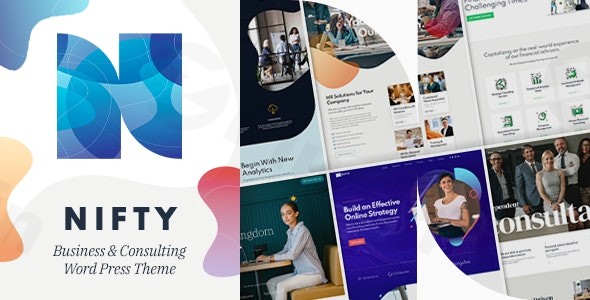
Introduction: The Professional Edge for Consulting Firms
In the competitive landscape of professional services, a strong online presence is non-negotiable. The Nifty Business Consulting WordPress Theme is engineered precisely for this purpose, offering a sleek, modern, and highly functional platform for business consulting firms, financial advisors, agencies, and individual consultants. Designed to showcase expertise and attract high-value clients, Nifty combines elegant aesthetics with robust features, enabling you to establish a credible and professional digital footprint without needing to write a single line of code.
Key Features: Design, Layout & Performance for Consulting Excellence
Nifty stands out with a suite of features tailored to meet the exacting demands of the consulting industry, focusing on visual appeal, user experience, and technical performance.
Design & Layout Options: Visually Striking & Responsive
Nifty ensures your website looks impeccable on any device, boasting a fully responsive and retina-ready design. This means crystal-clear visuals and seamless adaptation from mobile phones to high-resolution desktop displays. The theme offers versatile layout options, including full-width or boxed presentations, allowing you to control the visual scope of your content.You’ll find multiple header styles, including sticky headers for persistent navigation, and various menu styles to fit your brand’s aesthetic. Customizable left/right sidebar positions and a custom footer provide ample space for widgets and essential information. To kickstart your design process, Nifty comes with 8 distinct homepage layouts, including 4 designed for RTL (Right-to-Left) languages, and a number of ready-made inner page templates, significantly speeding up site creation. Unique page transitions and support for SVG format logos add a touch of modern sophistication.
Customization Capabilities: Tailor-Made for Your Brand
Customization is at the heart of Nifty’s appeal. It’s built with the Bold page builder, an intuitive drag-and-drop interface that empowers you to create custom layouts without any coding knowledge. This allows for effortless modification of page structures. Beyond the builder, Nifty provides an unlimited color palette and supports Google Fonts, giving you granular control over your site’s visual branding and typography. A comprehensive theme options panel, powered by the native WordPress Customizer, centralizes control over layouts, colors, fonts, and content, ensuring a cohesive and branded look.
Performance & SEO Features: Speed and Visibility
In today’s fast-paced digital world, performance is key. Nifty is optimized for fast loading and SEO performance, designed with clean, efficient code to ensure smooth operation and better search engine rankings. Its mobile responsiveness further contributes to a positive user experience, a crucial factor for SEO. The theme is kept up-to-date with the latest WordPress compatibility, ensuring security and access to the newest platform features.
Professional Business Features: Showcase Your Expertise
Nifty is packed with functionalities crucial for a consulting business:
- Service showcase sections to clearly outline your offerings.
- Team member profiles to introduce your experts and build trust.
- Case study presentations to highlight successful projects and demonstrate impact.
- Client testimonial areas to leverage social proof and boost credibility.
- Contact form integration to facilitate inquiries and lead generation.Additionally, Nifty integrates two premium plugins from BoldThemes:
- Bold Themes’ Cost Calculator: A highly-rated, customizable plugin ideal for offering service estimates or project quotes directly on your site.
- Bold Timeline Lite: Easily create professional timelines for company history, project stages, or service delivery processes.The theme also features an innovative AI Content Generator within the Bold Builder, allowing for automated text generation to assist with content creation, a significant time-saver for busy professionals.
Installation & Demo Import: Get Nifty Up and Running
Setting up your Nifty website is a streamlined process, designed for users of all technical skill levels.
- Get Nifty: If you obtained Nifty from ZeroPlugin.com, you have a VirusTotal verified safe download with a genuine GPL license, ensuring regular updates and full functionality. For official support and additional resources, ThemeForest is the original marketplace.
- Install & Activate the Theme:
- Log in to your WordPress admin dashboard.
- Navigate to Appearance > Themes.
- Click “Add New” and then “Upload Theme.”
- Choose the
nifty.zipfile you downloaded and click “Install Now.” - Once installed, click “Activate.”
- Install Required Companion Plugins: After activation, Nifty will prompt you to install its essential companion plugins, including the Bold page builder, Bold Themes’ Cost Calculator, and Bold Timeline Lite. Follow the on-screen instructions to install and activate these plugins.
- One-Click Demo Import: Nifty simplifies the initial setup with its one-click demo content importer.
- In your WordPress dashboard, look for a “Nifty Options” or “Demo Importer” menu item.
- Select your preferred homepage layout from the 8 available demos.
- Click the “Import Demo” button.
- What to Expect: The demo importer will automatically set up your pages, posts, menus, widgets, and theme options to match the selected demo site. This process provides a fully functional website structure that you can then easily customize with your own content.
- Potential Pitfalls: For large demo imports, ensure your server meets the recommended PHP memory limits (e.g.,
memory_limitof 256M or higher) andmax_execution_timeto prevent timeouts. Nifty requires PHP 7.4.x or higher for optimal performance. You can check your PHP version in WordPress under “Tools > Site Health” in the “Server” dropdown.
Customization Guide: Branding Your Consulting Platform
Personalizing Nifty to reflect your unique brand identity is intuitive and flexible.
- Theme Options Panel & WordPress Customizer: Most global settings like colors, typography, and general layout options are managed through the comprehensive Theme Options panel or the native WordPress Customizer (Appearance > Customize). Here, you can visually tweak settings and see changes in real-time before publishing.
- Colors & Typography: Dive into the customization options to implement your brand’s unlimited color palette. With support for Google Fonts, you can choose distinctive typography that enhances readability and brand recognition across your site.
- Header, Footer, and Menus: Customize your website’s navigation with Nifty’s flexible options. Choose from multiple header styles, enable a sticky header for enhanced user experience, and design a custom footer to display essential information and calls to action. Nifty also supports mega menus to help organize extensive navigation with many links.
- Content & Layout with Bold Builder: For individual page and post layouts, the Bold page builder is your primary tool. Its fast, drag-and-drop backend editor allows you to arrange elements, add sections, and populate content with ease. Leverage the integrated AI Content Generator within the builder to quickly draft text for various sections, saving significant time.
- Child Theme Ready: For advanced users who plan extensive modifications or custom CSS/JS, Nifty is child theme ready. Using a child theme ensures that your customizations remain intact even when the parent theme receives updates, protecting your work.
FAQ & Troubleshooting
Here are some common questions about the Nifty WordPress Theme:
Is Nifty compatible with Elementor and Gutenberg?
Nifty primarily utilizes its proprietary Bold page builder for its core drag-and-drop functionalities. While some sources suggest compatibility with Elementor, the theme’s core design and customization are built around the Bold Builder. Nifty also boasts “latest WordPress compatibility,” which implies good integration with the native Block Editor (Gutenberg) for standard content creation.
Does Nifty support WooCommerce for online sales?
Yes, Nifty is fully compatible with WooCommerce. This means you can seamlessly integrate an online store into your consulting website to sell services, digital products, e-books, courses, or any other offerings, expanding your revenue streams.
Does Nifty support child themes for advanced customization?
Yes, Nifty is child theme ready. We highly recommend using a child theme if you plan to make custom code modifications or add custom CSS/JS. This best practice ensures that your customizations are preserved when you update the Nifty parent theme, preventing any loss of your bespoke work.
How do I update the Nifty theme without losing my customizations?
If you’ve made customizations directly to the parent theme files, they will be overwritten during an update. To avoid this, always use a child theme for any custom code or styling. When an update is available (from your source like ZeroPlugin.com or ThemeForest), simply download the latest version and update it via your WordPress dashboard (Appearance > Themes > Update) or by replacing the theme folder via FTP (after backing up your site).
What should I do if the Nifty demo import fails or looks different from the demo site?
If the demo import doesn’t complete or the site doesn’t match the live demo:
- Check Server Requirements: Ensure your hosting environment meets the minimum PHP version (7.4.x or higher) and sufficient memory limits (
memory_limit,max_execution_time). - Deactivate Other Plugins: Temporarily deactivate all other plugins except the Nifty-required ones to rule out conflicts.
- Review Documentation: Consult the official Nifty documentation (if available from your source) for specific import instructions or troubleshooting steps.
- Seek Support: If purchased from ThemeForest, contact BoldThemes’ support. If obtained via GPL redistribution sites, community forums or the site’s own support channels might be your best bet.
Conclusion: Your Premier Choice for a Consulting Website
The Nifty – Business Consulting WordPress Theme is a highly specialized and robust solution for any business or consulting professional seeking a polished and high-performing online presence. Its modern design, coupled with powerful customization options through the intuitive Bold page builder, makes it incredibly easy to craft a website that truly reflects your brand.With SEO optimization, fast loading speeds, and full responsiveness, Nifty ensures your site is not only beautiful but also effective in reaching your target audience and performing well in search engines. The inclusion of professional features like service showcases, team profiles, and case study presentations, alongside valuable tools like the Cost Calculator and AI Content Generator, positions Nifty as a comprehensive digital asset.Whether you’re an independent financial advisor, a growing marketing agency, or a seasoned corporate strategy firm, Nifty provides the foundation for a credible, conversion-focused website. It’s an ideal choice for users who prioritize a professional aesthetic, a streamlined workflow, and specialized functionalities tailored to the consulting niche. With Nifty, you’re not just building a website; you’re building a powerful online representation of your expertise.
I. Download Limits & Account Benefits
- Free Downloads: Each email address receives 3 downloads per day for free products
- Upgrade Benefits: Purchase any paid product to increase your daily download limit by 3 for each paid product
- No Account Required: You can download immediately by receiving the download link via email
- Account Recommended: Create an account for easier access to your order history and direct update downloads
II. Understanding GPL vs Official Versions
Important: The products available on WPPick are GPL-licensed versions, which differ from official developer versions. Before purchasing, please read our comprehensive guide: Understanding GPL & Official Differences at WPPick
Key Points:
- GPL versions may not include premium support from original developers
- Updates may be delayed compared to official releases
- Some premium features might have limitations
- Always consider your specific needs and support requirements
III. Support & Assistance
We’re here to help through multiple channels:
- Email Support: Direct email assistance for all inquiries
- Live Chat: Real-time support during business hours
- Comprehensive Documentation: Detailed guides and tutorials
IV. Order Tracking
Access your complete purchase history and download links anytime: Order History
V. Account Access
New to WPPick? Login or Create Account to manage your downloads and orders efficiently.
VI. Refund Protection
We stand behind our products with a clear refund policy. Review our terms: Refund Policy
VII. Privacy & Security
Your data security is our priority. Learn how we protect your information: Privacy Policy
VII. Terms of Service
Understanding our service terms ensures a smooth experience: Terms of Use
Quick Tips for Best Experience
- Verify Compatibility: Check plugin/theme compatibility with your WordPress version
- Backup First: Always backup your site before installing new plugins or themes
- Test Environment: Consider testing on a staging site first
- Stay Updated: Regularly check for updates in your account dashboard
- Read Documentation: Review any included documentation for optimal setup
Need Help?
If you have questions about downloads, licensing, or need technical assistance, don’t hesitate to contact our support team. We’re committed to ensuring you have the best possible experience with WPPick products.
Ready to get started? Your download adventure begins with just one click!
- Fixed menu issue