
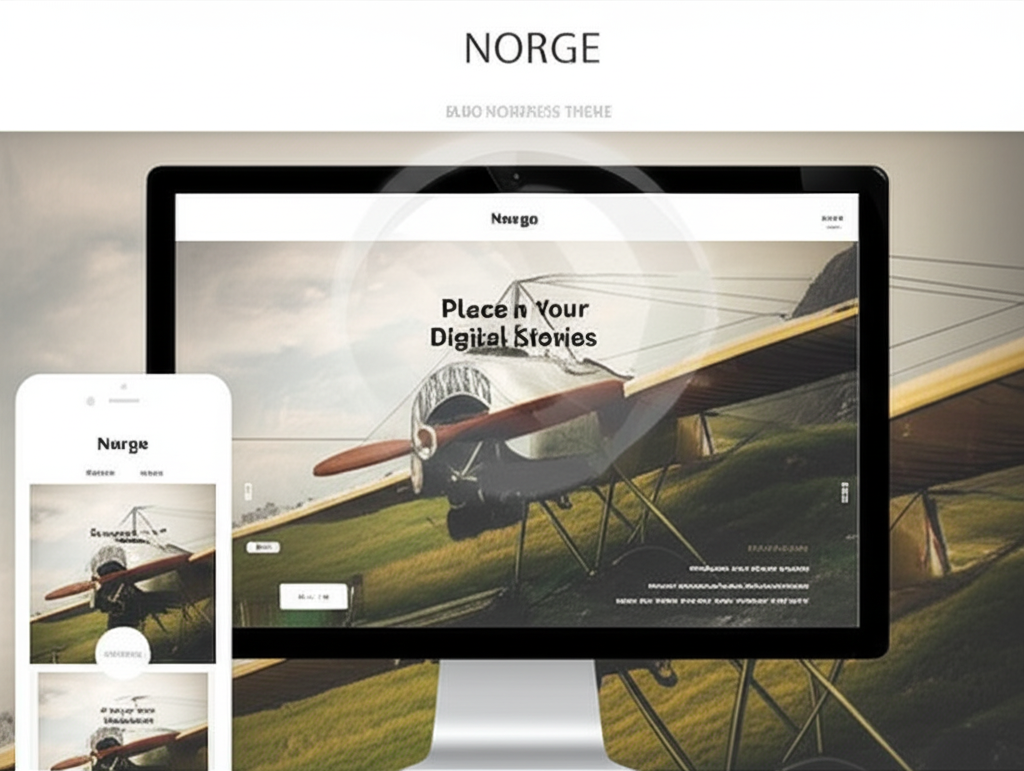
Norge – Responsive Blog WordPress Theme
/Year
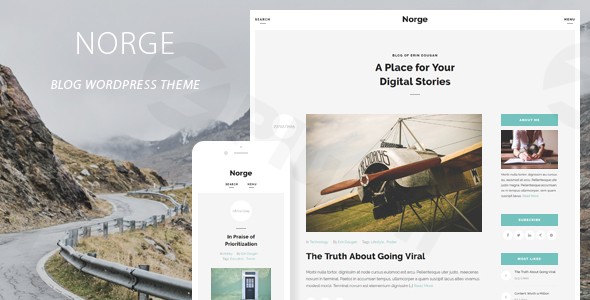
The digital landscape for content creators demands themes that are not only aesthetically pleasing but also highly functional and performant. The Norge – Responsive Blog WordPress Theme stands out as a premium solution for bloggers, offering a minimalist Scandinavian design paired with effortless blogging capabilities. Crafted by QuanticaLabs, this theme is built with clean code and modern web standards, promising exceptional performance and a seamless user experience across all devices.Norge is an ideal WordPress theme for bloggers, personal websites, and content creators who prioritize a clean, elegant, and user-friendly online presence. Whether you’re running a lifestyle blog, a fashion journal, a food recipe site, or any content-centric platform, Norge provides a beautiful and straightforward foundation to make your content shine. Its design philosophy centers around readability and an uncluttered aesthetic, ensuring your audience focuses on what truly matters: your content.
Key Features: Design, Layout & Performance for Modern Blogs
Norge comes packed with features tailored to provide both visual appeal and robust functionality, making it a powerful choice for any blog.
Elegant Design & Flexible Layout Options
Norge boasts a fully responsive layout that adapts flawlessly to desktops, tablets, and mobile devices, guaranteeing a consistent and professional look on any screen. Its retina-ready display ensures that your images and text appear crisp and clear on high-resolution screens.
- Diverse Layouts: Choose between classic sidebar layouts and modern full-width designs to best showcase your content.
- Intelligent Image Handling: The theme intelligently handles images with various aspect ratios, preserving your original visual content without cropping, ensuring your photography always looks as intended.
- Content Variety: With support for five different post types (Standard, Image, Gallery, Video, and Audio) and over 15 content elements, Norge offers unlimited creative possibilities for presenting your stories.
- Enhanced User Experience: Features like sticky navigation improve site usability by keeping menus accessible as users scroll. You also get unlimited sidebar and menu configurations, along with specialized widgets such as “Most Liked,” “Most Commented,” and “Latest Posts,” to highlight your most engaging content.
Comprehensive Customization Capabilities
Norge empowers you with granular control over your blog’s appearance through intuitive administrative panels, allowing for extensive branding and layout adjustments.
- Theme Options Panel: This central hub manages general theme settings for your blog, posts, header, footer, logo, favicon, menu, and widget areas. It even includes fields for custom CSS and JS, responsive mode toggles, and a maintenance mode option.
- Theme Styles Panel: Dive deep into color customization. This panel allows you to change the color of virtually any component of your theme, ensuring your blog perfectly aligns with your brand’s color palette.
- Theme Fonts Panel: Achieve perfect typography with extensive controls over your blog’s fonts. This includes support for Google Fonts, adjustable line-heights, font styles, font weights, text transforms, letter spacing, and responsive font sizing to ensure readability across all devices.
Robust Performance & SEO Readiness
Beyond aesthetics, Norge is engineered for technical excellence, providing a solid foundation for speed and search engine optimization.
- Clean Code: Built with valid HTML5 code and powered by jQuery, Norge prioritizes speed and user experience without compromising on visual appeal. This clean foundation helps with faster loading times.
- Mobile-First Approach: Its responsive design isn’t just a feature; it’s fundamental, making it inherently mobile-friendly, which is crucial for modern SEO and user engagement.
- Cross-Browser Compatibility: The theme ensures a consistent experience for all visitors, being compatible with major browsers including Firefox, Safari, Opera, Chrome, IE, and Edge.
- WPML Compatibility: Norge is fully WPML compatible and translation-ready with included .mo/.po files, making it an excellent choice for building multilingual blogs and reaching a global audience.
Installation & Effortless Demo Import
Getting started with Norge is designed to be straightforward, even for WordPress beginners.
- Download and Upload: After purchasing, download the Norge theme files. In your WordPress dashboard, navigate to Appearance > Themes > Add New > Upload Theme. Choose the
norge.zipfile and click “Install Now.” - Activate the Theme: Once uploaded, click “Activate” to enable Norge on your website.
- Install Required Plugins: Norge may suggest installing specific plugins to unlock its full functionality. Follow the prompts to install and activate these companion plugins.
- One-Click Demo Import: To kickstart your design with a pre-built layout, utilize the Theme Demo Data Installer. This powerful feature allows for a single-click import of the complete demo setup, including dummy content, widget settings, and theme options settings.
- What to Expect: After importing, your site will largely resemble the live demo. You’ll find demo pages, posts, widgets, and menu structures pre-configured. Remember that large demo imports can sometimes require increased server memory or timeout settings, so ensure your hosting environment is adequate. You can typically find the demo importer under an “Appearance” submenu or a dedicated “Norge” menu item in your WordPress dashboard.
Unlocking Creativity with Norge WordPress Theme Customization
Personalizing your Norge-powered blog to reflect your unique brand is an intuitive process thanks to its comprehensive customization panels.
- WordPress Customizer & Global Settings: While Norge utilizes its own powerful administrative panels, it works in harmony with the native WordPress Customizer for some global settings. However, the core of your design control lies within Norge’s dedicated panels.
- Branding & Identity:
- Logo & Favicon: Easily upload your custom logo and favicon through the Theme Options Panel to establish your brand identity.
- Colors: Head to the Theme Styles Panel to meticulously adjust every color on your site, from background hues to link colors and button styles, creating a cohesive visual experience.
- Typography: The Theme Fonts Panel is where you’ll define your blog’s voice. Select from Google Fonts, adjust sizes for different devices, fine-tune line height, letter spacing, and font weights to ensure optimal readability and visual impact.
- Layout & Structure:
- Header & Footer: Customize your header with options for sticky behavior, search functionality, dimensions, and animations. Your footer also offers sticky options and can be configured through the Theme Options Panel.
- Homepage & Blog Page: Set your desired static homepage or designate your blog posts page via Settings > Reading in WordPress, then fine-tune its appearance through Norge’s theme options.
- Menus: Create and assign custom navigation menus in Appearance > Menus, leveraging Norge’s unlimited menu configurations and sticky navigation options for enhanced user experience.
- Sidebars & Widgets: Take advantage of unlimited sidebars and numerous specialized widgets. Configure these widget areas via the Theme Options Panel and Appearance > Widgets to strategically place content, ads, or calls to action.
FAQ & Troubleshooting
Here are answers to some common questions about the Norge – Responsive Blog WordPress Theme:
Is Norge compatible with popular page builders like Elementor or WPBakery?
The Norge theme’s documentation mentions “Numerous Shortcodes” for adding various content elements and notes that a “Page Builder” plugin was updated alongside the theme. However, it does not explicitly specify direct integration or bundled support for popular third-party page builders like Elementor, WPBakery Page Builder, or Beaver Builder. While it implies basic compatibility with WordPress’s Block Editor (Gutenberg) due to its support for WordPress 5.0.x and above, users primarily relying on a specific advanced page builder should verify compatibility.
Does Norge support WooCommerce for online stores?
No, the Norge theme is primarily designed as a responsive blog WordPress theme and focuses on content presentation. While it is fully WPML compatible for multilingual sites, there is no explicit mention or documentation of direct compatibility or integration with WooCommerce or other e-commerce, LMS, or membership plugins. If you intend to run an online store, Norge would not be the ideal choice without significant custom development.
Does the Norge theme support child themes?
While not explicitly documented in the provided information, using a child theme is a standard best practice for any WordPress theme, including Norge. A child theme allows you to make customizations to your site’s design and functionality without directly modifying the parent theme’s files. This ensures your customizations are preserved when the parent theme receives updates. If you plan extensive modifications, it’s highly recommended to create and use a child theme.
How can I update the Norge theme without losing my customizations?
If you have made customizations directly to the parent theme files, they will be overwritten during an update. To safely update the Norge theme and preserve your changes, you should:
- Always use a child theme for any custom CSS, functions, or template modifications.
- Utilize the custom CSS/JS fields provided in the Norge Theme Options Panel for simple styling adjustments, as these are typically saved in the database and not overwritten.
- Regularly back up your entire WordPress site before performing any updates. The ZeroPlugin.com distribution includes regular update frequency, which helps maintain compatibility and security.
What should I do if the demo import fails or looks different from the demo site?
If your Norge demo import fails or doesn’t look like the live preview, consider these steps:
- Check Server Resources: Large demo imports often require higher PHP
memory_limitandmax_execution_time. Contact your hosting provider to increase these if necessary. - Deactivate Plugins: Temporarily deactivate all non-essential plugins before attempting the demo import again.
- Review Documentation: Consult the complete documentation included with your ZeroPlugin.com distribution for specific troubleshooting steps or requirements.
- Re-Import: Sometimes, re-attempting the import can resolve transient issues.
- Manual Setup: As a last resort, you can manually set up pages, menus, and widgets by following the theme’s documentation if the one-click importer continues to fail.
Conclusion: Is Norge the Right Blog Theme for You?
The Norge – Responsive Blog WordPress Theme, developed by QuanticaLabs, offers a compelling package for content creators seeking a clean, elegant, and highly functional blogging platform. Its minimalist WordPress blog theme design, coupled with retina-ready visuals and comprehensive customization options for colors and custom typography WordPress theme settings, allows bloggers to craft a unique online presence without needing extensive coding knowledge.With its focus on intuitive content management, robust performance, and features like WPML compatibility, Norge is an excellent choice for individual bloggers, small content teams, and even beginners looking for an easy-to-manage blog. While it doesn’t aim to be a multipurpose giant or offer deep e-commerce integrations, its specialization in blogging makes it exceptionally good at what it does: presenting your stories beautifully and effectively.If your priority is a visually stunning, responsive, and user-friendly blog where content is king, and you appreciate granular control over aesthetics without overwhelming complexity, Norge is a highly recommended WordPress theme that delivers on its promise of effortless blogging.
I. Download Limits & Account Benefits
- Free Downloads: Each email address receives 3 downloads per day for free products
- Upgrade Benefits: Purchase any paid product to increase your daily download limit by 3 for each paid product
- No Account Required: You can download immediately by receiving the download link via email
- Account Recommended: Create an account for easier access to your order history and direct update downloads
II. Understanding GPL vs Official Versions
Important: The products available on WPPick are GPL-licensed versions, which differ from official developer versions. Before purchasing, please read our comprehensive guide: Understanding GPL & Official Differences at WPPick
Key Points:
- GPL versions may not include premium support from original developers
- Updates may be delayed compared to official releases
- Some premium features might have limitations
- Always consider your specific needs and support requirements
III. Support & Assistance
We’re here to help through multiple channels:
- Email Support: Direct email assistance for all inquiries
- Live Chat: Real-time support during business hours
- Comprehensive Documentation: Detailed guides and tutorials
IV. Order Tracking
Access your complete purchase history and download links anytime: Order History
V. Account Access
New to WPPick? Login or Create Account to manage your downloads and orders efficiently.
VI. Refund Protection
We stand behind our products with a clear refund policy. Review our terms: Refund Policy
VII. Privacy & Security
Your data security is our priority. Learn how we protect your information: Privacy Policy
VII. Terms of Service
Understanding our service terms ensures a smooth experience: Terms of Use
Quick Tips for Best Experience
- Verify Compatibility: Check plugin/theme compatibility with your WordPress version
- Backup First: Always backup your site before installing new plugins or themes
- Test Environment: Consider testing on a staging site first
- Stay Updated: Regularly check for updates in your account dashboard
- Read Documentation: Review any included documentation for optimal setup
Need Help?
If you have questions about downloads, licensing, or need technical assistance, don’t hesitate to contact our support team. We’re committed to ensuring you have the best possible experience with WPPick products.
Ready to get started? Your download adventure begins with just one click!
- Improved code
- Fixed few minor bugs
- Updated plugin: Page Builder
- Updated plugin: Theme Fonts
- Updated plugin: Theme Styles
- Updated plugin: Widget Area
- Updated plugin: Theme Demo Data Installer