
Olympus – Powerful Buddypress Theme For Social Networking
/Year
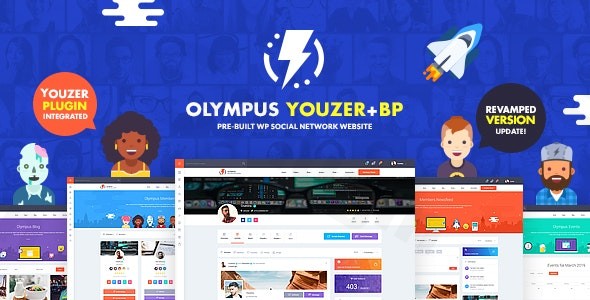
Are you looking to build a vibrant and engaging online community? The Olympus WordPress theme offers a robust and user-friendly solution, transforming your WordPress site into a dynamic social network akin to popular platforms. Designed specifically for community-driven websites, Olympus provides everything needed to foster member interaction, content sharing, and group activities without requiring any coding knowledge. This theme is ideal for bloggers, businesses, or agencies aiming to create social networks, e-learning platforms, or private membership sites, making the process of creating a social network with WordPress remarkably accessible.
Key Features: Design, Layout & Performance for Social Communities
Olympus is engineered to deliver a seamless and visually appealing experience for both site administrators and community members. Its design philosophy centers around intuitive interaction and comprehensive social functionality.
Design & Layout Options for Dynamic Communities
Olympus boasts a modern and responsive design, ensuring your community looks impeccable on any device, from desktops to smartphones. It’s truly a mobile-optimized experience, providing fluid layouts that adapt gracefully across screens. With effortless demo import, you can kickstart your project by replicating beautiful, pre-designed layouts in just one click, saving you significant setup time.Beyond standard layouts, Olympus provides premium design assets to make your community visually distinctive. This includes access to 7 unique header illustrations and 15 diverse badge designs, adding a layer of gamification and personalization that encourages member engagement. The theme also includes over 50 custom SVG icons and a built-in dark mode option, giving you ample tools to tailor the aesthetic to your brand.
Customization Capabilities for Brand Identity
Personalizing your social network to match your brand’s identity is straightforward with Olympus. The theme integrates smoothly with the WordPress Customizer, allowing you to easily edit website colors, typography, and other visual aspects from a handy theme options panel. This includes options for custom borders and padding on menu items, enhancing design variety.For more advanced customization, Olympus supports child themes, enabling developers to make extensive modifications without affecting the core theme files during updates. You can also integrate custom CSS/JS for fine-tuned design control. The theme’s focus on clean code and developer-friendly hooks and filters further enhances its flexibility for those looking to extend its functionality.
Performance & SEO Features for Optimal Reach
In today’s fast-paced digital world, performance is paramount. Olympus is marketed as a theme with lightning-fast performance and a focus on being lightweight, clean, and blazingly fast. It’s built with 100% Vanilla JS and doesn’t load unnecessary data, contributing to its speed and aiding in Google ranking. This focus on performance ensures a smooth user experience, which is crucial for retaining members on a social platform.Furthermore, Olympus is designed to be SEO-ready, featuring clean markup and a structured heading hierarchy that helps search engines understand your content. Its mobile-first approach not only enhances user experience but also positively impacts your site’s search engine visibility.
Installation & Demo Import: Getting Your Community Online
Setting up your Olympus-powered social network is designed to be a streamlined process, even for beginners.
- Install & Activate the Theme:
- From your WordPress dashboard, navigate to
Appearance > Themes > Add New > Upload Theme. - Choose the Olympus theme ZIP file and click
Install Now. - Once installed, click
Activate.
- From your WordPress dashboard, navigate to
- Install Required Companion Plugins:
- Upon activation, Olympus will prompt you to install necessary plugins like BuddyPress (for social networking features) and Youzer (for advanced profile options). It also works seamlessly with bbPress for forums.
- Follow the on-screen instructions to install and activate all recommended plugins.
- Use the One-Click Demo Import:
- Olympus features an effortless one-click demo import. Typically, you’ll find this option under
Appearance > Import Demo Dataor a similar theme-specific menu. - Select your desired demo layout and initiate the import. This process will populate your site with demo content, pages, posts, widgets, and theme settings, matching the live preview.
- Olympus features an effortless one-click demo import. Typically, you’ll find this option under
- What to Expect During/After Demo Import:
- The demo import can take a few minutes, depending on your server resources and the size of the demo content. It’s recommended to have sufficient server memory and execution time limits to prevent timeouts.
- After a successful import, your site will have a fully structured foundation, including pre-configured menus, widget areas, and pages, allowing you to quickly replace the placeholder content with your own.
Customization Guide: Branding Your Social Platform
Making Olympus uniquely yours involves leveraging its intuitive customization options to reflect your brand’s style and functionality.
- Using the WordPress Customizer: Most visual aspects of your theme, such as colors, typography, and site identity (logo, favicon), can be easily adjusted through the WordPress Customizer (
Appearance > Customize). Here, you can define global styles, choose from customizable color options, and select font options to create unique and readable typography. - Header and Footer Layouts: Olympus allows for the creation of custom headers and footers, giving you control over navigation placement, social icons, and branding elements. The theme comes with stunning headers featuring customizable backgrounds and text.
- Setting Up Your Homepage and Menus: After demo import, your homepage will likely be set to a static page. You can change this via
Settings > Reading. Menus can be managed underAppearance > Menus, where you can assign primary, secondary, and footer navigation. - Drag-and-Drop Page Building & Block Patterns: Olympus boasts powerful Elementor support and is fully compatible with WPBakery Page Builder, Beaver Builder, and Divi. This integration means you can visually design custom page layouts with drag-and-drop ease. Additionally, the theme includes four pre-designed block patterns (such as team, services, contact, and cover blocks) for use with the Gutenberg Block Editor, offering further flexibility in content creation.
FAQ & Troubleshooting
Here are answers to common questions about the Olympus WordPress theme:
Is Olympus compatible with Elementor / WPBakery / Gutenberg?
Yes, Olympus is highly compatible with major page builders, including Elementor, WPBakery Page Builder, Beaver Builder, and Divi, allowing for flexible content design. It also offers block patterns for the Gutenberg Block Editor, ensuring readiness for modern WordPress content creation.
Does Olympus support WooCommerce for online stores?
Absolutely! Olympus is fully WooCommerce ready, enabling you to integrate an online shop directly into your social network. This means you can sell products, create paid memberships, or offer premium content, adding a powerful e-commerce dimension to your community.
Is Olympus theme responsive?
Yes, Olympus features a modern and fully responsive design. It is mobile-optimized with fluid layouts that adapt perfectly to tablets, smartphones, and all major devices, ensuring an amazing display across all screens.
How can I ensure my Olympus theme is secure and up-to-date?
Olympus is GPL licensed, meaning it can be legally used on multiple sites. It benefits from frequent updates to maintain compatibility with the latest WordPress and PHP versions, and is VirusTotal verified for complete security. Always obtain the theme from trusted sources to ensure you receive genuine, up-to-date files.
What should I do if the demo import fails or looks different from the demo site?
If the demo import fails, check your server’s PHP memory limit and execution time. Increasing these values in your wp-config.php or php.ini file often resolves the issue. If the demo looks different, ensure all recommended plugins were installed and activated, and clear any caching plugins on your site. For persistent issues, consult the theme’s official documentation or support channels.
Conclusion
The Olympus BuddyPress theme stands out as an exceptional choice for anyone serious about building a social networking platform with WordPress. Its dedicated feature set for community building, including advanced profile customization, comprehensive social tools, and seamless Youzer integration, provides a rich, interactive experience out-of-the-box.With its strong emphasis on mobile-optimized design, lightning-fast performance, and SEO readiness, Olympus ensures your community is not only beautiful but also accessible and discoverable. Its flexibility, bolstered by powerful compatibility with popular page builders like Elementor and WooCommerce, makes it adaptable for a wide range of uses, from niche social networks and e-learning hubs to private intranets and e-commerce-enabled communities.Whether you’re a seasoned developer, a business owner looking to foster engagement, or a beginner launching your first community, Olympus offers a robust, user-friendly, and highly customizable foundation, making it a truly powerful WordPress theme for social networking.
I. Download Limits & Account Benefits
- Free Downloads: Each email address receives 3 downloads per day for free products
- Upgrade Benefits: Purchase any paid product to increase your daily download limit by 3 for each paid product
- No Account Required: You can download immediately by receiving the download link via email
- Account Recommended: Create an account for easier access to your order history and direct update downloads
II. Understanding GPL vs Official Versions
Important: The products available on WPPick are GPL-licensed versions, which differ from official developer versions. Before purchasing, please read our comprehensive guide: Understanding GPL & Official Differences at WPPick
Key Points:
- GPL versions may not include premium support from original developers
- Updates may be delayed compared to official releases
- Some premium features might have limitations
- Always consider your specific needs and support requirements
III. Support & Assistance
We’re here to help through multiple channels:
- Email Support: Direct email assistance for all inquiries
- Live Chat: Real-time support during business hours
- Comprehensive Documentation: Detailed guides and tutorials
IV. Order Tracking
Access your complete purchase history and download links anytime: Order History
V. Account Access
New to WPPick? Login or Create Account to manage your downloads and orders efficiently.
VI. Refund Protection
We stand behind our products with a clear refund policy. Review our terms: Refund Policy
VII. Privacy & Security
Your data security is our priority. Learn how we protect your information: Privacy Policy
VII. Terms of Service
Understanding our service terms ensures a smooth experience: Terms of Use
Quick Tips for Best Experience
- Verify Compatibility: Check plugin/theme compatibility with your WordPress version
- Backup First: Always backup your site before installing new plugins or themes
- Test Environment: Consider testing on a staging site first
- Stay Updated: Regularly check for updates in your account dashboard
- Read Documentation: Review any included documentation for optimal setup
Need Help?
If you have questions about downloads, licensing, or need technical assistance, don’t hesitate to contact our support team. We’re committed to ensuring you have the best possible experience with WPPick products.
Ready to get started? Your download adventure begins with just one click!
- Updated WooCommerce templates
- Dark Mode improvement
- Plugins updates
- Style fixes
- WP CLI compatibility fixes