
Paper Plane – Modern WordPress Blog Theme
/Year
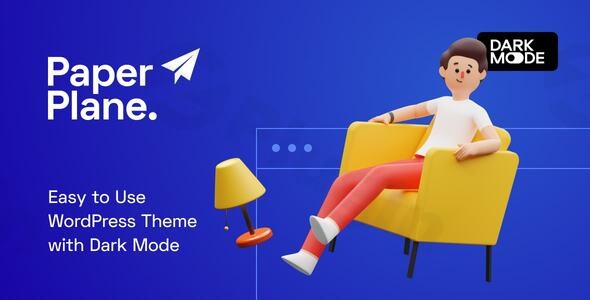
The Paper Plane WordPress theme is a sleek, contemporary solution designed to transform any content-driven blog or online magazine into a professional, engaging platform. Ideal for writers, journalists, content creators, and anyone who values a clean aesthetic combined with powerful features, Paper Plane emphasizes a visually appealing and highly readable experience for your audience. With its focus on modern design and user-centric functionalities, it empowers bloggers to showcase their work with style and efficiency.
Key Features: Design, Layout & Performance
Paper Plane stands out by offering a robust set of features that prioritize both stunning visuals and optimal performance, ensuring your content always shines.
Flexible Design & Layout Options
Paper Plane provides exceptional design flexibility right out of the box.
- 9 Stunning Pre-Designed Demos: Switch effortlessly between 9 beautifully crafted demos using the unique Demo Switcher. This signature feature allows you to completely change the look of your site at any time without losing any of your precious content, offering unparalleled design versatility and a fresh experience for your audience whenever you desire. The theme supports various post layouts suitable for dynamic blogs and magazines.
- Dark Mode for Enhanced Reading: A standout feature, Dark Mode significantly improves user experience, especially in low-light environments, by reducing eye strain. It can adapt automatically based on browser preferences or be toggled manually by readers for convenience. Uniquely, Paper Plane extends “Night Mode” to the backend WordPress post editor, allowing for individual color changes for block elements in both regular and dark modes.
- Smart Color System: This intelligent system automatically adjusts text and link colors when you select dark backgrounds for elements like your header or footer. This ensures consistent readability and a cohesive design with minimal effort, eliminating the need for extensive manual color configurations.
- Retina-Ready and Adaptive Images: Your blog will look sharp on high-resolution screens, and images will be served efficiently thanks to retina-ready and adaptive optimized image sizes.
Intuitive Customization Capabilities
Tailoring Paper Plane to your brand is a seamless experience, primarily through the native WordPress Customizer.
- WordPress Customizer Integration: All theme options can be configured using the native WordPress Customizer, providing an instant live preview of your changes. This eliminates the need for manual page refreshes, making customization quick and intuitive.
- Unlimited Color Control: Beyond the Smart Color System, you have complete control over your site’s color scheme directly through the Customizer.
- Rich Typography Options: With support for over 800 Google Fonts and Adobe Fonts (Typekit), along with the ability to upload custom web-fonts, you can create distinct typographic styles for nearly every section of your blog. Live preview functionality makes font selection easy.
- Smart Sticky Navigation and Sticky Sidebar: These features enhance user navigation and content visibility, keeping important elements accessible as readers scroll.
Robust Performance & SEO Features
Paper Plane is engineered for speed and search engine optimization, crucial for modern content delivery.
- Super-Fast Loading Speeds: The theme prioritizes performance, boasting optimal loading speeds and smooth user experience.
- SEO-Ready Structure: Coded with WordPress Coding Standards and featuring clean markup and structured headings, Paper Plane provides a solid foundation for SEO.
- AMP Support & Lazy Loading: Built-in compatibility with the official WordPress AMP plugin ensures Accelerated Mobile Pages, while lazy loading and low-quality image placeholders further optimize image delivery and page load times.
- Optimized CSS: The theme’s CSS is optimized without unnecessary dependencies, contributing to its overall speed and performance.
- Mobile Responsiveness: Paper Plane offers an ultra-responsive, fully adaptable layout that looks stunning and provides a seamless user experience across desktops, tablets, and smartphones. It’s also compatible with a wide range of browsers (IE9+, Firefox, Safari, Opera, Chrome, Edge).
Installation & Demo Import
Getting started with Paper Plane is a straightforward process, designed to get your blog up and running quickly.
- Install & Activate the Theme:
- Once you’ve downloaded the Paper Plane theme package from ZeroPlugin.com or ThemeForest, navigate to your WordPress dashboard.
- Go to
Appearance > Themes > Add New > Upload Theme. - Choose the theme’s
.zipfile (e.g.,paperplane.zip) and click “Install Now.” - After installation, click “Activate.”
- Install Required Companion Plugins: Paper Plane may suggest or require certain plugins for full functionality (e.g., custom blocks). Follow the prompts to install and activate these plugins, usually found under
Appearance > Install Pluginsor similar. - Use the Demo Switcher: Paper Plane simplifies layout changes with its unique Demo Switcher. While not a traditional “one-click demo import” in the sense of adding dummy content, it allows you to apply any of the 9 pre-designed layouts to your existing site.
- Look for a “Demo Switcher” or “Theme Options” menu within your WordPress dashboard (often under
Appearanceor a dedicated theme menu). - Select your desired demo from the available options.
- Confirm your selection.
- What to expect: The Demo Switcher will instantly apply the visual styling and layout structure of the chosen demo to your site, without affecting your existing posts, pages, or media content. This means your menus, widgets, and actual blog entries will remain intact, but their presentation will update to match the new demo’s design. This is particularly beneficial for active blogs wanting a fresh look without the hassle of re-importing or losing content.
- Look for a “Demo Switcher” or “Theme Options” menu within your WordPress dashboard (often under
Customization Guide: Branding & Layout
Personalizing your Paper Plane blog to reflect your unique brand is a highly intuitive process, primarily managed through the WordPress Customizer.
- Access the WordPress Customizer: Navigate to
Appearance > Customizein your WordPress dashboard. This will open the Customizer with a live preview of your site on the right and customization options on the left. - Change Colors & Backgrounds:
- Within the Customizer, explore the “Colors” or “General Settings” sections.
- You can set global accent colors, link colors, and specific background colors for your header, footer, and content areas.
- Remember the Smart Color System will intelligently adjust text colors on dark backgrounds, simplifying your choices.
- Set Your Typography:
- Look for “Typography” settings. Here, you can select from hundreds of Google and Adobe Fonts (Typekit) for headings, body text, and other elements.
- Adjust font sizes, weights, and line heights to establish a clear visual hierarchy.
- You can also upload custom web-fonts for unique branding.
- Upload Your Logo & Favicon:
- Find the “Site Identity” section. Upload your brand logo, which will typically appear in the header.
- You can also set a site title, tagline, and upload a favicon for browser tabs.
- Configure Header & Footer Layouts:
- While Paper Plane doesn’t offer a drag-and-drop header/footer builder, the theme provides options within the Customizer to control elements like sticky navigation.
- The “Smart Colors” feature helps maintain visual consistency for these sections.
- Set Up Homepage & Blog Page:
- Under
Homepage Settings, you can choose to display your latest posts (standard blog layout) or a static page as your homepage. - If using a static homepage, ensure you also designate a separate page for your blog posts (e.g., a page named “Blog”).
- Under
- Manage Menus:
- Go to
Menusin the Customizer (orAppearance > Menusin the dashboard). - Create your main navigation menus and assign them to the primary menu location(s) defined by the theme.
- Paper Plane features “Smart Sticky Navigation” for enhanced user experience.The live preview in the Customizer makes experimentation safe and easy, allowing you to see the impact of your branding and layout choices in real-time.
- Go to
FAQ & Troubleshooting
Here are answers to some common questions about the Paper Plane WordPress theme:
Is Paper Plane WordPress theme compatible with Elementor, WPBakery, or Gutenberg?
The Paper Plane WordPress theme is specifically built for and optimized with the new WordPress Block Editor (Gutenberg), ensuring a seamless content creation experience. It includes custom blocks and is designed to work efficiently within the native WordPress environment. While it does not explicitly highlight compatibility with major third-party page builders like Elementor or WPBakery, its deep Gutenberg integration means you can leverage the block editor’s power for layout and content.
Does Paper Plane support WooCommerce for online stores?
Yes, Paper Plane is compatible with WooCommerce. This means you can integrate e-commerce functionalities into your blog or magazine, allowing you to sell products or services alongside your content.
Does Paper Plane support child themes, and how can I update it?
Yes, Paper Plane is built with WordPress Coding Standards and is “Developer Friendly,” indicating strong support for child themes. Using a child theme is the recommended way to make customizations without losing them during theme updates. You can update the theme through your WordPress dashboard (Appearance > Themes) when a new version is available, or via FTP/cPanel. Always back up your site before updating.
What should I do if the demo import fails or looks different from the demo site?
Since Paper Plane uses a “Demo Switcher” to apply layouts without affecting content, a “failed import” in the traditional sense is less likely. If the applied demo layout doesn’t look as expected:
- Clear Caches: Clear any website caching (theme cache, plugin cache, server cache, browser cache).
- Check Theme Options: Revisit the “Demo Switcher” or theme options and ensure the desired demo is correctly selected and saved.
- Review Documentation: Consult any specific documentation provided with the theme for detailed instructions on applying demos.
- Contact Support: If issues persist, reach out to the developer’s support channel.
Is Paper Plane WordPress theme SEO friendly?
Yes, Paper Plane is designed to be SEO-friendly. It boasts super-fast loading speeds, clean and optimized CSS, adaptive image sizes, and built-in AMP support. Its clean code and adherence to WordPress Coding Standards provide a strong technical foundation for search engine optimization.
Conclusion
The Paper Plane – Modern WordPress Blog Theme is an outstanding choice for anyone looking to create a visually appealing, high-performing, and user-friendly blog or online magazine. Its elegant design, combined with innovative features like the Demo Switcher, Dark Mode (with backend editor support), and Smart Color System, sets it apart in the blogging theme landscape.With deep integration for the native WordPress Block Editor (Gutenberg) and a strong emphasis on performance, this theme ensures a smooth content creation workflow and an excellent user experience. Its robust customization options through the WordPress Customizer make branding effortless, while its SEO-friendly structure provides a solid foundation for discoverability.For bloggers, writers, and content creators who prioritize a clean aesthetic, exceptional readability, blazing speed, and the flexibility to refresh their site’s look without losing content, Paper Plane offers a compelling and trustworthy solution. It’s a confident choice for a modern online presence.
I. Download Limits & Account Benefits
- Free Downloads: Each email address receives 3 downloads per day for free products
- Upgrade Benefits: Purchase any paid product to increase your daily download limit by 3 for each paid product
- No Account Required: You can download immediately by receiving the download link via email
- Account Recommended: Create an account for easier access to your order history and direct update downloads
II. Understanding GPL vs Official Versions
Important: The products available on WPPick are GPL-licensed versions, which differ from official developer versions. Before purchasing, please read our comprehensive guide: Understanding GPL & Official Differences at WPPick
Key Points:
- GPL versions may not include premium support from original developers
- Updates may be delayed compared to official releases
- Some premium features might have limitations
- Always consider your specific needs and support requirements
III. Support & Assistance
We’re here to help through multiple channels:
- Email Support: Direct email assistance for all inquiries
- Live Chat: Real-time support during business hours
- Comprehensive Documentation: Detailed guides and tutorials
IV. Order Tracking
Access your complete purchase history and download links anytime: Order History
V. Account Access
New to WPPick? Login or Create Account to manage your downloads and orders efficiently.
VI. Refund Protection
We stand behind our products with a clear refund policy. Review our terms: Refund Policy
VII. Privacy & Security
Your data security is our priority. Learn how we protect your information: Privacy Policy
VII. Terms of Service
Understanding our service terms ensures a smooth experience: Terms of Use
Quick Tips for Best Experience
- Verify Compatibility: Check plugin/theme compatibility with your WordPress version
- Backup First: Always backup your site before installing new plugins or themes
- Test Environment: Consider testing on a staging site first
- Stay Updated: Regularly check for updates in your account dashboard
- Read Documentation: Review any included documentation for optimal setup
Need Help?
If you have questions about downloads, licensing, or need technical assistance, don’t hesitate to contact our support team. We’re committed to ensuring you have the best possible experience with WPPick products.
Ready to get started? Your download adventure begins with just one click!