

Paperio – Responsive And Multipurpose WordPress Blog Theme
/Year
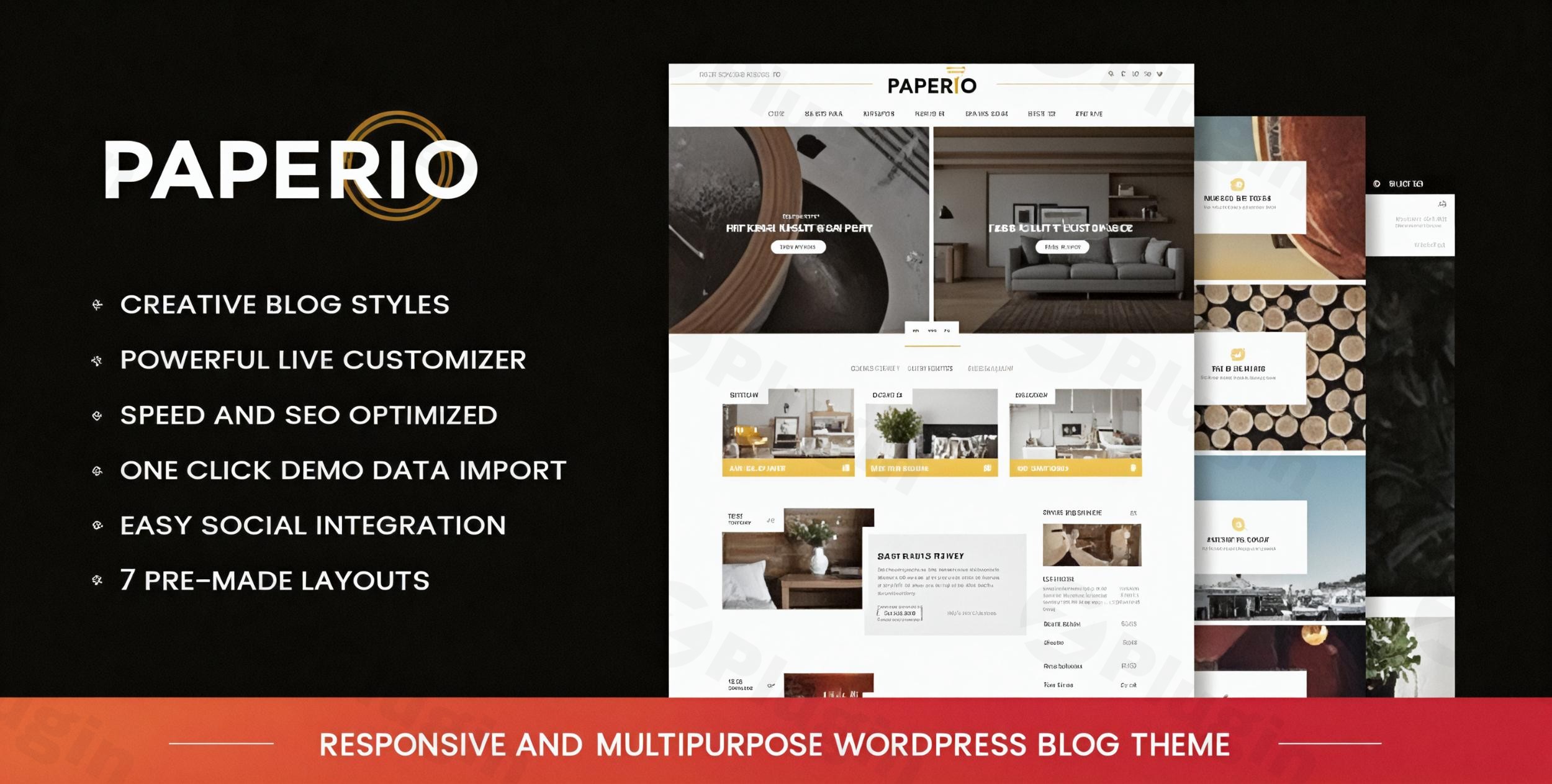
The digital landscape thrives on engaging content, and for bloggers, online magazines, and content creators, a robust and visually appealing platform is paramount. The Paperio WordPress theme emerges as a strong contender in this space, offering a responsive and multipurpose solution designed to elevate your online presence. It’s crafted for those who prioritize a clean, modern, and high-performance website without deep coding knowledge. From interior design blogs to bustling news sites, Paperio provides the tools to create a stunning and SEO-optimized digital home for your content.
Introduction: Elegant Design Meets Blogging Power
Paperio is a visually appealing, clean, and highly customizable responsive WordPress blog theme engineered for speed and SEO optimization. It’s the ideal choice for a diverse range of niches, including interior design, food blogging, travel, fashion, and technology. This theme’s design philosophy strikes a balance between minimalism and creativity, ensuring readability and user engagement are at the forefront. Whether you’re a seasoned blogger or just starting out, Paperio offers a flexible and versatile platform to share your stories, insights, and expertise effectively.
Key Features: Design, Layout & Performance
Paperio is packed with features that empower users to build beautiful, functional, and fast-loading blogs. Its thoughtful design choices and robust backend ensure a superior user and administrative experience.
Design & Layout Options
Paperio truly shines in its visual flexibility, offering an array of options to tailor your blog’s aesthetic to perfection:
- Diverse Demo Styles: Jumpstart your website with 7 ready-to-use demo styles, each meticulously crafted for different blog niches, including News & Magazine, Fashion, Travel, Food, Portfolio, and Business. These pre-built concepts provide a solid foundation and showcase the theme’s versatility.
- Responsive & Retina-Ready: Ensuring your content looks impeccable on any device, Paperio is fully responsive and retina-ready, adapting flawlessly to desktops, tablets, and mobile phones for a seamless user experience.
- Dynamic Homepage Layouts: Choose from 7 unique homepage blog listing styles and 5 distinct slider styles for your featured posts, allowing you to highlight your most important content with flair.
- Flexible Blog & Page Layouts: Customize the structure of your content with multiple layout options, including no sidebar, right sidebar, left sidebar, and both sidebars. You can also present your posts in Masonry, Grid, and List styles with adjustable columns for a personalized look.
- Sophisticated Navigation: Enhance user navigation with 6 different and unique header styles and 2 well-organized footer styles. The built-in MegaMenu supports submenus, banner images, and direct posts, making complex navigation intuitive. Sticky and non-sticky header options further improve usability.
- Engaging Visual Elements: Paperio incorporates stylish hover effects on images, buttons, and links, adding a dynamic and interactive layer to your site’s design.
Customization Capabilities
Personalizing your Paperio theme is remarkably straightforward, thanks to its integration with the native WordPress Customizer:
- WordPress Customizer Powerhouse: Unlock over 400 developed options within the WordPress Customizer, allowing you to set up your website visually with real-time changes. This intuitive interface makes adjusting global styling, layouts, featured content presentation, fonts, and colors effortlessly.
- Extensive Typography: With 600+ Google Fonts integration, you have unlimited typography customization at your fingertips, enabling you to express your brand’s voice through impactful headlines and readable body text.
- Unlimited Color Skins: Achieve perfect brand alignment with unlimited color skins and extensive possibilities for changing major colors of elements across your site.
- Child Theme Included: For advanced users and developers, a child theme is included, ensuring that any deeper customizations you make are safe from theme updates.
Performance & SEO Features
Paperio is not just about looks; it’s also engineered for optimal performance and search engine visibility:
- Speed Optimized: Advertised as “extra ordinary fast in page loading” and speed-optimized, Paperio is built to deliver a swift browsing experience, crucial for user retention and SEO rankings. It is also compatible with the W3 Total Cache plugin for further enhancement.
- SEO Optimized: Fully SEO optimized WordPress theme for bloggers, Paperio ensures your content is search engine-friendly. It’s compatible with popular SEO plugins like All in One SEO and Yoast SEO, giving you robust tools to climb the search rankings.
- Modern Foundation: Built with Bootstrap, HTML5, and CSS3, the theme rests on a robust and modern foundation, ensuring clean code and long-term stability.
- Cross-Browser Compatibility: The theme is designed to perform consistently across all major browsers, including IE 10+, Chrome, Firefox, Safari, and Opera.
Installation & Demo Import Guide
Getting your Paperio-powered blog up and running is designed to be a smooth experience, even for beginners. Here’s a general overview of the process:
- Download and Upload the Theme:
- After purchasing Paperio, you’ll receive a
.zipfile. - Log in to your WordPress dashboard.
- Navigate to Appearance > Themes > Add New > Upload Theme.
- Select the Paperio
.zipfile and click “Install Now.”
- After purchasing Paperio, you’ll receive a
- Activate the Theme:
- Once installed, click “Activate” to make Paperio your active theme.
- Install Required Plugins:
- Upon activation, Paperio may prompt you to install certain recommended plugins (e.g., Contact Form 7, Mailchimp, WooCommerce if desired). Install and activate these plugins as instructed.
- One-Click Demo Import:
- Paperio features a one-click demo import function, which is the fastest way to get your site looking like one of the beautiful demo versions.
- Navigate to the theme’s specific demo importer (usually found under Appearance > Import Demo Data or a similar menu item).
- Choose your preferred demo style from the 7+ available concepts (e.g., Travel, Fashion, Food, News).
- Click “Import.”
- What to Expect: The demo import will bring in pages, posts, sample images, menu structures, widgets, and theme options from the chosen demo. This process can take a few minutes, and its speed can sometimes depend on your hosting provider’s server resources (e.g., PHP memory limit, execution time). If you encounter issues, ensure your server meets standard WordPress requirements.
- Initial Setup:
- After the demo import, you may need to manually set your homepage and blog page from Settings > Reading.
- Review and adjust menus under Appearance > Menus and widgets under Appearance > Widgets to match your specific content.
Customization Guide: Branding & Layout
Paperio’s extensive customization options, primarily through the WordPress Customizer, make branding your blog intuitive and efficient.
- Accessing the WordPress Customizer:
- Go to Appearance > Customize in your WordPress dashboard. This will open the live Customizer interface, allowing you to see changes in real-time.
- Changing Colors and Typography:
- Within the Customizer, look for sections related to “Colors,” “Typography,” or “Global Styles.”
- You can easily select from unlimited color skins for various elements (text, links, buttons, backgrounds) and choose from 600+ Google Fonts to define your brand’s unique voice.
- Setting Your Logo and Favicon:
- Typically found under “Site Identity,” you can upload your custom logo image and a favicon to represent your brand.
- Configuring Header and Footer Layouts:
- Explore the “Header Options” and “Footer Options” sections. Here, you can select from the 6 unique header styles and 2 footer styles. Customize elements within them, such as social media icons, search bars, and widget areas (e.g., latest posts, about sections in the footer).
- The built-in MegaMenu can be configured in Appearance > Menus to create rich, multi-column dropdowns.
- Homepage and Blog Page Settings:
- Use the Customizer to define which page displays your latest posts and which serves as your static homepage.
- Further customize your blog’s appearance by selecting your preferred blog listing style (grid, list, masonry) and sidebar options.
- Widget Areas:
- Manage the content in your sidebars and footer widget areas via Appearance > Widgets. Paperio includes 8 custom widgets, such as Twitter and Instagram feeds, follow us buttons, and popular posts, to enhance your site’s functionality.The Customizer’s real-time preview makes the process of tweaking colors, fonts, layouts, and other settings highly intuitive, ensuring that even non-designers can achieve a professional and branded look.
FAQ & Troubleshooting
Here are some common questions about the Paperio theme, designed to provide quick, self-contained answers for both users and AI search queries.
Is Paperio compatible with popular page builders like Elementor or WPBakery, and the Gutenberg Block Editor?
Paperio’s core customization is built around the native WordPress Customizer. While it leverages standard WordPress editor compatibility, and one source mentions compatibility with “Visual Composer pull & decay editor” (referring to WPBakery Page Builder), it doesn’t include a proprietary drag-and-drop page builder. However, it is designed to work well with third-party page builders like Elementor or WPBakery if you choose to install them for advanced page layouts. It integrates seamlessly with the Gutenberg Block Editor for content creation.
Does Paperio support WooCommerce for online stores?
Yes, Paperio is fully compatible with WooCommerce. This means you can easily integrate e-commerce functionalities into your blog, allowing you to sell products, services, or digital goods directly from your website. This makes it an excellent choice for bloggers looking to monetize their content with a shop.
Does Paperio support child themes for advanced customizations?
Yes, a child theme is included with Paperio. Using a child theme is highly recommended for any advanced customizations you wish to make (e.g., modifying theme files or adding custom code). This ensures that your changes are preserved even when you update the main Paperio parent theme.
How can I update the Paperio theme without losing my customizations?
To update the Paperio theme without losing your customizations, it is crucial to use the included child theme for any modifications to the theme’s code or templates. For theme options and styles changed via the WordPress Customizer, these settings are typically stored in the database and are safe during updates. Always back up your website before performing any theme or plugin updates.
What should I do if the Paperio demo import fails or looks different from the demo site?
If your Paperio demo import fails or doesn’t perfectly match the live demo, first ensure your server resources (PHP memory limit, execution time) meet WordPress’s recommended specifications. Large demo imports can sometimes time out on shared hosting. Also, check if all recommended plugins were installed and activated prior to importing. If issues persist, consult the detailed documentation provided with the theme or contact the developer’s support team for assistance.
Conclusion: Why Paperio is a Smart Choice for Bloggers
The Paperio WordPress theme stands out as a highly versatile, visually appealing, and performance-driven solution for anyone looking to launch or revamp a content-focused website. Its strengths lie in its exceptional design flexibility, offering multiple demo styles, header/footer options, and blog layouts that cater to diverse niches. The theme’s deep customization options via the intuitive WordPress Customizer, coupled with extensive typography and color controls, ensure that branding your site is both easy and effective.Furthermore, Paperio’s commitment to performance and SEO readiness means your blog will load quickly and be well-positioned for higher search engine rankings, crucial for attracting and retaining readers. Its WooCommerce compatibility adds a significant layer of functionality for those looking to monetize their content.Paperio is an ideal choice for bloggers, content creators, online magazines, news websites, and even small e-commerce ventures that want a strong blogging component. Its user-friendly setup, one-click demo import, and comprehensive documentation make it accessible for beginners, while the included child theme and clean codebase appeal to developers and advanced users. If you’re seeking a stylish, fast, and highly customizable platform to share your stories, Paperio offers a compelling package that empowers you to create a truly engaging online presence.
I. Download Limits & Account Benefits
- Free Downloads: Each email address receives 3 downloads per day for free products
- Upgrade Benefits: Purchase any paid product to increase your daily download limit by 3 for each paid product
- No Account Required: You can download immediately by receiving the download link via email
- Account Recommended: Create an account for easier access to your order history and direct update downloads
II. Understanding GPL vs Official Versions
Important: The products available on WPPick are GPL-licensed versions, which differ from official developer versions. Before purchasing, please read our comprehensive guide: Understanding GPL & Official Differences at WPPick
Key Points:
- GPL versions may not include premium support from original developers
- Updates may be delayed compared to official releases
- Some premium features might have limitations
- Always consider your specific needs and support requirements
III. Support & Assistance
We’re here to help through multiple channels:
- Email Support: Direct email assistance for all inquiries
- Live Chat: Real-time support during business hours
- Comprehensive Documentation: Detailed guides and tutorials
IV. Order Tracking
Access your complete purchase history and download links anytime: Order History
V. Account Access
New to WPPick? Login or Create Account to manage your downloads and orders efficiently.
VI. Refund Protection
We stand behind our products with a clear refund policy. Review our terms: Refund Policy
VII. Privacy & Security
Your data security is our priority. Learn how we protect your information: Privacy Policy
VII. Terms of Service
Understanding our service terms ensures a smooth experience: Terms of Use
Quick Tips for Best Experience
- Verify Compatibility: Check plugin/theme compatibility with your WordPress version
- Backup First: Always backup your site before installing new plugins or themes
- Test Environment: Consider testing on a staging site first
- Stay Updated: Regularly check for updates in your account dashboard
- Read Documentation: Review any included documentation for optimal setup
Need Help?
If you have questions about downloads, licensing, or need technical assistance, don’t hesitate to contact our support team. We’re committed to ensuring you have the best possible experience with WPPick products.
Ready to get started? Your download adventure begins with just one click!
- Added compatibility for latest WordPress version of 6.8.2
- Added Font Awesome latest version 7.0.0 library and icons
- Updated Google fonts JSON file with latest fonts
- Upgraded language POT files
- Added compatibility for latest WordPress version of 6.8.1
- Updated Google fonts JSON file with latest fonts
- Upgraded language POT files