

Pediatric Clinic – Children’s & Family Doctor Medical WordPress Theme
/Year
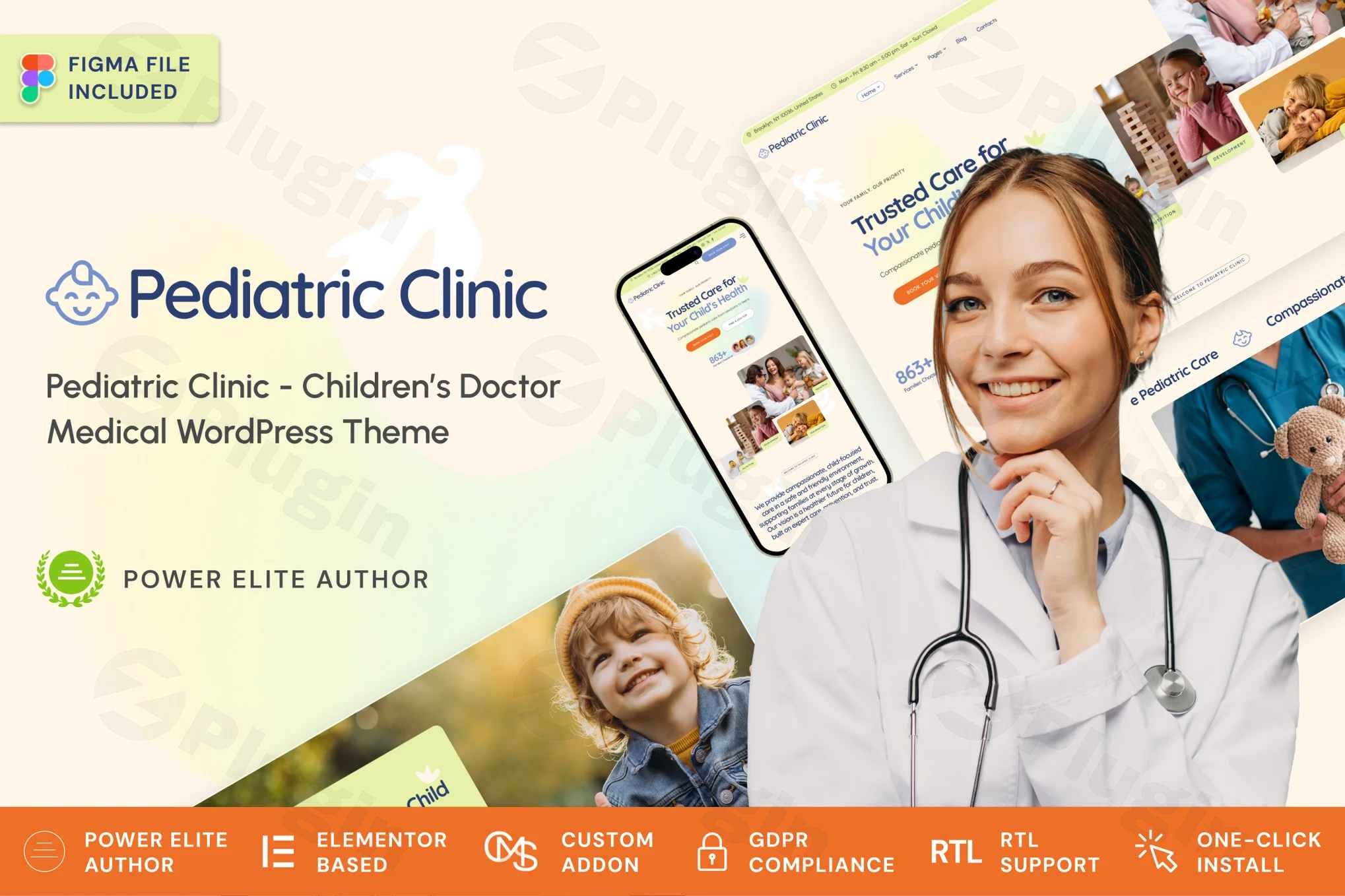
Building a trusted online presence for a pediatric clinic or children’s medical practice requires a theme that blends professional functionality with a warm, child-friendly aesthetic. The Pediatric Clinic WordPress Theme delivers precisely this, offering an Elementor-based solution tailored for pediatricians, family doctors, and child healthcare providers. This comprehensive review will delve into its features, guide you through setup and customization, and highlight why it’s an ideal choice for establishing credibility and engaging families online.
Introduction: Designing for Care and Trust in Pediatric Healthcare
The Pediatric Clinic WordPress Theme is a specialized, modern solution for any medical professional or clinic focusing on child health. From individual pediatricians to large children’s hospitals, this theme is engineered to create a welcoming, professional, and user-friendly online environment. Its core design philosophy revolves around projecting trustworthiness and care, ensuring parents and guardians feel confident in the services offered. With its deep integration with Elementor, it empowers users to build a visually appealing and fully functional children’s doctor WordPress theme without requiring extensive coding knowledge.
Key Features: Design, Layout & Performance for Medical Websites
The Pediatric Clinic theme comes equipped with a robust set of features meticulously crafted for the unique demands of a pediatric medical practice.
Design & Layout Options
This theme provides foundational elements that instantly distinguish a professional medical website:
- Dedicated Homepages: Choose from two professionally designed homepages:
- The “Pediatric Clinic” layout is perfect for multi-doctor practices, showcasing multiple services and team members.
- The “Pediatrician” layout is tailored for individual practitioners, focusing on personal expertise and patient care.
- Color Palettes: Five pre-designed color palettes allow for quick branding adjustments, offering a harmonious and professional look.
- Specialized Content Management: Organize your medical information efficiently with custom post types:
- Medical Service Post Type: Easily showcase your healthcare services, from routine check-ups to specialized treatments.
- Doctor Post Type: Present your medical team with detailed profiles, including photos, specialties, and contact information, building patient trust.
- Comprehensive Page Elements: Essential pages like doctor profiles, service overviews, about us, contact, and service pricing are all meticulously designed to meet medical practice standards.
Customization Capabilities
The theme’s flexibility is largely thanks to its powerful integration with Elementor:
- Premium Elementor Integration: It includes over 70 custom premium Elementor widgets, 50+ basic Elementor widgets, and 21 WooCommerce shop widgets. This extensive collection allows for complete design flexibility via drag-and-drop, eliminating the need for coding.
- Global Styling System: Leverage a “Smart System: Global Colors & Fonts” and “Easy Global Styling” for consistent branding across your site. The WordPress Live Customizer allows for effortless customization of theme color schemes in real-time.
- Header & Footer Builder: Design custom headers and footers with a dedicated builder, ensuring a unique and professional presentation across all pages.
- Professional Plugin Bundle: Enhances functionality and design with included premium plugins like Slider Revolution for dynamic content and Custom Post Type UI Integration for enhanced content organization.
Performance & SEO Features
A fast, responsive, and SEO-friendly website is crucial for attracting new patients and providing a seamless user experience.
- Optimized Performance: The theme is built with “clean coding” and “optimized performance” in mind, contributing to faster loading times and a smoother browsing experience.
- SEO-Friendly Structure: Marketed as “Fast & SEO-Friendly,” the theme’s underlying structure supports better visibility in search engine rankings, helping your practice reach more families.
- Mobile Responsiveness: Built on Bootstrap CSS and featuring a “Mobile-Ready Design,” the Pediatric Clinic theme is fully responsive, ensuring it looks impeccable and functions perfectly on all devices—desktops, tablets, and smartphones. It’s also Retina Ready for crystal-clear visuals on high-resolution screens.
Installation & Demo Import: Getting Your Pediatric Site Online
Setting up your family doctor medical WordPress theme is designed to be straightforward, even for those new to WordPress.
- Install & Activate the Theme:
- After purchasing, download the theme files from your source (e.g., ThemeForest or ZeroPlugin).
- Log in to your WordPress dashboard.
- Navigate to Appearance > Themes > Add New > Upload Theme.
- Choose the theme’s
.zipfile and click “Install Now.” - Once installed, click “Activate.”
- Install Required Plugins:
- Upon activation, the theme will prompt you to install a set of recommended plugins. These typically include Elementor (the core page builder), the bundled Premium Elementor Addon, and Slider Revolution. Follow the prompts to install and activate all necessary plugins.
- Use the Professional Installation Wizard:
- The theme includes a “Professional installation wizard.” This wizard guides you through the initial setup process, often including the demo import.
- Follow the wizard’s steps to set up essential pages and configurations.
- One-Click Demo Import:
- If the wizard doesn’t automatically handle it, look for a “Demo Import” or “Import Demo Content” option within your WordPress dashboard (often under Appearance or a dedicated theme options panel).
- Initiate the one-click demo import process. This will populate your site with the demo content, including pages, posts, images, and settings, making your site look exactly like the live demo.
- What to Expect: The demo import can take a few minutes, depending on your server speed and the amount of content. Ensure your server meets WordPress’s recommended memory limits to prevent timeouts. After import, you’ll find pre-built pages (e.g., Home, About Us, Services, Doctors), blog posts, and menu items already configured, providing a solid foundation for your site.
Customization Guide: Branding & Layout for Your Practice
Personalizing the Pediatric Clinic theme is made easy through its tight integration with Elementor and global styling options, allowing you to tailor it to your practice’s unique brand.
- WordPress Customizer for Global Settings:
- Go to Appearance > Customize in your WordPress dashboard.
- Here, you can modify global settings like theme color schemes using the 5 designer-made palettes, apply “Easy Global Styling,” and set up a “Smart System: Global Colors & Fonts” for consistent branding across your site.
- Adjust basic site identity, menus, widgets, and homepage settings.
- Elementor for Page Layouts and Content:
- For detailed page customization, navigate to any page (or create a new one) and click “Edit with Elementor.”
- Use the intuitive drag-and-drop interface to modify existing layouts or create new ones from scratch.
- Utilize the 70+ custom premium Elementor widgets (along with basic and WooCommerce widgets) to add sections, content blocks, images, and interactive elements. These widgets are specifically designed for medical contexts, such as doctor profiles, service listings, and appointment forms.
- Custom Post Types for Services & Doctors:
- To manage your medical services and team members, use the dedicated Medical Service Post Type and Doctor Post Type.
- These custom post types provide structured fields for adding all relevant information, ensuring consistency and ease of updates for your WordPress theme for pediatricians.
- Header & Footer Builder:
- Access the theme’s “Header & Footer Builder” (usually found within the theme options or Elementor templates).
- Design and customize your headers and footers visually, adding logos, navigation menus, contact information, and social media links.
- Setting Up Your Homepage and Menus:
- After demo import, your homepage will likely be set. If not, go to Settings > Reading and select your desired homepage.
- Customize your navigation menus under Appearance > Menus, organizing your services, doctor profiles, blog, and contact pages logically for easy patient navigation.
FAQ & Troubleshooting: Common Questions for Pediatric Clinic Theme Users
Here are answers to common questions about the Pediatric Clinic WordPress Theme, designed to be clear and helpful for quick reference.
Is the Pediatric Clinic theme compatible with Elementor?
Yes, the Pediatric Clinic theme is built with Elementor at its core. It includes a custom premium Elementor addon with over 70 unique widgets, making it fully compatible and highly optimized for Elementor for all design and customization needs.
Does the Pediatric Clinic theme support WooCommerce for online stores?
Absolutely. The Pediatric Clinic theme is fully compatible with WooCommerce, allowing you to easily set up an online shop to sell healthcare products, books, or even online consultations directly from your website. It also includes 21 dedicated WooCommerce shop widgets for Elementor.
Does the Pediatric Clinic theme include an appointment booking system?
Yes, the theme features appointment booking system integration with built-in forms and schedule management. This allows patients to easily book appointments online directly from your website, enhancing patient engagement and streamlining your practice’s operations.
How do I update the Pediatric Clinic theme without losing my customizations?
For significant customizations, it is always recommended to use a child theme. While explicit child theme support isn’t detailed in the provided information, standard WordPress practices apply. If you’ve made changes directly to the parent theme files, these will be overwritten during an update. For minor CSS changes, use the Customizer’s Custom CSS section or Elementor’s custom CSS features. Always back up your site before performing any theme or plugin updates.
What should I do if the demo import fails or looks different from the demo site?
If the demo import fails or doesn’t appear as expected, first check your server’s PHP settings, specifically memory_limit and max_execution_time. Insufficient server resources are a common cause for failed imports. Ensure these are set to WordPress recommended values (e.g., memory_limit 256M, max_execution_time 300). You may also try re-running the import. If issues persist, contact the theme’s support, providing details of any error messages.
Conclusion: A Specialized Solution for Pediatric Medical Practices
The Pediatric Clinic WordPress Theme stands out as a highly specialized and exceptionally well-equipped solution for any children’s healthcare provider seeking a professional and inviting online presence. Its thoughtful design, emphasizing care and trustworthiness, is perfectly aligned with the needs of its target audience—families and patients seeking pediatric services.With its deep integration with Elementor and a rich bundle of custom widgets and premium plugins (including Slider Revolution), the theme offers unparalleled design flexibility and customization options without requiring coding expertise. Its focus on specialized content management through Doctor and Medical Service post types streamlines information presentation, while features like integrated appointment booking and full WooCommerce compatibility enhance functionality for patient engagement and potential e-commerce.For clinic owners, individual pediatricians, or agencies developing sites for the medical sector, this theme provides an ideal balance of aesthetic appeal, robust features, and user-friendly management. It’s a confident choice for establishing credibility, attracting new patients, and fostering a welcoming online environment for your pediatric practice.
I. Download Limits & Account Benefits
- Free Downloads: Each email address receives 3 downloads per day for free products
- Upgrade Benefits: Purchase any paid product to increase your daily download limit by 3 for each paid product
- No Account Required: You can download immediately by receiving the download link via email
- Account Recommended: Create an account for easier access to your order history and direct update downloads
II. Understanding GPL vs Official Versions
Important: The products available on WPPick are GPL-licensed versions, which differ from official developer versions. Before purchasing, please read our comprehensive guide: Understanding GPL & Official Differences at WPPick
Key Points:
- GPL versions may not include premium support from original developers
- Updates may be delayed compared to official releases
- Some premium features might have limitations
- Always consider your specific needs and support requirements
III. Support & Assistance
We’re here to help through multiple channels:
- Email Support: Direct email assistance for all inquiries
- Live Chat: Real-time support during business hours
- Comprehensive Documentation: Detailed guides and tutorials
IV. Order Tracking
Access your complete purchase history and download links anytime: Order History
V. Account Access
New to WPPick? Login or Create Account to manage your downloads and orders efficiently.
VI. Refund Protection
We stand behind our products with a clear refund policy. Review our terms: Refund Policy
VII. Privacy & Security
Your data security is our priority. Learn how we protect your information: Privacy Policy
VII. Terms of Service
Understanding our service terms ensures a smooth experience: Terms of Use
Quick Tips for Best Experience
- Verify Compatibility: Check plugin/theme compatibility with your WordPress version
- Backup First: Always backup your site before installing new plugins or themes
- Test Environment: Consider testing on a staging site first
- Stay Updated: Regularly check for updates in your account dashboard
- Read Documentation: Review any included documentation for optimal setup
Need Help?
If you have questions about downloads, licensing, or need technical assistance, don’t hesitate to contact our support team. We’re committed to ensuring you have the best possible experience with WPPick products.
Ready to get started? Your download adventure begins with just one click!