

Pennews – Multi-purpose Amp WordPress Theme
/Year
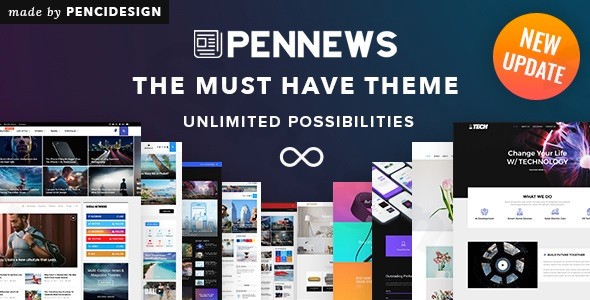
In the competitive world of digital publishing, speed and user experience are the twin pillars of success. The Pennews WordPress theme, developed by the Power Elite authors at PenciDesign, is a powerhouse solution engineered specifically for high-traffic news portals, online magazines, and professional blogs. With a design philosophy centered on “performance-first” aesthetics, it provides a sophisticated framework that balances dense content delivery with elegant, modern UI/UX principles.Whether you are an independent blogger or a large-scale media agency, this news WordPress theme offers the technical robusticity needed to rank in search engines while keeping mobile readers engaged through native technology integrations.
Key Features: Design, Layout & Performance
Pennews is not just another multipurpose theme; it is a specialized toolkit for creators who prioritize content hierarchy and loading efficiency.
Versatile Layout & Visual Design
The theme boasts an incredible library of over 150 pre-built demos, covering niches from tech news and fashion magazines to creative portfolios and corporate sites.
- Header & Footer Flexibility: Choose from over 10 distinct header styles and multiple footer configurations to match your brand’s visual identity.
- Mega Menus: Create advanced navigation systems with multiple styles to help users find deep-linked content easily.
- Content Blocks: With over 40 content blocks and 28+ featured slider styles, you can build a homepage that feels dynamic and “live.”
Customization Capabilities
Personalizing your site is intuitive thanks to the 600+ options integrated into the WordPress Customizer. You have granular control over:
- Typography: Unlimited font choices with Google Fonts and custom font upload support.
- Color Systems: Comprehensive color schemes that can be applied globally or to specific sections.
- White Space & Spacing: Precise control over containers and sections to ensure your layout never feels cluttered.
Industry-Leading Performance & SEO
Where Pennews truly shines is in its technical optimization. As a dedicated Pennews AMP theme, it offers native support for Google AMP (Accelerated Mobile Pages) and Facebook Instant Articles.
- Speed: Hand-optimized code, built-in query caching, and smart lazy loading for images ensure lightning-fast load times.
- SEO Readiness: The theme uses clean markup and supports structured data (schema), making it easier for search engines to crawl and index your articles.
- Mobile-First: The design is 100% responsive, ensuring a seamless experience across desktops, tablets, and smartphones.
Installation & Demo Import: A Step-by-Step Guide
Setting up Pennews is designed to be a frictionless experience, even for those without deep technical expertise.
- Theme Installation: Log in to your WordPress dashboard, navigate to Appearance > Themes > Add New, and upload the
pennews.zipfile. - Activate Required Plugins: Upon activation, Pennews will prompt you to install essential companion plugins, including the WPBakery Page Builder and the Pennews Core plugin.
- One-Click Demo Import: Navigate to the Pennews Dashboard and select the “Import Demo Data” option. You can browse the 150+ starter sites and import your favorite with a single click.
- Verification: During the import, ensure your server has sufficient memory (PHP 7.4+ is recommended). Once finished, your site will be populated with the demo’s menus, widgets, and homepage layouts.
Customization Guide: Branding Your Site
Once your demo is imported, the Pennews WordPress theme makes it easy to align the site with your brand’s DNA.
- Global Styling: Use the WordPress Customizer to set your primary brand colors and typography. These settings will propagate across all pages, ensuring visual consistency.
- Drag-and-Drop Building: Most pages are built using WPBakery Page Builder. You can simply drag elements like “Latest News,” “Video Playlists,” or “Social Counters” into your layout.
- Header Customization: Use the dedicated header builder to upload your logo, adjust the sticky menu settings, and configure the top bar for breaking news tickers.
- Review System: If you are running a review site, utilize the built-in system to add star, percentage, or point-based ratings to your posts, which helps increase user engagement and CTR in search results.
FAQ & Troubleshooting
Is the Pennews theme compatible with Elementor and WPBakery?
Yes. While Pennews is primarily optimized for WPBakery Page Builder (which is included for free), it is also compatible with the Elementor page builder and the default WordPress Gutenberg block editor, giving you total flexibility in how you build your content.
Does Pennews support WooCommerce for online stores?
Absolutely. This multipurpose WordPress theme is fully compatible with WooCommerce. You can easily integrate a shop section into your magazine or news site to sell digital or physical products.
Does it support child themes for advanced customization?
Yes, Pennews supports child themes. It is highly recommended to use a child theme if you plan on making direct code changes to the theme files, ensuring your customizations aren’t lost during theme updates.
How can I improve the speed of the demo import?
If a demo import fails, it is usually due to server timeouts. Ensure your PHP max_execution_time is set to at least 300 and memory_limit to 256M. Using a high-quality hosting provider will significantly improve the import experience.
Conclusion
The Pennews WordPress theme is a premier choice for anyone looking to build a high-performance, content-rich website. By combining the visual flexibility of 150+ demos with the technical edge of native AMP support, PenciDesign has created a theme that appeals equally to designers and SEO strategists.Who is this for?
- News & Magazine Publishers: Who need mobile speed and diverse article layouts.
- Professional Bloggers: Looking for a “big media” look with minimal effort.
- Review Sites: Seeking built-in rating systems and high-conversion layouts.If you want a fast WordPress theme that doesn’t sacrifice design for speed, Pennews is a top-tier contender that will help your site stand out in both human eyes and AI search engines.Looking for more WordPress insights? Visit us at wppick.com.
I. Download Limits & Account Benefits
- Free Downloads: Each email address receives 3 downloads per day for free products
- Upgrade Benefits: Purchase any paid product to increase your daily download limit by 3 for each paid product
- No Account Required: You can download immediately by receiving the download link via email
- Account Recommended: Create an account for easier access to your order history and direct update downloads
II. Understanding GPL vs Official Versions
Important: The products available on WPPick are GPL-licensed versions, which differ from official developer versions. Before purchasing, please read our comprehensive guide: Understanding GPL & Official Differences at WPPick
Key Points:
- GPL versions may not include premium support from original developers
- Updates may be delayed compared to official releases
- Some premium features might have limitations
- Always consider your specific needs and support requirements
III. Support & Assistance
We’re here to help through multiple channels:
- Email Support: Direct email assistance for all inquiries
- Live Chat: Real-time support during business hours
- Comprehensive Documentation: Detailed guides and tutorials
IV. Order Tracking
Access your complete purchase history and download links anytime: Order History
V. Account Access
New to WPPick? Login or Create Account to manage your downloads and orders efficiently.
VI. Refund Protection
We stand behind our products with a clear refund policy. Review our terms: Refund Policy
VII. Privacy & Security
Your data security is our priority. Learn how we protect your information: Privacy Policy
VII. Terms of Service
Understanding our service terms ensures a smooth experience: Terms of Use
Quick Tips for Best Experience
- Verify Compatibility: Check plugin/theme compatibility with your WordPress version
- Backup First: Always backup your site before installing new plugins or themes
- Test Environment: Consider testing on a staging site first
- Stay Updated: Regularly check for updates in your account dashboard
- Read Documentation: Review any included documentation for optimal setup
Need Help?
If you have questions about downloads, licensing, or need technical assistance, don’t hesitate to contact our support team. We’re committed to ensuring you have the best possible experience with WPPick products.
Ready to get started? Your download adventure begins with just one click!
- Security issues reported from patchstack.com
- Security issues reported from patchstack.com
- Security issue reported
- Fixed translation issues for WordPress 6.8.
- Penci Framework plugin - updated Metabox Library and fixed translation issues.
- All premium plugins in premium plugins package to latest version.