
Petmania – Pet Shop & Care
/Year
Introduction to PetMania
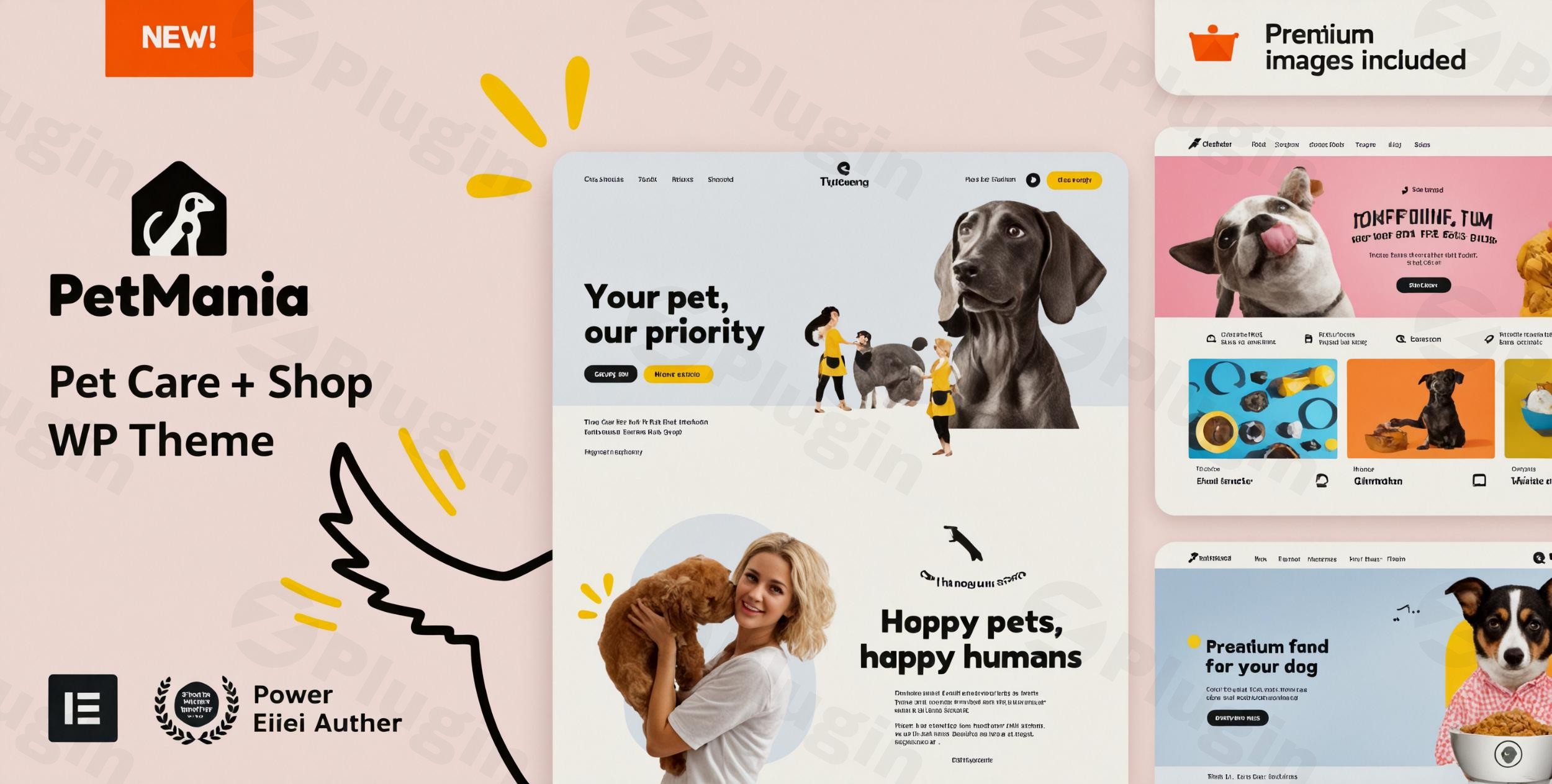
PetMania is a specialized WordPress theme built specifically for businesses operating in the pet care and animal wellness industry. Whether you run an online pet supply store, a local veterinary clinic, an animal shelter, or a pet grooming salon, this theme provides the structural foundation needed to establish a professional online presence. With deep integration for leading page builders and e-commerce toolsets, it simplifies the process of launching a fully functional pet service website without requiring advanced coding skills.
What PetMania Does
The theme delivers a complete suite of website tools tailored to the unique requirements of animal-focused businesses. It combines modern design aesthetics with practical functionality, allowing site owners to showcase products, publish service offerings, and manage client interactions from a unified dashboard. By leveraging flexible layout options and pre-built templates, users can quickly set up landing pages, service menus, and product catalogs that engage visitors and drive conversions.
Who It Is For
PetMania is engineered for a diverse range of professionals and organizations within the pet industry. Typical users include pet shop owners selling pet food and accessories, veterinarians offering clinical appointments, mobile groomers needing service booking features, pet trainers, and animal rescue charities looking to raise awareness and donations. Its adaptable framework suits both startups launching their first digital storefront and established businesses seeking a modern redesign.
Key Capabilities and Features
The theme comes equipped with essential capabilities designed to enhance user experience and site performance. Key features include full compatibility with Elementor Pro for intuitive drag-and-drop page editing, robust WooCommerce integration for seamless online transactions, and dedicated sections for showcasing merchandise and service portfolios. Additionally, it offers responsive design layouts that ensure optimal viewing across mobile phones, tablets, and desktop computers.
Practical WordPress Use Cases
Website administrators can deploy PetMania for various real-world scenarios. A local pet store can use the e-commerce engine to sell toys and organic food with localized shipping options. A veterinary clinic can set up informational pages detailing emergency care, surgical procedures, and staff profiles alongside appointment scheduling elements. Grooming businesses can display before-and-after photo galleries and pricing tables to help clients choose the right grooming package.
Setup and Compatibility Notes
Getting started with PetMania involves installing the theme via the standard WordPress dashboard and activating compatible plugins such as WooCommerce and Elementor. The theme includes importable demo content that allows users to replicate pre-designed layouts instantly. Ensuring PHP requirements and server environments align with modern WordPress standards will guarantee smooth operation and fast page loading times.
Reasons to Choose PetMania on WPPick
Choosing PetMania through WPPick offers site builders a reliable way to access professional-grade themes equipped for modern web standards. Its targeted industry design saves significant development time, eliminating the need to build custom layouts from scratch. The combination of e-commerce readiness and flexible customization makes it a practical asset for scaling an online pet business.
Latest Version Context
Detailed release notes for version 39.0 are not available from the provided sources. Users are encouraged to check official developer channels for specific update logs and maintenance details.
Frequently Asked Questions
Is PetMania compatible with WooCommerce for selling physical products?
Yes, PetMania features full WooCommerce integration, enabling you to set up product catalogs, shopping carts, checkout pages, and payment gateways easily.
Can I customize the page layouts without knowing how to code?
Yes, the theme is built to work seamlessly with Elementor Pro, allowing you to use a visual drag-and-drop editor to modify pages.
Is the theme responsive on mobile devices?
Yes, PetMania utilizes a responsive design framework that automatically adjusts layouts for smartphones and tablets.
What types of businesses are best suited for this theme?
It is ideal for pet shops, veterinary clinics, animal shelters, grooming salons, and pet training services.
How do I get started with the theme installation?
You can install the theme through your WordPress themes menu, upload the package, and follow the setup wizard to import demo content.
I. Download Limits & Account Benefits
- Free Downloads: Each email address receives 3 downloads per day for free products
- Upgrade Benefits: Purchase any paid product to increase your daily download limit by 3 for each paid product
- No Account Required: You can download immediately by receiving the download link via email
- Account Recommended: Create an account for easier access to your order history and direct update downloads
II. Understanding GPL vs Official Versions
Important: The products available on WPPick are GPL-licensed versions, which differ from official developer versions. Before purchasing, please read our comprehensive guide: Understanding GPL & Official Differences at WPPick
Key Points:
- GPL versions may not include premium support from original developers
- Updates may be delayed compared to official releases
- Some premium features might have limitations
- Always consider your specific needs and support requirements
III. Support & Assistance
We’re here to help through multiple channels:
- Email Support: Direct email assistance for all inquiries
- Live Chat: Real-time support during business hours
- Comprehensive Documentation: Detailed guides and tutorials
IV. Order Tracking
Access your complete purchase history and download links anytime: Order History
V. Account Access
New to WPPick? Login or Create Account to manage your downloads and orders efficiently.
VI. Refund Protection
We stand behind our products with a clear refund policy. Review our terms: Refund Policy
VII. Privacy & Security
Your data security is our priority. Learn how we protect your information: Privacy Policy
VII. Terms of Service
Understanding our service terms ensures a smooth experience: Terms of Use
Quick Tips for Best Experience
- Verify Compatibility: Check plugin/theme compatibility with your WordPress version
- Backup First: Always backup your site before installing new plugins or themes
- Test Environment: Consider testing on a staging site first
- Stay Updated: Regularly check for updates in your account dashboard
- Read Documentation: Review any included documentation for optimal setup
Need Help?
If you have questions about downloads, licensing, or need technical assistance, don’t hesitate to contact our support team. We’re committed to ensuring you have the best possible experience with WPPick products.
Ready to get started? Your download adventure begins with just one click!
- style.css
- vamtam/admin/helpers/updates/version-checker.php
- vamtam/classes/framework.php
- vamtam/plugins/vamtam-elementor-integration-petmania/
- Updated style.css
- Updated vamtam/admin/assets/js/check-license.js
- Updated vamtam/admin/helpers/updates/version-checker.php
- Updated vamtam/classes/enqueues.php
- style.css
- vamtam/classes/elementor-bridge.php
- vamtam/classes/framework.php
- Updated style.css
- Updated vamtam/admin/classes/diagnostics.php
- Updated vamtam/admin/classes/plugin-manager.php
- Updated vamtam/admin/classes/token-restoration.php
- Updated vamtam/admin/helpers/updates/version-checker.php
- Updated vamtam/assets/css/dist/elementor/elementor-all.css
- Updated vamtam/assets/css/dist/elementor/elementor-all.css.map
- Updated vamtam/assets/css/dist/elementor/responsive/elementor-below-max.css
- Updated vamtam/assets/css/dist/elementor/responsive/elementor-below-max.css.map
- Updated vamtam/classes/framework.php
- Updated build configuration files (Gruntfile.js, package.json, package-lock.json)
- Updated admin interface scripts and diagnostics
- Updated Elementor widget styling and responsive CSS
- Updated general JavaScript files and WooCommerce gallery scripts
- Updated core framework classes
- style.css
- utils/grunt/packaging.js
- vamtam/assets/css/dist/elementor/elementor-all.css
- vamtam/assets/css/dist/elementor/elementor-all.css.map
- vamtam/assets/css/dist/elementor/responsive/elementor-max.css
- vamtam/assets/css/dist/elementor/responsive/elementor-max.css.map
- vamtam/assets/css/src/elementor/widgets/woocommerce-my-account/woocommerce-my-account.less
- vamtam/plugins/pojo-accessibility.zip
- woocommerce/cart/cart.php
- Gruntfile.js
- package.json
- samples/dependencies.php
- style.css
- utils/grunt/packaging.js
- vamtam/admin/classes/diagnostics.php
- vamtam/assets/css/dist/elementor/elementor-all.css
- vamtam/assets/css/dist/elementor/elementor-all.css.map