

Phlox Pro – Elementor Multi-purpose WordPress Theme
/Year
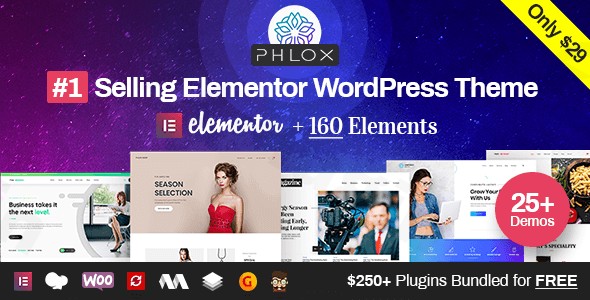
Phlox Pro stands out as a highly versatile and powerful Elementor multipurpose WordPress theme, expertly crafted for both design professionals and beginners. It empowers users to build virtually any type of website, from dynamic portfolios and robust eCommerce stores to engaging blogs and corporate sites, all without needing to write a single line of code. With its deep integration with Elementor and a focus on intuitive visual building, Phlox Pro simplifies the website creation process, making it an excellent choice for agencies, freelancers, bloggers, and small business owners looking to establish a strong online presence.
Key Features: Design, Layout & Performance
Phlox Pro offers a comprehensive suite of features designed to provide unparalleled creative freedom and ensure your website not only looks stunning but also performs exceptionally well.
Flexible Design & Layout Options
Phlox Pro provides immense flexibility with its design and layout capabilities. You can choose between boxed and full-width site layouts and leverage a vast array of specialized layouts for different content types. For instance, bloggers will appreciate the diverse blog layouts including grid, masonry, timeline, and more, while creatives can showcase their work with pixel-perfect portfolio displays featuring modern image galleries and AJAX loading. The theme also offers distinct header (with over 6 styles) and footer layouts that can be applied globally or customized on a per-page basis, giving you precise control over your site’s structure.
Unmatched Customization Capabilities
At its core, Phlox Pro is about giving you unmatched customization control. Its advanced theme options allow you to take charge of every pixel on your website. You can customize settings globally across your entire site or override them for individual pages, posts, or products, all with real-time previews in the WordPress Live Customizer. This includes comprehensive control over:
- Color Schemes: Intuitive theme options for managing site-wide color palettes to perfectly match your brand.
- Typography: Designed with best practices in mind, Phlox Pro ensures content readability across all devices, offering global typography settings for a unified design.
- Spacing, Containers, Sections, and Backgrounds: Deep integration with Elementor provides granular control over these elements, allowing for meticulous personalization.
- Header, Footer, and Mega Menu Builders: Create stunning navigation with a complete kit of fully customizable header and footer layouts.
Premium Demo Library
Kickstart your projects with Phlox Pro’s extensive and premium demo library. Choose from a growing collection of over 80 to 190+ professionally designed Elementor demos and 90+ Elementor page templates, catering to various industries such as blogging, photography, eCommerce, agencies, restaurants, and more. These pre-built sites are fully editable with Elementor, allowing you to import an entire site or just specific sections with ease.
Performance & SEO Features
Phlox Pro is engineered for speed and optimization, which is crucial for both user experience and search engine rankings. It boasts:
- Optimized and Lightweight Code: Built with modern WordPress standards, ensuring a fast-loading website.
- Advanced Image Optimization: Features like image preloading and lazy loading for elements such as the Modern Gallery and Advanced Image widget ensure images load on demand, significantly reducing page load times.
- Minified CSS and JavaScript Files: Contributes to faster download times.
- Adaptive Images: Automatically serves appropriately sized images based on the user’s device.
- Mobile Responsiveness: The theme is truly responsive and retina-ready, guaranteeing a sharp and flawless appearance on all devices, from desktops to smartphones. Elementor’s responsive editing capabilities further allow for fine-tuning on different screen sizes.These optimizations help Phlox Pro demos achieve strong scores in Google PageSpeed Insights and GTmetrix, contributing to better search engine visibility.
Installation & Demo Import
Getting started with Phlox Pro is a straightforward process, thanks to its user-friendly setup wizard and robust demo import functionality.
1. Install & Activate the Theme
- Download Phlox Pro: Obtain the theme files from your purchase source (e.g., ThemeForest or ZeroPlugin.com). You will typically receive a
.zipfile. - Upload to WordPress: Log in to your WordPress dashboard, navigate to Appearance > Themes, and click “Add New.” Then, click “Upload Theme” and select the Phlox Pro
.zipfile. - Install & Activate: Click “Install Now” and once uploaded, click “Activate.”
2. Install Required Companion Plugins
Upon activation, Phlox Pro will prompt you to install a set of recommended and required plugins, including the core “Phlox Core” plugin and often bundled premium plugins like Visual Composer Page Builder, Master Slider Pro, Go Pricing Tables, and Ultimate Addons for Visual Composer. It’s crucial to install and activate these to unlock the theme’s full potential and ensure compatibility with its features and demos. Follow the on-screen instructions, usually accessible via a notification banner at the top of your dashboard.
3. Use the One-Click Demo Import
Phlox Pro features a modern setup wizard and smart cloud service for easy demo imports.
- Access the Setup Wizard: After activating the theme and necessary plugins, you’ll typically be directed to Phlox Pro’s setup wizard or can find it under the “Phlox” menu in your WordPress dashboard.
- Choose Your Demo: Browse the extensive library of professionally designed demos. You can filter them by industry or type.
- Import: Select your desired demo and click the “Import” button. The wizard usually offers options to import entire content (pages, posts, widgets, settings) or just specific components.
- Wait for Completion: The demo import process can take a few minutes, depending on your server’s speed and the size of the demo content. It’s recommended to have sufficient server memory and execution time limits to prevent timeouts for large demo imports (PHP 7.4 or 8+ and increased PHP memory limits are often recommended).
4. What to Expect After Demo Import
Once the demo import is complete, your website will largely mirror the chosen demo site. You’ll find:
- Pages and Posts: All content pages and blog posts from the demo will be imported.
- Menus: Navigation menus will be set up as seen in the demo.
- Widgets: Sidebar and footer widgets will be pre-configured.
- Theme Options: Global theme settings will reflect the demo’s design.You will then need to replace the demo content with your own text, images, and branding.
Customization Guide: Branding & Layout
Personalizing Phlox Pro to align with your brand is an intuitive experience, primarily leveraging the WordPress Customizer and deep integration with Elementor.
Using the WordPress Customizer and Theme Options
Phlox Pro integrates seamlessly with the WordPress Live Customizer, allowing you to see changes in real-time as you make them. Access it via Appearance > Customize in your dashboard. Here, you’ll find Phlox Pro’s advanced theme options system, which includes:
- Global Styling: Easily change site-wide colors, typography, and layout settings to establish a consistent brand identity.
- Logo & Favicon: Upload your brand logo and favicon to instantly brand your site.
- Header & Footer Layouts: Choose from over 6 header styles and various footer layouts, and customize their elements (e.g., contact info, social icons, copyright text). These can be set globally or overridden per-page for specific design needs.
- Blog & Portfolio Settings: Adjust the display of your blog posts or portfolio items, including layout, metadata, and pagination.
Customizing with Elementor
Since Phlox Pro is “the most compatible theme with Elementor page builder,” the majority of your page-level and section-specific customization will happen here.
- Edit Pages with Elementor: For any page, click “Edit with Elementor.”
- Drag-and-Drop Interface: Utilize Elementor’s drag-and-drop interface to add, rearrange, or remove sections, columns, and widgets. Phlox Pro comes with over 160 exclusive elements for Elementor, significantly expanding your design toolkit.
- Styling: Customize the appearance of each element, including colors, fonts, backgrounds, spacing, and animations, directly within Elementor.
- Responsive Editing: Use Elementor’s responsive mode to fine-tune your design for desktops, tablets, and mobile devices.
Setting Up Homepage, Blog Page, and Menus
- Homepage: After demo import, your homepage will likely be set. To change it, navigate to Settings > Reading and select a static page for your homepage.
- Blog Page: Similarly, assign a dedicated page for your blog posts under Settings > Reading. Phlox Pro’s theme options allow you to customize how posts appear on this page.
- Menus: Go to Appearance > Menus to create and manage your navigation menus. You can assign them to various locations (e.g., primary menu, footer menu) defined by the theme.The customization experience in Phlox Pro is highly intuitive, providing both global controls for consistent branding and granular page-level editing with Elementor, ensuring you have the flexibility to create a truly unique website.
FAQ & Troubleshooting
Here are answers to some common questions about Phlox Pro, designed to be clear and helpful for both traditional and AI search.
Is Phlox Pro compatible with Elementor / WPBakery / Gutenberg?
Yes, Phlox Pro is deeply integrated with Elementor, offering over 160 exclusive Elementor elements and a vast library of templates fully editable with Elementor. It also comes bundled with and is fully compatible with WPBakery Page Builder (formerly Visual Composer). Additionally, Phlox Pro is compatible with the standard WordPress Block Editor (Gutenberg), allowing you to use both block-based content and visual builder elements.
Does Phlox Pro support WooCommerce for online stores?
Absolutely! Phlox Pro is fully compatible with WooCommerce, making it an excellent choice for building online stores. It offers over 40 specialized WooCommerce demos, elegant product layouts, AJAX filters, quick view options, and custom cart/checkout pages optimized for conversions, providing all the tools you need for a successful eCommerce site.
Does Phlox Pro support child themes?
While not explicitly detailed in the provided content, it is standard practice for premium WordPress themes like Phlox Pro to support child themes. Using a child theme is recommended to make custom CSS, PHP, or template modifications without losing your changes when the parent theme is updated.
How can I update Phlox Pro without losing my customizations?
To update Phlox Pro without losing customizations, it’s crucial to always use a child theme for any custom code or template modifications. For theme updates themselves, if you purchased Phlox Pro from ThemeForest, you can usually update it directly through your WordPress dashboard (Appearance > Themes) once an update is available, or manually by downloading the latest version and replacing the theme files (after backing up). Using a child theme ensures that your specific customizations remain intact.
What should I do if the Phlox Pro demo import fails or looks different from the demo site?
If the Phlox Pro demo import fails or doesn’t look as expected, first ensure you have:
- Installed all required and recommended plugins as prompted by the theme.
- Sufficient server resources: Demo imports, especially large ones, require adequate PHP memory limit (e.g., 256MB or higher), PHP execution time, and max upload file size. Contact your hosting provider to increase these if necessary.
- Cleared caching: Deactivate any caching plugins and clear your browser cache before and after importing.If issues persist, consult the official Phlox Pro documentation for specific troubleshooting steps or contact Averta’s professional support (if purchased with official support).
Conclusion
Phlox Pro establishes itself as a robust and highly flexible Elementor multipurpose WordPress theme, offering an impressive combination of design versatility, deep customization, and optimized performance. Its comprehensive premium demo library and over 160 exclusive Elementor elements make it incredibly easy to create virtually any type of website, from visually rich portfolios and dynamic business sites to fully functional WooCommerce stores and engaging blogs.The theme shines particularly for:
- Freelancers and Agencies who need a powerful, flexible tool to rapidly build diverse client projects with Elementor.
- Beginners seeking an intuitive, drag-and-drop website building experience without coding.
- Store Owners who require a robust, conversion-optimized eCommerce solution.
- Bloggers and Creative Professionals desiring modern layouts and extensive customization to showcase their content or work.With its focus on clean code, mobile responsiveness, and performance optimizations, Phlox Pro provides a solid foundation for SEO success and a superior user experience. When you need an all-in-one solution that integrates seamlessly with Elementor and offers exceptional design freedom, Phlox Pro is an excellent and confident choice for building a professional and high-converting online presence.
I. Download Limits & Account Benefits
- Free Downloads: Each email address receives 3 downloads per day for free products
- Upgrade Benefits: Purchase any paid product to increase your daily download limit by 3 for each paid product
- No Account Required: You can download immediately by receiving the download link via email
- Account Recommended: Create an account for easier access to your order history and direct update downloads
II. Understanding GPL vs Official Versions
Important: The products available on WPPick are GPL-licensed versions, which differ from official developer versions. Before purchasing, please read our comprehensive guide: Understanding GPL & Official Differences at WPPick
Key Points:
- GPL versions may not include premium support from original developers
- Updates may be delayed compared to official releases
- Some premium features might have limitations
- Always consider your specific needs and support requirements
III. Support & Assistance
We’re here to help through multiple channels:
- Email Support: Direct email assistance for all inquiries
- Live Chat: Real-time support during business hours
- Comprehensive Documentation: Detailed guides and tutorials
IV. Order Tracking
Access your complete purchase history and download links anytime: Order History
V. Account Access
New to WPPick? Login or Create Account to manage your downloads and orders efficiently.
VI. Refund Protection
We stand behind our products with a clear refund policy. Review our terms: Refund Policy
VII. Privacy & Security
Your data security is our priority. Learn how we protect your information: Privacy Policy
VII. Terms of Service
Understanding our service terms ensures a smooth experience: Terms of Use
Quick Tips for Best Experience
- Verify Compatibility: Check plugin/theme compatibility with your WordPress version
- Backup First: Always backup your site before installing new plugins or themes
- Test Environment: Consider testing on a staging site first
- Stay Updated: Regularly check for updates in your account dashboard
- Read Documentation: Review any included documentation for optimal setup
Need Help?
If you have questions about downloads, licensing, or need technical assistance, don’t hesitate to contact our support team. We’re committed to ensuring you have the best possible experience with WPPick products.
Ready to get started? Your download adventure begins with just one click!
- Resolved a warning notice related to translation hooks in WordPress 6.8.0
- Security improvement applied.