

Pressroom – News And Magazine WordPress Theme
/Year
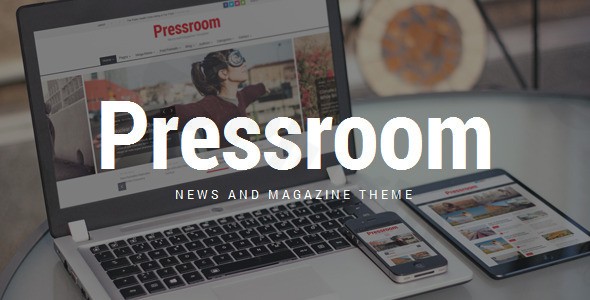
In the dynamic world of online content, presenting your articles with clarity, style, and professional polish is paramount. The Pressroom – News and Magazine WordPress Theme emerges as a robust, premium solution meticulously engineered for content creators, publishers, and digital entrepreneurs. Whether you’re launching a burgeoning news portal, a creative magazine, a niche blog, or a comprehensive review site, Pressroom provides the advanced design capabilities and intuitive tools to establish a commanding online presence that resonates with your audience.Crafted with expertise in modern web design and WordPress development, Pressroom is more than just a theme; it’s a powerful platform designed to elevate your content, streamline your publishing workflow, and ensure an exceptional user experience across all devices.
The Pressroom Design Philosophy: Professionalism Meets Intuitive Customization
At its core, Pressroom embodies a design philosophy that balances sophisticated aesthetics with unparalleled ease of use. This theme is built for impact, ensuring that your content not only looks visually stunning but is also highly readable and engaging. We understand that a premium theme should empower, not constrain. Therefore, Pressroom offers a professional-grade design framework that is fully customizable, enabling you to imprint your unique brand identity without requiring a single line of code.
Elevating Your Content with Advanced Design Features
Pressroom’s extensive feature set is curated to address the specific needs of news, magazine, and publishing websites, offering tools that go beyond basic templating.
- Responsive and Adaptive Design: In today’s multi-device landscape, a truly responsive website is non-negotiable. Pressroom intelligently adapts to any screen size—desktops, smartphones, and tablets—ensuring your content always looks flawless and is easily navigable, providing a consistent, high-quality experience for every reader.
- Diverse Layout Options: From dynamic grid and list views to modern masonry styles, Pressroom offers multiple compelling ways to present your articles. Choose between spacious wide or classic boxed website layouts to perfectly frame your content.
- Stunning Header Styles: Make a memorable first impression with an array of 15 predefined header styles. Each option is designed to be fully customizable, allowing you to fine-tune the elements that define your site’s top navigation and branding.
- Versatile Color Schemes: Tailor your site’s ambiance with ease using included light, dark, and high-contrast color skins. A built-in color picker provides full control over your scheme, allowing for precise branding alignment.
- Rich Typography with Google Fonts: Enhance readability and visual appeal with access to over 800 Google Fonts. This extensive library allows you to select the perfect typeface to match your brand’s voice and aesthetic.
- Engaging Visual Elements: Capture attention with mobile touch-friendly sliders and carousels, ideal for showcasing featured articles, galleries, or breaking news. Integrate seamlessly with 36 social icons to boost your social media presence and utilize 20 feature icons to highlight key content or services.
- Unique Content Presentation: Keep readers engaged with smart sticky columns that maintain essential information in view as users scroll. Leverage offset and featured posts to draw attention to your most important or timely content, guiding reader journeys strategically.
Unparalleled Customization and Flexibility for Your Brand
A premium WordPress theme should offer not just beauty, but also profound flexibility. Pressroom excels here, providing an arsenal of customization tools to build a website that is truly yours.
- Intuitive Theme Options Panel: The customizable theme options panel serves as your central command, offering straightforward controls over virtually every aspect of your site’s design and functionality without touching any code.
- Drag-and-Drop Page Building Power: Pressroom comes bundled with a powerful drag-and-drop page builder—either Visual Composer or WPBakery Page Builder. This integration allows even non-developers to craft intricate, custom page layouts with remarkable ease. With 60+ generic page builder content elements and 25+ custom Pressroom page builder components, your layout possibilities are virtually limitless.
- Smart Widget Areas: Maximize content visibility and user engagement with smart sticky sidebars and columns. These dynamic widget areas ensure that crucial navigation, advertisements, or related content remains accessible as users browse.
- Diverse Home Page and Blog Layouts: Kickstart your design with 6 distinct home page styles and 7 versatile blog layouts, providing a solid foundation for any publishing model.
- Comprehensive Page Templates: From contact pages to archives, 10 page templates offer pre-designed structures to accelerate your development process.
- Flexible Post Formats: Support for multiple post formats allows you to perfectly present various content types, whether it’s standard articles, images, videos, or quotes.
- Personalized Backgrounds: Elevate your site’s aesthetic by utilizing boxed patterns or custom background images, with optional overlay layers for added visual depth.
Setup & Installation: Getting Started with Pressroom
Implementing the Pressroom theme is designed to be a smooth, guided process, ensuring you can launch your professional news or magazine site with efficiency.
- WordPress Compatibility: Pressroom is meticulously maintained to be fully compatible with WordPress 5.0.x and above, supporting the latest WordPress releases for optimal performance and security.
- Theme Installation: Upload the Pressroom theme via your WordPress dashboard (Appearance > Themes > Add New > Upload Theme) or via FTP. Activate the theme.
- Page Builder Integration: Upon activation, you’ll be prompted to install the bundled page builder (Visual Composer/WPBakery Page Builder). This powerful tool is essential for leveraging the theme’s drag-and-drop layout capabilities.
- Plugin Installation: Install recommended and compatible plugins such as WooCommerce (for e-commerce functionality), Uber Menu (for advanced navigation), and Contact Form 7 (for user communication). These integrations are seamless, extending your site’s capabilities.
- One-Click Demo Import: To jumpstart your design, Pressroom includes a one-click demo content importer. This allows you to quickly replicate any of the 6 stunning home page styles, providing a fully populated site structure that you can then customize with your own content.
- Theme Options Configuration: Navigate to the Theme Options Panel to begin personalizing your site. Here, you can adjust colors, fonts, layouts, header styles, and more to perfectly match your brand.
Usage Guide & Benefits for All Users
Pressroom is built for a broad audience, ensuring both technical experts and non-developers can create and manage a high-caliber website with ease.
- For Business Owners & Marketers: Focus on your content and conversions, not code. The drag-and-drop page builder simplifies the creation of engaging landing pages, promotional content, and product showcases. The SEO-optimized code and fast loading times mean your content is more discoverable and your audience enjoys a superior experience, directly impacting your business goals. Integration with WooCommerce allows for seamless monetization.
- For Bloggers & Publishers: Effortlessly present diverse content formats using the flexible post formats and numerous blog layouts. The unique content presentation features like sticky columns and featured posts help you curate the reader’s journey, keeping them immersed in your narrative. The comprehensive customization ensures your blog or magazine truly reflects your editorial vision.
- For Web Designers & Developers: While intuitive for beginners, Pressroom doesn’t compromise on quality. Developed with high-quality coding standards, valid HTML5, and cross-browser compatibility, it provides a robust and secure foundation for your projects. The extensive documentation and support ensure you have all the resources needed for advanced implementations.
EEAT & Technical Expertise: A Foundation of Trust
Trustworthiness and expertise are woven into the fabric of the Pressroom theme. We emphasize transparent capabilities and a commitment to modern web standards.
- Expertly Coded & Optimized: Developed with meticulous attention to detail, Pressroom boasts high-quality coding standards, ensuring optimal security, efficiency, and long-term stability. Its SEO-optimized structure helps your content rank higher in search results, while fast loading times reduce bounce rates and improve user satisfaction.
- Cutting-Edge Compatibility: Continuously updated to work flawlessly with the latest versions of WordPress, Pressroom guarantees future-proof compatibility and leverages new features as they emerge.
- Robust Plugin Support: Seamless compatibility with essential plugins like WooCommerce, Uber Menu, and Contact Form 7 extends the theme’s functionality, making it a versatile choice for a wide array of publishing needs.
- Global Reach with RTL Support: For publishers targeting a global audience, Pressroom includes full RTL (Right-to-Left) text direction support, essential for languages like Arabic, Hebrew, and Persian.
- Comprehensive Documentation & Support: Every premium theme needs premium support. Pressroom comes with detailed documentation to guide you through every step, backed by dedicated support to address any queries.
Target Audience & Ideal Use Cases
Pressroom is ideally suited for a diverse range of online publishing ventures, including:
- Online Newspapers: Deliver breaking news with urgency and visual impact.
- Creative Magazines: Showcase articles, photography, and multimedia with a sophisticated aesthetic.
- Video Blogs & Vlogs: Present video content effectively with engaging layouts and media-friendly features.
- Review Websites: Structure detailed reviews with clear ratings and comparative elements.
- General Blogs & Publishing Platforms: Empower individual bloggers or small publishing houses to produce professional-grade content.
Conclusion: Invest in Professionalism with Pressroom
The Pressroom – News and Magazine WordPress Theme is more than just a template; it’s a strategic investment in your online publishing future. Its blend of professional-grade design, extensive customization options, and robust technical underpinnings provides a comprehensive solution for anyone looking to build a high-performing, visually captivating news, magazine, or blog website.With Pressroom, you gain the confidence that your content will be presented flawlessly, your audience will be engaged, and your brand will stand out. Choose Pressroom to transform your digital presence into an authoritative, trusted, and expertly designed publishing platform.
I. Download Limits & Account Benefits
- Free Downloads: Each email address receives 3 downloads per day for free products
- Upgrade Benefits: Purchase any paid product to increase your daily download limit by 3 for each paid product
- No Account Required: You can download immediately by receiving the download link via email
- Account Recommended: Create an account for easier access to your order history and direct update downloads
II. Understanding GPL vs Official Versions
Important: The products available on WPPick are GPL-licensed versions, which differ from official developer versions. Before purchasing, please read our comprehensive guide: Understanding GPL & Official Differences at WPPick
Key Points:
- GPL versions may not include premium support from original developers
- Updates may be delayed compared to official releases
- Some premium features might have limitations
- Always consider your specific needs and support requirements
III. Support & Assistance
We’re here to help through multiple channels:
- Email Support: Direct email assistance for all inquiries
- Live Chat: Real-time support during business hours
- Comprehensive Documentation: Detailed guides and tutorials
IV. Order Tracking
Access your complete purchase history and download links anytime: Order History
V. Account Access
New to WPPick? Login or Create Account to manage your downloads and orders efficiently.
VI. Refund Protection
We stand behind our products with a clear refund policy. Review our terms: Refund Policy
VII. Privacy & Security
Your data security is our priority. Learn how we protect your information: Privacy Policy
VII. Terms of Service
Understanding our service terms ensures a smooth experience: Terms of Use
Quick Tips for Best Experience
- Verify Compatibility: Check plugin/theme compatibility with your WordPress version
- Backup First: Always backup your site before installing new plugins or themes
- Test Environment: Consider testing on a staging site first
- Stay Updated: Regularly check for updates in your account dashboard
- Read Documentation: Review any included documentation for optimal setup
Need Help?
If you have questions about downloads, licensing, or need technical assistance, don’t hesitate to contact our support team. We’re committed to ensuring you have the best possible experience with WPPick products.
Ready to get started? Your download adventure begins with just one click!
- WPBakery Page Builder update (to version 8.7.2).
- WooCommerce template files update.
- Minor code fixes.
- plugins_activator.php
- screenshot.png
- style.css
- languages/ar.mo
- languages/ar.po
- languages/default.mo
- languages/default.po
- plugins/js_composer.zip
- shortcodes/map.php
- shortcodes/single-post.php
- woocommerce/myaccount/form-edit-account.php
- WPBakery Page Builder update (to version 8.7.1)
- WooCommerce template files update
- plugins_activator.php
- plugins/js_composer.zip
- woocommerce/cart/cart.php
- woocommerce/checkout/form-checkout.php
- woocommerce/single-product/related.php
- WPBakery Page Builder update (to version 8.5).
- WooCommerce template files update.
- Security improvements.
- Updated functions.php
- Updated plugins_activator.php
- Updated theme-options.php
- Updated admin/js/theme_admin.js
- Updated plugins/js_composer.zip
- Updated woocommerce/myaccount/form-login.php