
Prolingua | Translation Services WordPress Theme
/Year
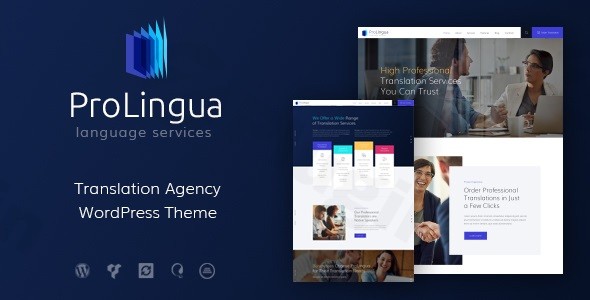
Introduction: Elevate Your Translation Business with ProLingua
The digital landscape for translation and language professionals demands a website that not only looks sophisticated but also functions flawlessly. The ProLingua WordPress theme is a modern, feature-rich solution meticulously crafted for translation agencies, freelance linguists, language professionals, and multilingual businesses. Whether you’re running a translation bureau, offering legal document translation, or providing online language courses, ProLingua delivers an elegant, professional, and highly effective online presence to showcase your expertise and attract global clients. Designed with a clean, contemporary aesthetic, it projects trust and authority, making it the ideal foundation for any language-related service.
Key Features: Design, Layout & Performance
ProLingua is built with a keen eye for design, user experience, and technical excellence, ensuring your website stands out in the competitive translation market.
Professional Design & Layout Options
ProLingua offers a stunning visual presentation coupled with robust layout flexibility:
- 100% Responsive & Mobile-Friendly: Your site will adapt seamlessly to any device, from desktops to smartphones, ensuring an optimal viewing experience for all users.
- Retina-Ready Graphics: High-resolution images and icons ensure crisp, clear visuals on high-density displays, reflecting the professionalism of your services.
- Layout Variations: Choose between boxed and full-width layout options to best suit your brand’s aesthetic.
- Prebuilt Demos & Pages: Jumpstart your website with four pre-made demos and a pack of ready-to-use pages for company history, team members (teachers), and course lists, significantly speeding up your development process.
- Flexible Blog Layouts: Engage your audience with multiple blog layout options and customizable sidebar positions, perfect for sharing philology insights or language tips.
Extensive Customization Capabilities
Tailoring ProLingua to your unique brand is intuitive and powerful:
- 750+ Customization Options: Dive into a vast array of settings to control nearly every aspect of your site’s appearance, from global styles to specific element tweaks, all accessible through the WordPress Customizer.
- Flexible Color Schemes & Typography: Easily adjust your site’s color palette to match your brand identity and fine-tune typography settings to ensure readability and aesthetic consistency.
- Custom Header & Footer Layouts: Utilize the integrated page builder to design unique header and footer sections, enhancing navigation and brand recall.
Performance & SEO Features
ProLingua is engineered for speed and search engine visibility:
- SEO Optimized Structure: The theme’s clean and semantic code provides a solid foundation for higher rankings in search engines like Google and Bing. It’s built to be SEO-friendly right out of the box.
- Optimized Code: Expect fast loading times thanks to its clean and efficient code, contributing to a better user experience and improved search engine performance.
- Cross-Browser Compatibility: Your website will look and function consistently across all major browsers, including Firefox, Safari, Chrome, and IE11+.
Installation & Demo Import
Setting up your ProLingua-powered translation website is a streamlined process, even for those new to WordPress.
- Install & Activate the Theme: Begin by uploading and activating the ProLingua theme directly from your WordPress dashboard under
Appearance > Themes > Add New. - Install Required Plugins: ProLingua bundles and recommends several powerful plugins to unlock its full potential. You’ll be prompted to install these after theme activation. Key integrations include WPBakery Page Builder, Slider Revolution, Essential Grid, Contact Form 7, and MailChimp for WP.
- One-Click Demo Import: To replicate the stunning demo sites, navigate to the theme’s options panel and look for the “Demo Data” or “Import Demo” section. ProLingua offers a convenient one-click demo import feature, allowing you to instantly populate your site with pre-designed layouts, pages, and content. This is a crucial step for a quick setup.
- Post-Import Setup: After the demo import, your site will largely resemble the chosen demo. You’ll find pre-built pages, menus, and widgets already configured. You may need to assign your primary navigation menu and set your static homepage under
Appearance > MenusandSettings > Reading, respectively. While not explicitly detailed, large demo imports can sometimes require increased server memory or execution time, so ensure your hosting environment meets standard WordPress requirements.
Customization Guide: Branding & Layout
Personalizing your ProLingua website to reflect your unique brand is intuitive and gives you extensive control over your site’s look and feel.
- WordPress Customizer Power: The core of ProLingua’s customization lies within the native WordPress Customizer (
Appearance > Customize). Here, you’ll find the 750+ customization options mentioned, allowing you to make real-time adjustments to colors, typography, header and footer styles, blog layouts, and much more. This live preview feature ensures you see your changes instantly. - WPBakery Page Builder for Layouts: For deep page layout modifications and building custom pages, ProLingua integrates seamlessly with WPBakery Page Builder. This drag-and-drop interface empowers you to create complex layouts without writing a single line of code. You can easily modify existing demo pages or build new ones from scratch. This is also where you’ll design your custom header and footer sections.
- Branding Elements: Easily upload your logo and favicon via the Customizer. Adjust primary and secondary color schemes, choose from a wide range of Google Fonts, and set global styles for buttons and other elements to maintain a consistent brand identity.
- Setting Your Homepage and Blog: After importing demo content, ensure your desired homepage is set under
Settings > Reading. Similarly, you can designate a page for your blog posts. - Menu Management: Create and organize your navigation menus under
Appearance > Menus, linking to your key service pages, contact information, and portfolio. ProLingua supports both user and main menus for clear navigation.
FAQ & Troubleshooting
Here are answers to some common questions about the ProLingua Translation Services WordPress theme.
Is ProLingua compatible with popular page builders like WPBakery or Elementor?
Yes, ProLingua is fully compatible with and bundles WPBakery Page Builder (formerly Visual Composer), offering an intuitive drag-and-drop experience for creating and customizing layouts. While WPBakery is the primary bundled builder, an “Elementor Version” is also mentioned in some contexts, suggesting compatibility or an alternative exists. However, for the core theme experience, WPBakery is the emphasized integration.
Does the ProLingua theme support WooCommerce for online stores?
While ProLingua’s primary focus is on translation and language services, it is listed as compatible with WooCommerce. However, its core design and features are not extensively detailed for e-commerce. If your main goal is to sell physical products or services directly online beyond booking or service inquiries, you might need additional WooCommerce-specific styling or extensions to fully integrate an online store.
Does the ProLingua theme support multilingual websites?
Yes, ProLingua is compatible with WPML, which is crucial for any translation or language-focused business looking to serve a global audience. This compatibility allows you to create and manage content in multiple languages effectively.
How do I import demo content into ProLingua?
To import demo content, after installing and activating the ProLingua theme and its required plugins, navigate to the theme options panel in your WordPress dashboard. Look for a section typically labeled “Demo Data,” “Import Demo,” or similar. Follow the on-screen instructions for the one-click demo installation to populate your site with pre-made layouts and content, mimicking the live demo.
How can I update the ProLingua theme without losing my customizations?
Prolingua provides regular updates with new features and bug fixes. You can typically update the theme via the ThemeREX Updater plugin (after entering your purchase code) or through the standard WordPress theme update process. To ensure your customizations are safe, it’s highly recommended to use a child theme for any custom CSS or template file modifications. Always create a full backup of your website before performing any theme or plugin updates.
Conclusion
The ProLingua WordPress theme stands out as a highly specialized and robust solution for anyone in the translation and language services industry. Its elegant, professional design immediately conveys credibility, while its deep integration with WPBakery Page Builder and extensive customization options empower users to create a truly unique online presence. With its SEO-optimized structure, mobile responsiveness, and compatibility with essential plugins like Slider Revolution, Essential Grid, and WPML, ProLingua ensures your website performs as well as it looks.Whether you’re a freelance translator, a growing language agency, or a provider of language courses, ProLingua offers the design flexibility, powerful functionality, and performance readiness needed to attract and convert global clients. It’s a confident choice for building a high-converting, visually-aware, and SEO-optimized website that effectively showcases your linguistic expertise.
I. Download Limits & Account Benefits
- Free Downloads: Each email address receives 3 downloads per day for free products
- Upgrade Benefits: Purchase any paid product to increase your daily download limit by 3 for each paid product
- No Account Required: You can download immediately by receiving the download link via email
- Account Recommended: Create an account for easier access to your order history and direct update downloads
II. Understanding GPL vs Official Versions
Important: The products available on WPPick are GPL-licensed versions, which differ from official developer versions. Before purchasing, please read our comprehensive guide: Understanding GPL & Official Differences at WPPick
Key Points:
- GPL versions may not include premium support from original developers
- Updates may be delayed compared to official releases
- Some premium features might have limitations
- Always consider your specific needs and support requirements
III. Support & Assistance
We’re here to help through multiple channels:
- Email Support: Direct email assistance for all inquiries
- Live Chat: Real-time support during business hours
- Comprehensive Documentation: Detailed guides and tutorials
IV. Order Tracking
Access your complete purchase history and download links anytime: Order History
V. Account Access
New to WPPick? Login or Create Account to manage your downloads and orders efficiently.
VI. Refund Protection
We stand behind our products with a clear refund policy. Review our terms: Refund Policy
VII. Privacy & Security
Your data security is our priority. Learn how we protect your information: Privacy Policy
VII. Terms of Service
Understanding our service terms ensures a smooth experience: Terms of Use
Quick Tips for Best Experience
- Verify Compatibility: Check plugin/theme compatibility with your WordPress version
- Backup First: Always backup your site before installing new plugins or themes
- Test Environment: Consider testing on a staging site first
- Stay Updated: Regularly check for updates in your account dashboard
- Read Documentation: Review any included documentation for optimal setup
Need Help?
If you have questions about downloads, licensing, or need technical assistance, don’t hesitate to contact our support team. We’re committed to ensuring you have the best possible experience with WPPick products.
Ready to get started? Your download adventure begins with just one click!
- Compatibility with WordPress 6.8.1x has been improved
- Theme styles have been improved
- All plugins have been updated to their latest versions