

Ragnok – Shopify Theme For Digital Items
/Year
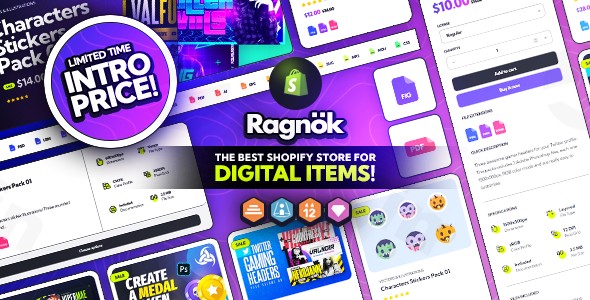
Selling digital products requires a different strategy than selling physical goods. You need to build immediate trust, display technical specifications clearly, and ensure a frictionless delivery process. The Ragnok Shopify theme is a specialized solution designed specifically to meet these needs. Whether you are selling e-books, software, online courses, or NFTs, this digital product Shopify theme provides the technical infrastructure and aesthetic polish to turn visitors into loyal customers.
In this guide, we will explore why Ragnok is a top-tier choice for creators, how to set it up, and the best practices for maximizing your digital sales.
Key Features of the Ragnok Shopify Theme
The Ragnok theme stands out because it focuses on the “at-a-glance” information digital buyers crave. Here are the core features that provide real-world value to your store:
1. File Extension & Specification Icons
Unlike physical products that show weight or dimensions, digital products rely on file types (PDF, ZIP, MP4) and technical specs (Resolution, Compatibility). Ragnok includes dedicated icons that allow you to showcase these details instantly, helping customers confirm the product works for them before they hit “Buy.”
2. Specialized “File Stickers”
To improve the browsing experience, Ragnok utilizes eye-catching file stickers. These visual cues help users differentiate between different types of downloads (e.g., a “Template” vs. a “Plugin”) while scrolling through your collection pages.
3. Shopify Online Store 2.0 (OS 2.0) Compatibility
Ragnok is fully optimized for Shopify OS 2.0. This means you have access to drag-and-drop sections on every page, not just the homepage. You can easily insert FAQ blocks, video testimonials, or featured product sections anywhere without touching a single line of code.
4. Native Dark and Light Mode
Modern tech audiences often prefer browsing in Dark Mode. Ragnok includes a toggle that allows users to switch between light and dark themes, enhancing the user experience (UX) and giving your store a premium, “SaaS-like” feel.
5. Seamless Digital Delivery Integration
While Ragnok handles the presentation, it is built to work perfectly with Shopify’s Digital Downloads app and professional third-party tools like SendOwl and FetchApp. This ensures that once a purchase is made, the delivery of the digital file is automated and secure.
How to Install and Set Up Ragnok for Digital Sales
Setting up a Shopify theme for downloads is straightforward. Follow these steps to get your Ragnok store live:
- Purchase and Download: Secure the Ragnok theme files from a reputable marketplace (like ThemeForest). You will receive a ZIP file containing the theme data.
- Upload to Shopify:
- Log in to your Shopify Admin.
- Navigate to Online Store > Themes.
- Click Add Theme > Upload zip file and select the Ragnok theme file.
- Publish the Theme: Once uploaded, click Actions > Publish to make Ragnok your active store design.
- Configure Digital Specs: Go to the Theme Customizer. Use the “Product Page” settings to enable the file extension icons and item tags.
- Set Up Delivery: Install your preferred digital delivery app (e.g., SendOwl). Ensure your product files are linked to the correct Shopify product entries so customers receive their links immediately after checkout.
Practical Usage & Best Practices
To get the most out of your digital product Shopify theme, consider these real-world workflows:
- For Software Developers: Use the specification icons to list the “Version Number,” “OS Compatibility,” and “License Type.” This reduces customer support queries regarding software requirements.
- For Online Course Creators: Utilize the integrated Knowledge Base support to provide “Getting Started” guides. This builds authority and helps students navigate your course materials effectively.
- For Graphic Designers & NFT Artists: Take advantage of the Figma files included with Ragnok to mock up custom UI elements that match your unique brand aesthetic.
- For E-book Authors: Use the “File Stickers” to highlight the format (e.g., ePub, PDF, or Mobi) clearly on the collection page to ensure buyers know exactly what they are getting.
FAQ & Troubleshooting
What is the Ragnok Shopify theme?
The Ragnok Shopify theme is a specialized e-commerce template designed specifically for businesses selling intangible goods. It features a minimalist, tech-focused design with built-in tools for displaying file types, technical specifications, and digital licenses.
Can the Ragnok theme handle digital product downloads?
Yes, Ragnok is fully compatible with Shopify’s native digital delivery system and third-party apps like SendOwl, FetchApp, and Sky Pilot. It provides the front-end interface (the “shop window”), while these apps handle the secure delivery of the files.
Which Shopify theme is best for selling software?
Ragnok is widely considered one of the best choices for software because of its professional, clean UI and the ability to display technical file specifications (like .exe or .dmg) directly on the product card using custom icons.
Is Ragnok mobile-responsive?
Absolutely. Ragnok is built with a mobile-first philosophy, ensuring that your digital storefront looks and performs perfectly on smartphones, tablets, and desktops. Fast loading speeds are a priority to ensure high conversion rates.
Final Verdict: Is Ragnok Right for You?
If you are moving away from physical retail and focusing on the digital economy, the Ragnok Shopify theme offers an incredible ROI. Its specialized features—like file stickers and specification icons—save you the cost of hiring a developer to add these custom fields manually.
Ideal for: SaaS companies, e-book publishers, course creators, and digital asset marketplaces.
By combining the power of Shopify OS 2.0 with a design tailored for downloads, Ragnok provides a high-converting, professional home for your digital products. For more reviews and WordPress or Shopify insights, visit wppick.com.
I. Download Limits & Account Benefits
- Free Downloads: Each email address receives 3 downloads per day for free products
- Upgrade Benefits: Purchase any paid product to increase your daily download limit by 3 for each paid product
- No Account Required: You can download immediately by receiving the download link via email
- Account Recommended: Create an account for easier access to your order history and direct update downloads
II. Understanding GPL vs Official Versions
Important: The products available on WPPick are GPL-licensed versions, which differ from official developer versions. Before purchasing, please read our comprehensive guide: Understanding GPL & Official Differences at WPPick
Key Points:
- GPL versions may not include premium support from original developers
- Updates may be delayed compared to official releases
- Some premium features might have limitations
- Always consider your specific needs and support requirements
III. Support & Assistance
We’re here to help through multiple channels:
- Email Support: Direct email assistance for all inquiries
- Live Chat: Real-time support during business hours
- Comprehensive Documentation: Detailed guides and tutorials
IV. Order Tracking
Access your complete purchase history and download links anytime: Order History
V. Account Access
New to WPPick? Login or Create Account to manage your downloads and orders efficiently.
VI. Refund Protection
We stand behind our products with a clear refund policy. Review our terms: Refund Policy
VII. Privacy & Security
Your data security is our priority. Learn how we protect your information: Privacy Policy
VII. Terms of Service
Understanding our service terms ensures a smooth experience: Terms of Use
Quick Tips for Best Experience
- Verify Compatibility: Check plugin/theme compatibility with your WordPress version
- Backup First: Always backup your site before installing new plugins or themes
- Test Environment: Consider testing on a staging site first
- Stay Updated: Regularly check for updates in your account dashboard
- Read Documentation: Review any included documentation for optimal setup
Need Help?
If you have questions about downloads, licensing, or need technical assistance, don’t hesitate to contact our support team. We’re committed to ensuring you have the best possible experience with WPPick products.
Ready to get started? Your download adventure begins with just one click!
No changelog available.