

Rapipro – Handyman & Home Repair Service Website Elementor Template Kits
/Year
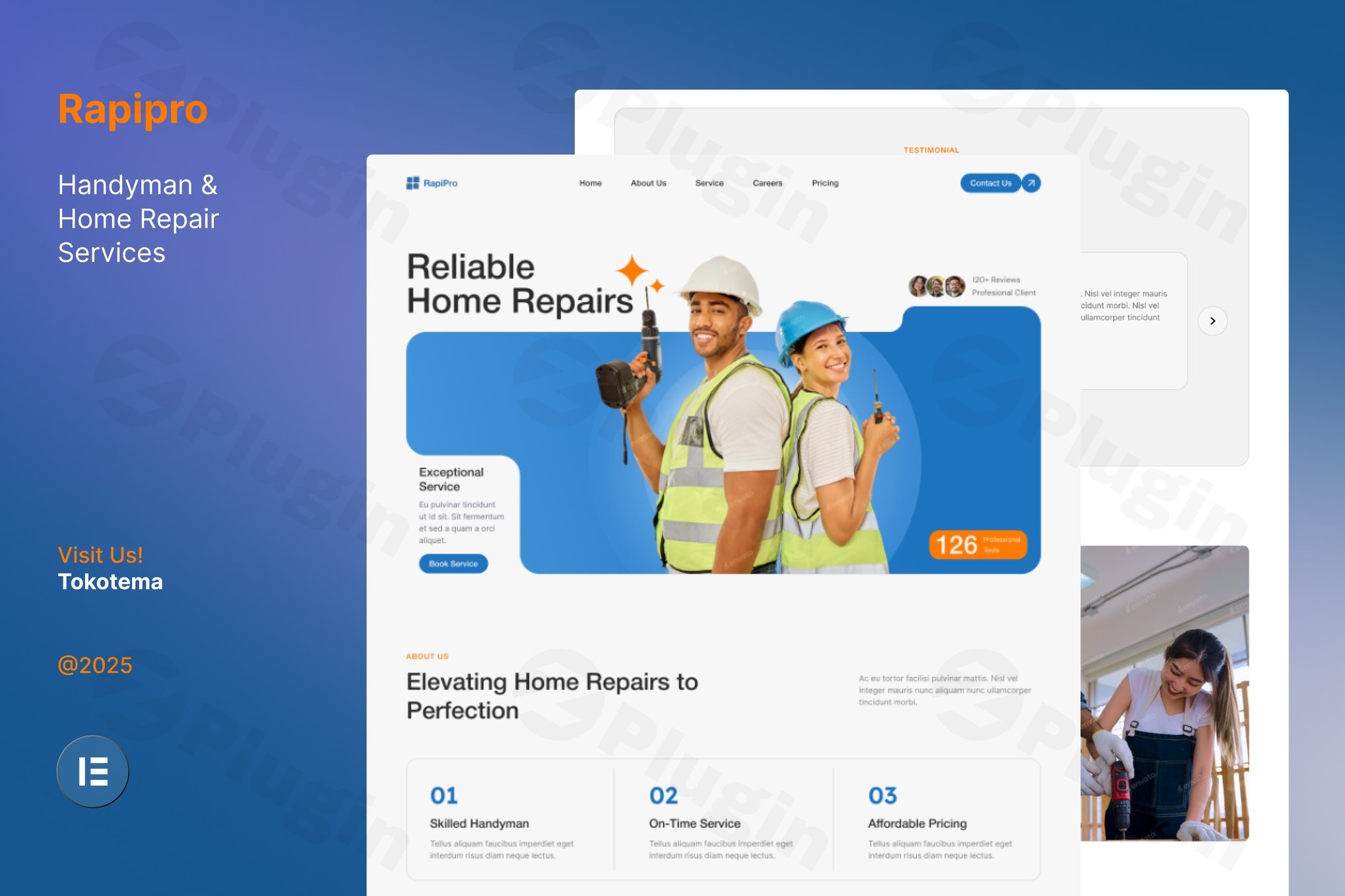
For home service professionals, a website is more than just a digital business card—it is a lead-generation engine. Rapipro is a specialized handyman WordPress template kit designed to bridge the gap between technical complexity and professional design. Built specifically for the home repair website elementor ecosystem, Rapipro allows plumbers, electricians, and general contractors to launch a high-converting online presence without touching a single line of code.
Whether you are a solo handyman or managing a large maintenance agency, this kit provides the aesthetic and functional framework needed to build trust with local clients and streamline service bookings.
Key Features of the Rapipro Elementor Template
Rapipro isn’t just a collection of pretty pages; it is a conversion-optimized elementor template kit for services. Here is a breakdown of the benefits it brings to your home repair business:
- Fully Customizable No-Code Design: Utilizing the drag-and-drop power of Elementor, you can adapt every layout, color, and font to match your brand. This flexibility ensures your site looks unique even if you aren’t a developer.
- Mobile-First Responsiveness: Most homeowners search for emergency repairs on their smartphones. Rapipro is fully responsive, ensuring your contact buttons and booking forms work perfectly on every device.
- Built-in Service & Pricing Sections: Transparency builds trust. The kit includes pre-designed sections to highlight your specific repair services and clear pricing tables, reducing friction in the customer journey.
- High-Impact Portfolio Display: Use the integrated image galleries to showcase “Before and After” projects. This visual proof is essential for demonstrating workmanship quality to potential leads.
- Lead Generation Forms: With integrated contact and appointment booking forms (via Metform or similar), Rapipro makes it easy for clients to request quotes or schedule repairs immediately.
- SEO-Optimized Structure: The kit uses clean, semantic code. This helps search engines understand your content better, giving your wordpress handyman theme a better chance of ranking for local search terms.
Technical Specifications & Requirements
To ensure the best performance on your WordPress site, Rapipro is optimized for a specific technical environment:
- Page Builder: Elementor (Compatible with version 3.10.x and higher).
- Base Theme: Optimized for the free Hello Elementor theme.
- Required Plugins: The kit typically requires Elementor, ElementsKit Lite, and Metform. Some layouts may utilize “The Plus Addons for Elementor” or “Ultimate Addons for Elementor Lite.”
- Compatibility: Works with most modern WordPress themes that support the Elementor canvas.
How to Install the Rapipro Elementor Template Kit
Setting up your home repair website elementor project is straightforward. Follow these steps to get started:
- Install Essential Components: Ensure you have the Hello Elementor theme and the Elementor plugin installed and active on your WordPress dashboard.
- Install a Kit Importer: Install the “Envato Elements” plugin or a similar “Template Kit Import” plugin from the WordPress repository.
- Upload the Kit: Go to Elements > Installed Kits and click the Upload Template Kit Zip File button. Select your Rapipro zip file.
- Install Requirements: A prompt will appear listing the required plugins (like Metform or ElementsKit). Click Install Requirements to ensure all features work correctly.
- Import Global Styles: Always import the Global Kit Styles first. This sets your site-wide colors and typography.
- Import Individual Templates: One by one, click “Import” on the pages you need (Homepage, About Us, Services, Contact, etc.).
- Finalize Pages: Go to Pages > Add New, click “Edit with Elementor,” and use the Elementor folder icon to insert your imported templates into the live pages.
Practical Usage & Best Practices
To get the most out of your Rapipro elementor template, consider these real-world workflows:
For Local Service Growth
If you are a local handyman, focus on the Service Details pages. Create a dedicated page for each niche (e.g., “Leaky Faucet Repair” or “Drywall Patching”). Using long-tail keywords like “handyman services in [Your City]” within these templates will significantly boost your local SEO.
Building Authority with Portfolios
Don’t just upload photos; use the portfolio sections to tell a story. Include a brief description of the problem you solved and the materials used. This demonstrates expertise and builds the “Experience” and “Authoritativeness” (E-E-A-T) that Google looks for.
Streamlining Operations
Use the integrated Booking Forms to collect specific information before you ever pick up the phone. Ask for the “Type of Repair” and “Preferred Date” within the form fields to qualify leads automatically.
FAQ & Troubleshooting
What is an Elementor template kit?
An Elementor template kit is a collection of pre-designed page layouts and individual content blocks. Unlike a traditional WordPress theme, a kit focus specifically on the design and structure within the Elementor page builder, allowing for much deeper customization without changing your entire theme architecture.
Does Rapipro work with Elementor Free?
Yes, Rapipro is designed to work with the free version of Elementor. However, some advanced features like certain header/footer customizations or specific widgets may require the free versions of supporting plugins like ElementsKit Lite or Metform. Elementor Pro is recommended but not strictly required for the core layouts to function.
How do I fix the layout if it looks different from the demo?
If the design looks “broken” after import, ensure you have imported the Global Kit Styles first. Also, check that your page layout is set to “Elementor Full Width” or “Elementor Canvas” in the page settings.
Is the Rapipro kit SEO friendly?
Yes. Rapipro uses a clean, lightweight structure that avoids “code bloat,” which is essential for fast loading times—a key ranking factor. When combined with an SEO plugin like RankMath or Yoast, it provides an excellent foundation for search engine visibility.
Final Verdict
The Rapipro – Handyman & Home Repair Service Website Elementor Template Kit is an exceptional choice for home service businesses that need a professional look without a high-end agency price tag. Its focus on conversion-ready forms, mobile responsiveness, and clean design makes it a high-ROI tool for any contractor.
By leveraging this handyman wordpress template kit, you can stop worrying about website maintenance and focus on what you do best: fixing homes and serving your community. For more WordPress resources and plugin insights, visit us at wppick.com.
I. Download Limits & Account Benefits
- Free Downloads: Each email address receives 3 downloads per day for free products
- Upgrade Benefits: Purchase any paid product to increase your daily download limit by 3 for each paid product
- No Account Required: You can download immediately by receiving the download link via email
- Account Recommended: Create an account for easier access to your order history and direct update downloads
II. Understanding GPL vs Official Versions
Important: The products available on WPPick are GPL-licensed versions, which differ from official developer versions. Before purchasing, please read our comprehensive guide: Understanding GPL & Official Differences at WPPick
Key Points:
- GPL versions may not include premium support from original developers
- Updates may be delayed compared to official releases
- Some premium features might have limitations
- Always consider your specific needs and support requirements
III. Support & Assistance
We’re here to help through multiple channels:
- Email Support: Direct email assistance for all inquiries
- Live Chat: Real-time support during business hours
- Comprehensive Documentation: Detailed guides and tutorials
IV. Order Tracking
Access your complete purchase history and download links anytime: Order History
V. Account Access
New to WPPick? Login or Create Account to manage your downloads and orders efficiently.
VI. Refund Protection
We stand behind our products with a clear refund policy. Review our terms: Refund Policy
VII. Privacy & Security
Your data security is our priority. Learn how we protect your information: Privacy Policy
VII. Terms of Service
Understanding our service terms ensures a smooth experience: Terms of Use
Quick Tips for Best Experience
- Verify Compatibility: Check plugin/theme compatibility with your WordPress version
- Backup First: Always backup your site before installing new plugins or themes
- Test Environment: Consider testing on a staging site first
- Stay Updated: Regularly check for updates in your account dashboard
- Read Documentation: Review any included documentation for optimal setup
Need Help?
If you have questions about downloads, licensing, or need technical assistance, don’t hesitate to contact our support team. We’re committed to ensuring you have the best possible experience with WPPick products.
Ready to get started? Your download adventure begins with just one click!