
Rhye – Ajax Portfolio WordPress Theme
/Year
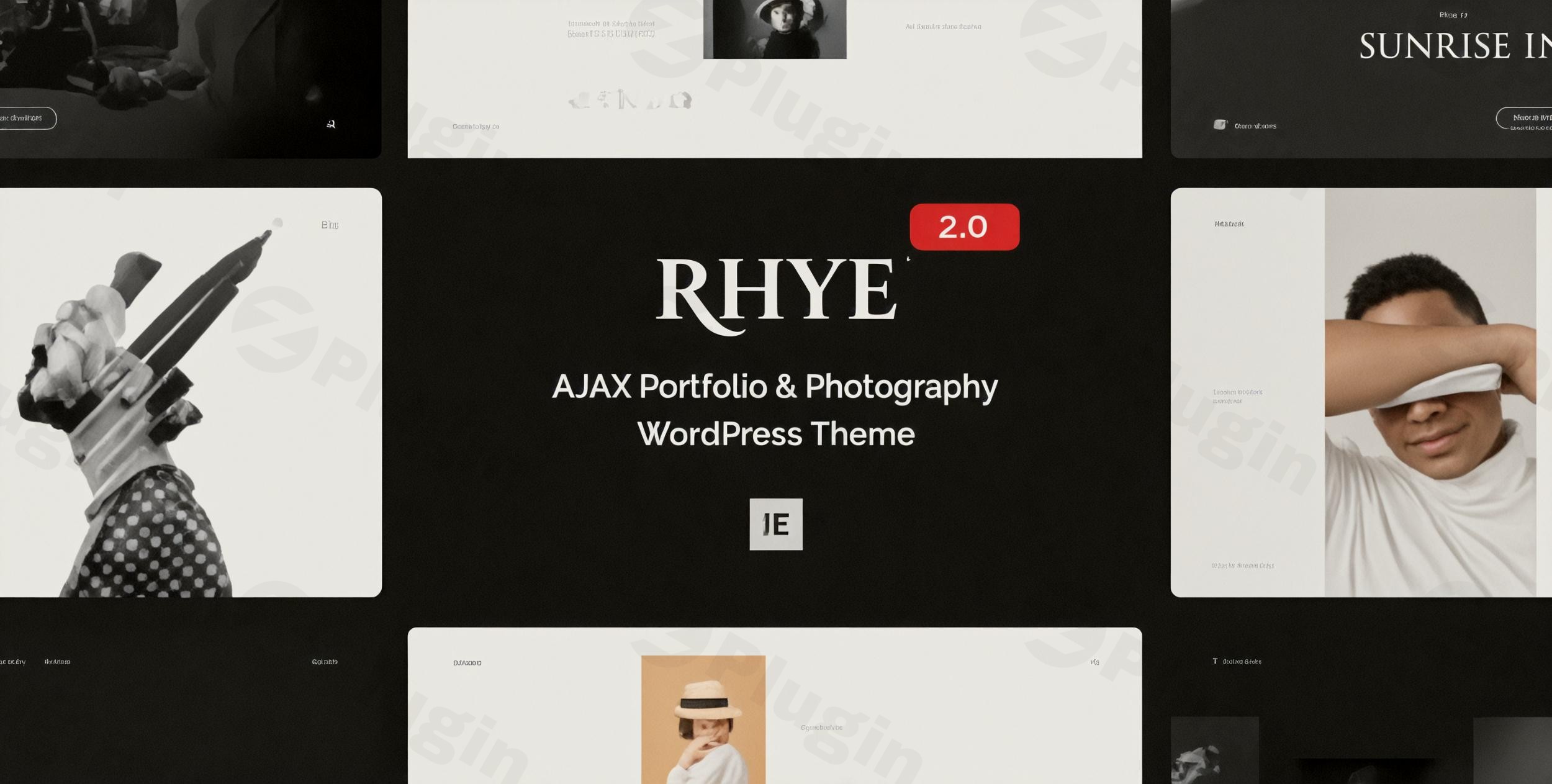
The digital realm demands more than just a presence; it demands an experience. For creative professionals—designers, photographers, artists, and agencies—showcasing work isn’t just about displaying images; it’s about telling a story with flair and fluidity. The Rhye – AJAX Portfolio WordPress Theme steps into this space, offering a sophisticated and seamless platform designed to captivate your audience and highlight your best projects with unparalleled interactive design.
1. Introduction: Visual Appeal & Target Audience
Rhye is a premium WordPress theme meticulously crafted for creative professionals aiming for a modern and interactive online portfolio. Its core philosophy revolves around delivering a visually stunning and highly engaging user experience through advanced web technologies. This theme is ideal for anyone who wants their portfolio to stand out with a “slick premium touch” and a unique “wow factor,” making it a perfect WordPress theme for designers, photographers, artists, and creative agencies looking to showcase their work dynamically and without interruption.
2. Key Features: Design, Layout & Performance
Rhye’s robust feature set combines aesthetic excellence with cutting-edge functionality, focusing on intuitive design and high performance.
Design & Layout Options
Rhye provides diverse options to present your portfolio, ensuring your work always looks its best.
- Versatile Portfolio Designs: Showcase projects using multiple grid styles, masonry layouts, captivating carousels, and dynamic sliders. The theme supports both standard and direction-aware fullscreen sliders, offering a dramatic visual impact.
- Prebuilt Templates: Jumpstart your website with over 45 professionally designed pages based on Elementor Page Builder. These templates are included in the download package and can be imported selectively, allowing you to replicate the live demo with ease.
Customization Capabilities
Personalizing your portfolio to match your unique brand identity is effortless with Rhye.
- Color Schemes: Adjust theme colors across various page sections or choose from pre-designed color themes. Experience unique on-scroll color theme changes that add an interactive layer to your design.
- Typography: Rhye features fluid typography, ensuring your text is perfectly responsive on any device. You get complete control over each heading from the Customizer, with support for Google Fonts, Adobe TypeKit, and self-hosted fonts. This attention to typography ensures excellent visual hierarchy and readability.
- Spacing & Backgrounds: Achieve consistent and aesthetically pleasing spacing across your website. Create fancy section offsets and overlaps, with adjustable spacing presets available in the Customizer. Enhance visual depth with customizable backgrounds and compelling video backgrounds.
- Headers & Footers: While specific header/footer builders aren’t detailed, Rhye includes a sophisticated fullscreen overlay menu with a “curtain open” effect and unlimited submenus, offering a unique navigation experience. Dual logo versions are also supported.
Performance & SEO Features
Performance is paramount for creative portfolios, and Rhye excels with its focus on speed and seamless interactions.
- Seamless AJAX Transitions: Rhye is built on AJAX technology, enabling smooth infinite scrolling and speedy site navigation without full page refreshes. This creates an “ultra-fast” and uninterrupted browsing experience, crucial for retaining visitor engagement.
- Advanced Motion Effects: Powered by WebGL and GSAP 3, the theme incorporates silky smooth motion effects that elevate your portfolio. These include parallax backgrounds, dynamic slider distortion effects, interactive mouse cursors, and elegant typography reveals, adding a premium “wow factor.”
- Optimization: To further enhance speed, Rhye includes a customizable preloader and images lazy loading. It also offers smooth page scrolling plugin support, ensuring a fluid user interface and a higher-performing site. While not explicitly detailed for schema, the clean markup and structured heading usage contribute to its SEO readiness. The theme is also designed for mobile responsiveness, ensuring beautiful presentation on all screen sizes and across various browsers.
3. Installation & Demo Import
Getting started with the Rhye WordPress Theme is a straightforward process, even for those with no coding knowledge.
- Install & Activate: After purchasing Rhye from ThemeForest, download the theme package. Navigate to
Appearance > Themes > Add New > Upload Themein your WordPress dashboard. Uploadrhye.zipand click “Install Now,” then “Activate.” - Install Required Plugins: Upon activation, Rhye will prompt you to install any necessary companion plugins. Rhye is deeply integrated with the free version of Elementor Page Builder, so you will likely be prompted to install it. Ensure all recommended plugins are installed and activated for full theme functionality.
- One-Click Demo Import: Rhye features a powerful one-click demo import tool. This allows you to quickly replicate the stunning layouts and designs seen in the live demo. Access this feature via the theme’s dedicated options panel. Select the demo you wish to import and follow the on-screen instructions.
- After Demo Import: Once the demo import is complete, your site will have populated pages, posts, menus, and widgets, closely mirroring the chosen demo. You can then begin customizing these elements to infuse your brand’s unique style. While comprehensive, ensure your server memory limits and execution times are sufficient for large demo imports to prevent timeouts.
4. Customization Guide: Branding & Layout
Rhye offers extensive customization options, allowing you to tailor every aspect of your website to reflect your brand’s identity and visual requirements.
- Elementor Page Builder Integration: At the heart of Rhye’s customization is its seamless integration with Elementor. The theme comes with 27 professionally crafted custom Elementor widgets, extending Elementor’s capabilities and providing unparalleled flexibility to create unique page layouts. You can drag and drop elements, customize content, and style sections without touching a single line of code.
- WordPress Customizer & Global Styles: For sitewide changes, leverage the native WordPress Customizer. Here, you have complete control over:
- Colors: Easily change accent colors and overall color schemes.
- Typography: Adjust font families, sizes (with fluid typography for responsive scaling), and weights for various elements.
- Spacing Presets: Fine-tune the spacing and padding across your site to achieve perfect visual balance.
- Logo & Site Identity: Upload your brand logo and favicon, and configure site titles and taglines.
- Header & Navigation: Configure the unique fullscreen overlay menu, set up dual logos, and manage your navigation links to create an intuitive and engaging user journey.
- Child Theme for Advanced Users: For advanced customizations or if you plan to modify the theme’s core code, Rhye includes a child theme (
rhye-child.zip) in the download package. Using a child theme ensures that your modifications are safe from being overwritten during theme updates.
5. FAQ & Troubleshooting
Here are answers to some common questions about the Rhye – AJAX Portfolio WordPress Theme.
Is Rhye theme compatible with Elementor?
Yes, Rhye is built upon and deeply integrated with the free version of Elementor Page Builder. It includes 27 custom Elementor widgets, allowing users to create unlimited custom layouts with drag-and-drop functionality without needing Elementor Pro.
Does Rhye theme support WooCommerce for online stores?
No, Rhye explicitly states that it does not have compatibility with WooCommerce or any other e-commerce related plugin. It is designed specifically for portfolio websites and is not suitable for creating online stores.
Does Rhye theme support child themes?
Yes, a child theme (rhye-child.zip) is included in the Rhye download package. It is recommended to use the child theme for any custom code modifications to ensure your changes are preserved during theme updates.
What are Rhye theme’s key performance features?
Rhye’s key performance features include seamless AJAX transitions for “speedy site navigation without page refresh,” advanced WebGL and GSAP 3 motion effects, a customizable preloader, and images lazy loading. These features contribute to an “ultra-fast” and fluid user experience.
Who is the Rhye WordPress theme best for?
The Rhye WordPress theme is best for creative professionals such as designers, photographers, artists, freelancers, and creative agencies. It’s ideal for anyone who needs a highly interactive, visually dynamic portfolio that stands out, particularly those seeking advanced motion effects and an uninterrupted browsing experience.
6. Conclusion
The Rhye – AJAX Portfolio WordPress Theme stands as a powerful and aesthetically refined choice for any creative professional seeking to build a standout online portfolio. Its combination of seamless AJAX transitions, advanced WebGL motion effects, and deep integration with Elementor provides an unparalleled platform for showcasing visual work.With its extensive customization options, fluid typography, and responsive design, Rhye offers significant design flexibility and ease of use, even for those without coding expertise. While its specialized focus means it does not support WooCommerce or other e-commerce plugins, this singular dedication allows it to excel in its niche. For designers, photographers, and agencies prioritizing a high-performance, visually stunning, and interactive portfolio experience, Rhye is an exceptional investment that will leave a lasting impression on visitors.
I. Download Limits & Account Benefits
- Free Downloads: Each email address receives 3 downloads per day for free products
- Upgrade Benefits: Purchase any paid product to increase your daily download limit by 3 for each paid product
- No Account Required: You can download immediately by receiving the download link via email
- Account Recommended: Create an account for easier access to your order history and direct update downloads
II. Understanding GPL vs Official Versions
Important: The products available on WPPick are GPL-licensed versions, which differ from official developer versions. Before purchasing, please read our comprehensive guide: Understanding GPL & Official Differences at WPPick
Key Points:
- GPL versions may not include premium support from original developers
- Updates may be delayed compared to official releases
- Some premium features might have limitations
- Always consider your specific needs and support requirements
III. Support & Assistance
We’re here to help through multiple channels:
- Email Support: Direct email assistance for all inquiries
- Live Chat: Real-time support during business hours
- Comprehensive Documentation: Detailed guides and tutorials
IV. Order Tracking
Access your complete purchase history and download links anytime: Order History
V. Account Access
New to WPPick? Login or Create Account to manage your downloads and orders efficiently.
VI. Refund Protection
We stand behind our products with a clear refund policy. Review our terms: Refund Policy
VII. Privacy & Security
Your data security is our priority. Learn how we protect your information: Privacy Policy
VII. Terms of Service
Understanding our service terms ensures a smooth experience: Terms of Use
Quick Tips for Best Experience
- Verify Compatibility: Check plugin/theme compatibility with your WordPress version
- Backup First: Always backup your site before installing new plugins or themes
- Test Environment: Consider testing on a staging site first
- Stay Updated: Regularly check for updates in your account dashboard
- Read Documentation: Review any included documentation for optimal setup
Need Help?
If you have questions about downloads, licensing, or need technical assistance, don’t hesitate to contact our support team. We’re committed to ensuring you have the best possible experience with WPPick products.
Ready to get started? Your download adventure begins with just one click!
- Fixed a PHP warning that could appear on the plugins update page.
- Updated bundled ACF Pro to the latest version 6.8.0.
- Updated bundled ACF Pro to the latest version 6.7.0.
- Fixed cookie consent plugins blocking theme frontend due to Google Maps URL in plugin configuration.
- Gallery images and videos now open correctly in the lightbox when Elementor Pro Page Transitions is enabled
- ACF Pro plugin updates not being delivered to users with valid theme license
- JS warning during AJAX transitions when elementor-frontend style element couldn't be found
- hang of a running AJAX transition when smooth scrolling is off (typically mobiles)
- Blog sidebar not disappearing when all widgets are removed
- Update form action URL to use "home_url" for password form
- Featured video support for portfolio items, pages, services, and albums
- Video upload field in WordPress admin (supports mp4, webm, ogg formats)
- Toggle to enable/disable featured video in page masthead settings
- "Use Featured Video" option in all portfolio and service widgets
- Seamless video transitions with WebGL morphing effects
- Smooth AJAX navigation between pages with videos
- Slider distortion effect now works with both images and videos
- Hover reveal effects support video playback
- Enhance page title retrieval for home (blog page) and fallback scenarios
- Support for AVIF image formats during AJAX transitions