

Ronneby – High-performance WordPress Themes
/Year
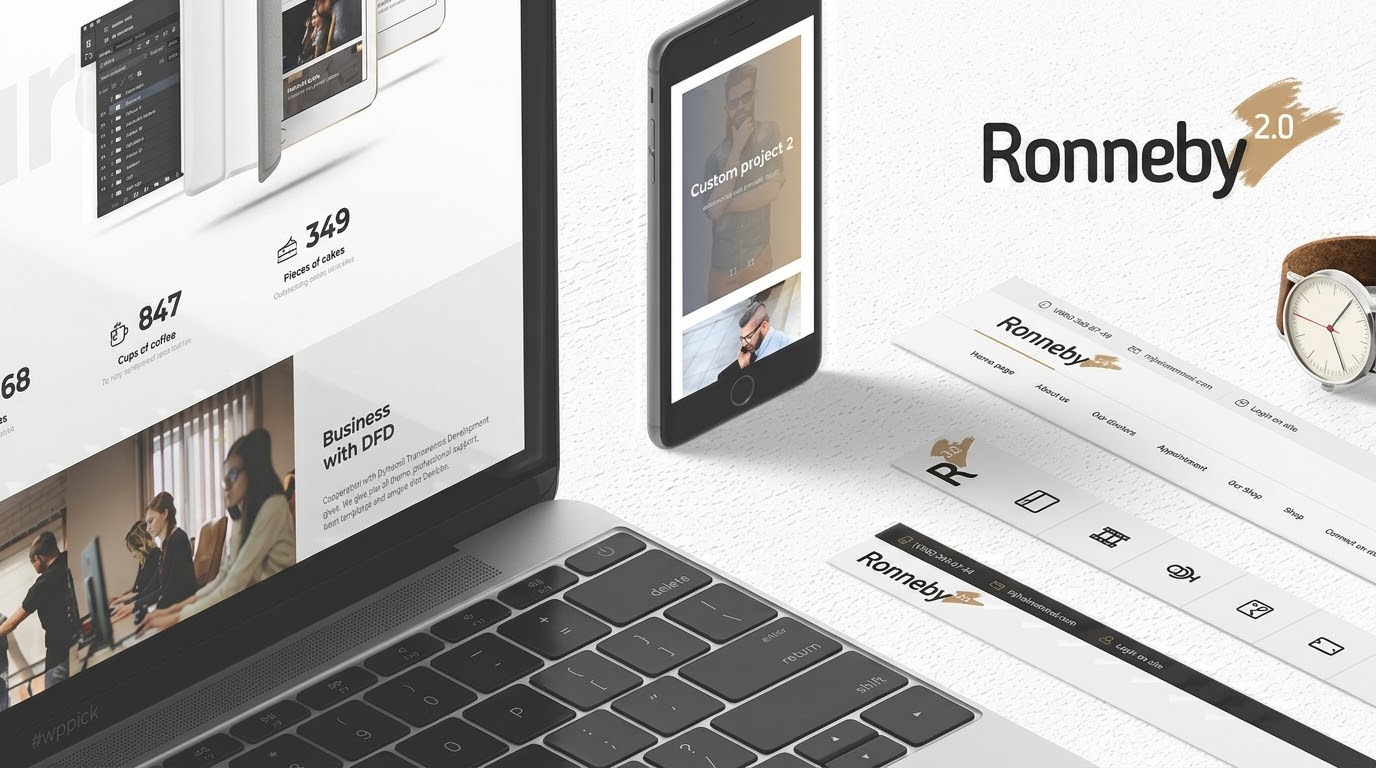
Choosing a website template often feels like a trade-off between stunning aesthetics and technical performance. The Ronneby WordPress theme aims to eliminate that compromise by offering a “High-Performance” engine paired with a deeply creative design philosophy. Designed by DFDevelopment, Ronneby is a multipurpose WordPress theme that caters to agencies, freelancers, and corporate entities looking to build a unique digital presence without touching a single line of code.
Whether you are launching a minimalist portfolio or a complex SEO-friendly WooCommerce WordPress theme for your online store, Ronneby provides a robust framework of over 50 pre-built demos and a suite of premium bundled plugins to accelerate your workflow.
Key Features: Design, Layout & Performance
Ronneby is built on the principle of “visual impact.” It doesn’t just display content; it presents it through sophisticated animations, parallax effects, and highly customizable layouts.
1. Massive Library of 50+ Pre-built Demos
Ronneby stands out from other multipurpose themes by offering over 50 creative and corporate starter sites. These aren’t just simple skins; they are full-scale website templates for niches ranging from fitness and healthcare to law firms and creative agencies. Each demo can be imported with a single click, providing a professional foundation in minutes.
2. Deep Customization & 14 Header Styles
One of Ronneby’s strongest assets is its layout flexibility.
- Headers: You can choose from 14 distinct header styles, each supporting logos, language switchers, social icons, and login forms.
- Shortcodes: The theme includes over 40 DFD custom shortcodes, allowing you to add specialized modules like service grids, portfolio carousels, and testimonials.
- Visual Elements: Support for parallax backgrounds, video backgrounds, and gradient effects ensures your site feels modern and interactive.
3. Performance & SEO Readiness
Marketed as a high-performance WordPress theme, Ronneby is optimized for speed and responsiveness. While the theme is feature-rich, it follows clean coding standards to ensure that search engines like Google can crawl and index your site effectively. Its mobile-first approach ensures that the “wow” effects transition smoothly from desktop to smartphone screens, which is critical for maintaining high Core Web Vitals.
Installation & Demo Import Guide
Setting up Ronneby is straightforward, but it does require attention to your server settings to ensure the heavy-duty demos import correctly.
- Theme Activation: Upload the Ronneby theme files via your WordPress Dashboard (Appearance > Themes > Add New) and activate it.
- Plugin Installation: Upon activation, you will be prompted to install required plugins. This includes the Installer Plugin, WPBakery Page Builder, and Revolution Slider.
- One-Click Demo Import: Navigate to the Ronneby “Import” section. Choose your desired demo and click import.
- Note: Ensure your server’s
memory_limitis set to at least 128M andmax_execution_timeis at least 120 to prevent the process from timing out.
- Note: Ensure your server’s
4. Final Polish: Once the import is complete, your menus, widgets, and homepage settings will be configured automatically to match the demo site.
Customization Guide (Branding & Layout)
Personalizing your Ronneby site happens through a combination of the Theme Options Panel and the WPBakery Page Builder.
- Global Styling: Use the powerful Theme Options panel to set your global brand colors, typography (integrating with Google Fonts), and site-wide spacing.
- Header Customization: You can easily customize the header in Ronneby by selecting one of the 14 presets and then refining the details (logo placement, sticky behavior, etc.) within the options panel.
- Visual Building: Since Ronneby is a WPBakery compatible WordPress theme, you can edit pages on the frontend or backend using drag-and-drop modules. This makes it easy to move sections, change backgrounds, or add custom DFD shortcodes to any page.
* WooCommerce Integration: For store owners, Ronneby provides dedicated shop layouts that are fully compatible with WooCommerce, ensuring your product pages look as professional as the rest of your site.
FAQ & Troubleshooting
Is Ronneby compatible with Elementor or Gutenberg?
While Ronneby is primarily designed for and bundled with WPBakery Page Builder, it is a modern theme that supports the WordPress Block Editor (Gutenberg). While you can use Elementor, the theme’s custom shortcodes and demo content are specifically optimized for WPBakery.
Does Ronneby support WooCommerce for online stores?
Yes, Ronneby is an SEO-friendly WooCommerce WordPress theme. It offers full integration with WooCommerce, including custom shop layouts, product hover effects, and a streamlined checkout design suitable for any e-commerce niche.
Does it support child themes?
Yes, it is highly recommended to use a child theme with Ronneby. This allows you to add custom CSS or PHP modifications without losing your changes when the parent theme is updated.
What should I do if the demo import fails?
If a demo import hangs, it is usually due to server limitations. Check that your PHP version is 7.4 or higher and that your max_input_vars is set to 3000. These settings can usually be adjusted via your hosting cPanel or by contacting your host.
Final Verdict
The Ronneby WordPress theme is a powerhouse for users who value visual flair and extensive out-of-the-box variety. It successfully bridges the gap between a corporate business tool and a creative portfolio.
- Best for: Creative agencies, freelancers, and businesses that want a high-end, customized look without hiring a developer.
- Pros: Incredible demo variety, bundled premium plugins (worth over $100), and deep header/layout customization.
- Cons: The sheer number of options can feel overwhelming for absolute beginners, and the interface has a slight learning curve.If you are looking for a high-performance WordPress theme that makes a bold statement, Ronneby remains one of the most versatile choices on the market today.For more theme reviews and WordPress tutorials, visit us at wppick.com.
I. Download Limits & Account Benefits
- Free Downloads: Each email address receives 3 downloads per day for free products
- Upgrade Benefits: Purchase any paid product to increase your daily download limit by 3 for each paid product
- No Account Required: You can download immediately by receiving the download link via email
- Account Recommended: Create an account for easier access to your order history and direct update downloads
II. Understanding GPL vs Official Versions
Important: The products available on WPPick are GPL-licensed versions, which differ from official developer versions. Before purchasing, please read our comprehensive guide: Understanding GPL & Official Differences at WPPick
Key Points:
- GPL versions may not include premium support from original developers
- Updates may be delayed compared to official releases
- Some premium features might have limitations
- Always consider your specific needs and support requirements
III. Support & Assistance
We’re here to help through multiple channels:
- Email Support: Direct email assistance for all inquiries
- Live Chat: Real-time support during business hours
- Comprehensive Documentation: Detailed guides and tutorials
IV. Order Tracking
Access your complete purchase history and download links anytime: Order History
V. Account Access
New to WPPick? Login or Create Account to manage your downloads and orders efficiently.
VI. Refund Protection
We stand behind our products with a clear refund policy. Review our terms: Refund Policy
VII. Privacy & Security
Your data security is our priority. Learn how we protect your information: Privacy Policy
VII. Terms of Service
Understanding our service terms ensures a smooth experience: Terms of Use
Quick Tips for Best Experience
- Verify Compatibility: Check plugin/theme compatibility with your WordPress version
- Backup First: Always backup your site before installing new plugins or themes
- Test Environment: Consider testing on a staging site first
- Stay Updated: Regularly check for updates in your account dashboard
- Read Documentation: Review any included documentation for optimal setup
Need Help?
If you have questions about downloads, licensing, or need technical assistance, don’t hesitate to contact our support team. We’re committed to ensuring you have the best possible experience with WPPick products.
Ready to get started? Your download adventure begins with just one click!
- Small bug fixed
- Error hosting Plesk bug fixed
- WooCommerce templates updated v.10.1.2
- WPBakery Page Builder plugin updated v.8.6.1
- Updated the Ronneby Core plugin to version 1.5.69
- Slider Revolution plugin updated v.6.7.35
- WooCommerce templates updated v.9.6.0
- WPBakery Page Builder plugin updated v.8.5
- Updated the Ronneby Core plugin to version 1.5.68
- Slider Revolution plugin updated to version 6.7.34
- Fixed compatibility issue with WordPress version 6.8.1
- WPBakery Page Builder plugin updated to version 8.4.1
- Updated the Ronneby Core plugin to version 1.5.67