

Shopkeeper – Premium WordPress Theme For Ecommerce
/Year
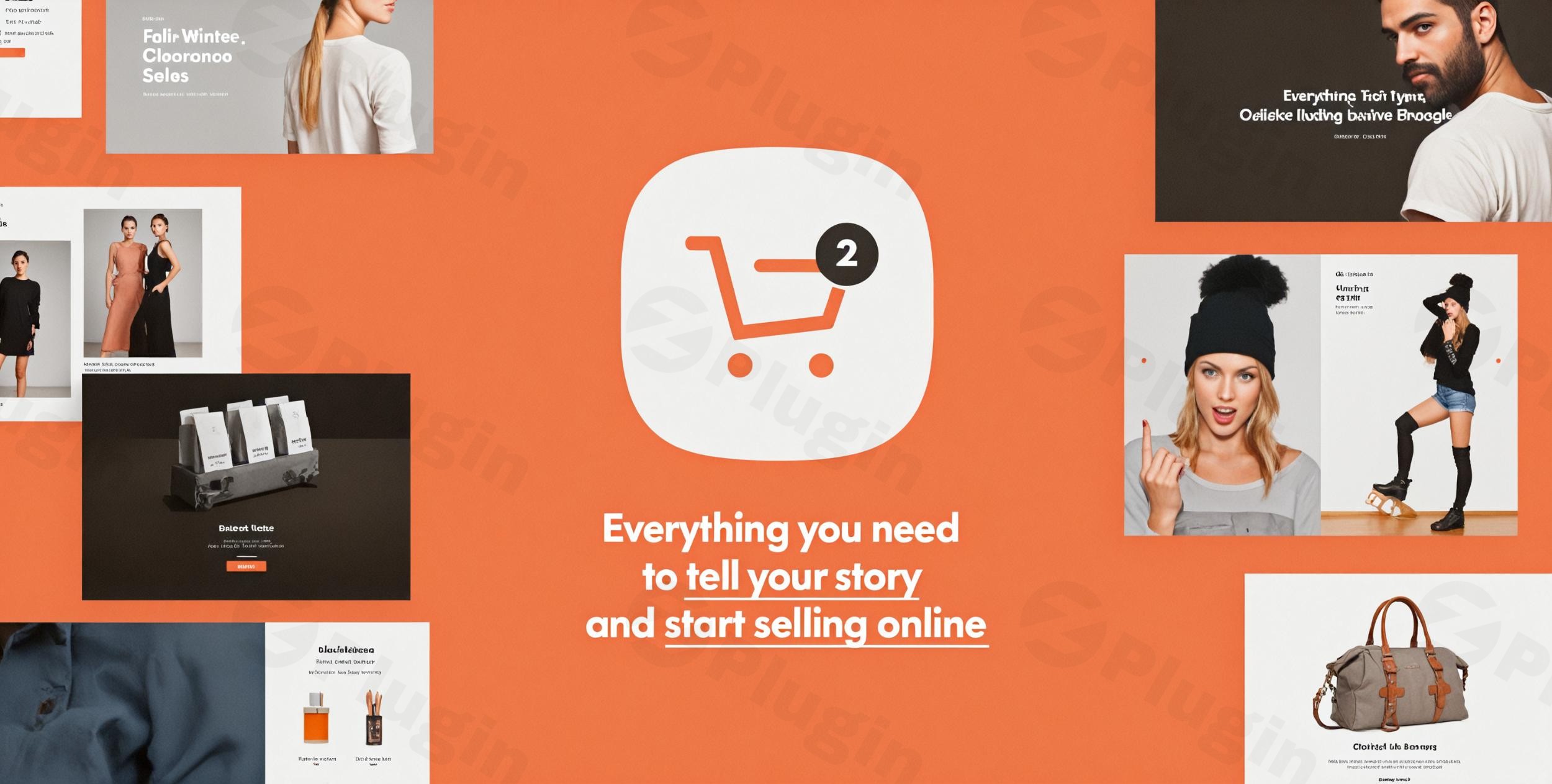
The Shopkeeper WordPress theme is a premium, multi-purpose solution expertly crafted for creating professional online stores and diverse digital presences. Designed for both ambitious entrepreneurs and seasoned web developers, Shopkeeper combines elegant aesthetics with robust functionality, making it an ideal choice for fashion boutiques, electronics shops, furniture stores, and even blogs, portfolios, and corporate websites.
Key Features: Design, Layout & Performance for High-Converting Stores
Shopkeeper excels at providing the tools needed to build visually captivating and highly functional online stores. Its feature set focuses on flexible design, deep customization, and optimized performance.
Design & Layout Options: Crafting Your Brand’s Visual Identity
Shopkeeper empowers you with extensive control over your site’s visual presentation. It boasts a fully responsive design, ensuring your store looks impeccable and performs flawlessly on any device, from desktops to smartphones.
- Diverse Layouts: Choose from multiple header and footer designs, wide or boxed page layouts, and flexible grid settings to perfectly showcase your products. For your blog, select from classic pagination, a “load more” button, infinite scroll, or a masonry layout. Product pages also offer four distinct layout options to highlight your inventory effectively.
- Pre-Built Templates & Demos: Accelerate your workflow with Shopkeeper’s ready-to-use, importable demo sites. With over 10 unique homepage layouts available via a one-click demo import, you can quickly establish a foundation and then customize it to your brand’s exact specifications.
- Modern Aesthetic: The theme champions a modern, sleek, clean, and elegant design philosophy, with a minimal aesthetic that places your products squarely in the spotlight. Features like sharp Retina graphics and engaging hover effects for products (displaying quick view lightboxes, quantity selectors, or “add to cart” buttons) enhance the user experience and encourage conversions.
Customization Capabilities: Unleash Your Creativity
Beyond pre-designed layouts, Shopkeeper offers deep customization to ensure your website truly reflects your brand.
- Extensive Color Options: Tailor your site’s entire color palette to match your brand identity. Easily adjust custom color schemes for buttons, text, headings, and backgrounds, giving you granular control.
- Typography Freedom: With a vast selection of Google Fonts, custom Google Fonts, and compatibility with Adobe Typekit, you have complete freedom to define your site’s textual appearance and visual hierarchy.
- Precise Spacing & Backgrounds: Customize spacing above and below your logo, adjust header widths, and select background colors or images for headers, footers, and even category pages.
Performance & SEO Features: Speed and Visibility Built-In
In today’s competitive online landscape, speed and search engine visibility are paramount. Shopkeeper is built with these critical factors in mind.
- Optimized for Speed: The theme is designed to be lightweight with clean, optimized code, contributing to faster loading times and a smoother user experience.
- SEO-Friendly Structure: Shopkeeper features an SEO-friendly structure, including proper heading hierarchy and clean markup, to help your online store rank higher in search engine results. This foundation supports better visibility in traditional search engines and AI answer engines.
- Mobile-First & Cross-Browser Compatibility: Its fully responsive design ensures a seamless experience across all devices, while cross-browser compatibility guarantees consistent performance in major browsers like Chrome, Firefox, Safari, Edge, and IE11.
Installation & Demo Import: Get Your Store Running Quickly
Setting up your Shopkeeper WooCommerce theme is a streamlined process designed for efficiency.
- Install & Activate the Theme:
- From your WordPress dashboard, navigate to
Appearance > Themes > Add New > Upload Theme. - Upload the
shopkeeper.zipfile you downloaded from your purchase source (e.g., ThemeForest). - Click
Install Now, thenActivate.
- From your WordPress dashboard, navigate to
- Install Required Companion Plugins:
- Upon activation, Shopkeeper will prompt you to install and activate necessary plugins. These typically include:
- WooCommerce: Essential for all eCommerce functionalities.
- Shopkeeper Extender: A companion plugin that adds theme-specific features.
- WPBakery Page Builder (Visual Composer): A premium drag-and-drop page builder included with the theme.
- Slider Revolution: A premium slider plugin also bundled with the theme.
- Follow the prompts to install and activate all recommended plugins.
- Upon activation, Shopkeeper will prompt you to install and activate necessary plugins. These typically include:
- Use the One-Click Demo Import:
- Once plugins are active, navigate to the theme’s setup wizard or the dedicated demo import section (often found under
Appearance > Import Demo Dataor within theTheme Optionspanel). - Choose your preferred demo layout from the over 10 unique homepage layouts available.
- Click the “Import” button.
- What to Expect: The demo import process will populate your site with pages, posts, sample products, menus, widgets, and theme options settings, making your site look just like the chosen demo. This can take several minutes, depending on your server’s speed. It’s recommended to have sufficient server resources (like increased PHP memory limit and execution time) to prevent timeouts during large demo imports.
- Once plugins are active, navigate to the theme’s setup wizard or the dedicated demo import section (often found under
Customization Guide: Branding Your Shopkeeper Store
Personalizing your Shopkeeper theme to match your brand identity is intuitive, thanks to its comprehensive theme options panel and live customizer.
- Accessing Customization Options:
- Most global settings can be found under the “Theme Options” tab in your WordPress dashboard, often powered by the Redux Framework. This interface allows you to modify almost any element without writing code.
- For live visual changes, navigate to
Appearance > Customizeto use the WordPress Customizer.
- Changing Colors & Typography:
- Within the Theme Options or Customizer, locate sections for
ColorsandTypography. Here, you can define your brand’s primary and secondary colors, choose from hundreds of Google Fonts, and set font sizes and line heights for headings, body text, and links.
- Within the Theme Options or Customizer, locate sections for
- Setting Up Logos & Header Layouts:
- Find
Headersettings to upload your main logo and a separate mobile logo for optimal responsiveness. You can select from multiple pre-made header styles, customize header transparency, and adjust the top bar content. - Shopkeeper also supports mega menus, allowing you to integrate images or promotional badges directly into your navigation.
- Find
- Configuring Homepage & Blog Page:
- Go to
Settings > Readingin your WordPress dashboard. Set your desired homepage (often a page imported from the demo content like “Home”) and select a dedicated page for your blog posts.
- Go to
- Building Custom Page Layouts:
- Shopkeeper includes the WPBakery Page Builder, a powerful drag-and-drop tool for creating custom layouts for any page or post. Simply edit a page and switch to the WPBakery backend editor to add rows, columns, and various content elements.
- The theme is also fully compatible with the WordPress Block Editor (Gutenberg) and Elementor (Free/Pro), offering you flexibility in your page-building workflow.
- Widget Areas & Sidebars:
- Under
Appearance > Widgets, you can drag and drop widgets into predefined areas like the footer and sidebar. Shopkeeper offers options for both right and left sidebars, allowing you to control content presentation on various pages.
- Under
FAQ & Troubleshooting
Here are answers to common questions about the Shopkeeper WordPress theme:
Is Shopkeeper compatible with Elementor / WPBakery / Gutenberg?
Yes, Shopkeeper is highly compatible with the WordPress Block Editor (Gutenberg) out of the box. It also includes the premium WPBakery Page Builder (formerly Visual Composer) for drag-and-drop page creation and offers full compatibility with Elementor (both free and pro versions).
Does Shopkeeper support WooCommerce for online stores?
Absolutely. Shopkeeper is a premium WooCommerce theme designed from the ground up for seamless and deep integration with WooCommerce, providing all the necessary features for building a comprehensive and high-converting online store.
Does Shopkeeper support child themes?
Yes, like most premium WordPress themes, Shopkeeper fully supports child themes. Using a child theme is highly recommended for any custom code modifications, as it ensures your customizations are preserved when the main theme is updated.
How can I update the Shopkeeper theme without losing my customizations?
Always use a child theme for any custom CSS or code. For the main theme, you can update it directly from your WordPress dashboard (Appearance > Themes) once a new version is available, or by manually uploading the new theme files via FTP, overwriting the old ones (ensure you back up your site first).
What should I do if the Shopkeeper demo import fails or looks different from the demo site?
If the demo import fails, try increasing your PHP memory_limit and max_execution_time in your wp-config.php file or through your hosting provider’s settings. If it looks different, ensure all recommended plugins were installed and activated, and clear any caching plugins on your site. Sometimes, manually assigning menus and selecting the homepage in Settings > Reading is required after import.
Conclusion
The Shopkeeper WordPress theme stands as a robust and elegant solution for anyone looking to establish a professional online presence, particularly in the eCommerce sector. Its blend of versatile design options, extensive customization capabilities, and focus on performance and SEO makes it a powerful choice.From its one-click demo import feature that allows for quick project setup, to deep integration with WooCommerce and popular page builders like WPBakery and Elementor, Shopkeeper empowers users of all skill levels. While the sheer number of options might present a slight learning curve for absolute beginners, its intuitive interface makes it manageable.Shopkeeper shines brightest for entrepreneurs, small to large-scale retailers, freelancers, and agencies who prioritize a conversion-focused, visually stunning, and highly customizable eCommerce website. Developed by an Elite Author (Get Bowtied) with a track record of quality, it provides a solid foundation for selling anything online, backed by regular updates and a commitment to modern web standards. If you’re aiming to create a sleek, fast, and feature-rich online store, Shopkeeper is an excellent investment.
I. Download Limits & Account Benefits
- Free Downloads: Each email address receives 3 downloads per day for free products
- Upgrade Benefits: Purchase any paid product to increase your daily download limit by 3 for each paid product
- No Account Required: You can download immediately by receiving the download link via email
- Account Recommended: Create an account for easier access to your order history and direct update downloads
II. Understanding GPL vs Official Versions
Important: The products available on WPPick are GPL-licensed versions, which differ from official developer versions. Before purchasing, please read our comprehensive guide: Understanding GPL & Official Differences at WPPick
Key Points:
- GPL versions may not include premium support from original developers
- Updates may be delayed compared to official releases
- Some premium features might have limitations
- Always consider your specific needs and support requirements
III. Support & Assistance
We’re here to help through multiple channels:
- Email Support: Direct email assistance for all inquiries
- Live Chat: Real-time support during business hours
- Comprehensive Documentation: Detailed guides and tutorials
IV. Order Tracking
Access your complete purchase history and download links anytime: Order History
V. Account Access
New to WPPick? Login or Create Account to manage your downloads and orders efficiently.
VI. Refund Protection
We stand behind our products with a clear refund policy. Review our terms: Refund Policy
VII. Privacy & Security
Your data security is our priority. Learn how we protect your information: Privacy Policy
VII. Terms of Service
Understanding our service terms ensures a smooth experience: Terms of Use
Quick Tips for Best Experience
- Verify Compatibility: Check plugin/theme compatibility with your WordPress version
- Backup First: Always backup your site before installing new plugins or themes
- Test Environment: Consider testing on a staging site first
- Stay Updated: Regularly check for updates in your account dashboard
- Read Documentation: Review any included documentation for optimal setup
Need Help?
If you have questions about downloads, licensing, or need technical assistance, don’t hesitate to contact our support team. We’re committed to ensuring you have the best possible experience with WPPick products.
Ready to get started? Your download adventure begins with just one click!
- Compatibility updates for WordPress 6.9.1
- Compatibility updates for WooCommerce 10.5.1
- Fixed outdated templates
- Compatibility updates for WordPress 6.9
- Compatibility updates for WooCommerce 10.3.6
- Various fixes and improvements were made for consistency
- Compatibility with YITH Wishlist React Components
- Compatibility updates for WooCommerce 10.3.4
- Fixed outdated templates
- WP Bakery was updated to v8.7.2
- Content and column vertical position works with the support for backward compatibility
- Gravity Forms element is working properly when retrieving data about available forms
- Text block toolbar works properly in the Backend editor
- Compatibility updates for WooCommerce 10.3.4
- Fixed outdated templates
- WP Bakery was updated to v8.7.2
- Content and column vertical position works with the support for backward compatibility
- Gravity Forms element is working properly when retrieving data about available forms
- Text block toolbar works properly in the Backend editor
- Various fixes and improvements were made for consistency
- Improve theme update mechanism
- Compatibility updates for WordPress 6.8.3
- Compatibility updates for WooCommerce 10.2.2
- Compatibility updates for WordPress 6.8.3
- Compatibility updates for WooCommerce 10.2.2
- Compatibility updates for WooCommerce 10.1.0
- WPBakery and WPRocket works properly
- Compatibility with Gutenberg improved via the Gutenberg element
- Compatibility with WPML improved
- Fixed outdated templates
- Design Options saving works properly
- Single image works properly with on-click actions
- Publish and Update buttons work properly in the Settings panel while using the Backend editor
- Sanitization before saving user input is working properly
- Custom CSS is not being lost when working with the WordPress page revisions
- front_enqueue_css element parameter is working properly
- The editor does not strip tags for the buttons
- The checkbox parameter works properly in grouped elements
- Element parameters are being deleted properly with auto-save enabled
- Icon sets are working properly inside the Message Box element
- Monosocial icon set is working properly inside the editor
- The Copyright element is being displayed properly
- The edit element option works properly for nested elements
- Editor panel switching does not trigger console errors
- The Edge browser does not display the deprecation message
- The AI credit usage report is being displayed properly
- The color picker attribute is working properly
- On-page settings work properly with the module manager and role manager
- Empty space is being removed for large screens
- Row layout fields are aligned properly for a better user interface
- The undo option works properly with columns
- The border radius option is available for simplified controls in Design Options
- The editor works properly with the WordPress lazy loading controls
- Titles in the grouped elements are encoded properly
- Template previews do not trigger warnings
- Element icons are displayed properly in Role Manager
- Image gallery grid view is working properly with responsiveness
- Custom CSS is being kept properly when editing the page with Quick Edit
- Grid elements do not trigger warnings
- Security is being improved for the Backend editor
- Keyboard shortcuts are introduced for the common editor functions
- WP Bakery was updated to v8.6.1
- The default element icon for custom elements has been updated
- Content deletion popup has been removed for consistency
- The folder structure of the plugin has been updated
- The UI folder structure has been refactored for better code quality
- Vendor library management improved
- The deprecated "Call-to-Action" button is being removed
- Compatibility updates for WooCommerce 10.0.4