

Shoptimizer – Optimize Woocommerce Store
/Year
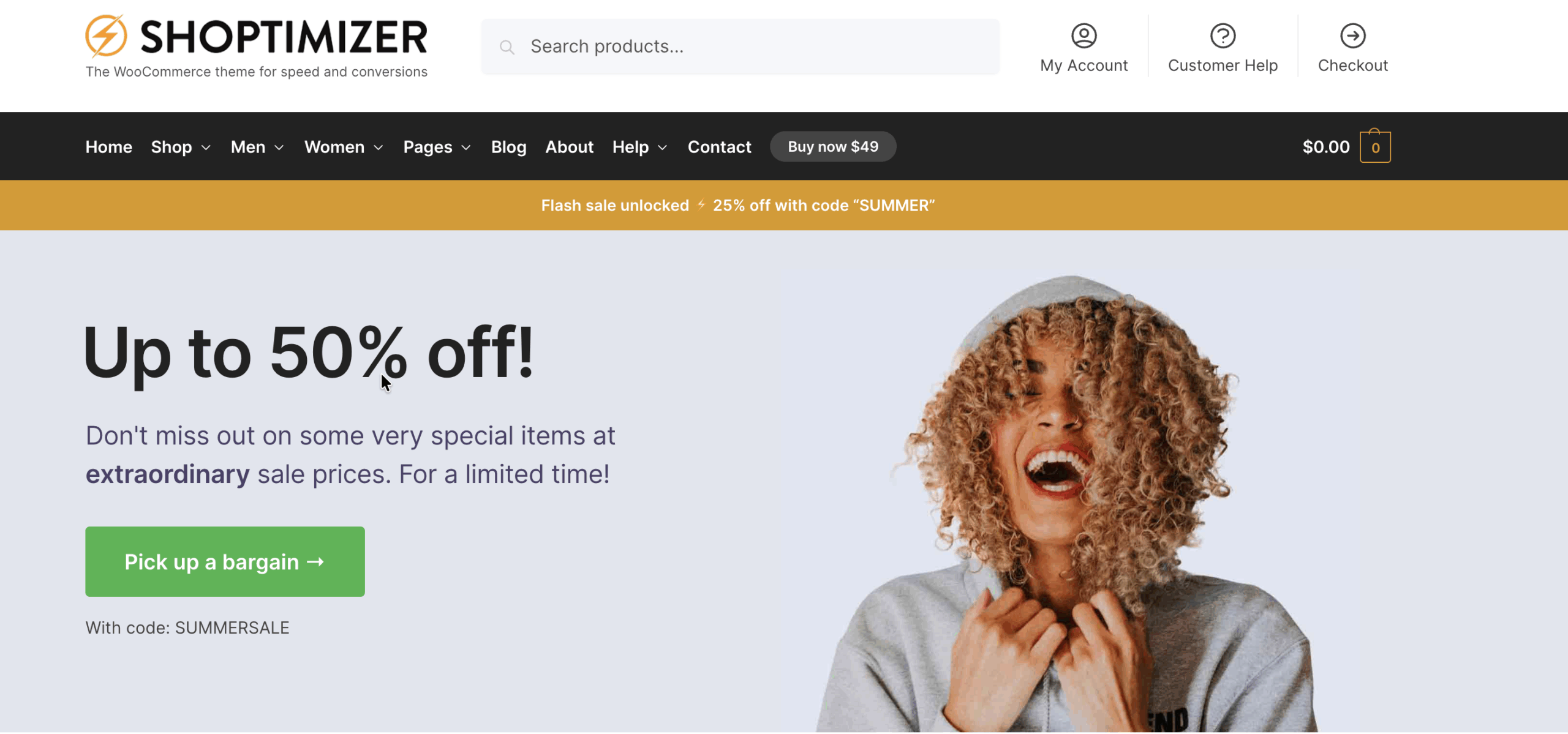
Are you seeking to elevate your online store with a theme meticulously crafted for speed and sales? The Shoptimizer WordPress theme is engineered precisely for that purpose. This comprehensive review and setup guide will delve into how Shoptimizer, a premium Shoptimizer WooCommerce theme, can transform your e-commerce platform into a high-converting machine, focusing on lightning-fast performance, conversion-optimized design, and robust features.Designed by CommerceGurus, Shoptimizer is more than just a beautiful theme; it’s a strategic tool for online businesses, ranging from budding entrepreneurs to seasoned developers and affiliate marketers. It prioritizes creating a seamless, quick, and engaging shopping experience that not only captivates visitors but also guides them efficiently toward checkout.
Key Features: Design, Layout & Performance
Shoptimizer distinguishes itself through a fusion of aesthetic design, flexible layout options, and unparalleled technical optimization, all geared towards maximizing your store’s potential.
Design & Layout Options
Shoptimizer is built upon extensive e-commerce UX research, ensuring every design choice contributes to a better user journey and higher conversion rates.
- Conversion-Optimized Elements: Unique features include a prominent promotion header strip for announcements, an offer bar with discount codes, custom product badges to highlight sales, and previous/next product navigation for effortless browsing. The theme also incorporates a smooth slide-out cart and sticky headers to keep key actions accessible.
- Prebuilt Layouts & Pages: With a Shoptimizer demo import feature, you can quickly set up essential pages like a gorgeous homepage, about, contact, FAQs, and sales pages. This means you don’t have to build from scratch, allowing for rapid deployment of a professional-looking store.
- Distraction-Free Checkout: A standout feature is the “distraction-free” checkout layout, which strategically hides unnecessary elements to keep customers focused solely on completing their purchase, a proven method for reducing cart abandonment.
- Enhanced Product Displays: The theme offers various layouts to enhance product and category pages, including multiple product gallery options, ensuring your products are showcased in the best possible light.
Customization Capabilities
Personalizing your store to align with your brand is straightforward with Shoptimizer’s deep integration with the WordPress Customizer.
- Live Customization: All theme options are available within the WordPress Customizer, offering a live preview of your changes as you make them, eliminating guesswork.
- Extensive Visual Control: Easily modify color schemes, choose from a wide selection of Google WebFonts for typography (with guidance for adding custom fonts), and adjust spacing, containers, sections, and backgrounds to fine-tune your store’s look and feel.
- Kirki Integration: Shoptimizer recommends installing the free Kirki plugin for an even richer Customizer experience, further enhancing your control over design elements like color palettes, speed settings, and header navigation.
Performance & SEO Features
Performance is at the heart of Shoptimizer, providing a significant Shoptimizer SEO advantage and a superior user experience.
- Lightning-Fast Performance: Experience blazing-fast load times with automatic CSS minification and critical CSS generation. Shoptimizer achieves remarkable Lighthouse audit scores, with a first meaningful paint in just 630 milliseconds. This exceptional speed is crucial for reducing bounce rates and improving customer satisfaction.
- Core Web Vitals Optimized: The theme consistently performs well in Core Web Vitals, ensuring all three metrics (Largest Contentful Paint, First Input Delay, Cumulative Layout Shift) are in the green, contributing to better search engine rankings.
- Built-in Speed Settings: Shoptimizer includes specific speed-related options in the Customizer, such as lazy loading for images and elements, further boosting your site’s responsiveness.
- Mobile-First Design: Fully Shoptimizer mobile responsiveness is baked into its core, ensuring your store looks and performs flawlessly on mobiles and tablets, which is vital for modern SEO and user experience. It’s meticulously designed to prioritize mobile-first indexing, a key Google ranking factor.
- Clean Code & SEO-Friendly Markup: The theme’s clean code, structured headings, and Schema.org integration are fundamental for improving search rankings and driving more organic traffic to your store.
Installation & Demo Import
Getting your Shoptimizer-powered WooCommerce store up and running is a streamlined process, even for beginners. Here’s how to install the theme and leverage its one-click demo import feature:
- Download the Theme: First, obtain the Shoptimizer theme package. If you’re sourcing it from ZeroPlugin.com, rest assured that you’re getting a genuine GPL-licensed product that has been thoroughly scanned for security through VirusTotal.
- Install & Activate:
- Log in to your WordPress dashboard.
- Navigate to Appearance > Themes.
- Click on the “Add New” button at the top.
- Click “Upload Theme,” then “Choose File” to select the
shoptimizer.zipfile you downloaded. - Click “Install Now,” and once installed, click “Activate.”
- Install Required Plugins: Upon activation, Shoptimizer will recommend installing necessary companion plugins, including the CommerceKit plugin (from the same developers, adding more conversion features) and Kirki (for enhanced Customizer options). If you plan to use a page builder, you may also be prompted to install Elementor, with which Shoptimizer is compatible. Follow the prompts to install and activate these.
- One-Click Demo Import:
- After activating the theme and recommended plugins, navigate to the theme’s options or a dedicated demo importer section within your WordPress dashboard (often found under Appearance > Import Demo Data or a similar menu item provided by the theme).
- Choose the demo content you wish to import. Shoptimizer’s demo import will swiftly populate your site with a complete set of pages (homepage, about, contact, FAQs, sales), menus, and widgets, mirroring the theme’s stunning live demos.
- What to Expect: Post-import, your website will have a fully structured WooCommerce store with placeholder content. You’ll then replace this content with your own products, images, and text. The demo import is designed to give you a strong foundation, allowing you to quickly visualize your store’s potential.
Customization Guide (Branding & Layout)
Shoptimizer provides extensive yet intuitive tools to personalize your store and establish a strong brand identity.
- WordPress Customizer as Your Command Center: The primary hub for all your design adjustments is the WordPress Customizer (Appearance > Customize). Here, you can preview changes live, making the customization process seamless and efficient.
- Colors & Backgrounds: Easily adjust global color palettes to match your brand. Define background colors or images for different sections of your site.
- Typography: Select from a wide array of Google WebFonts to set your store’s unique typographic voice. The theme provides options for headings, body text, and other elements, ensuring visual hierarchy and readability.
- Logo & Site Identity: Upload your brand logo and favicon, and configure site title and tagline with ease.
- Header & Footer Layouts: Customize the layout of your header, including elements like the promotion header strip, search bar, and cart icon. The theme also supports creating mega menus for rich navigation experiences and mobile-specific menus for optimal mobile usability. Footer content can be adjusted through widget areas or theme options.
- Building with Blocks & Page Builders:
- Shoptimizer works well with the Block Editor (Gutenberg), allowing you to build pages using native WordPress blocks.
- For more intricate layouts, Shoptimizer harnesses the power of the Elementor page builder. Its compatibility with Elementor means you can design custom product pages, landing pages, and other site sections using Elementor’s drag-and-drop interface, all while maintaining the theme’s performance benefits.
- Widget Areas: The theme provides strategic widget areas, such as the “Single Product Custom Area” below the product buy button, enabling you to add additional information, trust badges, or calls to action to enhance conversions.
- Child Theme for Advanced Tweaks: For developers or users who need to make significant code modifications without risking theme updates, Shoptimizer provides a Shoptimizer child theme. The documentation also offers guidance and code snippets for various tweaks, from changing “Out of stock” text to customizing wishlist templates and adding custom fonts. This ensures that your customizations remain intact even after theme updates.
FAQ & Troubleshooting
Here are answers to common questions about the Shoptimizer WooCommerce theme, designed to be clear and helpful for both traditional and AI-powered searches.
Is Shoptimizer compatible with Elementor / Gutenberg?
Yes, Shoptimizer is fully compatible with the WordPress Block Editor (Gutenberg) for content creation and seamlessly integrates with the popular Elementor page builder, allowing users to create custom layouts without coding.
Does Shoptimizer support WooCommerce for online stores?
Absolutely. Shoptimizer is explicitly designed and optimized for WooCommerce stores, with all its features engineered to enhance the e-commerce experience, improve conversion rates, and boost sales. It integrates deeply with WooCommerce and its 5,000+ extensions.
What is the CommerceKit plugin and what does it do?
The CommerceKit plugin is often bundled with Shoptimizer and is developed by the same team, CommerceGurus. It provides additional conversion-related features such as trust badges, a subtle promotion header, and other enhancements, reducing the need for numerous third-party plugins that could otherwise impact performance.
How does Shoptimizer enhance performance and conversions?
Shoptimizer enhances performance through automatic CSS minification, critical CSS generation, lazy loading for images, and an overall lightweight code structure, resulting in blazing-fast load times. It boosts conversions with features like a distraction-free checkout, promotion bars, improved search with instant results, and a design philosophy rooted in e-commerce UX best practices.
Does Shoptimizer support child themes for advanced customization?
Yes, Shoptimizer supports and provides a child theme. Using a child theme is the recommended approach for making custom code modifications or adding custom CSS/JS, ensuring that your changes are preserved when the main theme receives updates.
Conclusion
Shoptimizer stands out as a premier WooCommerce WordPress theme, uniquely positioned to serve store owners who prioritize speed, conversion rates, and an optimized user experience above all else. Its meticulous design, rooted in e-commerce best practices and Baymard research, combined with exceptional performance features like automatic CSS optimization and critical CSS generation, makes it an unrivaled choice for online stores.With extensive customization options through the intuitive WordPress Customizer and seamless compatibility with Elementor and Gutenberg, Shoptimizer offers remarkable design flexibility without compromising speed. It’s an ideal solution for:
- Store Owners aiming to maximize sales and provide a superior shopping journey.
- Beginners looking for an easy setup with one-click demo import and straightforward customization.
- Advanced Developers and Agencies who appreciate its clean, extendable code and hooks/filters for deep customization without bloat.
- Affiliate Marketers seeking a high-performance foundation for showcasing products effectively.While its specialized focus might make it less ideal for non-eCommerce sites, for any business committed to running a successful online store, Shoptimizer offers a compelling blend of speed, design, and conversion power. It’s a confident verdict: if you’re building or optimizing a WooCommerce store and every millisecond and conversion counts, Shoptimizer is a truly excellent choice.
I. Download Limits & Account Benefits
- Free Downloads: Each email address receives 3 downloads per day for free products
- Upgrade Benefits: Purchase any paid product to increase your daily download limit by 3 for each paid product
- No Account Required: You can download immediately by receiving the download link via email
- Account Recommended: Create an account for easier access to your order history and direct update downloads
II. Understanding GPL vs Official Versions
Important: The products available on WPPick are GPL-licensed versions, which differ from official developer versions. Before purchasing, please read our comprehensive guide: Understanding GPL & Official Differences at WPPick
Key Points:
- GPL versions may not include premium support from original developers
- Updates may be delayed compared to official releases
- Some premium features might have limitations
- Always consider your specific needs and support requirements
III. Support & Assistance
We’re here to help through multiple channels:
- Email Support: Direct email assistance for all inquiries
- Live Chat: Real-time support during business hours
- Comprehensive Documentation: Detailed guides and tutorials
IV. Order Tracking
Access your complete purchase history and download links anytime: Order History
V. Account Access
New to WPPick? Login or Create Account to manage your downloads and orders efficiently.
VI. Refund Protection
We stand behind our products with a clear refund policy. Review our terms: Refund Policy
VII. Privacy & Security
Your data security is our priority. Learn how we protect your information: Privacy Policy
VII. Terms of Service
Understanding our service terms ensures a smooth experience: Terms of Use
Quick Tips for Best Experience
- Verify Compatibility: Check plugin/theme compatibility with your WordPress version
- Backup First: Always backup your site before installing new plugins or themes
- Test Environment: Consider testing on a staging site first
- Stay Updated: Regularly check for updates in your account dashboard
- Read Documentation: Review any included documentation for optimal setup
Need Help?
If you have questions about downloads, licensing, or need technical assistance, don’t hesitate to contact our support team. We’re committed to ensuring you have the best possible experience with WPPick products.
Ready to get started? Your download adventure begins with just one click!
- Shoptimizer: Kirki plugin no longer required.
- Shoptimizer: One Click Demo plugin no longer required.
- Shoptimizer: ‘Load more’ button option for the Shop and Product categories, replacing standard pagination.
- Shoptimizer: ‘Grid features’ – Insert promotions, testimonials, and custom content into product listings.
- Commercekit: Added support for Badges Elementor widget and shortcode for use in page builders.
- Commercekit: Added support for global color and image Attribute Swatches.
- Commercekit: Added support for Omnisend form integration in the Waitlist module.
- Shoptimizer: Improved cart and checkout block styling.
- Shoptimizer: Added letter spacing to the Navigation Dropdown font control.
- Shoptimizer: Search results sidebar now positioned to the right for RTL languages.
- Shoptimizer: General RTL improvements.
- Commercekit: Implemented Order Bump in a fixed position below checkout totals in the sidebar of the block-based checkout page.
- Commercekit: Improved CommerceKit update and license handling.
- Commercekit: Improved naming for Sticky Add to Cart Waitlist button.
- Commercekit: Moved all inline styles to module CSS files or global styles for better maintainability.
- Commercekit: Added active state indicators to Admin Product Badges accordion
- Commercekit: Improved Order Bump module performance with accurate stat tracking.
- Commercekit: Addressed PHP 8.2 deprecation notices caused by passing free to non-nullable parameters.
- Commercekit: Removed cgkit_search_word query parameter from result URLs and replaced with fetch-based click tracking.
- Commercekit: Refines Order Bump selector styles and adjusts dropdown font size for improved appearance on larger screens.
- Commercekit: Improves waitlist form accessibility, UI with native dialog, semantic HTML, ARIA support, and enter-key submission.
- Commercekit: Ajax Search Lightning Fast results, now has fully translatable strings.
- Commercekit: Added automatic CSS class for badges based on the badge text of the Product Badge module.
- Commercekit: Enhanced Product Badges module to allow badges to be scheduled between specific dates.
- Commercekit: Added support for allowing customers to select variations for Order Bump variable products.
- Commercekit: Product image placeholder added across all Waitlist email notifications.
- Commercekit: Reduced Cumulative Layout Shift (CLS) in the mobile “Show edge of next slide” gallery layout.
- Commercekit: Waitlist now uses native <dialog> to display modal for improved accessibility and UX.
- Shoptimizer: Quantity selector markup now appears within HTML rather than JS.
- Shoptimizer: Improved quantity.min.js to better work with decimals.
- Shoptimizer: Browser scroll position restoration for PLPs on iOS when tapping the back button.
- Shoptimizer: Removed lazy loading from product category images.
- Shoptimizer: When PDP Ajax is active and the cart drawer disabled, overlay no longer appears.
- Shoptimizer: Blog grid layout fix on mobile.
- Commercekit: Corrected WooCommerce scheduled dates to use WordPress time instead of server time.
- Commercekit: Resolved inconsistent Product Gallery video behavior between autoplay and manual play.
- Commercekit: Resolved issue where Free Shipping Notification did not display when the minimum amount was set to zero.
- Commercekit: Resolved issue where Ajax Search returned no results for empty queries; now matches default Woo by returning all products.
- Commercekit: Resolved issue where Attribute Swatches failed to select the default value when it contained a “+” symbol.
- Commercekit: Resolved conflict causing fatal error when using Variation Swatches for WooCommerce.
- Commercekit: Resolved issue where Attribute Swatches quick add-to-cart did not update mini cart contents.
- Commercekit: Resolved accessibility issue with missing label association in product Attribute Swatches variations.
- Commercekit: Resolved Sticky Add to Cart issue with Advanced Product Fields for WooCommerce.
- Commercekit: Resolved ARIA role accessibility issues in the Sticky ATC tabs.
- Commercekit: Fixed an issue where Ajax Search failed when the search term contained a hyphen.
- Commercekit: Fixed missing wishlist remove button when the “On product pages only” option is enabled.
- Commercekit: Resolved forced reflow issue in Ajax Search script.
- Commercekit: Attribute Swatches breaking when tracking script click handlers are present.
- Commercekit: Free Shipping Notification now refreshes correctly on Block-based templates when cart items change.
- Commercekit: Attribute Swatches script was preventing the WooCommerce Photo Reviews plugin from submitting reviews.
- Commercekit: Resolved Countdown time inconsistencies that occurred when the server timezone differed from the site’s timezone.
- Shoptimizer: Update via Appearance > Install Plugins
- Commercekit: Added default settings for Attribute Swatches display layout.
- Commercekit: Adjusted out-of-stock styling in Order Bump mini cart.
- Commercekit: Adjusted Wishlist display in My Account to a 3-column grid instead of 4.
- Commercekit: Partial word search for Ajax Search is now turned on by default.
- Commercekit: Added explicit width and height attributes to the SVG arrow icons in the Order Bump markup to prevent reliance on CSS for sizing.
- Commercekit: Videos in Product Gallery grid layouts are now vertically aligned to the middle.
- Commercekit: Moves common CSS for the product gallery layouts into a dedicated stylesheet.
- Commercekit: Remove layout shift on Show Edge of Next Slide mobile gallery layout.
- Commercekit: Added support for ‘Get notified’ waitlist button within Sticky Add to Cart.
- Commercekit: Made the Waitlist module compatible with WPML and Polylang plugins.
- Commercekit: Added compatibility for Sticky ATC with the Flexible Product Fields plugin.
- Commercekit: Moved Shoptimizer-specific CSS to dedicated compatibility layer for theme abstraction.
- Ensures that the upsells, cross-sells, and related products amounts are integers.
- Conditionally loads WooCommerce icon fonts only when a WooCommerce block exists on the page.
- "Pairs well with" specific variation now triggers AJAX sidebar cart rather than redirecting to PDP.
- When coupons are disabled, wrapping markup on checkout is no longer outputted.
- When using the "All reviews" block, the star icons displayed as "SSSSS" as opposed to stars.
- Sanitizes the URLs used in product links.
- Improved CusRev plugin styling.
- Pages sidebar 'None' option added to the customizer
- Kirki _load_textdomain_just_in_time warnings
- When Header 4 is active, the bottom border color is now correctly applied
- Customizer text field values were not translatable with Polylang/WPML
- Introduced 'Out of stock' indicator in Ajax Search suggestions, with admin controls
- Included GTIN in Ajax Search suggestions
- Allow Product SKU, Variation SKU, Product GTIN, Variation GTIN and Attributes to be excluded from Ajax Search results
- Introduced a double opt-in option in the Waitlist module
- Attribute Swatches now support all multi-currency plugins that follow WooCommerce standards
- Countdown timers now work with WooCommerce's Scheduled Sale Price feature
- Introduced a new global countdown timer option shared across all users
- Added option to exclude the product featured image from the product gallery
- Variants in product card with Attribute Swatches were not appearing on PDPs when names included fractions or symbols
- Resolved stock status update issue when using Attribute Swatches with Polylang for WooCommerce plugin
- Fixed issue where an extra select option appeared when Attribute Swatches were disabled
- Corrected inconsistent image sizes in the Product Gallery
- Resolved issue where two play/pause icons appeared simultaneously on mobile product gallery video slides
- Fixed YouTube video in the product gallery lightbox not being centered on mobile devices
- Corrected sticky Add to Cart swatch image not displaying when only one product attribute is available and no variation image set
- The 'Hide this attribute in product loop' setting is no longer shown for single-attribute products
- Enhanced admin Wishlist module with improved pagination and layouts
- Countdown dates are now integrated with native date input fields
- Added a tooltip to the Stock Meter for the low stock threshold setting
- Reordered the admin Waitlist tabs for improved usability
- Changed the size guide heading from a h3 to a div with role='title'
- Resolved issue between CommerceKit Attribute Gallery and WooCommerce Product Bundles
- Made the Wishlist module fully compatible with WPML and Polylang plugins
- Improved PLP attribute swatches to display prices correctly with the B2BKing plugin
- Improved Free Shipping Notification compatibility with Currency Switcher Professional for WooCommerce (WOOCS)
- Removed the Attribute Swatches library on Simple Product pages for better performance
- Optimized loading of YouTube/Vimeo/Wistia libraries when no autoplay videos are present in the Gallery
- Optimized attribute swatches markup by removing unnecessary HTML
- Enhanced Ajax Search results to better match full-text queries
- Improves Elementor Pro compatibility by fixing styling issues with the cart and checkout widgets.
- Adds a reduced motion theme option for users who prefer less animation.
- Scrolling down the mega menu when at the footer caused the page height to grow
- Added apply_filters to the sale badges output
- Variation price not updating according to the selected variant
- Conflict between Product Gallery styles and Elementor Pro swiper styles on the PDP
- Out of stock swatches not automatically disabled when the attribute has only a single value
- Waitlist displayed for in-stock variant options
- Elementor Full Width template now doesn't inherit theme container padding
- Styling fixed when applying the nolink class to top level main menu items
- AJAX add-to-cart functionality on PDPs when CheckoutWC is active
- Product gallery with the Advanced Product Fields Extended for WooCommerce plugin
- Ajax Search with the Sales Agent For WooCommerce plugin
- Order Bumps with the Cartflows plugin
- Improved compatibility with CookieBot
- CommerceKit Badges can now be assigned by brand
- Option to reset the most frequent search data within the Ajax Search reports
- Empty Wishlist template can now be over-written and customized manually