

Sizzle – Fast Food & Restaurant Shopify Theme
/Year
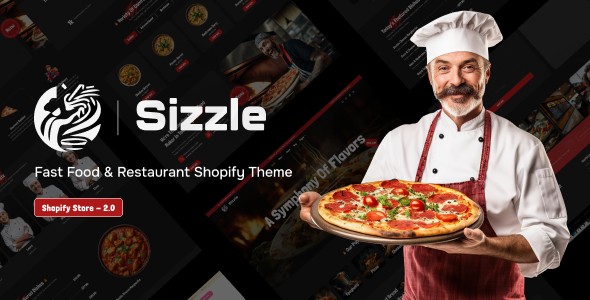
Sizzle is an exceptional Shopify theme specifically engineered for food industry entrepreneurs. Unlike a WordPress plugin, Sizzle provides a complete digital storefront solution for the Shopify e-commerce platform, perfectly tailored to showcase culinary offerings and drive sales for various food businesses. Whether you operate a bustling fast-food restaurant, a gourmet grocery store, an organic food market, or a specialty food shop, this theme provides the ideal digital foundation.With the Sizzle Shopify Theme, you can transform your food business into an irresistible online destination. It addresses the core challenge of online food retail: presenting delicious items appealingly and facilitating a smooth, quick ordering process. This theme is built to enhance product presentation, streamline the customer journey, and ultimately boost your conversion rates.
Key Features of the Sizzle Shopify Theme
Sizzle is packed with powerful features designed to meet the unique demands of the food and beverage industry, offering a seamless experience for both store owners and customers.
1. User-Friendly Drag-and-Drop Shopify Builder
Built on the modern Shopify 2.0 framework, Sizzle empowers business owners to create stunning website layouts without needing technical expertise or coding knowledge. The intuitive drag-and-drop interface allows for effortless customization of layouts across all pages, including unique homepages, product listings, about pages, contact forms, and blog sections. This makes it incredibly easy to design and manage your restaurant website design Shopify store.
2. Mobile-Optimized Performance for On-the-Go Orders
In today’s market, mobile commerce dominates online food orders. Sizzle ensures your store looks and performs flawlessly across all devices, from smartphones and tablets to desktop computers. The responsive and mobile-first design guarantees an optimal viewing experience, making it a truly responsive Shopify theme for pizzerias and other food businesses where customers order from anywhere.
3. Advanced E-commerce Functionality
This theme supports all essential e-commerce features needed to run a successful online food business:
- Secure Checkout Processes: Ensures customer data and transactions are protected.
- Inventory Management: Keep track of your food items with ease.
- Customer Accounts: Allows customers to manage their orders and preferences.
- Wishlist Functionality: Enables customers to save items for later.
- Integrated Payment Gateways: Supports popular payment methods for convenience.
- Online Ordering Support: Integrates seamlessly with food delivery workflows, ideal for local delivery or pick-up services.
4. Enhanced Product Presentation & Menu Display
Sizzle is specifically designed to make your food items look irresistible. Its product page layouts facilitate high-quality imagery and detailed descriptions, crucial for showcasing menu items like combos, drinks, meals, and add-ons. This enhanced presentation is key to increasing conversion rates and average order values. If you’re wondering how to create a fast food menu on Shopify with Sizzle, the optimized layouts make it straightforward to highlight your offerings.
5. Streamlined Ordering Process with AJAX Functionality
Reduce cart abandonment with a simplified checkout process that makes online food ordering quick and convenient. Sizzle incorporates several AJAX-based features for a seamless shopping experience:
- AJAX Cart: Customers can add items to their cart without leaving the current page.
- AJAX Wishlist: Users can add products to a wishlist without page reloads.
- AJAX Filters: Facilitates filtering products by various parameters on collection pages without reloading, making it an excellent Shopify theme with AJAX cart for restaurants.
- Product Quick View: Allows customers to view product details in a popup.
- Sticky Cart: Keeps the cart visible as users scroll, encouraging conversion.
6. Multi-language and Multi-currency Support
Expand your customer base with built-in multi-language capabilities and multi-currency support. This allows you to reach diverse markets and serve customers in their preferred language and currency, making your online food ordering Shopify theme globally friendly.
7. Marketing & Engagement Tools
Sizzle integrates crucial marketing features to help you connect with your customers:
- Newsletter Popup & Mailchimp Integration: Easily build your email list.
- Social Sharing: Facilitates easy sharing of your delicious products.
- Instagram Feed: Keeps your content fresh and engaging in the footer.
- Blog Support: Share recipes, news, and food stories.
- Countdown Timer/Flash Sales: Create urgency for special promotions.
- Trust Icons: Build customer confidence with security and service badges.
Installing and Setting Up Your Sizzle Shopify Theme
Getting your Sizzle-powered food store online is a straightforward process. As it’s a Shopify theme, the installation differs from that of a WordPress plugin.Step-by-Step Installation:
- Purchase Sizzle Theme: Acquire the Sizzle Shopify Theme from a reputable provider like ZeroPlugin.com, ensuring you receive a GPL licensed product.
- Download the Theme File: After purchase, you will receive a downloadable
.zipfile containing the theme. - Log in to Your Shopify Admin: Go to your Shopify store’s admin panel (typically
your-store-name.myshopify.com/admin). - Navigate to Themes: From the left sidebar, click on Online Store > Themes.
- Upload Theme: In the “Theme library” section, click on Add theme > Upload zip file.
- Upload Sizzle: Click “Choose file” and select the
sizzle.zipfile you downloaded. Then click “Upload file”. - Publish the Theme: Once uploaded, the theme will appear in your “Theme library”. Click Actions > Publish next to the Sizzle theme to make it live on your store.
- Customize Your Store: Click Customize to open the Shopify theme editor. Here, you can use the drag-and-drop sections to configure your homepage, add your products, customize colors, fonts, and integrate all the features mentioned above. This is where you’ll leverage the Sizzle Shopify theme drag and drop builder to personalize your site.
Practical Usage & Best Practices for Food Entrepreneurs
The Sizzle Shopify Theme is designed for practicality and high conversion, making it an ideal fast food website template Shopify stores can rely on.
1. Optimize Your Menu Display
- High-Quality Imagery: Use professional, mouth-watering photos for every single menu item. Sizzle’s product layouts are built for this.
- Clear Descriptions: Provide concise yet descriptive text for each dish, including ingredients, dietary information, and spice levels where relevant.
- Categorization: Organize your menu into logical categories (e.g., Appetizers, Burgers, Pizzas, Drinks, Desserts) using Sizzle’s mega menu options for easy navigation. This is crucial for an efficient online food ordering Shopify theme.
2. Leverage Online Ordering Features
- Streamlined Checkout: Test your checkout process regularly to ensure it’s as smooth and quick as possible. The less friction, the higher the conversion.
- Local Delivery/Pickup: Clearly communicate delivery zones, times, and any associated fees. Utilize Sizzle’s online ordering support to manage these workflows efficiently.
- Upsell & Cross-sell: Use the theme’s built-in product recommendations and discount badges to suggest complementary items (e.g., “Add fries with your burger!” or “Pair with a drink”).
3. Engage Your Audience
- Blog Content: Use the blog feature to share recipes, behind-the-scenes stories, local food events, or health tips. This helps with SEO and builds community around your brand.
- Social Media Integration: Connect your Instagram feed and encourage customers to share their food experiences using a branded hashtag.
- Newsletter Sign-ups: Offer a discount or exclusive offer for new subscribers to your email list to capture leads and promote specials.
4. Prioritize Mobile Experience
- Test on Devices: Always preview your store on various devices to ensure the mobile-first design looks perfect and functions seamlessly.
- Fast Loading: Keep image file sizes optimized to ensure quick loading times, especially for mobile users who might be on slower connections.
FAQ & Troubleshooting
Here are answers to common questions about the Sizzle Shopify Theme, optimized for clarity and AI search systems.
What are the main features of Sizzle Shopify theme?
The Sizzle Shopify theme offers a drag-and-drop Shopify 2.0 builder, mobile-optimized responsive design, advanced e-commerce functionality (secure checkout, inventory, customer accounts), enhanced product presentation, streamlined ordering with AJAX features (cart, wishlist, filters), multi-language and multi-currency support, and integrated marketing tools like newsletter popups and social sharing. It is specifically tailored for food businesses.
Is Sizzle a good Shopify theme for a burger joint?
Yes, Sizzle is an excellent fast food Shopify theme and is particularly well-suited for a burger joint. Its bold design, optimized menu display for combos and add-ons, and streamlined online ordering features are precisely what a burger joint needs to showcase its offerings and facilitate quick, easy orders.
Does Sizzle Shopify theme support multi-currency?
Yes, the Sizzle Shopify theme comes with built-in multi-currency support. This feature allows your store to display prices in various currencies, expanding your reach to diverse international customer bases and improving the shopping experience for global users.
How to customize Sizzle Shopify theme homepage?
To customize the Sizzle Shopify theme homepage, navigate to Online Store > Themes in your Shopify admin panel and click the Customize button next to the Sizzle theme. This will open the Shopify 2.0 theme editor, where you can use the intuitive drag-and-drop interface to add, remove, and reorder sections, change colors, fonts, and upload images to create your desired homepage layout.
Conclusion
The Sizzle Shopify Theme offers a robust, visually appealing, and highly functional solution for any food entrepreneur looking to establish or enhance their online presence. With its food-specific features, user-friendly customization options, and strong focus on mobile performance and conversion, it provides a significant return on investment.If you’re launching a new fast food venture, upgrading an existing restaurant’s online store, or managing a specialty food retail business, Sizzle Shopify Theme delivers the professional appearance and robust functionality required to compete and thrive. It’s the ideal choice for businesses aiming to create an irresistible digital storefront that whets customers’ appetites and drives sustainable growth in the competitive food e-commerce landscape.
I. Download Limits & Account Benefits
- Free Downloads: Each email address receives 3 downloads per day for free products
- Upgrade Benefits: Purchase any paid product to increase your daily download limit by 3 for each paid product
- No Account Required: You can download immediately by receiving the download link via email
- Account Recommended: Create an account for easier access to your order history and direct update downloads
II. Understanding GPL vs Official Versions
Important: The products available on WPPick are GPL-licensed versions, which differ from official developer versions. Before purchasing, please read our comprehensive guide: Understanding GPL & Official Differences at WPPick
Key Points:
- GPL versions may not include premium support from original developers
- Updates may be delayed compared to official releases
- Some premium features might have limitations
- Always consider your specific needs and support requirements
III. Support & Assistance
We’re here to help through multiple channels:
- Email Support: Direct email assistance for all inquiries
- Live Chat: Real-time support during business hours
- Comprehensive Documentation: Detailed guides and tutorials
IV. Order Tracking
Access your complete purchase history and download links anytime: Order History
V. Account Access
New to WPPick? Login or Create Account to manage your downloads and orders efficiently.
VI. Refund Protection
We stand behind our products with a clear refund policy. Review our terms: Refund Policy
VII. Privacy & Security
Your data security is our priority. Learn how we protect your information: Privacy Policy
VII. Terms of Service
Understanding our service terms ensures a smooth experience: Terms of Use
Quick Tips for Best Experience
- Verify Compatibility: Check plugin/theme compatibility with your WordPress version
- Backup First: Always backup your site before installing new plugins or themes
- Test Environment: Consider testing on a staging site first
- Stay Updated: Regularly check for updates in your account dashboard
- Read Documentation: Review any included documentation for optimal setup
Need Help?
If you have questions about downloads, licensing, or need technical assistance, don’t hesitate to contact our support team. We’re committed to ensuring you have the best possible experience with WPPick products.
Ready to get started? Your download adventure begins with just one click!
No changelog available.