

Streamtube – Video WordPress Theme
/Year
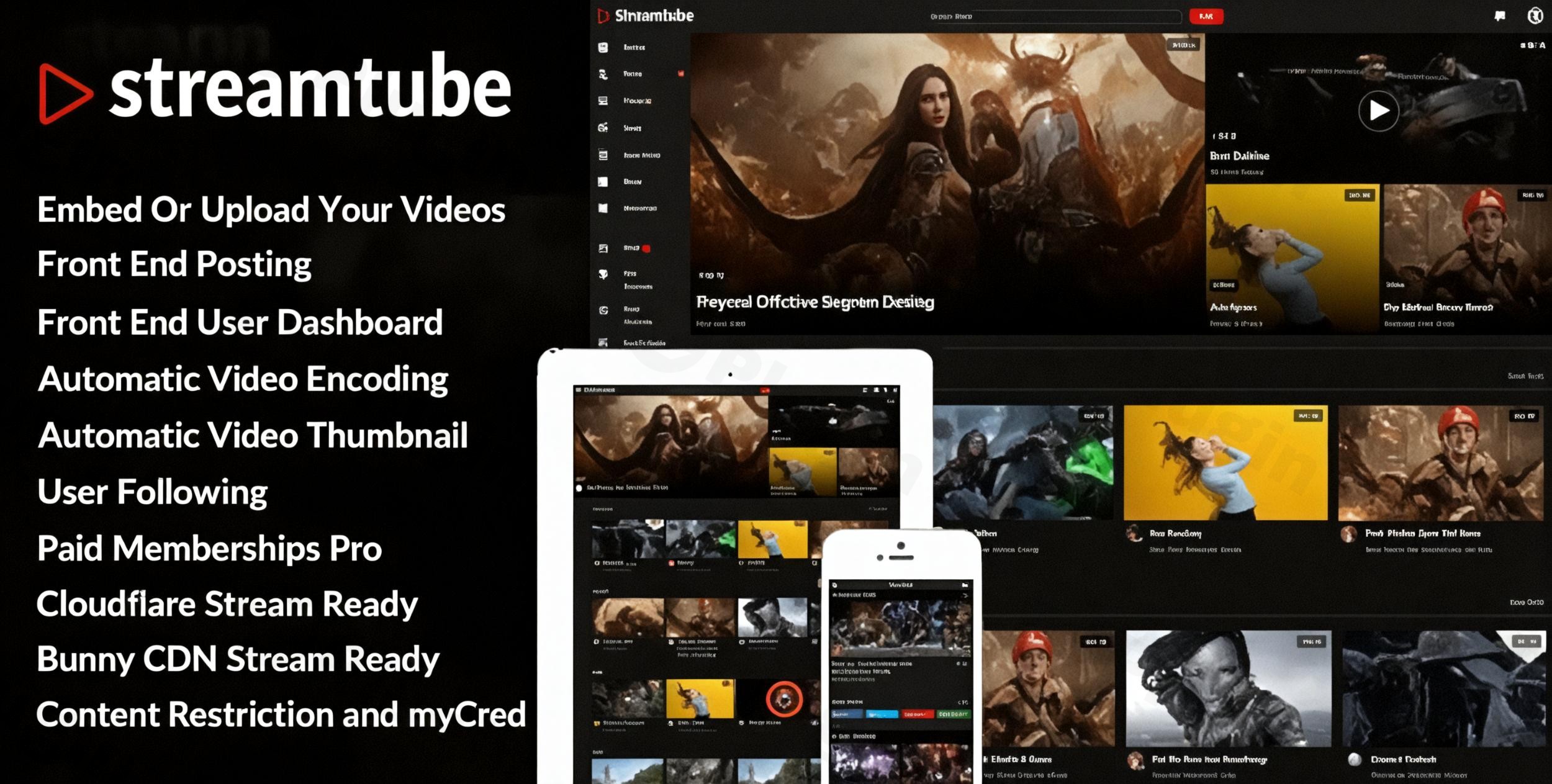
Are you a content creator, educator, or business looking to launch a dedicated video website with WordPress? The StreamTube WordPress theme offers a robust and comprehensive solution designed to transform your site into a professional video sharing and streaming hub. With its specialized features for video management, user engagement, and seamless integration with popular tools, StreamTube is built for anyone aiming to establish a dynamic multimedia presence online.
Introduction: Your Gateway to a Thriving Video Community
StreamTube is a premium WordPress theme meticulously crafted for the modern video content creator. It’s an ideal choice for vloggers, filmmakers, educators, and businesses who need more than just a place to embed videos – they need a powerful platform to manage, share, and monetize their multimedia content. With a clean, elegant, and modern design aesthetic, StreamTube focuses on showcasing your videos beautifully while providing an intuitive experience for both creators and viewers. Leveraging the Bootstrap 5 framework, it ensures a responsive and visually appealing site across all devices.
Key Features: Design, Layout & Performance for Video Excellence
StreamTube isn’t just another multipurpose theme; it’s a purpose-built solution for video. It combines advanced video handling with flexible design and strong performance.
Design & Layout Options
StreamTube empowers you with diverse design possibilities to match your brand and content.
- Homepage & Single Video Layouts: Choose from 8 pre-designed homepage layouts and 3 unique single video templates to present your content in the most engaging way. These options provide a strong foundation for various types of video platforms, from educational hubs to entertainment sites.
- Fully Responsive Design: Built on the Bootstrap 5 framework, StreamTube ensures your video content looks stunning and functions perfectly on desktops, tablets, and mobile phones, guaranteeing an optimal viewing experience for all users.
- Dark/Light Mode Toggle: Enhance user experience with a built-in dark/light mode toggle, allowing visitors to switch between themes based on their preference and viewing environment.
Advanced Video Management
At its core, StreamTube excels in handling video content efficiently and professionally.
- Automatic Video Encoding: A standout feature is its automatic video encoding to HLS format for optimal streaming. This, coupled with the use of FFmpeg, ensures your self-hosted videos are delivered efficiently with high performance.
- Self-Hosted & External Video Support: Easily upload self-hosted videos with automatic thumbnail generation, or seamlessly integrate content from popular platforms like YouTube, Vimeo, and Dailymotion.
- Video.js Player: StreamTube utilizes the Video.js player for cross-browser compatibility and a modern, high-performance video playback experience across all devices.
- Video Encryption: For creators concerned about content protection, StreamTube offers features like video encryption, adding a layer of security to your uploaded videos.
User Engagement & Community
StreamTube fosters a vibrant community around your video content.
- Front-end User Dashboard: Empower your users with a comprehensive front-end user dashboard for easy content management, profile customization, and interaction.
- Enhanced User Profiles: Users can upload custom avatars and profile photos, personalize their profiles, and engage through a user following system and post like functionality.
- AJAX Comment System: Facilitate real-time discussions with an AJAX comment system that keeps interactions smooth and dynamic.
- Community & Membership Integrations: The theme is compatible with powerful plugins like BuddyPress for social networking, bbPress for forums, and Paid Memberships Pro for membership-based content, allowing you to build a truly interactive and monetized community.
Customization Capabilities
Tailoring StreamTube to your brand is straightforward and flexible.
- Elementor Page Builder Compatibility: StreamTube is fully compatible with the popular Elementor page builder, giving you drag-and-drop control over your page layouts and design elements. While some older reviews mention WPBakery compatibility, Elementor is the explicitly supported and highlighted page builder.
- WordPress Customizer: Leverage the native WordPress Customizer for global style adjustments, including colors, typography, and layout settings.
- Child Theme Included: A child theme is included with your purchase, allowing you to safely make advanced customizations without affecting the core theme files, ensuring your changes persist through updates.
Performance & SEO
StreamTube is built with performance and discoverability in mind.
- W3C Validated Code: The theme features W3C validated code, ensuring accessibility compliance and a solid foundation for search engines.
- Optimized for Speed: StreamTube is optimized for speed and performance, with integrations like Bunny.net Stream API and Cloudflare Stream API for high-speed, multiple-resolution, and low-cost video delivery, which are crucial for a smooth user experience with video content.
- SEO-Optimized Structure: Built with SEO best practices, StreamTube aims to help your video content rank higher in search engine results through clean markup and structured headings.
- Translation & RTL Ready: With .po/.mo files included and RTL language support, StreamTube is ready for a global audience, making it easy to translate your site into multiple languages.
Installation & Demo Import: Get Started in Minutes
Setting up your video platform with StreamTube is designed to be quick and intuitive, thanks to its one-click demo import feature.
- Install & Activate the Theme:
- First, download the StreamTube theme package from ZeroPlugin.com.
- Log in to your WordPress dashboard.
- Navigate to
Appearance > Themes > Add New > Upload Theme. - Choose the StreamTube theme zip file and click “Install Now.”
- Once installed, click “Activate.”
- Install Required Plugins:
- After activation, StreamTube may recommend installing certain plugins for full functionality (e.g., Elementor). Follow the on-screen prompts to install and activate these essential companion plugins.
- Use One-Click Demo Import:
- StreamTube features a one-click demo import to get your site looking like one of the beautiful demo versions instantly.
- Look for a “Demo Import” or “Import Sample Data” option, usually found under
Appearanceor a dedicated theme menu. - Select your preferred demo layout and initiate the import.
- What to Expect:
- The demo import will populate your site with pages, posts, menus, widgets, and images, mirroring the chosen demo.
- Note: Depending on your server’s resources and the size of the demo content, the import process might take a few minutes. Ensure your server has sufficient memory and execution time limits to prevent issues.
Customization Guide: Branding & Layout Personalization
StreamTube provides extensive options to personalize your video site and align it with your brand identity.
- Using the WordPress Customizer: Access the WordPress Customizer via
Appearance > Customize. Here, you can manage global settings such as:- Colors: Adjust primary, secondary, and accent colors to match your brand palette.
- Typography: Select fonts, sizes, and weights for headings and body text to enhance readability and aesthetic appeal.
- Dark/Light Mode Settings: Configure the toggle and default display mode.
- Site Identity: Upload your custom logo and favicon.
- Header and Footer Layouts: While specific “builders” aren’t detailed, StreamTube’s Elementor compatibility suggests you can extensively customize these areas. Within the Customizer, you’ll likely find options to define menu locations, widget areas for footers, and potentially pre-designed header styles.
- Homepage Setup: After demo import, your homepage will be set. If you wish to use a different static page, navigate to
Settings > Readingand select “A static page” for your homepage display. - Menus: Go to
Appearance > Menusto create and assign navigation menus to your header, footer, or other designated menu locations.The customization experience with StreamTube is intuitive, particularly with Elementor, offering a visual way to shape your site without needing to write code.
FAQ & Troubleshooting: Quick Answers for Common Questions
Here are answers to some frequently asked questions about the StreamTube WordPress theme:
Is StreamTube compatible with Elementor and Gutenberg?
Yes, StreamTube is fully compatible with the Elementor page builder, allowing you to create custom page layouts with a drag-and-drop interface. It also supports Gutenberg video blocks and auto-loads the Video.js player for the default WordPress video shortcode.
Does StreamTube support WooCommerce for online stores or selling video content?
Yes, StreamTube is fully compatible with WooCommerce, enabling you to sell video content, products, or subscriptions directly from your video platform. It integrates seamlessly for robust e-commerce capabilities.
Can I upload self-hosted videos, and does StreamTube handle video encoding?
Yes, you can upload self-hosted videos with StreamTube, and it features automatic video encoding to HLS format for optimal streaming. It also supports automatic thumbnail generation for your self-hosted content.
Does StreamTube include a child theme, and how do I use it for customizations?
Yes, StreamTube includes a child theme with your purchase. A child theme allows you to make modifications to your site’s design and functionality without directly editing the parent theme files. This ensures your customizations are preserved when the main StreamTube theme receives updates. To use it, simply install and activate the child theme after installing the main StreamTube theme.
What should I do if the demo import fails or looks different from the demo site?
If the demo import fails, first ensure your server meets the minimum requirements (sufficient PHP memory limit and execution time). You can often increase these values in your php.ini file or by contacting your host. If it looks different, clear your website and browser cache, and verify that all recommended plugins were installed and activated correctly before importing the demo. If issues persist, refer to the official StreamTube documentation or contact ZeroPlugin.com support.
Conclusion: The Ultimate Choice for Video-Centric Websites
The StreamTube WordPress theme stands out as a powerful, feature-rich, and highly specialized solution for building any kind of video-centric website. Its deep integration with video management tools like automatic HLS encoding, versatile embedding options, and the Video.js player makes it far superior to generic themes for dedicated video platforms.With its beautiful design, responsive layouts, extensive customization via Elementor and the WordPress Customizer, and strong focus on user engagement and monetization, StreamTube caters to a wide audience. Whether you’re a vlogger, an educational content provider, a business showcasing products, or aiming to build a multi-author video community, StreamTube provides the robust foundation you need. Its commitment to performance, SEO readiness, and developer support ensures a professional and future-proof online video presence. If your goal is to create a dynamic, high-performing video platform on WordPress, StreamTube is an excellent and confident choice.
I. Download Limits & Account Benefits
- Free Downloads: Each email address receives 3 downloads per day for free products
- Upgrade Benefits: Purchase any paid product to increase your daily download limit by 3 for each paid product
- No Account Required: You can download immediately by receiving the download link via email
- Account Recommended: Create an account for easier access to your order history and direct update downloads
II. Understanding GPL vs Official Versions
Important: The products available on WPPick are GPL-licensed versions, which differ from official developer versions. Before purchasing, please read our comprehensive guide: Understanding GPL & Official Differences at WPPick
Key Points:
- GPL versions may not include premium support from original developers
- Updates may be delayed compared to official releases
- Some premium features might have limitations
- Always consider your specific needs and support requirements
III. Support & Assistance
We’re here to help through multiple channels:
- Email Support: Direct email assistance for all inquiries
- Live Chat: Real-time support during business hours
- Comprehensive Documentation: Detailed guides and tutorials
IV. Order Tracking
Access your complete purchase history and download links anytime: Order History
V. Account Access
New to WPPick? Login or Create Account to manage your downloads and orders efficiently.
VI. Refund Protection
We stand behind our products with a clear refund policy. Review our terms: Refund Policy
VII. Privacy & Security
Your data security is our priority. Learn how we protect your information: Privacy Policy
VII. Terms of Service
Understanding our service terms ensures a smooth experience: Terms of Use
Quick Tips for Best Experience
- Verify Compatibility: Check plugin/theme compatibility with your WordPress version
- Backup First: Always backup your site before installing new plugins or themes
- Test Environment: Consider testing on a staging site first
- Stay Updated: Regularly check for updates in your account dashboard
- Read Documentation: Review any included documentation for optimal setup
Need Help?
If you have questions about downloads, licensing, or need technical assistance, don’t hesitate to contact our support team. We’re committed to ensuring you have the best possible experience with WPPick products.
Ready to get started? Your download adventure begins with just one click!
- Updated: WooCommerce templates
- StreamTube Core plugin - 4.78
- StreamTube theme - 4.14
- StreamTube Core plugin - 4.78
- WP Hash Post Slug plugin - 1.21
- WP Post Location plugin - 1.5
- WP Cloudflare Stream plugin - 2.16
- WP Easy Review plugin - 1.7
- WP Post Like plugin - 1.6
- WP User Follow plugin - 1.5
- WP Video Encoder plugin - 1.11
- WP User Channel plugin - 1.2
- Search Everything plugin - 8.3