

Studyhub – Education WordPress Theme
/Year
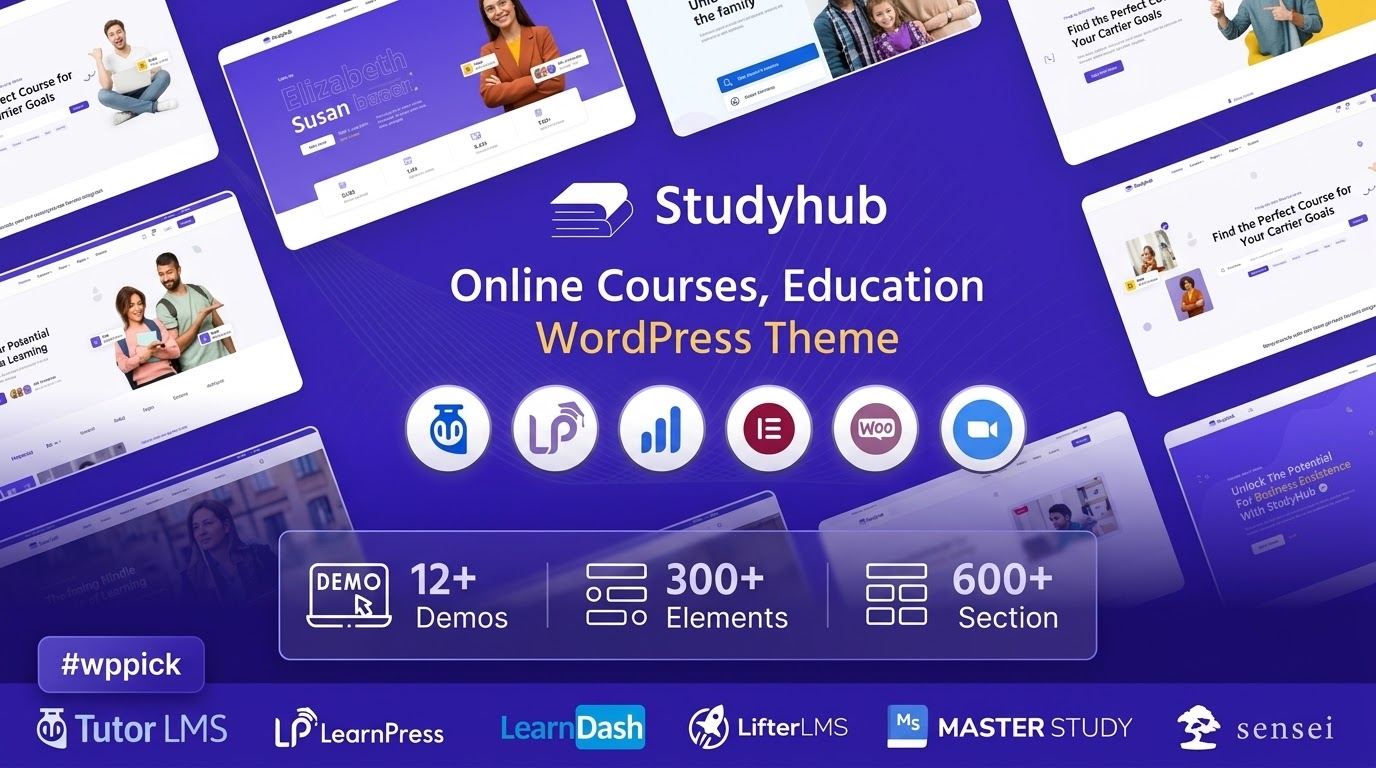
Build Comprehensive Online Learning Platforms
Studyhub is a dedicated education WordPress theme engineered to establish online academies, virtual schools, training portals, and collegiate web systems. It functions as a complete design and structure layer that transforms standard installations into functional educational marketplaces. By accommodating varied learning environments, this theme provides pre-configured page layouts, structured directories, and user interface elements that facilitate smooth interaction between students, instructors, and content creators.
Who Benefits Most From Studyhub?
This layout infrastructure is optimized for specific academic and administrative roles within the digital landscape:
- Individual course authors seeking an elegant portal to market and deliver specialized training programs.
- Commercial educational institutions wanting to establish a digital presence for physical classrooms.
- Corporate HR departments standardizing their staff onboarding and skill-upgrading frameworks.
- Agencies assembling high-performance training sites for niche educational service providers.
Core Capabilities and Structural Design
The primary benefit of utilizing Studyhub rests in its specialized academic layouts and smooth functionality. It features optimized course catalogs, grid and list layout configurations, and profile design templates for teaching staffs. The architecture prioritizes quick load times and high visual clarity, ensuring potential students navigate course menus, pricing details, and enrollment sequences without encountering friction. Furthermore, responsive mobile optimization keeps interfaces usable on mobile devices, matching contemporary usage habits.
Practical WordPress Use Cases
Administrators deploy Studyhub to satisfy multiple operational objectives:
- Deploying a centralized online catalog featuring multiple distinct subjects and categorization fields.
- Constructing standalone instructor landing pages that highlight individual teaching experience and available syllabus rosters.
- Structuring premium corporate portals to distribute compliance lessons and technical skill sets to internal personnel.
Setup, Compatibility, and Technical Environment
Studyhub operates as an interactive presentation framework that relies on underlying technical modules. It features strong compatibility with standard ecosystem tools such as CMB2 for metadata management, alongside popular page builders like Elementor. To establish full quiz mechanics, dynamic grading structures, and student progression monitoring, developers integrate this theme with primary external learning engines, including Tutor LMS or LearnPress. It adapts automatically to standard database frameworks and contemporary server environments running current PHP standards.
Why Choose Studyhub on WPPick?
Acquiring Studyhub through the WPPick marketplace gives developers access to safe, clean digital assets suitable for deployment. Every theme file undergoes comprehensive testing workflows, including detailed automated file scans, ensuring completely clean installations before uploading. Users bypass artificial licensing limitations and complicated registration boundaries, enabling smooth multi-domain deployments, immediate evaluation setups, and straightforward site cloning workflows perfectly suited for fast-paced design environments.
Latest Version Context
Studyhub version 1.1.7 brings the platform layout up to date with modern core updates and foundational adjustments. Detailed release notes are not available from the provided sources, indicating standard code upkeep, styling alignments, or performance refinements designed to preserve theme stability alongside recent core application improvements.
Frequently Asked Questions
Does Studyhub handle student payments natively?
No, Studyhub functions primarily as a frontend styling interface and behavioral layout. Payment mechanisms, user access rules, and checkout pathways are managed through e-commerce extensions like WooCommerce or via the merchant tools built into your preferred LMS extension.
Can I utilize this theme without installing external LMS plugins?
Yes, you can use Studyhub as an informational or marketing page for a physical school without active e-learning features. However, tools like student progress monitors, certificate generators, and interactive quizzes require an external engine such as Tutor LMS or LearnPress.
Is Studyhub compatible with alternative page builders?
The theme structural layouts are built to align with mainstream design platforms, focusing primarily on Elementor integration. While it works alongside standard classic and block editors, full capability for drag-and-drop structural shifts matches the developer-targeted builders.
What is the benefit of downloading Studyhub from WPPick?
WPPick provides verified, secure theme packages free from arbitrary domain caps or activation paywalls. This allows agencies and freelance developers to quickly build local development sites, run staging environments, and manage multiple customer installations seamlessly.
I. Download Limits & Account Benefits
- Free Downloads: Each email address receives 3 downloads per day for free products
- Upgrade Benefits: Purchase any paid product to increase your daily download limit by 3 for each paid product
- No Account Required: You can download immediately by receiving the download link via email
- Account Recommended: Create an account for easier access to your order history and direct update downloads
II. Understanding GPL vs Official Versions
Important: The products available on WPPick are GPL-licensed versions, which differ from official developer versions. Before purchasing, please read our comprehensive guide: Understanding GPL & Official Differences at WPPick
Key Points:
- GPL versions may not include premium support from original developers
- Updates may be delayed compared to official releases
- Some premium features might have limitations
- Always consider your specific needs and support requirements
III. Support & Assistance
We’re here to help through multiple channels:
- Email Support: Direct email assistance for all inquiries
- Live Chat: Real-time support during business hours
- Comprehensive Documentation: Detailed guides and tutorials
IV. Order Tracking
Access your complete purchase history and download links anytime: Order History
V. Account Access
New to WPPick? Login or Create Account to manage your downloads and orders efficiently.
VI. Refund Protection
We stand behind our products with a clear refund policy. Review our terms: Refund Policy
VII. Privacy & Security
Your data security is our priority. Learn how we protect your information: Privacy Policy
VII. Terms of Service
Understanding our service terms ensures a smooth experience: Terms of Use
Quick Tips for Best Experience
- Verify Compatibility: Check plugin/theme compatibility with your WordPress version
- Backup First: Always backup your site before installing new plugins or themes
- Test Environment: Consider testing on a staging site first
- Stay Updated: Regularly check for updates in your account dashboard
- Read Documentation: Review any included documentation for optimal setup
Need Help?
If you have questions about downloads, licensing, or need technical assistance, don’t hesitate to contact our support team. We’re committed to ensuring you have the best possible experience with WPPick products.
Ready to get started? Your download adventure begins with just one click!