

Techlife – Mobile, Tech & Electronics Repair Shop WordPress Theme
/Year
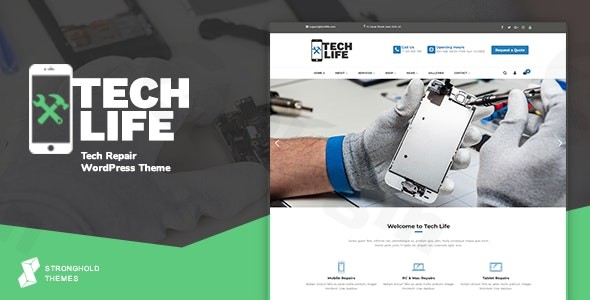
About TechLife for Repair Businesses
TechLife is a specialized WordPress theme designed to help mobile, electronics, and technology repair businesses establish a professional online presence. By focusing on the specific needs of service-based companies, this theme provides the structural elements necessary to showcase services, manage client interactions, and facilitate bookings or direct sales through WooCommerce integration.
Latest Version 17.6 Changes
TechLife (Mobile, Tech & Electronics Repair Shop WordPress Theme) version 17.6 was released on June 7, 2026. The update includes bundled plugin updates for Revolution Slider (v6.7.57) and WPBakery Page Builder (v8.7.3), alongside updates to WooCommerce template files.
- Version 17.6 released on June 7th, 2026
- Updated Revolution Slider to 6.7.57
- Updated WPBakery Page Builder to 8.7.3
- Updated WooCommerce template files
What TechLife Does
The theme acts as a comprehensive foundation for repair shops by combining standard business website features with e-commerce functionality. It allows store owners to present their technical services, hardware repair offerings, and pricing structures in a clear, accessible manner. Built to support the diverse needs of tech repair firms, it includes specialized layouts that assist in building trust with customers who require reliable electronics repair services.
Key Capabilities
TechLife includes several functional components tailored for technical service providers:
- WooCommerce integration for selling repair parts or booking service sessions directly.
- Responsive design layouts that ensure the site looks and functions correctly across mobile devices, tablets, and desktops.
- Built-in tools for creating service listings and detailing technical processes.
- Support for showcasing team profiles to add a personal, expert touch to the business.
- Visual elements such as before-and-after galleries to demonstrate repair capabilities effectively.
Practical WordPress Use Cases
This theme is suitable for various business models within the technology sector, including:
- Mobile phone repair centers needing to display service pricing and turn-around times.
- Computer and laptop repair shops managing both in-store and drop-off service workflows.
- Consumer electronics repair services looking to sell replacement parts online.
- Technical service agencies that require a robust, professional look to attract corporate or local clients.
Setup and Compatibility
TechLife is designed to be compatible with common WordPress page building workflows, allowing for flexible layout customization. As a WooCommerce-compatible theme, it integrates seamlessly with standard payment gateways and inventory management systems, making it easier for shop owners to manage service requests and physical product sales in one dashboard. The theme includes an one-click demo import tool, which helps users set up a functional starter site quickly.
Why Choose TechLife on WPPick
Choosing TechLife through WPPick ensures that you are utilizing a theme focused specifically on the repair niche rather than a generic multipurpose template. This specificity reduces the time required to configure your site, as it already includes layouts and content structures relevant to the repair industry. The theme’s focus on essential service-based functionality provides a balanced platform that is both extensible and easy to manage.
Latest Version Context
TechLife version 17.6, released on June 7, 2026, emphasizes compatibility and core system maintenance. This update includes updated bundled plugins—Revolution Slider (v6.7.57) and WPBakery Page Builder (v8.7.3)—and provides refreshed WooCommerce template files to ensure ongoing stability with current WordPress environments.
Frequently Asked Questions
Does TechLife support online payments for repair services? Yes, the theme is fully integrated with WooCommerce, allowing you to set up various payment gateways to accept payments for repairs or products online.
Can I use this theme for a business other than phone repair? While optimized for mobile and tech repair, the flexible layout and service-oriented structure make it suitable for a wide range of electronics and equipment maintenance businesses.
Is the theme mobile-responsive? Yes, TechLife is built with a responsive design, ensuring that your website remains accessible and functional on all screen sizes, including smartphones, which is critical for customers searching for repair shops on the go.
Does it come with demo content? Yes, the theme features a one-click demo import function to help you get your site up and running with example layouts and configurations quickly.
How are the included plugins managed? The theme includes popular plugins like WPBakery Page Builder and Revolution Slider; these are updated periodically to ensure they remain compatible with the latest WordPress core releases.
I. Download Limits & Account Benefits
- Free Downloads: Each email address receives 3 downloads per day for free products
- Upgrade Benefits: Purchase any paid product to increase your daily download limit by 3 for each paid product
- No Account Required: You can download immediately by receiving the download link via email
- Account Recommended: Create an account for easier access to your order history and direct update downloads
II. Understanding GPL vs Official Versions
Important: The products available on WPPick are GPL-licensed versions, which differ from official developer versions. Before purchasing, please read our comprehensive guide: Understanding GPL & Official Differences at WPPick
Key Points:
- GPL versions may not include premium support from original developers
- Updates may be delayed compared to official releases
- Some premium features might have limitations
- Always consider your specific needs and support requirements
III. Support & Assistance
We’re here to help through multiple channels:
- Email Support: Direct email assistance for all inquiries
- Live Chat: Real-time support during business hours
- Comprehensive Documentation: Detailed guides and tutorials
IV. Order Tracking
Access your complete purchase history and download links anytime: Order History
V. Account Access
New to WPPick? Login or Create Account to manage your downloads and orders efficiently.
VI. Refund Protection
We stand behind our products with a clear refund policy. Review our terms: Refund Policy
VII. Privacy & Security
Your data security is our priority. Learn how we protect your information: Privacy Policy
VII. Terms of Service
Understanding our service terms ensures a smooth experience: Terms of Use
Quick Tips for Best Experience
- Verify Compatibility: Check plugin/theme compatibility with your WordPress version
- Backup First: Always backup your site before installing new plugins or themes
- Test Environment: Consider testing on a staging site first
- Stay Updated: Regularly check for updates in your account dashboard
- Read Documentation: Review any included documentation for optimal setup
Need Help?
If you have questions about downloads, licensing, or need technical assistance, don’t hesitate to contact our support team. We’re committed to ensuring you have the best possible experience with WPPick products.
Ready to get started? Your download adventure begins with just one click!
- Updated: Revolution Slider to 6.7.57
- Updated: WPBakery Page Builder to 8.7.3
- Updated: WooCommerce template files
- Updated: Revolution Slider to 6.7.37