

Techvora – Saas Tech & Startup Elementor Template Kit
/Year
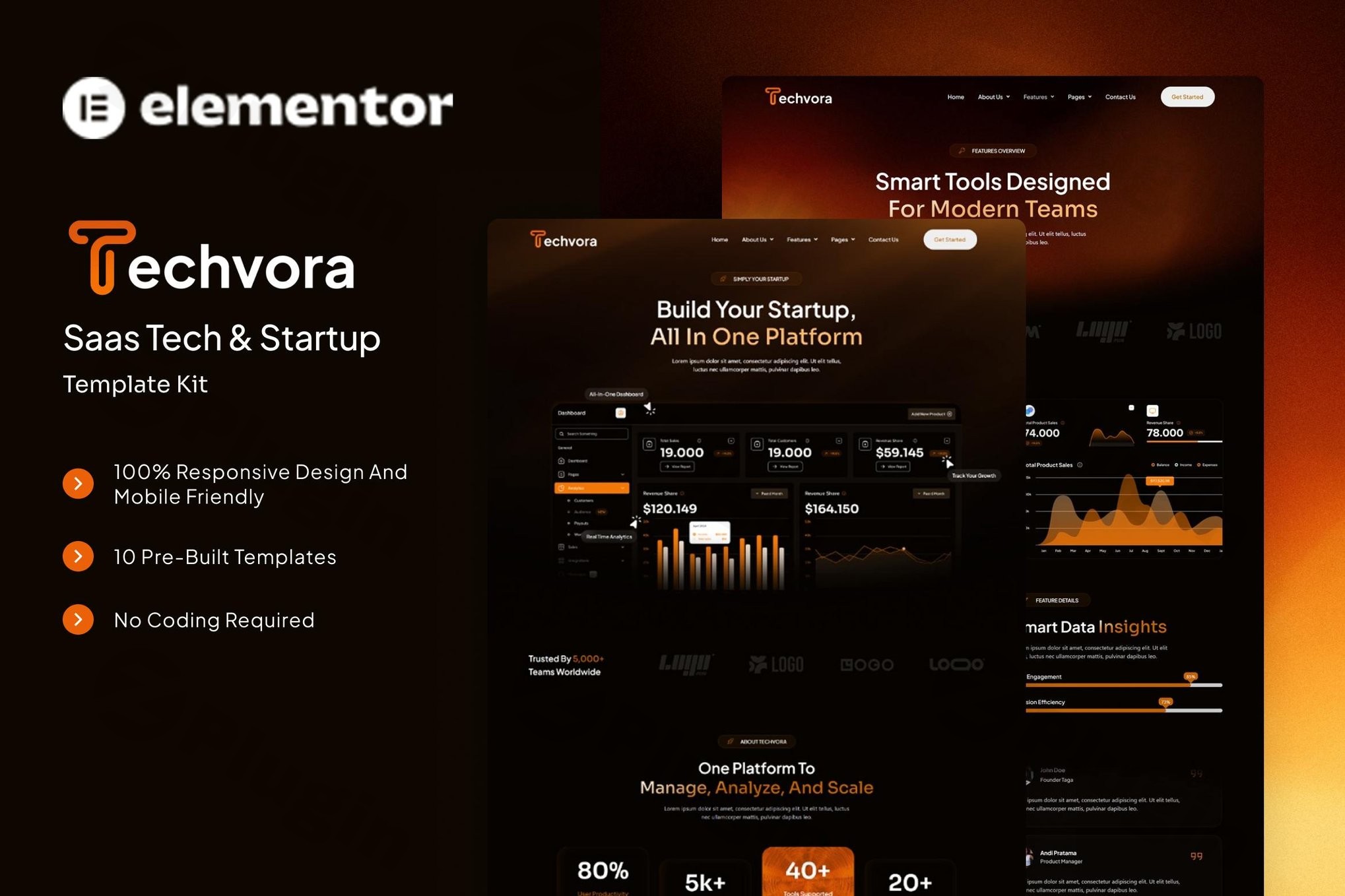
Building a professional, high-converting website for a software-as-a-service (SaaS) brand often requires a delicate balance between modern aesthetics and technical performance. The Techvora Elementor Template Kit is a professionally designed solution specifically crafted to help SaaS companies, IT service providers, and technology startups launch sleek websites without the complexity of custom coding. By leveraging the power of the SaaS Elementor Template Kit market, Techvora provides a framework that prioritizes user experience and lead generation, ensuring your digital platform stands out in a competitive landscape.
What is the Techvora Elementor Template Kit?
The Techvora Elementor Template Kit is a collection of pre-designed layouts for the Elementor page builder. Unlike a traditional WordPress theme, this kit provides specific page templates and design blocks that you can import directly into your existing WordPress site. It is built to serve the unique needs of the “innovation economy,” offering a Tech Startup Website Template that focuses on clarity, trust-building, and clear calls to action (CTAs).Whether you are launching a cloud service, an AI-driven tool, or a mobile application, Techvora provides the structural foundation needed to showcase features, pricing, and social proof effectively.
Key Features and Benefits
1. Conversion-Focused Layouts
Every page within the Techvora kit is designed with a “marketing-first” mindset. Instead of just looking good, the sections are organized to guide visitors through the buyer’s journey—from understanding the problem to viewing the solution (features) and finally choosing a plan (pricing).
2. Full Elementor Integration
As a dedicated Elementor Template Kit for SaaS, Techvora offers 100% visual control. You don’t need to touch a single line of code. You can drag and drop elements, adjust global colors to match your brand, and swap out typography using the intuitive Elementor interface.
3. Fully Responsive & Performance Ready
In the tech world, mobile performance is non-negotiable. Techvora is fully responsive, ensuring your site looks sharp on desktops, tablets, and smartphones. Additionally, the kit supports CSS and JavaScript script compression, which helps in maintaining fast loading times—a crucial factor for both SEO and user retention.
4. Comprehensive Pre-Designed Pages
The kit saves dozens of hours of design work by including all the essential pages for a tech business:
- Home: A high-impact landing page.
- Features & Details: Deep dives into your software’s capabilities.
- Pricing Plan: Clear tables to help users choose their subscription level.
- FAQ & Contact: Essential for customer support and lead capture.
- Blog: Optimized for content marketing and SEO.
Technical Specifications & Requirements
To ensure the Techvora Elementor Template Kit functions correctly on your WordPress site, verify that your environment meets these specifications:
- WordPress Version: 6.x or higher.
- Recommended Theme: Hello Elementor (Free).
- Required Plugins:
- Elementor (Free version)
- ElementsKit Lite
- Jeg Elementor Kit
- MetForm (for contact and lead forms)
- Premium Addons for Elementor
- Ultimate Addons for Elementor Lite
- Elementor Header & Footer Builder
- Envato Elements (required for importing the kit)
How to Install the Techvora Elementor Template Kit
Setting up your customizable tech website is straightforward. Follow these steps to get started:
- Install the Envato Elements Plugin: Go to Plugins > Add New in your WordPress dashboard and search for “Envato Elements.” Install and activate it.
- Download and Upload the Kit: Download your Techvora kit file. In WordPress, navigate to Elements > Installed Kits. Click the Upload Template Kit button and select your zip file.
- Install Requirements: Once uploaded, you will see an orange banner stating “Install Requirements.” Click this to automatically install and activate all the necessary plugins listed in the specifications above.
- Import Global Styles: Import the “Global Kit Styles” first to ensure fonts and colors are set correctly.
- Import Individual Templates: Import the Header and Footer first, then proceed to import individual pages (Home, About, Pricing, etc.).
- Set Page Layout: For every page you create, ensure the Page Layout is set to “Elementor Full Width” in the page settings. This ensures the header and footer appear correctly.
Practical Usage & Best Practices
Ideal for AI and Data Startups
If you are looking for the best Elementor template for an AI startup website, Techvora’s clean, “tech-blue” aesthetic and data-centric blocks are ideal. Use the feature list sections to explain complex algorithms in a simplified, visual way.
Workflow for Agencies
Agencies building sites for clients can use Techvora as a “base” to rapidly prototype. Because it uses the free version of Elementor and several free addons, it keeps overhead costs low while delivering a premium, high-end look for the client.
Optimizing for Conversions
When using the WordPress SaaS Theme style layouts in Techvora, always place a “Sign Up” or “Get Started” button in the top right of the Header and at the bottom of the Pricing page. Techvora’s pre-built headers are already optimized for this layout.
FAQ & Troubleshooting
What is the Techvora Elementor Template Kit exactly?
Techvora is a collection of pre-designed website layouts specifically for SaaS and tech startups. It is not a standalone theme but a “Template Kit” that requires the Elementor plugin to function. It allows you to import high-quality designs into your WordPress site instantly.
Can I use Techvora with Elementor Free?
Yes, Techvora can be used with Elementor Free. While it is compatible with Elementor Pro, the kit is designed to work with the free version by utilizing supplementary plugins like ElementsKit and Jeg Elementor Kit to provide advanced functionality.
Why does my layout look broken after importing?
The most common reason for layout issues is the Page Template setting. Ensure that the page you are editing is set to “Elementor Full Width” in the WordPress Page Settings (cog icon in the bottom left of the Elementor editor). Also, ensure you have imported the “Global Kit Styles” before importing individual pages.
Does Techvora support MetForm for contact forms?
Yes, Techvora is built to integrate seamlessly with MetForm. This allows you to create complex, stylish contact and lead generation forms that match the rest of your website’s design.
Conclusion: Is Techvora Right for You?
The Techvora Elementor Template Kit offers an exceptional return on investment for any tech entrepreneur or developer. It eliminates the “blank page” problem, providing a sophisticated, SaaS Elementor Template Kit that is both easy to use and highly scalable. By focusing on conversion-centric design and mobile responsiveness, Techvora ensures that your startup’s first impression is one of professional authority.For more WordPress guides and plugin reviews, visit wppick.com.
I. Download Limits & Account Benefits
- Free Downloads: Each email address receives 3 downloads per day for free products
- Upgrade Benefits: Purchase any paid product to increase your daily download limit by 3 for each paid product
- No Account Required: You can download immediately by receiving the download link via email
- Account Recommended: Create an account for easier access to your order history and direct update downloads
II. Understanding GPL vs Official Versions
Important: The products available on WPPick are GPL-licensed versions, which differ from official developer versions. Before purchasing, please read our comprehensive guide: Understanding GPL & Official Differences at WPPick
Key Points:
- GPL versions may not include premium support from original developers
- Updates may be delayed compared to official releases
- Some premium features might have limitations
- Always consider your specific needs and support requirements
III. Support & Assistance
We’re here to help through multiple channels:
- Email Support: Direct email assistance for all inquiries
- Live Chat: Real-time support during business hours
- Comprehensive Documentation: Detailed guides and tutorials
IV. Order Tracking
Access your complete purchase history and download links anytime: Order History
V. Account Access
New to WPPick? Login or Create Account to manage your downloads and orders efficiently.
VI. Refund Protection
We stand behind our products with a clear refund policy. Review our terms: Refund Policy
VII. Privacy & Security
Your data security is our priority. Learn how we protect your information: Privacy Policy
VII. Terms of Service
Understanding our service terms ensures a smooth experience: Terms of Use
Quick Tips for Best Experience
- Verify Compatibility: Check plugin/theme compatibility with your WordPress version
- Backup First: Always backup your site before installing new plugins or themes
- Test Environment: Consider testing on a staging site first
- Stay Updated: Regularly check for updates in your account dashboard
- Read Documentation: Review any included documentation for optimal setup
Need Help?
If you have questions about downloads, licensing, or need technical assistance, don’t hesitate to contact our support team. We’re committed to ensuring you have the best possible experience with WPPick products.
Ready to get started? Your download adventure begins with just one click!