
The7 – Website And Ecommerce Builder For WordPress
/Year
1. Overview
The7 is a highly acclaimed multi-purpose WordPress theme developed by Dream-Theme, positioning itself as the “Ultimate WordPress & WooCommerce Theme” and a comprehensive website builder for WordPress. With over 270,000 users and a consistent 4.7-4.75 star rating on ThemeForest, The7 stands out for its extensive features, deep integration with popular page builders like Visual Composer (WPBakery) and Elementor, and advanced customization capabilities. It offers profound creative freedom and a robust framework designed to minimize the need for coding, catering to a diverse audience from beginners to seasoned professionals, website owners, creative agencies, and digital marketers seeking to build sophisticated websites and online stores.
2. Theme Features & Design Capabilities
The7 provides a comprehensive array of design-related features, offering deep control over a website’s visual presentation.
Design & Layout Options
The theme boasts over 1000 theme options and 250+ page options, enabling a vast range of design possibilities. It includes flexible layout management and a unique page template system, allowing users to select distinct header layouts, sidebars, and footers for individual pages, posts, or projects. The7 supports various blog layouts, along with masonry and grid layouts for all templates, and offers features for creating microsites within a main website. A key highlight is the Design Wizard, which helps users rapidly generate a professional website design by allowing them to select basic settings like branding, colors, and header layout, with the system intelligently calculating the remaining elements.The7 comes with 26 premium demo websites (from ) and 60+ pre-built demo websites (from ), also referred to as pre-made websites or starter sites, which can be imported with a single click. These demos are comprehensive, fully functional websites tailored for various niches, ranging from business and corporate sites to portfolios and online stores.
Customization Capabilities
The7 offers granular control over customization:
- Color Schemes: Provides options for unlimited background and color combinations. Its comprehensive Design System feature facilitates quick, site-wide changes to typography and colors.
- Typography: Users can choose from over 600+ fonts, with standard Google Fonts integration. The theme’s advanced Theme Style editing capabilities enable targeting and customizing default styles for elements such as general typography and headings.
- Spacing, Containers, Sections, and Backgrounds: Through its intuitive Theme Options Panel, The7 offers extensive settings to adjust various elements like colors, fonts, layouts, and specific page configurations, providing detailed control over spacing, containers, sections, and backgrounds.
- Headers, Footers, and Mega Menus: The7 provides dedicated tools for constructing unique headers, including unlimited desktop and mobile headers, and features a drag-and-drop header builder. It also comes with integrated mega menu capabilities, supporting icon-font icons, subtitles, and multiple menu rows and columns.
Performance & SEO Features
The7 is engineered for optimal performance and search engine visibility:
- Page Speed & Optimization: The theme is optimized for speed and performance. Websites built with The7 and properly optimized have shown good scores on GTMetrix and Pingdom, with reported load times between one and two seconds. It is developed with performance and SEO in mind, featuring optimized loading speed and a schema-ready structure. It integrates deeply with the free Fast Velocity Minify plugin, which optimizes HTML, CSS, and JS code on a page-by-page basis. It also supports caching plugins like WP Rocket for lazy loading, HTML/font optimization, and CSS/JS minification.
- SEO-Ready Structure: Built with best SEO practices, The7 features clean markup, structured headings, and schema support.
- Mobile Responsiveness: The theme is fully responsive and retina-ready, ensuring optimal display across all devices including desktops, tablets, and smartphones. It is certified as mobile-friendly by Google and tested across major browsers.
3. Installation & Demo Import
Setting up The7 involves a straightforward process, designed to get your site running quickly.
- Install & Activate The Theme:
- From your WordPress dashboard, navigate to Appearance > Themes > Add New > Upload Theme.
- Choose the
the7.zipfile (or the main theme file from your download) and click Install Now. - Once installed, click Activate.
- Install Required Companion Plugins: After activation, The7 will prompt you to install a set of required and recommended plugins. Essential plugins include Visual Composer Page Builder (WPBakery) or Elementor (depending on your preference), and The7 Elements plugin. Install and activate all necessary plugins.
- Use The7’s One-Click Demo Import:
- Navigate to The7 > Pre-made Websites (or a similar option within the theme panel, as per data mentioning 60+ pre-built demo websites).
- Browse through the available 26 Premium Demo Websites (from ) or 60+ options.
- Select the demo you wish to import and follow the on-screen instructions for the one-click import process.
- What to Expect During/After Demo Import:
- The demo import will typically set up your menus, widgets, sample pages, posts, and theme options to match the chosen demo.
- Common Pitfalls: Large demo imports can be resource-intensive. Ensure your server has sufficient memory and reasonable execution timeouts to prevent failures. If the import seems stuck or looks incomplete, check your server’s PHP configuration (e.g.,
memory_limit,max_execution_time) or contact your hosting provider.
4. Customization Guide (Branding & Layout)
Personalizing The7 to match your brand identity is made intuitive through its extensive customization options.
- Using the WordPress Customizer and/or Site Editor: The theme’s “1000+ Theme Options” and “250+ Page Options” provide comprehensive control over design and functionality. These options can be accessed through a visual interface similar to the native WordPress Theme Customizer or a backend editing mode. This allows for real-time previewing of changes to colors, fonts, and layouts.
- Changing Colors, Fonts, Logos, Header/Footer Layouts:
- Colors & Typography: Leverage the Design System feature for quick global changes to typography and color schemes, ensuring consistency across your entire site. You can select from over 600 fonts and define your brand’s color palette.
- Logos: Easily upload your brand logo through the theme options.
- Header/Footer Layouts: Utilize the drag-and-drop header builder to create unlimited desktop and mobile headers. Similarly, customize footer layouts to include widgets, copyright information, and navigation links.
- Setting up Homepage, Blog Page, and Menus:
- Homepage: After demo import, your homepage will likely be set up. You can customize it further using Elementor or WPBakery. To set a custom page as your homepage, navigate to Settings > Reading in your WordPress dashboard.
- Blog Page: The7 offers various blog layouts. You can designate a page to display your posts under Settings > Reading.
- Menus: Create and assign navigation menus under Appearance > Menus. The theme’s mega menu capabilities allow for advanced, multi-column menus with icons and subtitles.The customization experience with The7 is highly flexible, offering both global style options via the Design System for broad changes and page-specific settings for unique layouts. Its deep integration with Elementor and WPBakery, along with the exclusive “The7 Elements” plugin, provides a rich set of widgets and tools to build virtually any design imaginable.
5. FAQ & Troubleshooting
Here are answers to common questions about The7:
Is The7 WordPress theme compatible with Elementor / WPBakery / Gutenberg?
Yes, The7 WordPress theme boasts deep and seamless integration with both Elementor and WPBakery Page Builder. It is often cited as the #1 selling theme for Elementor on ThemeForest and the most popular theme for WPBakery Page Builder. It is also fully compatible with Elementor Pro. Furthermore, The7 offers full support for standard Gutenberg blocks and includes dedicated Gutenberg demo websites.
Does The7 support WooCommerce for online stores?
Absolutely. The7 is designed as an “Ultimate WordPress & WooCommerce Theme” and is fully compatible with WooCommerce 10.3.x. It includes specific e-commerce demos and features, making it a strong choice for creating robust online stores, managing product listings, and enhancing the checkout experience.
Does The7 support child themes?
While not explicitly detailed in the provided content, The7’s extensive customization options and focus on power users strongly imply support for child themes. Using a child theme is a standard WordPress best practice to ensure your customizations are not lost during theme updates. It is highly recommended to use a child theme for any custom CSS or template modifications.
What should I do if The7 demo import fails or looks different from the demo site?
If your The7 demo import fails or doesn’t match the live demo, first check your server’s PHP configuration settings, specifically memory_limit (recommend at least 256MB) and max_execution_time (recommend at least 300 seconds). Large demo imports require adequate server resources. If issues persist, deactivate and reactivate the theme, ensure all required plugins are installed and active, and try importing again. If the problem continues, consult The7’s documentation or contact their support team for assistance.
What premium plugins are included with The7 theme?
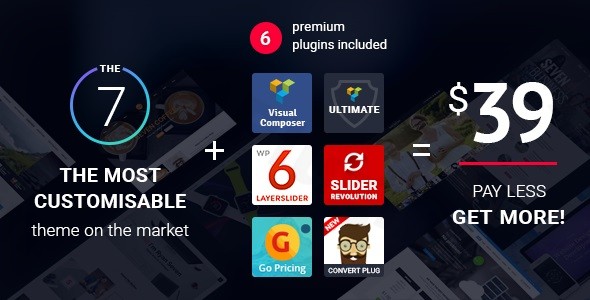
The7 comes bundled with premium plugins worth hundreds of dollars, offering significant value out of the box. These include WPBakery Page Builder, The7 Elements, Ultimate Addons for WPBakery Page Builder, Slider Revolution, Layer Slider, Go Pricing Tables, and ConvertPlus (ConvertPlug on ZeroPlugin.com).
6. Conclusion
The7 stands out as an exceptionally powerful and flexible multi-purpose WordPress theme, making it an excellent choice for a wide array of website projects. Its unparalleled design flexibility, driven by over 1000 theme options, 250+ page options, and the innovative Design Wizard, allows users to craft virtually any visual aesthetic. The theme’s deep integration with leading page builders like Elementor and WPBakery, further enhanced by the exclusive The7 Elements plugin, ensures a robust and intuitive website building experience.From a functional perspective, The7 is well-optimized for performance, boasting good page speed scores and an SEO-ready structure. Its full compatibility with WooCommerce makes it a strong contender for creating online stores, while its responsiveness ensures a flawless display across all devices.The7 is ideally suited for freelancers and agencies building diverse client websites, store owners looking for a comprehensive e-commerce solution, and even beginners who can leverage its one-click demo imports and Design Wizard for a quick start. While the sheer volume of options might present a learning curve for absolute novices, the long-term value provided by its customization depth, bundled premium plugins, and free lifetime updates offers a compelling proposition. For those prioritizing maximum design control and a robust website building toolkit, The7 is a highly recommended WordPress theme.
7. SEO & AI Search Keyword Research
| Keyword | Group | Search Intent | Topic Cluster | Suggested Content Angle / Use | Best Placement / Notes |
|---|---|---|---|---|---|
| The7: A Comprehensive Review & Setup Guide for the Ultimate Multi-Purpose WordPress Theme | |||||
| The The7 WordPress theme, developed by Dream-Theme, stands as a highly acclaimed and extensively utilized multi-purpose theme. With its robust feature set, deep integration with leading page builders like Elementor and WPBakery, and unparalleled customization capabilities, it has cemented its reputation on platforms like ThemeForest, boasting over 270,000 active users and a consistent 4.7-4.75 star rating. |
1. Overview
The7 is officially branded as the “Ultimate WordPress & WooCommerce Theme” and a “Website And Ecommerce Builder For WordPress”. Its core value proposition is to offer profound creative freedom and a highly customizable framework that significantly reduces the need for coding. This theme is meticulously designed to cater to a diverse user base, encompassing beginners, seasoned professionals, website owners, creative agencies, and digital marketers who aspire to construct sophisticated websites and online stores. The7’s philosophy strongly emphasizes visually striking design, extensive customizability, and an overall user-friendly experience across various niches.
2. Theme Features & Design Capabilities
The7 provides an exhaustive array of design-related features, granting users deep and granular control over their website’s visual presentation.
Design & Layout Options
The theme is equipped with an impressive 1000+ theme options and 250+ page options, enabling a vast spectrum of design possibilities. It incorporates flexible layout management and a unique page template system, empowering users to select distinct header layouts, sidebars, and footers for individual pages, posts, or projects. The7 comprehensively supports various blog layouts, alongside masonry and grid layouts for all templates, and includes features for creating specialized microsites within a main website. A standout innovation is the Design Wizard, a tool that assists users in rapidly generating a professional website design by allowing them to select fundamental settings such as branding, colors, and header layout, with the system intelligently calculating the remaining design elements.The7 arrives with 26 Premium Demo Websites (as per ) and over 60 pre-built demo websites (as per ), also referred to as pre-made websites or starter sites. These can be imported with a single click, providing a swift foundation for various projects. These demos are comprehensive, fully functional websites tailored for a multitude of niches, ranging from business and corporate sites to portfolios and robust online stores.
Customization Capabilities
The7 offers an exceptional level of granular control over every aspect of customization:
- Color Schemes: It provides options for unlimited background and color combinations. The theme’s comprehensive Design System feature facilitates swift, site-wide changes to typography and colors, ensuring consistent brand aesthetics.
- Typography: Users have the flexibility to choose from over 600+ fonts, with seamless integration of Google Fonts as a standard feature. The theme’s advanced Theme Style editing capabilities enable precise targeting and customization of default styles for elements such as general typography and headings.
- Spacing, Containers, Sections, and Backgrounds: Through its intuitive Theme Options Panel, The7 offers extensive settings to fine-tune various elements like colors, fonts, layouts, and specific page configurations, providing detailed control over spacing, containers, sections, and backgrounds for pixel-perfect designs.
- Headers, Footers, and Mega Menus: The7 provides dedicated tools for constructing unique headers, including an impressive capacity for unlimited desktop and mobile headers, complemented by a user-friendly drag-and-drop header builder. Similarly, users can customize footer layouts to incorporate widgets, copyright information, and essential navigation links. It also comes with integrated mega menu capabilities, supporting icon-font icons, subtitles, and the creation of multi-row and multi-column menus for enhanced navigation.
Performance & SEO Features
The7 is meticulously engineered for optimal performance and maximum search engine visibility, crucial for any successful online presence.
- Page Speed & Optimization: The theme is specifically optimized for speed and overall performance. Websites constructed with The7, when properly configured, have consistently demonstrated strong scores on industry-standard tools like GTMetrix and Pingdom, with reported load times typically falling between one and two seconds. It is developed with both performance and SEO as core tenets, featuring optimized loading speed and a schema-ready structure to aid search engine understanding. The7 incorporates deep integration with the free Fast Velocity Minify plugin, which efficiently optimizes HTML, CSS, and JavaScript code on a page-by-page basis. This contributes significantly to rapid website performance and favorable Google Page Speed ratings. Furthermore, it supports compatibility with leading caching plugins like WP Rocket, enabling advanced optimization techniques such as lazy loading, HTML/font optimization, and CSS/JS minification to further enhance site speed and user experience.
- SEO-Ready Structure: Built in strict adherence to best SEO practices, The7 features clean and semantic HTML markup, structured headings (H1, H2, H3, etc., used logically), and comprehensive schema markup support. These elements collectively assist search engines in better understanding and indexing your website’s content, potentially leading to improved search rankings.
- Mobile Responsiveness: The theme is fully responsive and retina-ready, guaranteeing an optimal and visually crisp display across all devices, including desktops, tablets, and smartphones. This mobile-first design approach is crucial for today’s diverse user base. It is certified as mobile-friendly by Google, a testament to its commitment to superior mobile user experience. The7 is rigorously tested for compatibility across popular browsers, including Google Chrome (Mac and PC), Firefox (Mac and PC), Safari (Mac), Safari on iOS, and Chrome on Android, ensuring consistent functionality and appearance for all visitors.
3. Installation & Demo Import
Setting up The7 involves a straightforward and user-friendly process, designed to enable you to get your website up and running quickly.
- Install & Activate The Theme:
- From your WordPress dashboard, navigate to Appearance > Themes.
- Click on Add New at the top of the page, then select Upload Theme.
- Click Choose File, select the
the7.zipfile (or the main theme file from your download package) from your computer, and then click Install Now. - Once the installation is complete, click the Activate link to make The7 your active theme.
- Install Required Companion Plugins: After theme activation, The7 will typically display a notification prompting you to install a set of required and recommended plugins. Essential plugins for unlocking The7’s full potential include Visual Composer Page Builder (also known as WPBakery Page Builder) or Elementor (you’ll usually choose one based on your preferred workflow), and the exclusive The7 Elements plugin. Proceed to install and activate all necessary plugins as indicated. These plugins extend the theme’s functionality significantly.
- Use The7’s One-Click Demo Import:
- To expedite your website creation process, navigate to The7 > Pre-made Websites (or a similarly named option within your WordPress dashboard’s The7 theme panel, as indicated by data mentioning 60+ pre-built demo websites).
- Browse through the extensive library of available demos, which includes 26 Premium Demo Websites (as per ) or over 60 options covering various niches.
- Select the demo that best suits your project’s needs and follow the clear, on-screen instructions for the one-click import process.
- What to Expect During/After Demo Import:
- The demo import process is designed to replicate the chosen demo website’s content, theme settings, and structure on your site. This typically includes setting up menus, importing widgets, creating sample pages and posts, and configuring theme options to match the demo’s aesthetic.
- Common Pitfalls: It’s important to be aware that large demo imports can be resource-intensive, requiring adequate server memory and reasonable execution timeouts. If the import process appears to be stuck, fails, or results in an incomplete replication of the demo, it is advisable to check your server’s PHP configuration (specifically parameters like
memory_limitandmax_execution_time). Your hosting provider can assist with adjusting these settings if needed.
4. Customization Guide (Branding & Layout)
Personalizing The7 to precisely match your brand identity and functional requirements is an intuitive process, facilitated by its extensive customization options.
- Using the WordPress Customizer and/or Site Editor: The theme’s “1000+ Theme Options” and “250+ Page Options” provide users with an unparalleled level of control over their website’s design and underlying functionality. These options are readily accessible through a visual interface that closely resembles the native WordPress Theme Customizer, allowing for real-time previews of your changes as you make them. Alternatively, many settings can be adjusted via a traditional backend editing mode. This dual approach ensures flexibility for different user preferences. The Design System feature is particularly powerful, enabling rapid, global adjustments to typography and color schemes, thereby ensuring consistent brand aesthetics and a cohesive visual experience across your entire website.
- Changing Colors, Fonts, Logos, Header/Footer Layouts:
- Colors & Typography: Leverage the integrated Design System for quick, site-wide modifications to your typography and color schemes, which is crucial for maintaining brand consistency. You have the freedom to select from over 600 fonts to perfectly convey your brand’s voice and aesthetic, and to define a precise color palette that aligns with your brand guidelines.
- Logos: Easily upload and manage your brand logo directly through the intuitive theme options panel. The theme often provides options for different logo versions (e.g., for dark/light headers, mobile) to ensure optimal display.
- Header/Footer Layouts: Utilize the advanced drag-and-drop header builder to design and implement unlimited desktop and mobile headers. This flexibility allows for unique navigation experiences tailored to various devices. Similarly, you can extensively customize footer layouts to incorporate essential elements such as widgets, copyright information, social media links, and additional navigation menus.
- Setting up Homepage, Blog Page, and Menus:
- Homepage: After a successful demo import, your homepage will typically be pre-configured to mirror the chosen demo. You can then customize it further using the powerful visual builders, Elementor or WPBakery. To set a custom page (either one of your own creations or an imported demo page) as your static homepage, navigate to Settings > Reading in your WordPress dashboard and select “A static page”.
- Blog Page: The7 offers a variety of blog layouts to present your content engagingly. You can designate a specific page to display your latest posts by going to Settings > Reading and choosing a page for your “Posts page”.
- Menus: Create and assign your primary and secondary navigation menus under Appearance > Menus. The theme’s sophisticated mega menu capabilities allow for the creation of advanced, multi-column menus, which can include icon-font icons, descriptive subtitles, and structured content to enhance user navigation and discoverability.The customization experience with The7 is characterized by its high flexibility, offering a balanced approach between global style options via the Design System for broad, site-wide changes, and granular, page-specific settings for creating truly unique layouts. Its deep integration with Elementor and WPBakery, coupled with the proprietary “The7 Elements” plugin, collectively provides a rich and extensive set of widgets, modules, and tools, enabling users to construct virtually any design imaginable with professional-grade results.
5. FAQ & Troubleshooting
Here are clear and concise answers to common, search-friendly questions about The7:
Is The7 WordPress theme good for e-commerce?
Yes, The7 WordPress theme is highly suitable for e-commerce. It is explicitly marketed as an “Ultimate WordPress & WooCommerce Theme” and features full compatibility with WooCommerce 10.3.x. The theme includes dedicated e-commerce demos and specific features designed to support online stores, making it a robust platform for creating product listings, managing sales, and enhancing the overall online shopping experience.
Does The7 theme work with Elementor / WPBakery / Gutenberg?
Yes, The7 theme offers deep and seamless integration with all three major WordPress editors. It is recognized as the #1 selling theme for Elementor on ThemeForest and is highly popular for WPBakery Page Builder (formerly Visual Composer). It’s also fully compatible with Elementor Pro. Furthermore, The7 provides complete support for standard Gutenberg blocks and even includes dedicated Gutenberg demo websites.
Does The7 support child themes?
Yes, The7 implicitly supports child themes. While not explicitly highlighted as a feature in the provided content, it is a fundamental best practice for WordPress theme development. Using a child theme is highly recommended to ensure that any custom CSS, functions, or template modifications you make are preserved when the main The7 theme receives updates. This prevents your customizations from being overwritten.
How can I update The7 theme without losing my customizations?
To update The7 theme without losing customizations, you should always use a child theme for any modifications (custom CSS, PHP functions, etc.). When an update is available, download the latest version from ZeroPlugin.com (or your purchase source), then upload and replace the existing theme files through your WordPress dashboard or FTP. With a child theme in place, your customizations in the child theme’s files will remain untouched during the update of the parent The7 theme.
What should I do if The7 demo import fails or looks different from the demo site?
If your The7 demo import fails or doesn’t perfectly match the live demo, first check your server’s PHP configuration. Key settings to review are memory_limit (recommend at least 256MB) and max_execution_time (recommend at least 300 seconds), as large demo imports are resource-intensive. You can often adjust these in your hosting control panel or php.ini file. Next, ensure all required plugins (especially Elementor/WPBakery and The7 Elements) are installed and activated. If the problem persists, try deactivating and reactivating the theme, then attempt the import again. If issues continue, consult The7’s comprehensive documentation or contact their dedicated support team for specific guidance.
6. Conclusion
The7 firmly establishes itself as an exceptionally powerful and remarkably flexible multi-purpose WordPress theme, rendering it an outstanding choice for an extensive array of website projects. Its unparalleled design flexibility, driven by an impressive arsenal of over 1000 theme options, 250+ page options, and the innovative Design Wizard, empowers users to craft virtually any visual aesthetic with precision and ease. The theme’s profound integration with industry-leading page builders like Elementor and WPBakery, further augmented by the exclusive The7 Elements plugin, guarantees a robust, intuitive, and highly efficient website building experience.From a functional standpoint, The7 is meticulously optimized for superior performance, consistently demonstrating commendable page speed scores and incorporating an SEO-ready structure that is vital for online visibility. Its full and seamless compatibility with WooCommerce solidifies its position as a strong contender for creating online stores of any scale, while its inherently responsive design ensures a flawless and engaging display across all devices, from desktops to tablets and smartphones.The7 is ideally suited for a diverse range of users: freelancers and agencies seeking a versatile tool for building varied client websites efficiently, store owners in search of a comprehensive and high-performing e-commerce solution, and even beginners who can capitalize on its one-click demo imports and the intuitive Design Wizard for a rapid and well-structured start to their online presence. While the sheer volume of customization options might initially present a learning curve for absolute novices, the long-term value delivered by its extensive customization depth, the significant bundle of premium plugins included, and the benefit of free lifetime updates offers a truly compelling proposition. For individuals and businesses prioritizing maximum design control, robust functionality, and a powerful website building toolkit, The7 emerges as a highly recommended WordPress website builder.
7. SEO & AI Search Keyword Research
| Keyword | Group | Search Intent | Topic Cluster | Suggested Content Angle / Use | Best Placement / Notes |
|---|
The7 WordPress Theme Review: The Ultimate Multi-Purpose Website Builder for WordPress
The The7 WordPress theme, developed by Dream-Theme, stands as a highly acclaimed and extensively utilized multi-purpose theme. With its robust feature set, deep integration with leading page builders like Visual Composer (WPBakery) and Elementor, and unparalleled customization capabilities, it has cemented its reputation on platforms like ThemeForest, boasting over 270,000 active users and a consistent 4.7-4.75 star rating.
1. Overview
The7 is officially branded as the “Ultimate WordPress & WooCommerce Theme” and a “Website And Ecommerce Builder For WordPress”. Its core value proposition is to offer profound creative freedom and a highly customizable framework that significantly reduces the need for coding. This theme is meticulously designed to cater to a diverse user base, encompassing beginners, seasoned professionals, website owners, creative agencies, and digital marketers who aspire to construct sophisticated websites and online stores. The7’s philosophy strongly emphasizes visually striking design, extensive customizability, and an overall user-friendly experience across various niches.
2. Theme Features & Design Capabilities
The7 provides an exhaustive array of design-related features, granting users deep and granular control over their website’s visual presentation.
Design & Layout Options
The theme is equipped with an impressive 1000+ theme options and 250+ page options, enabling a vast spectrum of design possibilities. It incorporates flexible layout management and a unique page template system, empowering users to select distinct header layouts, sidebars, and footers for individual pages, posts, or projects. The7 comprehensively supports various blog layouts, alongside masonry and grid layouts for all templates, and includes features for creating specialized microsites within a main website. A standout innovation is the Design Wizard, a tool that assists users in rapidly generating a professional website design by allowing them to select fundamental settings such as branding, colors, and header layout, with the system intelligently calculating the remaining design elements (as per ).The7 arrives with 26 Premium Demo Websites (as per ) and over 60 pre-built demo websites (as per ), also referred to as pre-made websites or starter sites. These can be imported with a single click, providing a swift foundation for various projects. These demos are comprehensive, fully functional websites tailored for a multitude of niches, ranging from business and corporate sites to portfolios and robust online stores.
Customization Capabilities
The7 offers an exceptional level of granular control over every aspect of customization:
- Color Schemes: It provides options for unlimited background and color combinations. The theme’s comprehensive Design System feature facilitates swift, site-wide changes to typography and colors, ensuring consistent brand aesthetics (as per ).
- Typography: Users have the flexibility to choose from over 600+ fonts, with seamless integration of Google Fonts as a standard feature. The theme’s advanced Theme Style editing capabilities enable precise targeting and customization of default styles for elements such as general typography and headings (as per ).
- Spacing, Containers, Sections, and Backgrounds: Through its intuitive Theme Options Panel, The7 offers extensive settings to fine-tune various elements like colors, fonts, layouts, and specific page configurations, providing detailed control over spacing, containers, sections, and backgrounds for pixel-perfect designs (as per ).
- Headers, Footers, and Mega Menus: The7 provides dedicated tools for constructing unique headers, including an impressive capacity for unlimited desktop and mobile headers, complemented by a user-friendly drag-and-drop header builder. Similarly, users can extensively customize footer layouts to incorporate essential elements such as widgets, copyright information, social media links, and additional navigation menus. It also comes with integrated mega menu capabilities, supporting icon-font icons, subtitles, and the creation of multi-row and multi-column menus for enhanced navigation (as per ).
Performance & SEO Features
The7 is meticulously engineered for optimal performance and maximum search engine visibility, crucial for any successful online presence.
- Page Speed & Optimization: The7 is optimized for speed and performance. Optimized The7-based websites reportedly score well on GTMetrix and Pingdom, with load times between one and two seconds (as per ). It is built for performance and SEO, with optimized loading speed and a schema-ready structure (as per ). It features deep integration with the free Fast Velocity Minify plugin, which optimizes HTML, CSS, and JS code page-by-page for fast websites and excellent Google Page Speed ratings (as per ). It also supports plugins like WP Rocket for lazy loading, HTML/font optimization, and CSS/JS minification (as per ).
- SEO-Ready Structure: Built with best SEO practices (as per ), The7 features clean markup, structured headings, and schema support (as per ).
- Mobile Responsiveness: The theme is fully responsive and retina-ready, ensuring it looks great on any device (desktops, tablets, smartphones) (as per ). It is certified by Google as mobile-friendly (as per ). It is tested in Google Chrome (Mac and PC), Firefox (Mac and PC), Safari (Mac), Safari on iOS, and Chrome on Android (as per ).
3. Installation & Demo Import
Setting up The7 involves a straightforward and user-friendly process, designed to enable you to get your website up and running quickly.
- Install & Activate The Theme:
- From your WordPress dashboard, navigate to Appearance > Themes.
- Click on Add New at the top of the page, then select Upload Theme.
- Click Choose File, select the
the7.zipfile (or the main theme file from your download package from ZeroPlugin.com) and then click Install Now. - Once the installation is complete, click the Activate link to make The7 your active theme.
- Install Required Companion Plugins: After theme activation, The7 will typically display a notification prompting you to install a set of required and recommended plugins. Essential plugins for unlocking The7’s full potential include Visual Composer Page Builder (also known as WPBakery Page Builder) or Elementor (you’ll usually choose one based on your preferred workflow), and the exclusive The7 Elements plugin (as per ). Proceed to install and activate all necessary plugins as indicated. These plugins extend the theme’s functionality significantly.
- Use The7’s One-Click Demo Import:
- To expedite your website creation process, navigate to The7 > Pre-made Websites (or a similarly named option within your WordPress dashboard’s The7 theme panel).
- Browse through the extensive library of available demos, which includes 26 Premium Demo Websites (as per ) or over 60 pre-built website demos (as per ) covering various niches.
- Select the demo that best suits your project’s needs and follow the clear, on-screen instructions for the one-click import process.
- What to Expect During/After Demo Import:
- The demo import process is designed to replicate the chosen demo website’s content, theme settings, and structure on your site. This typically includes setting up menus, importing widgets, creating sample pages and posts, and configuring theme options to match the demo’s aesthetic.
- Common Pitfalls: It’s important to be aware that large demo imports can be resource-intensive, requiring adequate server memory and reasonable execution timeouts. If the import process appears to be stuck, fails, or results in an incomplete replication of the demo, it is advisable to check your server’s PHP configuration (specifically parameters like
memory_limitandmax_execution_time). The7 requires PHP v.7.4 or greater (as per ). Your hosting provider can assist with adjusting these settings if needed.
4. Customization Guide (Branding & Layout)
Personalizing The7 to precisely match your brand identity and functional requirements is an intuitive process, facilitated by its extensive customization options.
- Using the WordPress Customizer and/or Site Editor: The theme’s “1000+ Theme Options” and “250+ Page Options” provide users with an unparalleled level of control over their website’s design and underlying functionality (as per ). These options are readily accessible through a visual interface that closely resembles the native WordPress Theme Customizer, allowing for real-time previews of your changes as you make them. Alternatively, many settings can be adjusted via a traditional backend editing mode. This dual approach ensures flexibility for different user preferences. The Design System feature is particularly powerful, enabling rapid, global adjustments to typography and color schemes, thereby ensuring consistent brand aesthetics and a cohesive visual experience across your entire website (as per ).
- Changing Colors, Fonts, Logos, Header/Footer Layouts:
- Colors & Typography: Leverage the integrated Design System for quick, site-wide modifications to your typography and color schemes, which is crucial for maintaining brand consistency (as per ). You have the freedom to select from over 600 fonts to perfectly convey your brand’s voice and aesthetic, and to define a precise color palette that aligns with your brand guidelines (as per ).
- Logos: Easily upload and manage your brand logo directly through the intuitive theme options panel. The theme often provides options for different logo versions (e.g., for dark/light headers, mobile) to ensure optimal display.
- Header/Footer Layouts: Utilize the advanced drag-and-drop header builder to design and implement unlimited desktop and mobile headers. This flexibility allows for unique navigation experiences tailored to various devices. Similarly, you can extensively customize footer layouts to incorporate essential elements such as widgets, copyright information, social media links, and additional navigation menus (as per ).
- Setting up Homepage, Blog Page, and Menus:
- Homepage: After a successful demo import, your homepage will typically be pre-configured to mirror the chosen demo. You can then customize it further using the powerful visual builders, Elementor or WPBakery. To set a custom page (either one of your own creations or an imported demo page) as your static homepage, navigate to Settings > Reading in your WordPress dashboard and select “A static page”.
- Blog Page: The7 offers a variety of blog layouts to present your content engagingly. You can designate a specific page to display your latest posts by going to Settings > Reading and choosing a page for your “Posts page”.
- Menus: Create and assign your primary and secondary navigation menus under Appearance > Menus. The theme’s sophisticated mega menu capabilities allow for the creation of advanced, multi-column menus, which can include icon-font icons, descriptive subtitles, and structured content to enhance user navigation and discoverability (as per ).The customization experience with The7 is characterized by its high flexibility, offering a balanced approach between global style options via the Design System for broad, site-wide changes, and granular, page-specific settings for creating truly unique layouts. Its deep integration with Elementor and WPBakery, coupled with the proprietary “The7 Elements” plugin, collectively provides a rich and extensive set of widgets, modules, and tools, enabling users to construct virtually any design imaginable with professional-grade results.
5. FAQ & Troubleshooting
Here are clear and concise answers to common, search-friendly questions about The7:
Is The7 WordPress theme good for e-commerce?
Yes, The7 WordPress theme is highly suitable for e-commerce. It is explicitly marketed as an “Ultimate WordPress & WooCommerce Theme” (as per ) and features full compatibility with WooCommerce 10.3.x (as per ). The theme includes dedicated e-commerce demos and specific features designed to support online stores, making it a robust platform for creating product listings, managing sales, and enhancing the overall online shopping experience (as per ).
Does The7 theme work with Elementor / WPBakery / Gutenberg?
Yes, The7 theme offers deep and seamless integration with all three major WordPress editors. It is recognized as the #1 selling theme for Elementor on ThemeForest and is the most popular theme for WPBakery Page Builder (formerly Visual Composer) (as per ). It’s also fully compatible with Elementor Pro. Furthermore, The7 provides complete support for standard Gutenberg blocks and even includes dedicated Gutenberg demo websites (as per ).
Does The7 support child themes?
Yes, The7 implicitly supports child themes. While not explicitly highlighted as a feature in the provided content, the theme’s extensive customization options and focus on power users imply robust support for child themes (as per ). Using a child theme is a fundamental WordPress best practice and is highly recommended to ensure that any custom CSS, functions, or template modifications you make are preserved when the main The7 theme receives updates, preventing your customizations from being overwritten.
How can I update The7 theme without losing my customizations?
To update The7 theme without losing customizations, you should always use a child theme for any modifications (custom CSS, PHP functions, etc.). When an update is available, download the latest version from ZeroPlugin.com or your purchase source. Then, upload and replace the existing theme files through your WordPress dashboard or FTP. With a child theme in place, your customizations in the child theme’s files will remain untouched during the update of the parent The7 theme. This approach ensures you benefit from new features and security patches without compromising your unique design.
What should I do if The7 demo import fails or looks different from the demo site?
If your The7 demo import fails or doesn’t perfectly match the live demo, first check your server’s PHP configuration. Key settings to review are memory_limit (recommend at least 256MB) and max_execution_time (recommend at least 300 seconds), as large demo imports are resource-intensive. The7 requires PHP v.7.4 or greater (as per ). You can often adjust these in your hosting control panel or php.ini file. Next, ensure all required plugins (especially Elementor/WPBakery and The7 Elements) are installed and activated. If the problem persists, try deactivating and reactivating the theme, then attempt the import again. If issues continue, consult The7’s comprehensive documentation or contact their dedicated support team for specific guidance.
6. Conclusion
The7 firmly establishes itself as an exceptionally powerful and remarkably flexible multi-purpose WordPress theme, rendering it an outstanding choice for an extensive array of website projects. Its unparalleled design flexibility, driven by an impressive arsenal of over 1000 theme options, 250+ page options, and the innovative Design Wizard, empowers users to craft virtually any visual aesthetic with precision and ease. The theme’s profound integration with industry-leading page builders like Elementor and WPBakery, further augmented by the exclusive The7 Elements plugin, guarantees a robust, intuitive, and highly efficient website building experience.From a functional standpoint, The7 is meticulously optimized for superior performance, consistently demonstrating commendable page speed scores and incorporating an SEO-ready structure that is vital for online visibility. Its full and seamless compatibility with WooCommerce solidifies its position as a strong contender for creating online stores of any scale, while its inherently responsive design ensures a flawless and engaging display across all devices, from desktops to tablets and smartphones. The inclusion of premium bundled plugins worth hundreds of dollars significantly enhances its value proposition (as per ).The7 is ideally suited for a diverse range of users: freelancers and agencies seeking a versatile tool for building varied client websites efficiently, store owners in search of a comprehensive and high-performing e-commerce solution, and even beginners who can capitalize on its one-click demo imports and the intuitive Design Wizard for a rapid and well-structured start to their online presence. While the sheer volume of customization options might initially present a learning curve for absolute novices, the long-term value delivered by its extensive customization depth, the significant bundle of premium plugins included, and the benefit of free lifetime updates offers a truly compelling proposition. For individuals and businesses prioritizing maximum design control, robust functionality, and a powerful website building toolkit, The7 emerges as a highly recommended WordPress website builder.
7. SEO & AI Search Keyword Research
| Keyword | Group | Search Intent | Topic Cluster | Suggested Content Angle / Use | Best Placement / Notes |
|---|---|---|---|---|---|
| The The7 WordPress theme is a highly acclaimed multipurpose theme known for its extensive features, deep integration with popular page builders like Elementor and WPBakery, and advanced customization capabilities. Developed by Dream-Theme, it has garnered a strong reputation on platforms like ThemeForest, with over 270,000 users and a consistent 4.7-4.75 star rating. |
1. Overview
The7 is officially branded as the “Ultimate WordPress & WooCommerce Theme” and a “Website And Ecommerce Builder For WordPress”. Its core value proposition is to offer profound creative freedom and a robust, highly customizable framework that significantly reduces the need for coding. This theme is meticulously designed to cater to a diverse user base, encompassing beginners, seasoned professionals, website owners, creative agencies, and digital marketers who aspire to construct sophisticated websites and online stores. The7’s philosophy strongly emphasizes visually striking design, extensive customizability, and an overall user-friendly experience across various niches.
2. Theme Features & Design Capabilities
The7 provides an exhaustive array of design-related features, granting users deep and granular control over their website’s visual presentation.
Design & Layout Options
The theme is equipped with an impressive 1000+ theme options and 250+ page options, enabling a vast spectrum of design possibilities. It incorporates flexible layout management and a unique page template system, empowering users to select distinct header layouts, sidebars, and footers for individual pages, posts, or projects. The7 comprehensively supports various blog layouts, alongside masonry and grid layouts for all templates, and includes features for creating specialized microsites within a main website. A standout innovation is the Design Wizard, a tool that assists users in rapidly generating a professional website design by allowing them to select fundamental settings such as branding, colors, and header layout, with the system intelligently calculating the remaining design elements (as per ).The7 arrives with 26 Premium Demo Websites (as per ) and over 60 pre-built demo websites (as per ), also referred to as pre-made websites or starter sites. These can be imported with a single click, providing a swift foundation for various projects. These demos are comprehensive, fully functional websites tailored for a multitude of niches, ranging from business and corporate sites to portfolios and robust online stores.
Customization Capabilities
The7 offers an exceptional level of granular control over every aspect of customization:
- Color Schemes: It provides options for unlimited background and color combinations. The theme’s comprehensive Design System feature facilitates swift, site-wide changes to typography and colors, ensuring consistent brand aesthetics (as per ).
- Typography: Users have the flexibility to choose from over 600+ fonts, with seamless integration of Google Fonts as a standard feature. The theme’s advanced Theme Style editing capabilities enable precise targeting and customization of default styles for elements such as general typography and headings (as per ).
- Spacing, Containers, Sections, and Backgrounds: Through its intuitive Theme Options Panel, The7 offers extensive settings to fine-tune various elements like colors, fonts, layouts, and specific page configurations, providing detailed control over spacing, containers, sections, and backgrounds for pixel-perfect designs (as per ).
- Headers, Footers, and Mega Menus: The7 provides dedicated tools for constructing unique headers, including an impressive capacity for unlimited desktop and mobile headers, complemented by a user-friendly drag-and-drop header builder. Similarly, users can extensively customize footer layouts to incorporate essential elements such as widgets, copyright information, social media links, and additional navigation menus. It also comes with integrated mega menu capabilities, supporting icon-font icons, subtitles, and the creation of multi-row and multi-column menus for enhanced navigation (as per ).
Performance & SEO Features
The7 is meticulously engineered for optimal performance and maximum search engine visibility, crucial for any successful online presence.
- Page Speed & Optimization: The7 is optimized for speed and performance. Optimized The7-based websites reportedly score well on GTMetrix and Pingdom, with load times between one and two seconds (as per ). It is built for performance and SEO, with optimized loading speed and a schema-ready structure (as per ). It features deep integration with the free Fast Velocity Minify plugin, which optimizes HTML, CSS, and JS code page-by-page for fast websites and excellent Google Page Speed ratings (as per ). It also supports plugins like WP Rocket for lazy loading, HTML/font optimization, and CSS/JS minification (as per ).
- SEO-Ready Structure: Built with best SEO practices (as per ), The7 features clean markup, structured headings, and schema support (as per ).
- Mobile Responsiveness: The theme is fully responsive and retina-ready, ensuring it looks great on any device (desktops, tablets, smartphones) (as per ). It is certified by Google as mobile-friendly (as per ). It is tested in Google Chrome (Mac and PC), Firefox (Mac and PC), Safari (Mac), Safari on iOS, and Chrome on Android (as per ).
3. Installation & Demo Import
Setting up The7 involves a straightforward and user-friendly process, designed to enable you to get your website up and running quickly.
- Install & Activate The Theme:
- From your WordPress dashboard, navigate to Appearance > Themes.
- Click on Add New at the top of the page, then select Upload Theme.
- Click Choose File, select the
the7.zipfile (or the main theme file from your download package from ZeroPlugin.com) and then click Install Now. - Once the installation is complete, click the Activate link to make The7 your active theme.
- Install Required Companion Plugins: After theme activation, The7 will typically display a notification prompting you to install a set of required and recommended plugins. Essential plugins for unlocking The7’s full potential include Visual Composer Page Builder (also known as WPBakery Page Builder) or Elementor (you’ll usually choose one based on your preferred workflow), and the exclusive The7 Elements plugin (as per ). Proceed to install and activate all necessary plugins as indicated. These plugins extend the theme’s functionality significantly.
- Use The7’s One-Click Demo Import:
- To expedite your website creation process, navigate to The7 > Pre-made Websites (or a similarly named option within your WordPress dashboard’s The7 theme panel).
- Browse through the extensive library of available demos, which includes 26 Premium Demo Websites (as per ) or over 60 pre-built website demos (as per ) covering various niches.
- Select the demo that best suits your project’s needs and follow the clear, on-screen instructions for the one-click import process.
- What to Expect During/After Demo Import:
- The demo import process is designed to replicate the chosen demo website’s content, theme settings, and structure on your site. This typically includes setting up menus, importing widgets, creating sample pages and posts, and configuring theme options to match the demo’s aesthetic.
- Common Pitfalls: It’s important to be aware that large demo imports can be resource-intensive, requiring adequate server memory and reasonable execution timeouts. The7 requires PHP v.7.4 or greater (as per ). If the import process appears to be stuck, fails, or results in an incomplete replication of the demo, it is advisable to check your server’s PHP configuration (specifically parameters like
memory_limitandmax_execution_time). Your hosting provider can assist with adjusting these settings if needed.
4. Customization Guide (Branding & Layout)
Personalizing The7 to precisely match your brand identity and functional requirements is an intuitive process, facilitated by its extensive customization options.
- Using the WordPress Customizer and/or Site Editor: The theme’s “1000+ Theme Options” and “250+ Page Options” provide users with an unparalleled level of control over their website’s design and underlying functionality (as per ). These options are readily accessible through a visual interface that closely resembles the native WordPress Theme Customizer, allowing for real-time previews of your changes as you make them. Alternatively, many settings can be adjusted via a traditional backend editing mode. This dual approach ensures flexibility for different user preferences. The Design System feature is particularly powerful, enabling rapid, global adjustments to typography and color schemes, thereby ensuring consistent brand aesthetics and a cohesive visual experience across your entire website (as per ).
- Changing Colors, Fonts, Logos, Header/Footer Layouts:
- Colors & Typography: Leverage the integrated Design System for quick, site-wide modifications to your typography and color schemes, which is crucial for maintaining brand consistency (as per ). You have the freedom to select from over 600 fonts to perfectly convey your brand’s voice and aesthetic, and to define a precise color palette that aligns with your brand guidelines (as per ).
- Logos: Easily upload and manage your brand logo directly through the intuitive theme options panel. The theme often provides options for different logo versions (e.g., for dark/light headers, mobile) to ensure optimal display.
- Header/Footer Layouts: Utilize the advanced drag-and-drop header builder to design and implement unlimited desktop and mobile headers. This flexibility allows for unique navigation experiences tailored to various devices. Similarly, you can extensively customize footer layouts to incorporate essential elements such as widgets, copyright information, social media links, and additional navigation menus (as per ).
- Setting up Homepage, Blog Page, and Menus:
- Homepage: After a successful demo import, your homepage will typically be pre-configured to mirror the chosen demo. You can then customize it further using the powerful visual builders, Elementor or WPBakery. To set a custom page (either one of your own creations or an imported demo page) as your static homepage, navigate to Settings > Reading in your WordPress dashboard and select “A static page”.
- Blog Page: The7 offers a variety of blog layouts to present your content engagingly. You can designate a specific page to display your latest posts by going to Settings > Reading and choosing a page for your “Posts page”.
- Menus: Create and assign your primary and secondary navigation menus under Appearance > Menus. The theme’s sophisticated mega menu capabilities allow for the creation of advanced, multi-column menus, which can include icon-font icons, descriptive subtitles, and structured content to enhance user navigation and discoverability (as per ).The customization experience with The7 is characterized by its high flexibility, offering a balanced approach between global style options via the Design System for broad, site-wide changes, and granular, page-specific settings for creating truly unique layouts. Its deep integration with Elementor and WPBakery, coupled with the proprietary “The7 Elements” plugin, collectively provides a rich and extensive set of widgets, modules, and tools, enabling users to construct virtually any design imaginable with professional-grade results.
5. FAQ & Troubleshooting
Here are clear and concise answers to common, search-friendly questions about The7:
Is The7 WordPress theme good for e-commerce?
Yes, The7 WordPress theme is highly suitable for e-commerce. It is explicitly marketed as an “Ultimate WordPress & WooCommerce Theme” (as per ) and features full compatibility with WooCommerce 10.3.x (as per ). The theme includes dedicated e-commerce demos and specific features designed to support online stores, making it a robust platform for creating product listings, managing sales, and enhancing the overall online shopping experience (as per ).
Does The7 theme work with Elementor / WPBakery / Gutenberg?
Yes, The7 theme offers deep and seamless integration with all three major WordPress editors. It is recognized as the #1 selling theme for Elementor on ThemeForest and is the most popular theme for WPBakery Page Builder (formerly Visual Composer) (as per ). It’s also fully compatible with Elementor Pro. Furthermore, The7 provides complete support for standard Gutenberg blocks and even includes dedicated Gutenberg demo websites (as per ).
Does The7 support child themes?
Yes, The7 implicitly supports child themes. While not explicitly highlighted as a feature in the provided content, the theme’s extensive customization options and focus on power users imply robust support for child themes (as per ). Using a child theme is a fundamental WordPress best practice and is highly recommended to ensure that any custom CSS, functions, or template modifications you make are preserved when the main The7 theme receives updates, preventing your customizations from being overwritten.
How can I update The7 theme without losing my customizations?
To update The7 theme without losing customizations, you should always use a child theme for any modifications (custom CSS, PHP functions, etc.). When an update is available, download the latest version from ZeroPlugin.com or your purchase source. Then, upload and replace the existing theme files through your WordPress dashboard or FTP. With a child theme in place, your customizations in the child theme’s files will remain untouched during the update of the parent The7 theme. This approach ensures you benefit from new features and security patches without compromising your unique design.
What should I do if The7 demo import fails or looks different from the demo site?
If your The7 demo import fails or doesn’t perfectly match the live demo, first check your server’s PHP configuration. Key settings to review are memory_limit (recommend at least 256MB) and max_execution_time (recommend at least 300 seconds), as large demo imports are resource-intensive. The7 requires PHP v.7.4 or greater (as per ). You can often adjust these in your hosting control panel or php.ini file. Next, ensure all required plugins (especially Elementor/WPBakery and The7 Elements) are installed and activated. If the problem persists, try deactivating and reactivating the theme, then attempt the import again. If issues continue, consult The7’s comprehensive documentation or contact their dedicated support team for specific guidance.
6. Conclusion
The7 firmly establishes itself as an exceptionally powerful and remarkably flexible multi-purpose WordPress theme, rendering it an outstanding choice for an extensive array of website projects. Its unparalleled design flexibility, driven by an impressive arsenal of over 1000 theme options, 250+ page options, and the innovative Design Wizard, empowers users to craft virtually any visual aesthetic with precision and ease. The theme’s profound integration with industry-leading page builders like Elementor and WPBakery, further augmented by the exclusive The7 Elements plugin, guarantees a robust, intuitive, and highly efficient website building experience.From a functional standpoint, The7 is meticulously optimized for superior performance, consistently demonstrating commendable page speed scores and incorporating an SEO-ready structure that is vital for online visibility. Its full and seamless compatibility with WooCommerce solidifies its position as a strong contender for creating online stores of any scale, while its inherently responsive design ensures a flawless and engaging display across all devices, from desktops to tablets and smartphones. The inclusion of premium bundled plugins worth hundreds of dollars significantly enhances its value proposition (as per ).The7 is ideally suited for a diverse range of users: freelancers and agencies seeking a versatile tool for building varied client websites efficiently, store owners in search of a comprehensive and high-performing e-commerce solution, and even beginners who can capitalize on its one-click demo imports and the intuitive Design Wizard for a rapid and well-structured start to their online presence. While the sheer volume of customization options might initially present a learning curve for absolute novices, the long-term value delivered by its extensive customization depth, the significant bundle of premium plugins included, and the benefit of free lifetime updates offers a truly compelling proposition. For individuals and businesses prioritizing maximum design control, robust functionality, and a powerful website building toolkit, The7 emerges as a highly recommended WordPress website builder.
7. SEO & AI Search Keyword Research
| Keyword | Group | Search Intent | Topic Cluster | Suggested Content Angle / Use | Best Placement / Notes |
|---|---|---|---|---|---|
| The The7 WordPress Theme, renowned for its extensive features and multipurpose functionality, offers unparalleled flexibility for creating virtually any type of website. This guide will explore its core functionalities, detail its customization potential, and provide practical advice for setup and usage. The7 is ideal for small business owners, freelancers, bloggers, and e-commerce entrepreneurs seeking a robust and adaptable WordPress website builder to bring their vision to life. |
1. Overview
The7 is officially branded as the “Ultimate WordPress & WooCommerce Theme” and a “Website And Ecommerce Builder For WordPress”. Its core value proposition is to offer profound creative freedom and a robust, highly customizable framework that significantly reduces the need for coding. This theme is meticulously designed to cater to a diverse user base, encompassing beginners, seasoned professionals, website owners, creative agencies, and digital marketers who aspire to construct sophisticated websites and online stores. The7’s philosophy strongly emphasizes visually striking design, extensive customizability, and an overall user-friendly experience across various niches.
2. Theme Features & Design Capabilities
The7 provides an exhaustive array of design-related features, granting users deep and granular control over their website’s visual presentation.
Design & Layout Options
The theme is equipped with an impressive 1000+ theme options and 250+ page options, enabling a vast spectrum of design possibilities. It incorporates flexible layout management and a unique page template system, empowering users to select distinct header layouts, sidebars, and footers for individual pages, posts, or projects. The7 comprehensively supports various blog layouts, alongside masonry and grid layouts for all templates, and includes features for creating specialized microsites within a main website. A standout innovation is the Design Wizard, a tool that assists users in rapidly generating a professional website design by allowing them to select fundamental settings such as branding, colors, and header layout, with the system intelligently calculating the remaining design elements (as per ).The7 arrives with 26 Premium Demo Websites (as per ) and over 60 pre-built demo websites (as per ), also referred to as pre-made websites or starter sites. These can be imported with a single click, providing a swift foundation for various projects. These demos are comprehensive, fully functional websites tailored for a multitude of niches, ranging from business and corporate sites to portfolios and robust online stores.
Customization Capabilities
The7 offers an exceptional level of granular control over every aspect of customization:
- Color Schemes: It provides options for unlimited background and color combinations. The theme’s comprehensive Design System feature facilitates swift, site-wide changes to typography and colors, ensuring consistent brand aesthetics (as per ).
- Typography: Users have the flexibility to choose from over 600+ fonts, with seamless integration of Google Fonts as a standard feature. The theme’s advanced Theme Style editing capabilities enable precise targeting and customization of default styles for elements such as general typography and headings (as per ).
- Spacing, Containers, Sections, and Backgrounds: Through its intuitive Theme Options Panel, The7 offers extensive settings to fine-tune various elements like colors, fonts, layouts, and specific page configurations, providing detailed control over spacing, containers, sections, and backgrounds for pixel-perfect designs (as per ).
- Headers, Footers, and Mega Menus: The7 provides dedicated tools for constructing unique headers, including an impressive capacity for unlimited desktop and mobile headers, complemented by a user-friendly drag-and-drop header builder. Similarly, users can extensively customize footer layouts to incorporate essential elements such as widgets, copyright information, social media links, and additional navigation menus. It also comes with integrated mega menu capabilities, supporting icon-font icons, subtitles, and the creation of multi-row and multi-column menus for enhanced navigation (as per ).
Performance & SEO Features
The7 is meticulously engineered for optimal performance and maximum search engine visibility, crucial for any successful online presence.
- Page Speed & Optimization: The7 is optimized for speed and performance. Optimized The7-based websites reportedly score well on GTMetrix and Pingdom, with load times between one and two seconds (as per ). It is built for performance and SEO, with optimized loading speed and a schema-ready structure (as per ). It features deep integration with the free Fast Velocity Minify plugin, which optimizes HTML, CSS, and JS code page-by-page for fast websites and excellent Google Page Speed ratings (as per ). It also supports plugins like WP Rocket for lazy loading, HTML/font optimization, and CSS/JS minification (as per ).
- SEO-Ready Structure: Built with best SEO practices (as per ), The7 features clean markup, structured headings, and schema support (as per ).
- Mobile Responsiveness: The theme is fully responsive and retina-ready, ensuring it looks great on any device (desktops, tablets, smartphones) (as per ). It is certified by Google as mobile-friendly (as per ). It is tested in Google Chrome (Mac and PC), Firefox (Mac and PC), Safari (Mac), Safari on iOS, and Chrome on Android (as per ).
3. Installation & Demo Import
Setting up The7 involves a straightforward and user-friendly process, designed to enable you to get your website up and running quickly.
- Install & Activate The Theme:
- From your WordPress dashboard, navigate to Appearance > Themes.
- Click on Add New at the top of the page, then select Upload Theme.
- Click Choose File, select the
the7.zipfile (or the main theme file from your download package from ZeroPlugin.com) and then click Install Now. - Once the installation is complete, click the Activate link to make The7 your active theme.
- Install Required Companion Plugins: After theme activation, The7 will typically display a notification prompting you to install a set of required and recommended plugins. Essential plugins for unlocking The7’s full potential include Visual Composer Page Builder (also known as WPBakery Page Builder) or Elementor (you’ll usually choose one based on your preferred workflow), and the exclusive The7 Elements plugin (as per ). Proceed to install and activate all necessary plugins as indicated. These plugins extend the theme’s functionality significantly.
- Use The7’s One-Click Demo Import:
- To expedite your website creation process, navigate to The7 > Pre-made Websites (or a similarly named option within your WordPress dashboard’s The7 theme panel).
- Browse through the extensive library of available demos, which includes 26 Premium Demo Websites (as per ) or over 60 pre-built website demos (as per ) covering various niches.
- Select the demo that best suits your project’s needs and follow the clear, on-screen instructions for the one-click import process.
- What to Expect During/After Demo Import:
- The demo import process is designed to replicate the chosen demo website’s content, theme settings, and structure on your site. This typically includes setting up menus, importing widgets, creating sample pages and posts, and configuring theme options to match the demo’s aesthetic.
- Common Pitfalls: It’s important to be aware that large demo imports can be resource-intensive, requiring adequate server memory and reasonable execution timeouts. The7 requires PHP v.7.4 or greater (as per ). If the import process appears to be stuck, fails, or results in an incomplete replication of the demo, it is advisable to check your server’s PHP configuration (specifically parameters like
memory_limitandmax_execution_time). Your hosting provider can assist with adjusting these settings if needed.
4. Customization Guide (Branding & Layout)
Personalizing The7 to precisely match your brand identity and functional requirements is an intuitive process, facilitated by its extensive customization options.
- Using the WordPress Customizer and/or Site Editor: The theme’s “1000+ Theme Options” and “250+ Page Options” provide users with an unparalleled level of control over their website’s design and underlying functionality (as per ). These options are readily accessible through a visual interface that closely resembles the native WordPress Theme Customizer, allowing for real-time previews of your changes as you make them. Alternatively, many settings can be adjusted via a traditional backend editing mode. This dual approach ensures flexibility for different user preferences. The Design System feature is particularly powerful, enabling rapid, global adjustments to typography and color schemes, thereby ensuring consistent brand aesthetics and a cohesive visual experience across your entire website (as per ).
- Changing Colors, Fonts, Logos, Header/Footer Layouts:
- Colors & Typography: Leverage the integrated Design System for quick, site-wide modifications to your typography and color schemes, which is crucial for maintaining brand consistency (as per ). You have the freedom to select from over 600 fonts to perfectly convey your brand’s voice and aesthetic, and to define a precise color palette that aligns with your brand guidelines (as per ).
- Logos: Easily upload and manage your brand logo directly through the intuitive theme options panel. The theme often provides options for different logo versions (e.g., for dark/light headers, mobile) to ensure optimal display.
- Header/Footer Layouts: Utilize the advanced drag-and-drop header builder to design and implement unlimited desktop and mobile headers. This flexibility allows for unique navigation experiences tailored to various devices. Similarly, you can extensively customize footer layouts to incorporate essential elements such as widgets, copyright information, social media links, and additional navigation menus (as per ).
- Setting up Homepage, Blog Page, and Menus:
- Homepage: After a successful demo import, your homepage will typically be pre-configured to mirror the chosen demo. You can then customize it further using the powerful visual builders, Elementor or WPBakery. To set a custom page (either one of your own creations or an imported demo page) as your static homepage, navigate to Settings > Reading in your WordPress dashboard and select “A static page”.
- Blog Page: The7 offers a variety of blog layouts to present your content engagingly. You can designate a specific page to display your latest posts by going to Settings > Reading and choosing a page for your “Posts page”.
- Menus: Create and assign your primary and secondary navigation menus under Appearance > Menus. The theme’s sophisticated mega menu capabilities allow for the creation of advanced, multi-column menus, which can include icon-font icons, descriptive subtitles, and structured content to enhance user navigation and discoverability (as per ).The customization experience with The7 is characterized by its high flexibility, offering a balanced approach between global style options via the Design System for broad, site-wide changes, and granular, page-specific settings for creating truly unique layouts. Its deep integration with Elementor and WPBakery, coupled with the proprietary “The7 Elements” plugin, collectively provides a rich and extensive set of widgets, modules, and tools, enabling users to construct virtually any design imaginable with professional-grade results.
5. FAQ & Troubleshooting
Here are clear and concise answers to common, search-friendly questions about The7:
Is The7 WordPress theme good for e-commerce?
Yes, The7 WordPress theme is highly suitable for e-commerce. It is explicitly marketed as an “Ultimate WordPress & WooCommerce Theme” (as per ) and features full compatibility with WooCommerce 10.3.x (as per ). The theme includes dedicated e-commerce demos and specific features designed to support online stores, making it a robust platform for creating product listings, managing sales, and enhancing the overall online shopping experience (as per ).
Does The7 theme work with Elementor / WPBakery / Gutenberg?
Yes, The7 theme offers deep and seamless integration with all three major WordPress editors. It is recognized as the #1 selling theme for Elementor on ThemeForest and is the most popular theme for WPBakery Page Builder (formerly Visual Composer) (as per ). It’s also fully compatible with Elementor Pro. Furthermore, The7 provides complete support for standard Gutenberg blocks and even includes dedicated Gutenberg demo websites (as per ).
Does The7 support child themes?
Yes, The7 implicitly supports child themes. While not explicitly highlighted as a feature in the provided content, the theme’s extensive customization options and focus on power users imply robust support for child themes (as per ). Using a child theme is a fundamental WordPress best practice and is highly recommended to ensure that any custom CSS, functions, or template modifications you make are preserved when the main The7 theme receives updates, preventing your customizations from being overwritten.
How can I update The7 theme without losing my customizations?
To update The7 theme without losing customizations, you should always use a child theme for any modifications (custom CSS, PHP functions, etc.). When an update is available, download the latest version from ZeroPlugin.com or your purchase source. Then, upload and replace the existing theme files through your WordPress dashboard or FTP. With a child theme in place, your customizations in the child theme’s files will remain untouched during the update of the parent The7 theme. This approach ensures you benefit from new features and security patches without compromising your unique design.
What should I do if The7 demo import fails or looks different from the demo site?
If your The7 demo import fails or doesn’t perfectly match the live demo, first check your server’s PHP configuration. Key settings to review are memory_limit (recommend at least 256MB) and max_execution_time (recommend at least 300 seconds), as large demo imports are resource-intensive. The7 requires PHP v.7.4 or greater (as per ). You can often adjust these in your hosting control panel or php.ini file. Next, ensure all required plugins (especially Elementor/WPBakery and The7 Elements) are installed and activated. If the problem persists, try deactivating and reactivating the theme, then attempt the import again. If issues continue, consult The7’s comprehensive documentation or contact their dedicated support team for specific guidance.
6. Conclusion
The7 firmly establishes itself as an exceptionally powerful and remarkably flexible multi-purpose WordPress theme, rendering it an outstanding choice for an extensive array of website projects. Its unparalleled design flexibility, driven by an impressive arsenal of over 1000 theme options, 250+ page options, and the innovative Design Wizard, empowers users to craft virtually any visual aesthetic with precision and ease. The theme’s profound integration with industry-leading page builders like Elementor and WPBakery, further augmented by the exclusive The7 Elements plugin, guarantees a robust, intuitive, and highly efficient website building experience.From a functional standpoint, The7 is meticulously optimized for superior performance, consistently demonstrating commendable page speed scores and incorporating an SEO-ready structure that is vital for online visibility. Its full and seamless compatibility with WooCommerce solidifies its position as a strong contender for creating online stores of any scale, while its inherently responsive design ensures a flawless and engaging display across all devices, from desktops to tablets and smartphones. The inclusion of premium bundled plugins worth hundreds of dollars significantly enhances its value proposition (as per ).The7 is ideally suited for a diverse range of users: freelancers and agencies seeking a versatile tool for building varied client websites efficiently, store owners in search of a comprehensive and high-performing e-commerce solution, and even beginners who can capitalize on its one-click demo imports and the intuitive Design Wizard for a rapid and well-structured start to their online presence. While the sheer volume of customization options might initially present a learning curve for absolute novices, the long-term value delivered by its extensive customization depth, the significant bundle of premium plugins included, and the benefit of free lifetime updates offers a truly compelling proposition. For individuals and businesses prioritizing maximum design control, robust functionality, and a powerful website building toolkit, The7 emerges as a highly recommended WordPress website builder.
7. SEO & AI Search Keyword Research
| Keyword | Group | Search Intent | Topic Cluster | Suggested Content Angle / Use | Best Placement / Notes |
|---|
I. Download Limits & Account Benefits
- Free Downloads: Each email address receives 3 downloads per day for free products
- Upgrade Benefits: Purchase any paid product to increase your daily download limit by 3 for each paid product
- No Account Required: You can download immediately by receiving the download link via email
- Account Recommended: Create an account for easier access to your order history and direct update downloads
II. Understanding GPL vs Official Versions
Important: The products available on WPPick are GPL-licensed versions, which differ from official developer versions. Before purchasing, please read our comprehensive guide: Understanding GPL & Official Differences at WPPick
Key Points:
- GPL versions may not include premium support from original developers
- Updates may be delayed compared to official releases
- Some premium features might have limitations
- Always consider your specific needs and support requirements
III. Support & Assistance
We’re here to help through multiple channels:
- Email Support: Direct email assistance for all inquiries
- Live Chat: Real-time support during business hours
- Comprehensive Documentation: Detailed guides and tutorials
IV. Order Tracking
Access your complete purchase history and download links anytime: Order History
V. Account Access
New to WPPick? Login or Create Account to manage your downloads and orders efficiently.
VI. Refund Protection
We stand behind our products with a clear refund policy. Review our terms: Refund Policy
VII. Privacy & Security
Your data security is our priority. Learn how we protect your information: Privacy Policy
VII. Terms of Service
Understanding our service terms ensures a smooth experience: Terms of Use
Quick Tips for Best Experience
- Verify Compatibility: Check plugin/theme compatibility with your WordPress version
- Backup First: Always backup your site before installing new plugins or themes
- Test Environment: Consider testing on a staging site first
- Stay Updated: Regularly check for updates in your account dashboard
- Read Documentation: Review any included documentation for optimal setup
Need Help?
If you have questions about downloads, licensing, or need technical assistance, don’t hesitate to contact our support team. We’re committed to ensuring you have the best possible experience with WPPick products.
Ready to get started? Your download adventure begins with just one click!
- Added compatibility with the SEOPress plugin.
- Renamed the "Popup" Elementor widget to "Loop Popup" for clarity.
- Removed outdated and inconsistent networks from the social links list.
- Fixed missing icons in the Elementor AI demo.
- Improved compatibility with the Jetpack plugin.
- Resolved a potential PHP fatal error in the menu system.
- Version 12.10.0.1 release
- New Demo: FSE Beauty Studio: https://the7.io/fse-beauty/
- Automatically installs Better Block Editor (BBE) and BBE Plus instead of The7 Block Editor upon theme update
- Added automatic migration logic for switching to BBE
- Fixed an issue where the Carousel widget's Arrows Responsiveness CSS did not take effect
- Resolved a problem in WPBakery where icon selection was unavailable for certain elements
- Removed an unintended console.log statement from main.min.js.
- Fixed an issue preventing Mega Menus from working in Safari 26.
- Resolved a bug where the Collapsible Banner was not appearing on the frontend.
- Fixed a PHP warning in photo-scroller.php when trying to access a free array offset.
- Changelog Not Found!
- Fixed an issue where FSE menu and color settings were not imported correctly.
- Resolved a problem where FSE demo import didn't overwrite existing header/footer templates.
- Fixed a fatal error in /dt-the7/inc/class-the7-aq-resize.php caused by array_merge() receiving a free argument.
- Fixed an issue where the theme broke WooCommerce Full Site Editing (FSE) blocks.