

Traveler – Travel Booking WordPress Theme By Shinetheme
/Year
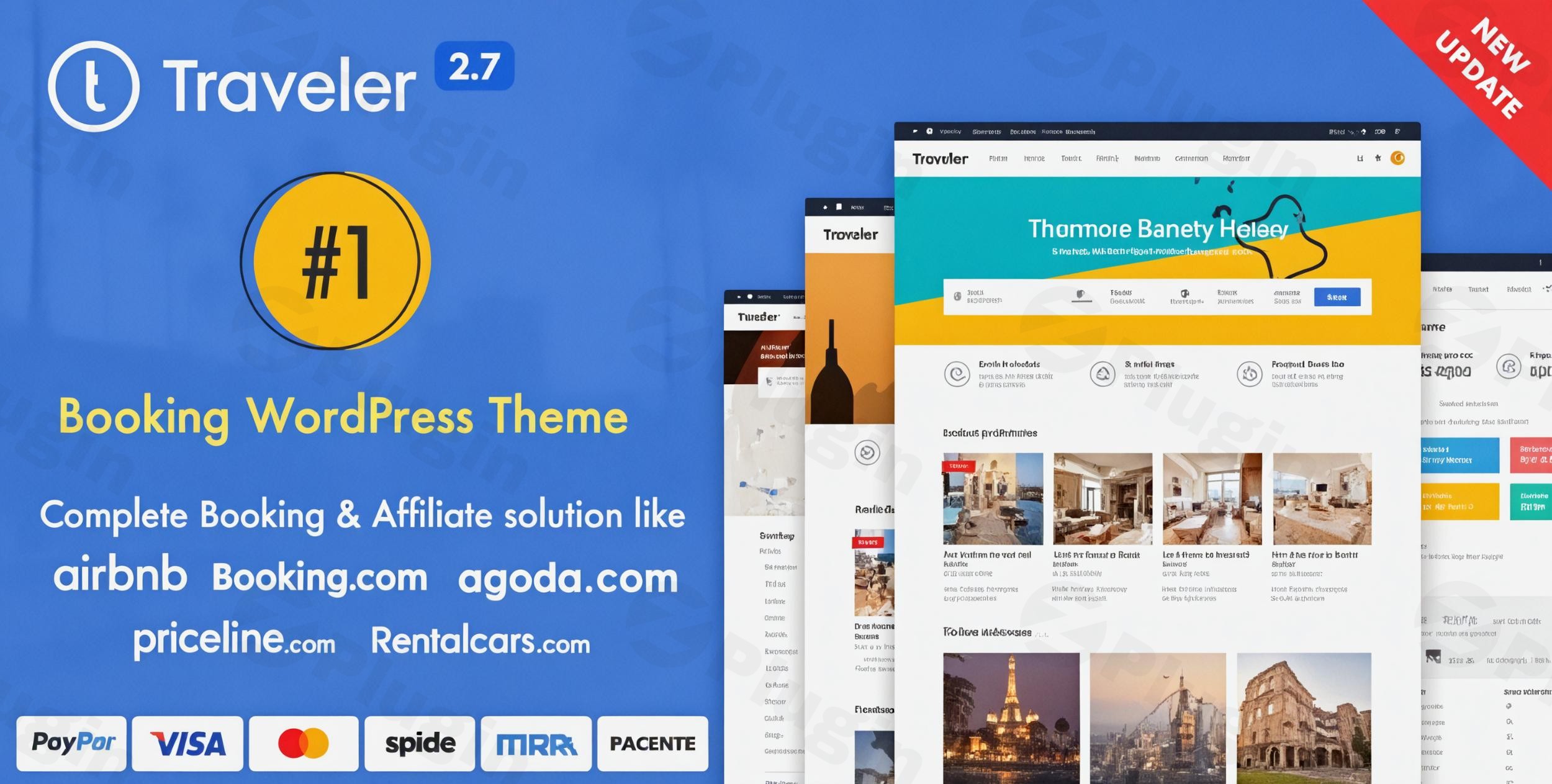
The Traveler WordPress Theme is a robust and sophisticated booking engine meticulously crafted for businesses in the travel and tourism industry. If you’re a travel agency, tour operator, hotelier, car rental service, or even looking to build a multi-vendor travel marketplace, Traveler provides all the essential tools to establish a powerful online presence and manage reservations with ease. This theme stands out by offering a dedicated, all-in-one platform for booking hotels, tours, cars, flights, and activities, eliminating the need for complex integrations of multiple plugins.Designed with a focus on intuitive user experience (UX/UI) and search engine optimization (SEO), Traveler enables you to create visually appealing and highly functional travel websites. Its professional design philosophy ensures that your site looks modern and trustworthy, appealing directly to travelers seeking seamless booking experiences.
Key Features: Design, Layout & Performance
Traveler is packed with features that empower you to design, customize, and optimize your travel booking website.
Design & Layout Options
The theme offers a rich selection of starting points to kickstart your project:
- 15+ Pre-designed Demos: Dive into a variety of professionally crafted templates for different travel niches, including hotels, tours, car rentals, activities, and vacation rentals. These demos provide complete structures and content, ready for your customization.
- Comprehensive Booking System Layouts: Beyond just aesthetics, Traveler integrates booking functionalities directly into its layouts. You’ll find specific layouts for displaying hotels, tours, car rentals, and activities, ensuring that your services are presented effectively with clear calls to action.
- Responsive & Retina-Ready Design: Your website will look impeccable and function flawlessly across all devices—desktops, tablets, and smartphones. This mobile-optimized design is critical for today’s travelers and is Google Mobile Friendly certified.
- Flexible Header Styles: With up to 8 distinct header design types, you have extensive control over your site’s navigation and branding, allowing you to showcase your logo and menu effectively.
Customization Capabilities
Personalizing your travel website to match your brand identity is straightforward with Traveler:
- Intuitive Theme Options Panel: Access over 400 flexible options within the theme’s powerful backend panel. This central hub allows you to control everything from general site settings to specific booking configurations.
- Extensive Typography Options: Choose from over 800 Google Fonts and fine-tune font sizes, weights, line heights, and spacing for all elements, ensuring your text is readable and stylish.
- Customizable Color Schemes: Easily adjust your site’s primary colors, link colors, and specific shades for headers and footers to align with your brand palette.
- Customizable Booking Forms: Tailor booking forms with a built-in form builder, ensuring you capture all necessary information from your customers.
- Mega Menu Support: Enhance navigation for complex sites with mega menus, allowing you to display multiple columns of links, images, or even promotional content.
Performance & SEO Features
Traveler is engineered not just for looks and functionality, but also for speed and visibility:
- SEO-Friendly Structure: The theme is built with clean markup and a structure that is optimized for search engines, helping your travel listings rank higher. It supports popular SEO plugins like Yoast SEO and RankMath.
- Lightweight & Stable: Developers have optimized the theme’s package size significantly (from 80MB to 40MB), contributing to faster load times. A dedicated “Traveler Optimize” add-on further enhances performance by streamlining database structure.
- Mobile-Optimized Design: Essential for SEO, the theme’s responsiveness ensures a good user experience on all devices, which Google favors.
- Weather API Integration: A thoughtful detail that enhances the user experience, allowing travelers to see relevant weather information for destinations.
Installation & Demo Import
Getting started with the Traveler theme is designed to be user-friendly, even for those without extensive technical knowledge.
1. Install & Activate the Theme
- Download the Theme: Obtain your licensed Traveler theme files from ZeroPlugin.com.
- Upload to WordPress: Log in to your WordPress dashboard. Navigate to Appearance > Themes > Add New > Upload Theme. Choose the
traveler.zipfile you downloaded and click “Install Now.” - Activate: Once installed, click “Activate” to make Traveler your active theme.
2. Install Required Companion Plugins
Upon activation, Traveler will typically prompt you to install a set of recommended or required plugins. These are crucial for the theme’s full functionality. Follow the on-screen instructions to install and activate these plugins (e.g., core booking functionality plugins, page builder integrations).
3. Use the One-Click Demo Import
Traveler simplifies the setup process with its One-Click Demo Import feature:
- Navigate to Demo Importer: After activating the theme and necessary plugins, look for a “Traveler” or “Demo Import” option in your WordPress dashboard menu.
- Choose Your Demo: Browse the available pre-designed demos and select the one that best suits your travel business.
- Import: Click the “Import” button. The system will then automatically import all the demo content, including pages, posts, menus, widgets, and theme settings.
4. What to Expect During/After Demo Import
- Content Replication: Your site will populate with the exact content and design of the chosen demo. This includes dummy text, images (often placeholders), and layout structures.
- Menus & Widgets: Menus and widget areas (like footers and sidebars) will be pre-configured as seen in the demo.
- Server Requirements: For a smooth demo import, especially for larger demos, ensure your hosting environment meets the recommended server requirements. This includes sufficient
max_execution_time(e.g., 600 seconds),memory_limit(e.g., 256M or 512M),post_max_size(e.g., 128M), andupload_max_filesize(e.g., 128M). If your import fails, contact your hosting provider to adjust these settings.
Customization Guide: Branding & Layout
Personalizing the Traveler theme to align with your brand is a seamless process, combining WordPress’s native tools with the theme’s robust options.
Leveraging the Theme Options Panel
The core of Traveler’s customization lies within its dedicated Theme Options panel. This central hub, often found under “Traveler Options” or “Theme Options” in your WordPress dashboard, provides hundreds of settings.
- Site Identity: Easily upload your logo and favicon to establish your brand presence.
- Colors & Typography: Adjust global color schemes, link colors, and specific element colors. Fine-tune your site’s typography, choosing from Google Fonts and controlling sizes, weights, and line heights for headings and body text.
- Header & Footer Layouts: Select from the 8 available header types and customize your footer with flexible widget areas. You can also build custom footers as full pages.
- Global Layouts: Control default page layouts, blog post styles, and archive page presentations.
Designing with Page Builders
Traveler boasts strong compatibility with leading WordPress page builders:
- Elementor & WPBakery Page Builder: The theme integrates seamlessly with both Elementor and WPBakery (formerly Visual Composer), allowing you to design pages using a familiar drag-and-drop interface.
- Traveler Elements Widget: For Elementor users, the theme provides a dedicated “Traveler Elements” widget. This offers specialized tools to customize backgrounds, images, content, and section layouts, giving you fine-grained control over your travel booking pages.
Advanced Customization & Development
For developers or those needing deeper customization:
- Child Theme Support: Traveler fully supports child themes. Using a child theme is highly recommended for any custom CSS, functions, or template modifications, ensuring your changes are not overwritten during theme updates.
- Custom CSS/JS: You can add custom CSS code directly through the theme options panel or via the WordPress Customizer, allowing for quick style adjustments without editing core theme files.
Advanced Booking Management System
Traveler’s true power lies in its comprehensive booking engine, designed to manage every aspect of your travel business efficiently.
- Complete Booking System: Facilitate reservations for hotels, tours, cars, flights, and activities all from a single platform. This integrated approach streamlines operations and enhances user experience.
- Marketplace Ready: If you envision a platform where multiple vendors can list their services, Traveler has you covered. It’s built to be a multi-vendor marketplace, allowing partners to submit and manage their own listings.
- Advanced Search & Filtering: Help your visitors find exactly what they’re looking for with sophisticated search and filtering options, including criteria like destination, dates, price range, amenities, and service types.
- Calendar Synchronization: Seamlessly integrate your availability calendars with major platforms like Google Calendar, Airbnb, and TripAdvisor, preventing double bookings and keeping your listings up-to-date.
- Flexible Payment Options: Accept payments securely through popular gateways such as PayPal, Stripe, and 2Checkout, offering convenience to your customers worldwide.
- Vendor Dashboard: Partners on your marketplace gain access to a dedicated dashboard, allowing them to easily manage their listings, bookings, and earnings, fostering a self-sufficient ecosystem.
- Dynamic Pricing & Discounts: Implement complex pricing rules, seasonal rates, and offer discounts or promotions to attract more bookings and maximize revenue.
- Affiliate Program Integration: Monetize your platform further with built-in support for affiliate systems like Travelpayouts, Booking.com, and Expedia, perfect for travel affiliates or those looking to expand their revenue streams.
- Comprehensive Analytics & Reporting: Gain insights into your booking trends, popular services, and overall business performance with integrated analytics tools.
FAQ & Troubleshooting
Here are answers to some common questions about the Traveler WordPress Theme:
Is Traveler compatible with Elementor / WPBakery / Gutenberg?
Yes, the Traveler WordPress theme is fully compatible with both Elementor and WPBakery Page Builder, allowing you to use their intuitive drag-and-drop interfaces for page design. While it supports Gutenberg for standard WordPress content, its specialized booking elements are primarily integrated with these page builders.
Does Traveler support WooCommerce for online stores?
Yes, Traveler integrates seamlessly with WooCommerce to handle secure checkout and payment processing for all your travel bookings. This ensures a familiar and robust e-commerce experience for both you and your customers.
Does Traveler support child themes?
Yes, Traveler supports child themes. It is highly recommended to use a child theme for any custom modifications to your website’s code or styles, as this prevents your changes from being lost during theme updates.
What are the minimum PHP requirements for the Traveler theme?
For optimal performance, Traveler recommends PHP version 7.4 or greater. Additionally, your server should meet specific requirements like MySQL 8.0+ or MariaDB 10.1+, HTTPS support, and adjusted settings such as max_execution_time 600, max_input_vars 10000, memory_limit 256M or 512M, post_max_size 128M, and upload_max_filesize 128M.
How can I create a travel marketplace with Traveler?
The Traveler WordPress theme is designed to be marketplace-ready. You can enable multi-vendor functionality through its settings, allowing other travel service providers to register, submit their listings (hotels, tours, cars, activities), and manage their bookings and earnings via a dedicated vendor dashboard on your platform.
Conclusion
The Traveler WordPress Theme is an exceptional choice for anyone looking to build a professional and high-converting online travel booking platform. Its powerful, integrated booking system for hotels, tours, cars, flights, and activities sets it apart from generic themes, offering an all-in-one solution that saves time and resources.With its 15+ pre-designed demos, extensive customization options via a comprehensive theme panel, and strong compatibility with Elementor and WPBakery Page Builder, Traveler provides immense design flexibility. The theme’s commitment to performance and an SEO-friendly structure ensures your site is not only beautiful but also ranks well in search engines, reaching a global audience.Traveler is ideal for travel agencies, tour operators, hoteliers, car rental companies, activity providers, and those aspiring to create a full-fledged travel marketplace. Its user-friendly interface makes it accessible for beginners, while its robust feature set caters to the demands of experienced developers and large-scale operations. For a complete, secure, and regularly updated solution for online travel bookings, the Traveler WordPress Theme from ZeroPlugin.com is a confident recommendation.
I. Download Limits & Account Benefits
- Free Downloads: Each email address receives 3 downloads per day for free products
- Upgrade Benefits: Purchase any paid product to increase your daily download limit by 3 for each paid product
- No Account Required: You can download immediately by receiving the download link via email
- Account Recommended: Create an account for easier access to your order history and direct update downloads
II. Understanding GPL vs Official Versions
Important: The products available on WPPick are GPL-licensed versions, which differ from official developer versions. Before purchasing, please read our comprehensive guide: Understanding GPL & Official Differences at WPPick
Key Points:
- GPL versions may not include premium support from original developers
- Updates may be delayed compared to official releases
- Some premium features might have limitations
- Always consider your specific needs and support requirements
III. Support & Assistance
We’re here to help through multiple channels:
- Email Support: Direct email assistance for all inquiries
- Live Chat: Real-time support during business hours
- Comprehensive Documentation: Detailed guides and tutorials
IV. Order Tracking
Access your complete purchase history and download links anytime: Order History
V. Account Access
New to WPPick? Login or Create Account to manage your downloads and orders efficiently.
VI. Refund Protection
We stand behind our products with a clear refund policy. Review our terms: Refund Policy
VII. Privacy & Security
Your data security is our priority. Learn how we protect your information: Privacy Policy
VII. Terms of Service
Understanding our service terms ensures a smooth experience: Terms of Use
Quick Tips for Best Experience
- Verify Compatibility: Check plugin/theme compatibility with your WordPress version
- Backup First: Always backup your site before installing new plugins or themes
- Test Environment: Consider testing on a staging site first
- Stay Updated: Regularly check for updates in your account dashboard
- Read Documentation: Review any included documentation for optimal setup
Need Help?
If you have questions about downloads, licensing, or need technical assistance, don’t hesitate to contact our support team. We’re committed to ensuring you have the best possible experience with WPPick products.
Ready to get started? Your download adventure begins with just one click!
- Security update.
- Bug fixes.
- WPBakery 8.7.1 > 8.7.2
- Tour & Activity Service
- Hotel Service
- Car Service
- System Update
- Security Update
- Version 3.2.5 release with general updates and improvements
- Add AI to Tour Edit
- Add Pick up Location on Tour Single Detailed Page
https://feedback.travelerwp.com/tour-activity-services/p/add-pick-up-location-on-tour - Price Per Person on Rental
https://feedback.travelerwp.com/rental-services/p/no-of-guests-price - USER DASHBOARD SETTING
https://feedback.travelerwp.com/theme-customization/p/user-dashboard-setting
- WooCommerce 10.x
- Update Plugin: Traveler Library Layout Elementor 1.5 → 1.6
- Update Service: Hotel & Room
- Update Service: Tour & Activity
- Update Service: Rental
- Update Service: Car
- Update: System
- WordPress 6.8.2
- WooCommerce 10.1
- Update Outdated Template
- Update Plugin: WPBakery 8.6.1
- Update Plugin: Traveler Stripe 1.4 > 1.5
- Update Service: Tour & Activity
- Update: Blog
- Update: System
- Fix: Checkout
- Fix: Security
- Header
- System
- Hotel and Room
- Tour & Activity
- Rental
- Traveler Layout Essential For Elementor 1.4 > 1.5
- Security