
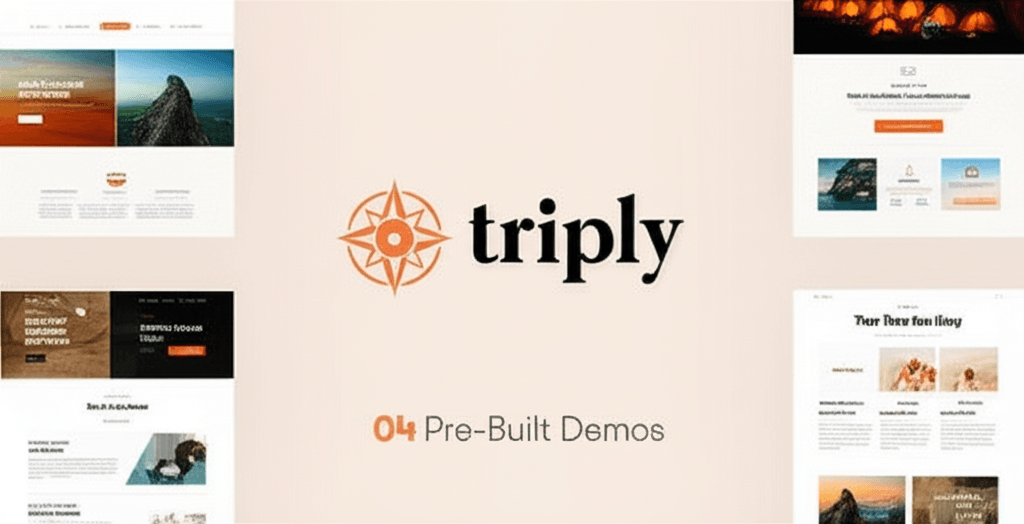
Triply – Tour Booking WordPress Theme
/Year
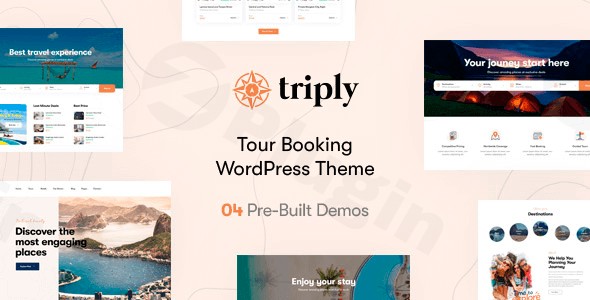
Planning to launch or revamp your travel agency, tour operator, or holiday booking website? The Triply Tour Booking WordPress Theme emerges as a powerful, specialized solution designed to bring your travel business online with style and robust functionality. This theme isn’t just about aesthetics; it’s a meticulously crafted platform for showcasing tours, managing bookings, and captivating your audience with an intuitive user experience.Triply is specifically tailored for the travel and tourism industry, offering a visually stunning and conversion-focused design that simplifies tour display and booking management for both administrators and visitors.
Key Features: Design, Layout & Performance
Triply is engineered to provide a comprehensive toolset for creating a dynamic and efficient tour booking website. Its design philosophy centers on making complex booking processes feel seamless and visually appealing.
Design & Layout Options
Triply excels in offering diverse design possibilities right out of the box, ensuring your website stands out:
- Responsive & Retina-Ready Design: Your travel offerings will look immaculate on any device, from large desktop monitors to tablets and smartphones, thanks to its fully responsive and retina-ready design. This mobile-first approach is crucial for today’s travelers.
- Extensive Homepage Demos: With over 8 distinct homepage demos, Triply provides a rich starting point. These pre-designed layouts offer varied styles for showcasing tours, destinations, and special offers, allowing you to quickly find a design that resonates with your brand.
- Diverse Tour Listing & Destination Styles: The theme includes 6 or more tour listing styles and 3 or more dedicated travel destination designs, giving you ample flexibility to present your tours and locations engagingly.
- Customizable Headers & Footers: Multiple header and footer styles are available, providing important branding opportunities and improving site navigation.
- Unique Visual Elements for Tours: Triply integrates specialized features like:
- Interactive Calendar & Tour Price Display: Clearly show availability and pricing.
- Detailed Tour Map & Plan Features: Help customers visualize their journey.
- Smart Search and Advanced Filtering: Empower users to easily discover tours based on criteria like destination, date, or price.
- Support for image galleries, sliders, and videography to truly immerse potential customers in your travel experiences.
Customization Capabilities
Personalizing your website to match your brand identity is straightforward with Triply:
- WordPress Customizer & Theme Options Panel: Extensive customization options are available through the native WordPress Customizer and a comprehensive theme options panel. This allows for deep control over color schemes, typography (including implied Google Fonts integration), and various layout elements without touching a single line of code.
- Elementor Page Builder Integration: Triply is built on and works seamlessly with Elementor Page Builder. This powerful drag-and-drop builder provides unparalleled control over spacing, containers, sections, backgrounds, and every element on your page, making custom page layouts accessible to everyone.
- Child Theme Compatibility: For developers and those wanting to make advanced customizations, Triply is child theme compatible, ensuring your modifications are safe during theme updates.
Performance & SEO Features
In the competitive travel industry, speed and visibility are paramount, and Triply is built with both in mind:
- SEO Optimized Architecture: Triply features a robust, SEO-focused architecture with clean, semantic code, designed to improve your search engine rankings and attract more customers.
- Fast Loading Speed: Optimized for quick loading times, the theme aims for a “high loading score,” enhancing user experience and contributing positively to SEO.
- Mobile-First Design & Cross-Browser Compatibility: Its fully responsive and mobile-first design guarantees a stunning look across all devices, while cross-browser compatibility ensures a consistent experience on Chrome, Firefox, Safari, and Edge.
Installation & Demo Import
Getting your Triply-powered tour booking website up and running is a streamlined process, even for beginners.
- Install & Activate the Theme:
- First, log into your WordPress dashboard.
- Navigate to Appearance > Themes > Add New.
- Click Upload Theme, choose the Triply theme zip file from your computer, and click Install Now.
- Once installed, click Activate.
- Install Required Companion Plugins:
- Upon activation, Triply will typically prompt you to install recommended plugins. These are crucial for the theme’s full functionality.
- Key plugins include Elementor Page Builder for design flexibility and the BA Book Everything WordPress plugin which powers Triply’s advanced booking system. Follow the on-screen instructions to install and activate all necessary plugins.
- Use the One-Click Demo Import:
- Triply offers a convenient one-click demo import feature, allowing you to replicate any of the stunning demo sites with pre-populated content, pages, posts, and settings.
- Look for a “Demo Import” or “Import Demo Data” option in your WordPress dashboard, often found under Appearance > Import Demo Data or within the theme’s dedicated options panel.
- Select your desired demo and initiate the import.
- What to Expect During/After Demo Import:
- The demo import process can take several minutes, especially for larger demos, and requires sufficient server memory and execution time. If you encounter issues (e.g., a stalled import), consider increasing your PHP
memory_limitandmax_execution_timein your server settings. - After a successful import, your website will largely resemble the chosen demo. You will find:
- Pre-designed pages (home, tour listings, destinations, about, contact, FAQ).
- Sample tours and destinations.
- Menus and widget areas populated.
- Theme options configured.
- You will then customize this content with your own branding, tour details, and images.
- The demo import process can take several minutes, especially for larger demos, and requires sufficient server memory and execution time. If you encounter issues (e.g., a stalled import), consider increasing your PHP
Customization Guide: Branding & Layout
Triply makes personalizing your travel website both powerful and intuitive, leveraging the WordPress Customizer and Elementor.
- Global Styling with WordPress Customizer: Head to Appearance > Customize to access the WordPress Customizer. Here, you can define your brand’s aesthetic by:
- Changing Colors: Adjust primary, secondary, and accent colors to match your brand palette.
- Setting Typography: Choose from a wide array of fonts for headings and body text, controlling sizes, weights, and line heights.
- Uploading Logos: Easily upload your brand logo for desktop and mobile displays.
- Configuring Header/Footer Layouts: Select from various pre-defined header and footer styles and adjust their elements.
- Setting Up Your Homepage and Blog Page: Define which page acts as your static front page and which displays your latest blog posts.
- Managing Menus: Create and assign your navigation menus to different locations like the primary header, footer, or mobile menu.
- Drag-and-Drop Page Building with Elementor: For granular control over individual page layouts and content, Triply’s deep integration with Elementor is invaluable.
- When editing any page or tour post, click “Edit with Elementor.”
- Use Elementor’s drag-and-drop interface to add, remove, and re-arrange sections, columns, and widgets.
- Customize content, imagery, and interactive elements for your tour descriptions, destination pages, and call-to-actions. This allows you to create truly unique and engaging layouts without any coding knowledge.
FAQ & Troubleshooting
Here are answers to some common questions about the Triply Tour Booking WordPress Theme:
Is Triply compatible with Elementor, WPBakery, or Gutenberg?
Yes, Triply is fully compatible with the Block Editor (Gutenberg). It is also built on and works seamlessly with Elementor Page Builder, offering extensive drag-and-drop customization. Additionally, it states compatibility with WPBakery Page Builder.
Does Triply support WooCommerce for online stores?
Yes, Triply offers full compatibility with WooCommerce, allowing you to create a complete online store for selling travel-related products, merchandise, or even enhancing your tour booking with additional e-commerce functionalities.
Does Triply support child themes?
Yes, Triply is child theme compatible. This means you can safely make advanced customizations to the theme’s code without fear of losing your changes when the main theme receives an update.
How do I set up tour booking functionality in Triply?
Triply integrates with the powerful BA Book Everything WordPress plugin to manage its advanced booking system. After installing the required plugins, you will find dedicated options for adding new tours, setting up calendars, pricing, tour plans, and maps within your WordPress dashboard. The theme provides the visual elements and layouts to display this booking functionality effectively.
What should I do if the Triply theme demo import fails or looks different from the demo site?
If the demo import fails, it’s often due to server resource limitations (e.g., low PHP memory_limit or max_execution_time). Check your server’s PHP configuration or contact your hosting provider to temporarily increase these limits. If the demo looks different, ensure all recommended plugins are installed and activated, clear any caching plugins, and regenerate permalinks. For persistent issues, consult the theme’s official documentation or support channels.
Conclusion
The Triply Tour Booking WordPress Theme is a standout choice for anyone in the travel and tourism industry seeking a professional, feature-rich, and visually appealing online presence. Its specialized focus on tour booking, combined with powerful design flexibility through Elementor, makes it an ideal solution.With its stunning pre-designed layouts, advanced booking system, robust customization options, and SEO-optimized performance, Triply offers a complete package. It’s an excellent fit for established travel agencies, burgeoning tour operators, and freelance designers building client websites in the travel niche. Even beginners will appreciate its user-friendly interface and the efficiency of its one-click demo import and Elementor integration. For a dedicated, high-converting tour and travel booking platform, Triply is a confident recommendation.
I. Download Limits & Account Benefits
- Free Downloads: Each email address receives 3 downloads per day for free products
- Upgrade Benefits: Purchase any paid product to increase your daily download limit by 3 for each paid product
- No Account Required: You can download immediately by receiving the download link via email
- Account Recommended: Create an account for easier access to your order history and direct update downloads
II. Understanding GPL vs Official Versions
Important: The products available on WPPick are GPL-licensed versions, which differ from official developer versions. Before purchasing, please read our comprehensive guide: Understanding GPL & Official Differences at WPPick
Key Points:
- GPL versions may not include premium support from original developers
- Updates may be delayed compared to official releases
- Some premium features might have limitations
- Always consider your specific needs and support requirements
III. Support & Assistance
We’re here to help through multiple channels:
- Email Support: Direct email assistance for all inquiries
- Live Chat: Real-time support during business hours
- Comprehensive Documentation: Detailed guides and tutorials
IV. Order Tracking
Access your complete purchase history and download links anytime: Order History
V. Account Access
New to WPPick? Login or Create Account to manage your downloads and orders efficiently.
VI. Refund Protection
We stand behind our products with a clear refund policy. Review our terms: Refund Policy
VII. Privacy & Security
Your data security is our priority. Learn how we protect your information: Privacy Policy
VII. Terms of Service
Understanding our service terms ensures a smooth experience: Terms of Use
Quick Tips for Best Experience
- Verify Compatibility: Check plugin/theme compatibility with your WordPress version
- Backup First: Always backup your site before installing new plugins or themes
- Test Environment: Consider testing on a staging site first
- Stay Updated: Regularly check for updates in your account dashboard
- Read Documentation: Review any included documentation for optimal setup
Need Help?
If you have questions about downloads, licensing, or need technical assistance, don’t hesitate to contact our support team. We’re committed to ensuring you have the best possible experience with WPPick products.
Ready to get started? Your download adventure begins with just one click!
- Validated post_style setting with fallback to default style.
- Fixed incorrect column rendering in the BA Taxonomies `Triply_BABE_Elementor_Taxonomies_Widget` when used in Elementor