
Trydo – Creative Agency & Portfolio WordPress Theme
/Year
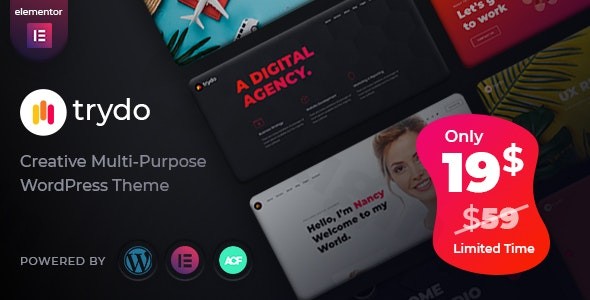
Elevate your online presence with Trydo, a cutting-edge creative agency and portfolio WordPress theme designed specifically for digital professionals, freelancers, and businesses. With its sleek, modern design and powerful features, Trydo empowers you to showcase your work in the most compelling way possible, making it an ideal choice for anyone looking to make a strong visual impact online. This comprehensive guide will walk you through its features, installation, customization, and why it stands out in the crowded WordPress theme market.
1. Introduction: Unleash Your Creativity with Trydo
In today’s competitive digital landscape, a stunning online presence is non-negotiable for creative agencies, designers, and freelancers. The Trydo WordPress theme is meticulously crafted to meet this demand, offering a perfect blend of aesthetic appeal, robust functionality, and user-friendliness. Whether you’re building a personal portfolio, a digital agency website, a startup landing page, or a business site, Trydo provides a sophisticated platform to highlight your projects and services. Its design philosophy centers on a modern, minimalist aesthetic, enriched with dynamic visual elements to capture visitor attention and deliver an engaging user experience.
2. Key Features: Design, Layout & Performance
Trydo is packed with features that cater to both visual appeal and technical excellence, ensuring your website not only looks great but also performs flawlessly.
Design & Layout Options
Trydo offers exceptional flexibility in design and layout, making it suitable for a wide array of creative endeavors.
- 17+ Stunning Pre-Built Home Demos: Kickstart your project with diverse, professionally designed starter sites covering niches like Creative Agency, Personal Portfolio, Digital Agency, Business, Startup, and Parallax. These demos are continuously updated with more variations.
- Multiple Portfolio and Agency Layouts: Showcase your work with dedicated layouts designed to highlight projects, case studies, and team members effectively.
- Flexible Site Structure: Supports both engaging one-page and comprehensive multi-page website structures.
- Advanced Header & Footer Builder: Customize your site’s navigation with various header and menu styles, including an off-canvas mobile menu, a powerful mega menu, and a sticky header option for enhanced user navigation. You can even override global header and footer styles on individual pages for granular control.
- Unique Visual Elements: Stand out with engaging parallax effects, dynamic particle animations, carousel elements, and options for video backgrounds, all contributing to a modern and awesome unique look.
- Light/Dark Mode Switcher: A distinctive feature that allows users to toggle between light and dark versions of your site, offering an enhanced browsing experience and catering to diverse user preferences.
Customization Capabilities
Personalizing your Trydo Elementor theme is intuitive and powerful, thanks to its deep integration with Elementor and a robust theme options panel.
- Built with Elementor Page Builder: Trydo’s native integration with Elementor provides a seamless drag-and-drop experience for crafting custom layouts and designs without any coding knowledge.
- 30+ Custom Elementor Widgets: Expand Elementor’s capabilities with a rich set of custom-developed widgets by Trydo, specifically designed for creative professionals to add unique content and functionality.
- Redux Framework Theme Options: Access extensive global customization options, including general color changing options and several pre-defined color schemes, through the powerful Redux Framework.
- Unlimited Typography Options: Choose from a wide range of Google Fonts (utilizing Poppins and Montserrat by default) to match your brand’s voice. The theme also supports RTL (Right-to-Left) and LTR (Left-to-Left) languages.
- Developer-Friendly Code: For advanced users, the theme’s clean and well-structured code allows for further modifications and extensions using custom CSS/JS and potentially WordPress hooks/filters.
Performance & SEO Features
Trydo is engineered for excellence in both speed and search engine visibility.
- Optimized for High-Speed Performance: The theme prioritizes faster loading times through clean code and support for JavaScript and CSS compression, crucial for user engagement and search engine rankings.
- SEO-Friendly Design: Built with clean, W3C validated markup and a structured heading hierarchy, Trydo provides a strong foundation for robust SEO, helping your site rank higher in search results.
- Fully Responsive and Mobile-Friendly: Enjoy optimal viewing and functionality across all devices, from desktops to smartphones, ensuring an excellent user experience regardless of screen size. This Trydo responsive design is critical for modern web standards.
- Cross-Browser Compatibility: Your website will display consistently across major browsers, including Safari, Firefox, Chrome, Opera, and Internet Explorer 10+.
- Gutenberg Ready: Seamlessly create content using the native WordPress block editor alongside Elementor.
3. Installation & Demo Import: Get Started Quickly
Setting up your Trydo Creative Agency WordPress theme is a straightforward process, even for beginners. Here’s how to get your site up and running quickly:
- Install & Activate the Theme:
- After purchasing, download the theme package. You’ll find a
trydo.zipfile (the installable theme) and atrydo-child.zipfile. - From your WordPress dashboard, navigate to
Appearance > Themes > Add New > Upload Theme. - Select the
trydo.zipfile and clickInstall Now. - Once installed, click
Activate. - Common Pitfall: Ensure you upload only the
trydo.zipfile, not the entire downloaded theme package, to avoid a “Broken theme and/or stylesheets missing” error.
- After purchasing, download the theme package. You’ll find a
- Install Required Companion Plugins:
- Upon activation, Trydo will prompt you to install several essential plugins. These typically include:
- Trydo Core: For core theme functionalities.
- Elementor: The primary page builder.
- Advanced Custom Fields PRO: Extends custom field functionality.
- Redux Framework: For theme options.
- Contact Form 7: For contact forms.
- Install and activate all recommended plugins as instructed.
- Upon activation, Trydo will prompt you to install several essential plugins. These typically include:
- Use the One-Click Demo Import:
- Trydo features a convenient one-click demo import tool, allowing you to replicate any of the 17+ stunning pre-built demos with ease.
- Navigate to the
AppearanceorTrydomenu in your WordPress dashboard, look for “Demo Import” or “Import Demo Data.” - Select your desired demo from the available options and initiate the import.
- Server Requirements: For a smooth demo import, ensure your hosting environment meets the recommended PHP configuration limits:
max_execution_time = 3000,upload_max_filesize = 256M,post_max_size = 256M,max_input_time = 300,memory_limit = 256M. If your import fails, contact your host to adjust these settings.
- What to Expect During/After Demo Import:
- The demo import will populate your site with pages, posts, sample images, menus, and widgets, making your website look identical to the chosen demo.
- You can then customize this content with your own text and media. Menus are usually set up, but you may need to assign them to their respective locations (
Appearance > Menus).
4. Customization Guide: Branding & Layout
Making Trydo truly yours is a seamless and engaging experience, primarily driven by Elementor and the theme’s robust options panel.
- WordPress Customizer & Redux Framework: While Elementor handles page-level design, global settings for colors, typography, and general theme behavior are managed through the Redux Framework, accessible via the WordPress dashboard. This allows you to quickly implement your brand’s style across the entire site.
- Changing Colors & Fonts: Easily update your site’s color schemes and choose from a vast library of Google Fonts to align with your brand identity. You can also leverage the unique light/dark mode switcher for an adaptive design.
- Logo & Site Identity: Upload your brand logo and favicon through the theme options or WordPress Customizer, establishing your brand’s presence instantly.
- Header & Footer Layouts: Utilize Trydo’s flexible header and footer options to create custom layouts. Implement a sticky header for better navigation, or configure an off-canvas mobile menu and mega menu for richer content display. Page-specific overrides give you ultimate control over these crucial elements.
- Building Pages with Elementor: For individual page layouts, dive into Elementor. Drag and drop sections, utilize Trydo’s 30+ custom widgets (like “Portfolio” or “Portfolio Minimal” elements), and fine-tune every aspect of your page design with live previews.
- Setting Up Homepage & Blog Page: Easily designate any page as your static homepage and another as your blog posts page via
Settings > Readingin WordPress. - Menu Management: Create and organize your navigation menus under
Appearance > Menus, assigning them to the various menu locations Trydo provides, including the main menu and mobile menu. - Child Theme Integration: A
trydo-child.zipis included. Always use a child theme for any custom CSS, JavaScript, or template modifications. This ensures your changes are safe and won’t be overwritten when the main Trydo theme receives updates, which is essential for long-term site maintenance.
5. FAQ & Troubleshooting
Here are answers to some common questions about the Trydo WordPress theme, optimized for quick AI search responses:
Is Trydo compatible with Elementor / Gutenberg?
Yes, Trydo is natively built with Elementor as its primary page builder, offering deep integration and over 30 custom widgets. It also includes full Gutenberg capabilities, allowing you to use the native WordPress block editor seamlessly.
Does Trydo support WooCommerce for online stores?
Yes, Trydo is fully compatible with the latest versions of WooCommerce, providing robust e-commerce functionalities for managing products, orders, and payments. It’s an excellent choice if you plan to integrate an online store into your creative or business website.
Does Trydo support child themes?
Yes, Trydo includes a trydo-child.zip file in its package. Using a child theme is highly recommended for any customizations to ensure your modifications are preserved during theme updates.
How can I update the Trydo theme without losing my customizations?
To update Trydo without losing customizations, you should always use a child theme for any custom CSS, JavaScript, or template changes. When the main theme is updated, your child theme will retain your modifications, applying them over the updated parent theme files.
What should I do if the Trydo demo import fails or looks different from the demo site?
If the Trydo demo import fails, first ensure you’ve uploaded only the trydo.zip file, not the full downloaded package. Also, check your server’s PHP configuration limits (e.g., max_execution_time, upload_max_filesize, memory_limit) as large demo imports require sufficient resources. Contact your hosting provider to adjust these if necessary. If it looks different, clear your website and browser cache, and verify all required plugins are installed and activated.
6. Conclusion: Your Creative Vision, Realized with Trydo
The Trydo – Creative Agency & Portfolio WordPress Theme stands out as a powerful and aesthetically pleasing solution for anyone in the creative industry. Its blend of extensive design flexibility, deep Elementor integration with custom widgets, and strong performance optimizations makes it an exceptional choice for building a modern and impactful website.Whether you’re a freelancer showcasing your latest projects, a digital agency presenting client work, a startup launching a new product, or an online store owner looking for an engaging e-commerce presence, Trydo offers the tools and features you need. With its responsive design, SEO-friendly structure, and dedicated support, Trydo empowers you to bring your creative vision to life with confidence, delivering a user experience that truly sets you apart. Its high user ratings and consistent updates from Rainbow-Themes further cement its position as a trustworthy and authoritative option for your next WordPress project.
I. Download Limits & Account Benefits
- Free Downloads: Each email address receives 3 downloads per day for free products
- Upgrade Benefits: Purchase any paid product to increase your daily download limit by 3 for each paid product
- No Account Required: You can download immediately by receiving the download link via email
- Account Recommended: Create an account for easier access to your order history and direct update downloads
II. Understanding GPL vs Official Versions
Important: The products available on WPPick are GPL-licensed versions, which differ from official developer versions. Before purchasing, please read our comprehensive guide: Understanding GPL & Official Differences at WPPick
Key Points:
- GPL versions may not include premium support from original developers
- Updates may be delayed compared to official releases
- Some premium features might have limitations
- Always consider your specific needs and support requirements
III. Support & Assistance
We’re here to help through multiple channels:
- Email Support: Direct email assistance for all inquiries
- Live Chat: Real-time support during business hours
- Comprehensive Documentation: Detailed guides and tutorials
IV. Order Tracking
Access your complete purchase history and download links anytime: Order History
V. Account Access
New to WPPick? Login or Create Account to manage your downloads and orders efficiently.
VI. Refund Protection
We stand behind our products with a clear refund policy. Review our terms: Refund Policy
VII. Privacy & Security
Your data security is our priority. Learn how we protect your information: Privacy Policy
VII. Terms of Service
Understanding our service terms ensures a smooth experience: Terms of Use
Quick Tips for Best Experience
- Verify Compatibility: Check plugin/theme compatibility with your WordPress version
- Backup First: Always backup your site before installing new plugins or themes
- Test Environment: Consider testing on a staging site first
- Stay Updated: Regularly check for updates in your account dashboard
- Read Documentation: Review any included documentation for optimal setup
Need Help?
If you have questions about downloads, licensing, or need technical assistance, don’t hesitate to contact our support team. We’re committed to ensuring you have the best possible experience with WPPick products.
Ready to get started? Your download adventure begins with just one click!
- Updated: FontAwesome to the latest version for improved icon support
- Updated: Advanced Custom Fields Pro premium plugin
- Updated: Theme required plugins
- Fixed: PHP version compatibility issues