

Udesign – Responsive WordPress Theme
/Year
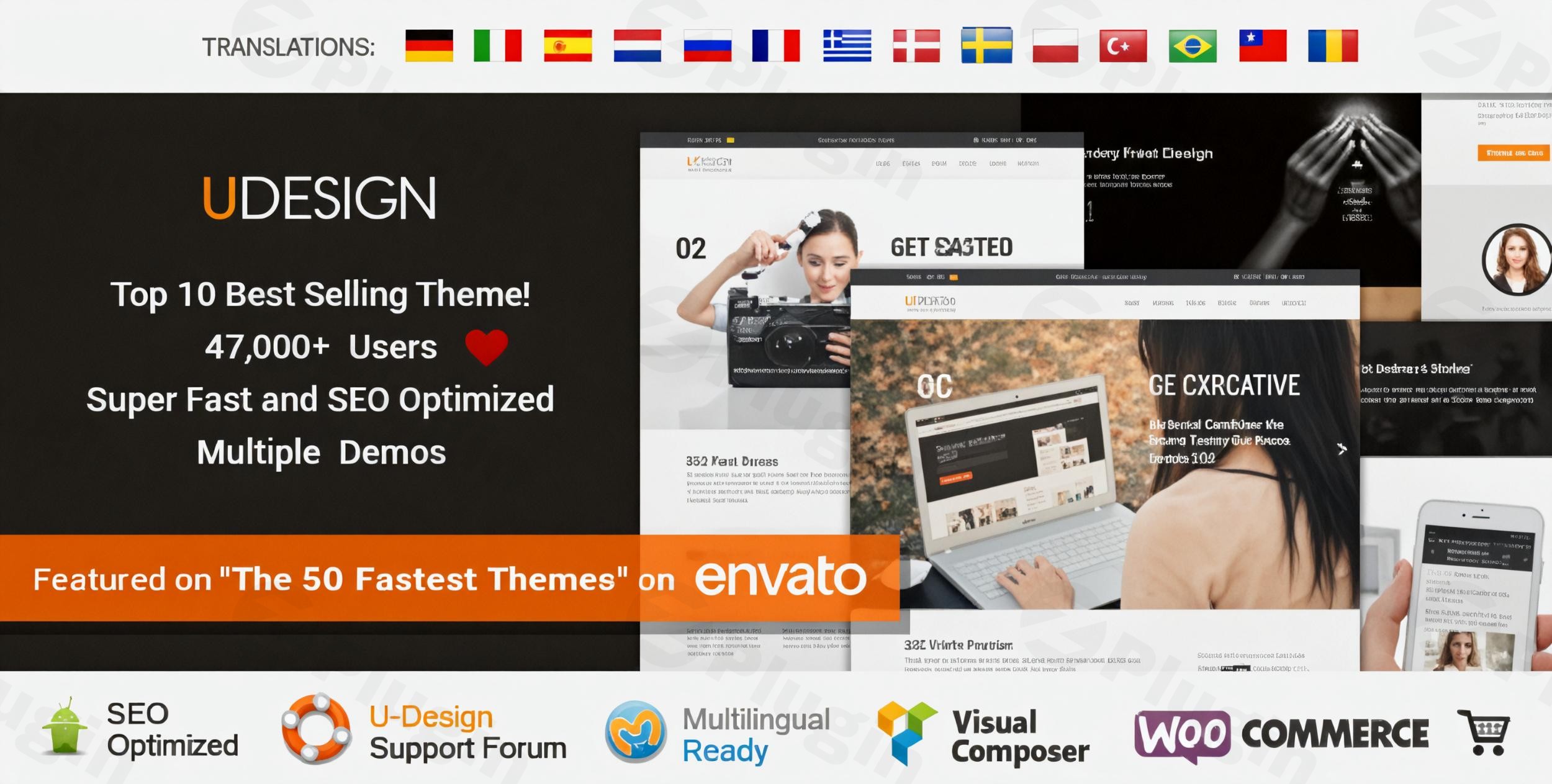
The uDesign Responsive WordPress Theme is a powerful and intuitive solution crafted for both beginners and seasoned developers aiming to create visually stunning and highly functional websites. Whether you’re a small business owner, a creative freelancer, or an aspiring e-commerce entrepreneur, uDesign offers a flexible framework to bring your vision to life without needing deep coding knowledge. Its design philosophy centers on providing extensive customization options alongside a user-friendly experience, enabling you to build a unique online presence that stands out.
Key Features: Design, Layout & Performance
uDesign provides a comprehensive suite of features that prioritize design flexibility, adaptable layouts, and robust performance, ensuring your website looks great and functions flawlessly across all devices.
Design & Layout Options
uDesign excels in offering diverse design and layout capabilities to suit any project. The theme’s fully responsive design ensures your site automatically adapts to all screen sizes, from large desktops to smartphones, with specialized mobile menus and optimized layouts for an exceptional user experience.
- Layout Variations: Choose from multiple layout options, including boxed, fluid, and full-width designs, which can be applied globally or per page/post for granular control.
- Flexible Sidebars: Position sidebars (top, left, or right) in classic or canvas styles, allowing for varied content presentation.
- Header & Footer Builders: Leverage dedicated builders to design custom headers and footers with ease, including options for sticky headers, transparent headers, and a wide array of widgets. The footer builder alone offers 48 pre-built layouts.
- Pre-built Demo Sites: Accelerate your development with one-click demo import of over 60 professionally designed starter sites. These cover various niches such as fitness, photography, wedding, construction, business, portfolio, e-commerce, and more, providing a solid foundation for your specific industry.
Customization Capabilities
Personalizing your website to match your brand identity is effortless with uDesign’s extensive customization tools.
- Unlimited Color Schemes: Modify colors for backgrounds, text, menu items, and links with unlimited combinations to perfectly align with your brand.
- Rich Typography Options: Access over 2000 fonts, including Google Fonts, Font Awesome, and Fontello icons, to craft unique typography. You can also upload an unlimited number of custom fonts, controlling sizes, weights, line height, and spacing from a powerful theme options panel.
- Global & Individual Controls: Utilize a comprehensive theme options panel for global styling and specific settings for individual pages or posts, giving you complete command over every element.
- Block Builder: Create dynamic content sections like shop page banners, mega menus, and sidebar blocks using the intuitive block builder.
Performance & SEO Features
uDesign is built with performance and search engine optimization in mind, ensuring your site is fast, visible, and user-friendly.
- SEO-Optimized Structure: The theme follows best SEO practices with proper content hierarchy and semantic heading structures (H1, H2, H3, etc.), helping your site rank higher in search results.
- Optimized Code & Speed: Engineered for faster load times with optimized code, uDesign includes a speed optimization wizard for merging JS and CSS files and preloading images. It boasts impressive performance scores, with mentions of achieving 98% in Google Page Speed Index.
- Mobile-First Design: Beyond responsiveness, the theme offers two distinct responsive menus and the option for a different mobile logo, ensuring a superior experience on smaller screens.
- WooCommerce Ready: Seamlessly integrates with WooCommerce, making it perfect for launching and managing your e-commerce business quickly. Dedicated shop, single product, cart, and checkout builders are included.
Installation & Demo Import
Getting started with uDesign is a straightforward process, designed to get your site up and running with minimal fuss.
- Install & Activate the Theme:
- First, download the uDesign theme package.
- Log in to your WordPress dashboard.
- Navigate to Appearance > Themes > Add New > Upload Theme.
- Choose the uDesign
.zipfile and click “Install Now.” - Once installed, click “Activate.”
- Install Required Companion Plugins:
- Upon activation, uDesign will likely prompt you to install UDesign Core, a required companion plugin that unlocks many of its features.
- It may also recommend other plugins like Revolution Slider and Essential Grid, which are included free with the theme purchase. Install and activate these as prompted.
- Use the One-Click Demo Import:
- To kickstart your design, go to Appearance > Import Demo Data (or a similar path within the theme options panel).
- Browse through the extensive library of over 60 professionally designed demo sites.
- Select the demo that best fits your niche and click the “Import” button.
- What to Expect During/After Demo Import:
- The demo import process will populate your site with pages, posts, sample images, menus, widgets, and theme settings, making your site look like the chosen demo.
- Potential Pitfalls: Large demo imports can sometimes require increased server memory or timeout limits. If you encounter issues (e.g., incomplete import), contact your hosting provider to temporarily increase PHP
memory_limitandmax_execution_time. After importing, you might need to manually set your homepage and blog page under Settings > Reading and verify menu assignments under Appearance > Menus.
Customization Guide: Branding & Layout
uDesign empowers you to personalize every aspect of your website to perfectly reflect your brand’s unique identity.
- Accessing Theme Options: Most of your customization journey will take place within the theme’s powerful Theme Options Panel (often found under Appearance > Theme Options or a dedicated menu item for uDesign). This panel provides global settings for colors, typography, layouts, and more.
- Changing Colors & Typography:
- Navigate to the “Colors” section in your Theme Options Panel to adjust background colors, text colors, link colors, and specific element colors.
- In the “Typography” section, you can select from over 2000 Google Fonts and icon fonts. Control font families, sizes, weights, line height, and letter spacing for headings, body text, and other elements. You can also upload custom fonts for ultimate branding.
- Updating Your Logo:
- Typically found in the “Header” or “Branding” section of the Theme Options, you can upload your custom logo image. uDesign also allows for a different logo specifically for mobile devices, ensuring brand consistency across all screen sizes.
- Designing Headers & Footers:
- uDesign’s dedicated Header Builder and Footer Builder, often integrated with Elementor, give you drag-and-drop control over these critical areas. You can create multiple headers for different pages, set sticky headers, transparent headers, and populate them with various elements like navigation, language switchers, and social icons. The Footer Builder provides a vast array of pre-designed layouts to choose from or customize.
- Setting Up Homepage, Blog Page & Menus:
- After importing a demo, you may need to explicitly tell WordPress which page should be your homepage and which should display your blog posts. Go to Settings > Reading and select your desired static pages.
- To manage your navigation menus, go to Appearance > Menus. Create or edit menus and assign them to the appropriate menu locations defined by uDesign (e.g., Primary Menu, Footer Menu, Mobile Menu).The customization experience in uDesign is highly intuitive. Its deep integration with popular page builders like Elementor, combined with its own robust theme options and dedicated builders for site elements, means you have precise control over global styles and individual page layouts without writing a single line of code.
FAQ & Troubleshooting
Is uDesign compatible with Elementor / WPBakery / Gutenberg?
Yes, uDesign is highly compatible with popular page builders, including Elementor and WPBakery Page Builder (formerly Visual Composer). It also works seamlessly with the native WordPress Block Editor (Gutenberg), which can be used to build content sections alongside the theme’s builders.
Does uDesign support WooCommerce for online stores?
Absolutely. uDesign is fully compatible with WooCommerce (versions 6.x – 9.x and beyond), making it an excellent choice for e-commerce websites. It includes dedicated builders for shop pages, single product layouts, cart, and checkout experiences.
How to customize uDesign header and footer?
You can customize the header and footer using uDesign’s dedicated Header Builder and Footer Builder, which often leverage Elementor for an intuitive drag-and-drop interface. These builders allow you to choose from various layouts, add custom elements like logos, navigation, and social icons, and set behaviors like sticky or transparent headers.
Does uDesign support child themes?
Yes, uDesign fully supports child themes. Using a child theme is highly recommended during installation, as it allows you to make custom code modifications without losing your changes when the main uDesign theme receives updates.
What should I do if the demo import fails or looks different from the demo site?
If a demo import fails or doesn’t look as expected, first ensure your server meets the recommended PHP settings for WordPress (e.g., PHP 7.4 or higher, increased memory_limit and max_execution_time). Clear any caching plugins if active. After a successful import, always check Settings > Reading to set your homepage and blog page, and Appearance > Menus to assign your primary navigation. If issues persist, refer to the official uDesign documentation or contact the theme’s support.
Conclusion
The uDesign Responsive WordPress Theme stands out as a robust, versatile, and high-performing option for building a diverse range of websites. Its emphasis on design flexibility through extensive layout options, over 2000 fonts, and unlimited color combinations allows for deep customization, making it ideal for creating a truly unique brand presence.With its SEO-optimized structure and built-in speed optimization tools, uDesign ensures your website is not only visually appealing but also fast and discoverable in search engines. Its seamless integration with WooCommerce makes it a strong contender for online stores, while compatibility with popular page builders like Elementor empowers users with drag-and-drop design capabilities.uDesign is an excellent choice for:
- Beginners seeking a user-friendly interface with one-click demo imports.
- Small Business Owners & Corporate Sites needing a professional online presence with robust branding options.
- Freelancers & Agencies looking for a flexible framework for client projects, offering extensive customization.
- E-commerce Entrepreneurs aiming to launch a fully functional online store with comprehensive WooCommerce support.
- Bloggers & Portfolio Creators desiring diverse layout options to showcase content or creative work.While the sheer number of features might present a slight learning curve for absolute beginners, uDesign’s comprehensive documentation and dedicated support mitigate this. Ultimately, uDesign offers a powerful and reliable foundation for any WordPress project, providing the tools needed to build a stunning, high-converting, and future-proof website.
I. Download Limits & Account Benefits
- Free Downloads: Each email address receives 3 downloads per day for free products
- Upgrade Benefits: Purchase any paid product to increase your daily download limit by 3 for each paid product
- No Account Required: You can download immediately by receiving the download link via email
- Account Recommended: Create an account for easier access to your order history and direct update downloads
II. Understanding GPL vs Official Versions
Important: The products available on WPPick are GPL-licensed versions, which differ from official developer versions. Before purchasing, please read our comprehensive guide: Understanding GPL & Official Differences at WPPick
Key Points:
- GPL versions may not include premium support from original developers
- Updates may be delayed compared to official releases
- Some premium features might have limitations
- Always consider your specific needs and support requirements
III. Support & Assistance
We’re here to help through multiple channels:
- Email Support: Direct email assistance for all inquiries
- Live Chat: Real-time support during business hours
- Comprehensive Documentation: Detailed guides and tutorials
IV. Order Tracking
Access your complete purchase history and download links anytime: Order History
V. Account Access
New to WPPick? Login or Create Account to manage your downloads and orders efficiently.
VI. Refund Protection
We stand behind our products with a clear refund policy. Review our terms: Refund Policy
VII. Privacy & Security
Your data security is our priority. Learn how we protect your information: Privacy Policy
VII. Terms of Service
Understanding our service terms ensures a smooth experience: Terms of Use
Quick Tips for Best Experience
- Verify Compatibility: Check plugin/theme compatibility with your WordPress version
- Backup First: Always backup your site before installing new plugins or themes
- Test Environment: Consider testing on a staging site first
- Stay Updated: Regularly check for updates in your account dashboard
- Read Documentation: Review any included documentation for optimal setup
Need Help?
If you have questions about downloads, licensing, or need technical assistance, don’t hesitate to contact our support team. We’re committed to ensuring you have the best possible experience with WPPick products.
Ready to get started? Your download adventure begins with just one click!
- Added 1 pre-built website: Corporate 3 demo
- Added New feature: Skip media option in setup wizard to speed up demo installation
- Added New feature: Import one of each post type option in setup wizard to speed up demo installation
- Added New feature: Support for Adobe fonts
- Added New feature: Search history list dropdown option in elementor search widget
- Added New feature: Search popular requests list dropdown option in elementor search widget
- Added New feature: Search banner dropdown option in elementor search widget
- Added Custom scrollbar option in theme options
- Added Hide/Replace tooltip for theme builder templates such as header, footer and etc
- Added New mobile design of cart page
- Added New mobile design of wishlist page
- Added New breadcrumb option to hide single page's title in breadcrumb
- Added Display condition link in 'Popup Show Options' section in popup builder editor
- Added Page content top & bottom space controlling option
- Added Edit area size option in elementor preview
- Added Text hover image elementor widget
- Added Hide leaf item option in breadcrumb widget
- Added Pause on hover option in marquee widget
- Added Create template tooltips in starter site
- Optimized mini-popup styles and load when it is needed
- Optimized live search styles and load when it is needed
- Optimized toolbox styles and load when it is needed
- Optimized search styles and load only used type style
- Updated Elementor latest version compatibility
- Updated Cart page gutenberg blocks compatibility
- Updated Checkout page gutenberg blocks compatibility
- Updated Yith WooCommerce Wishlist compatibility
- Updated Accessibility in single product page when sticky add to cart is active
- Updated Accessibility in shop page
- Updated Preview of working popup in/out animations in elementor editor
- Updated Accessible breadcrumbs using the nav markup, ordered list and aria-settings
- Fixed Critical: Google lighthouse score not working when 'delay js' option is active in WP Rocket plugin
- Fixed Critical: Single post content broken in single builder's elementor preview
- Fixed Dropdown menu styles in megamenu
- Fixed Older demo contents remain after demo uninstall
- Fixed Product sku search not working in search result page
- Fixed Wrong stretch container width in laptop
- Fixed Elementor cache compatibility issue
- Fixed Rtl issue in post grid widget
- Fixed Rtl issue in mobile menu toggle widget
- Fixed Rtl issue in single builder's meta widget
- Fixed Rtl issue in single product builder's navigation widget
- Fixed Rtl issue in single product builder's rating widget
- Fixed Rtl issue in single product builder's data tab widget
- Fixed Rtl issue in archive builder's post archive grid widget
- Fixed Rtl issue in legacy elementor section's tab
- Fixed Rtl issue in legacy elementor section's accordion
- Fixed Rtl issue in animated text widget
- Fixed Rtl issue in brands widget
- Fixed Rtl issue in breadcrumb widget
- Fixed Rtl issue in checkout step widget
- Fixed Rtl issue in countdown widget
- Fixed Rtl issue in icon list widget
- Fixed Rtl issue in image gallery widget
- Fixed Rtl issue in scroll progress widget
- Fixed Rtl issue in share widget
- Fixed Rtl issue in shop builder's filter toggle widget
- Fixed Rtl issue in shop builder's pagination widget
- Compatibility with WooCommerce v10.3
- Vulnerability report issue in Testimonial element
- Favicon not updating properly after changes in Theme Options
- Added 1 pre-built website: Corporate 2 demo
- Added compatibility with WooCommerce plugin v10.0
- Added prebuilt websites' category in setup wizard's demo import step
- Added prebuilt websites' search form in setup wizard's demo import step
- Added popup close button's style options in popup builder
- Added smooth scrolling option in theme option
- Added scroll effect smoothness option in elementor
- Added WooCommerce notice widget in product layout builder
- Added scale & reveal appear animation for image widgets
- Added scale & reveal appear animation for featured images in post grid widget
- Added WP rocket plugin compatibility
- Added font awesome icons dequeue option in optimize wizard
- Added optimized cart dropdown styles
- Added optimized wishlist dropdown styles
- Added optimized sidebar styles
- Added optimized product quickview styles
- Added optimized error 404 page styles
- Added reveal animation color in banner widget item's appear animation
- Added wave effect in animated text widget
- Added title tag select option in timeline widget
- Added 24 new font icons in framework icon fonts
- Added 8 new font icons in theme icon fonts
- Updated accessibility in all prebuilt websites
- Updated accessibility of scroll nav widget
- Updated accessibility of gutenberg button block
- Updated accessibility of elementor logo widget
- Updated accessibility of post widget
- Updated accessibility of wishlist pages
- Updated accessibility of share widget
- Updated accessibility of search widget
- Updated accessibility of product category widget
- Updated accessibility of currency switcher widget
- Updated accessibility of language switcher widget
- Updated accessibility of 360 degree widget
- Updated accessibility of banner widget
- Updated accessibility of brands widget
- Updated accessibility of button widget
- Updated accessibility of filter widget
- Updated accessibility of hotspot widget
- Updated accessibility of iconbox widget
- Updated accessibility of imagebox widget
- Updated accessibility of image gallery widget
- Updated accessibility of menu widget
- Updated accessibility of sticky nav widget
- Updated accessibility of testimonial widget
- Updated accessibility of type builder gutenberg blocks
- Updated accessibility of mobile menu wrapper
- Updated accessibility of breadcrumb
- Updated accessibility of gdpr popup
- Updated accessibility of WooCommerce subpages
- Updated accessibility of The Events Calendar subpages
- Updated accessibility of MEC subpages
- Updated circle progressbar elementor widget's style options
- Updated admin pages' font awesome icons as theme icons
- Updated smoothness of animated text widget's text effects
- Updated lazyload of duplicated slides' images when slider loop is active
- Updated loading isotope js when only it is needed
- Updated loading elementor motion effect js when only it is needed
- Updated loading stretch container js when only it is needed
- Updated Corporate demo as flexbox container
- Updated Build demo as flexbox container
- Updated Farm store demo as flexbox container
- Updated Business consulting 2 demo as flexbox container
- Updated Business consulting 3 demo as flexbox container
- Updated Corporate 4 demo as flexbox container
- Updated deprecated critical css and merge styles in optimize wizard
- Updated deprecated legacy icon option in theme option
- Updated Revolution slider plugin to v6.7.35
- Fixed section's creative grid not working in elementor preview
- Fixed duplication issue of gutenberg widgets in type builder
- Fixed special characters' decoding in animated text widget
- Fixed banner item's entrance animation not working in elementor preview
- Fixed circle progressbar widget's icon style options
- Fixed unhelpful product review filter option not working
- Fixed scroll to top not working in scroll progress widget
- Fixed minor style issues in WooCommerce my account page
- Fixed pagination layout issue in WooCommerce orders page
- Fixed shop filter clean filter hidden when it is not in first position in sidebar widget
- Fixed WooCommerce product offcanvas quickview issue in rtl
- Fixed WooCommerce product quickview zoom type not working in product type builder
- Fixed console errors cause of wrong href attributes in section tab
- Fixed console errors cause of wrong href attributes in section accordion
- Fixed cart page responsive style issues
- Fixed post comment loading style issue when comment pagination is working
- Fixed console error when tab link is clicked
- Fixed console error when accordion link is clicked
- Fixed wrong columns of product thumbnails when skeleton screen is active in single product page
- Fixed text domain loading php warnings
- Fixed slider columns' half mode not working in preview
- Compatibility with Elementor plugin v3.29
- Compatibility with WooCommerce plugin v9.9
- Revolution slider plugin to 6.7.34
- Compatibility with Elementor 3.26
- Compatibility with WooCommerce 9.5
- Updated WPBakery Page Builder plugin to v8.1
- Updated Revolution Slider plugin to v6.7.23
- Loaded text domain in init action for uDesign Core plugin