
Uicore Pro – The Only WordPress Theme You’ll Ever Need
/Year
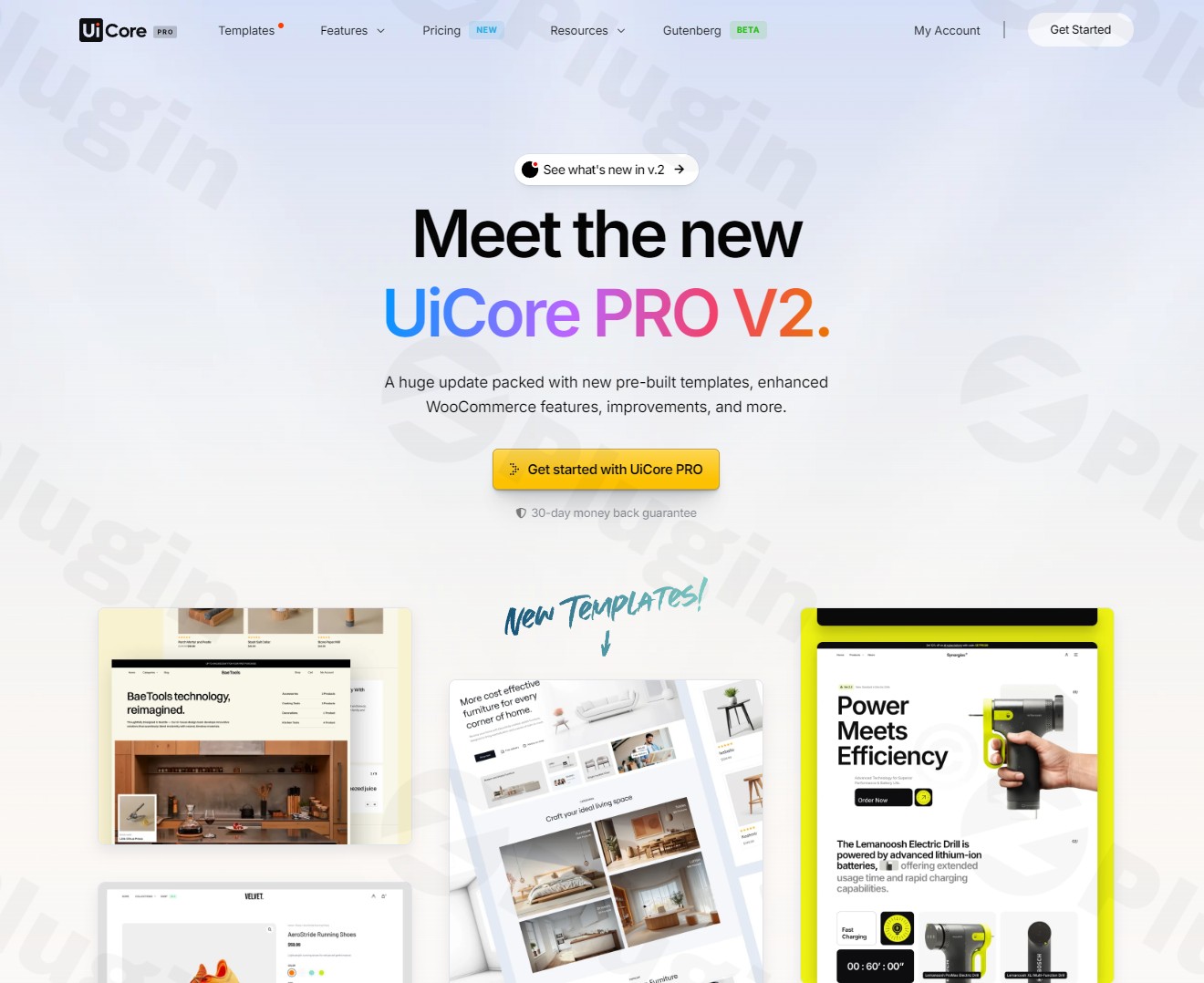
UiCore Pro is a powerful WordPress theme designed to offer unparalleled control over your website’s design and functionality. It serves as an all-in-one solution for a diverse audience, including web designers, business owners, bloggers, eCommerce store operators, and agencies. With its intuitive design tools, extensive library of pre-built templates, and robust WooCommerce integration, UiCore Pro aims to simplify the creation of professional, visually stunning, and high-performing websites. Its core philosophy centers on empowering users to craft unique online experiences without needing to write a single line of code.
Key Features: Design, Layout & Performance
UiCore Pro is packed with features that emphasize creative freedom, efficient design workflows, and optimal website performance. It’s built for those who demand both aesthetic excellence and technical robustness.
Design & Layout Options
UiCore Pro provides a vast array of design and layout possibilities, ensuring your site stands out.
- Endless Layouts: The theme offers “endless layout options” for various content types, including blogs, portfolios, and WooCommerce stores. Whether you need a classic blog grid, an engaging portfolio showcase, or a dynamic product display, UiCore Pro provides the flexibility.
- Comprehensive Theme Builder: Gain complete control over the static elements of your site with the integrated Theme Builder. This allows you to meticulously design custom headers, footers, mega menus, blog layouts, pop-ups, and page titles, ensuring consistent branding and user experience across your site.
- Vast Design Cloud Library: Jumpstart your projects with an impressive “Design Cloud” which features over 70+ pre-built websites (or 75+ templates), alongside a staggering collection of 205,000+ blocks, 20,500+ widgets, and 60,000+ inner pages. These assets can be imported with a single click, mixed, matched, and adapted to your specific branding needs, with new additions released monthly.
Customization Capabilities
Personalizing your website to reflect your brand identity is central to UiCore Pro’s offering.
- Global Design System: Maintain design consistency effortlessly with UiCore Pro’s “Design System.” Define your brand identity in one place using global colors, global fonts (supporting Google Fonts, Adobe Fonts, and custom fonts), and button styles. This ensures visual harmony across your entire website.
- Next-Gen Theme Options Panel: The intuitive “Next-Gen Theme Options” panel acts as a central hub for controlling every aspect of your website. From intricate layout adjustments to global settings, typography, and color schemes, you have granular control over spacing, containers, sections, and backgrounds, all presented through a modern interface.
UiCore Pro’s Performance & SEO Advantages
UiCore Pro is engineered for speed and search engine visibility, making it a strong contender for those prioritizing user experience and organic reach.
- Outstanding Performance: The theme boasts “Grade A” PageSpeed scores and “Outstanding Performance.” It achieves this through clean, efficient code and a built-in “Performance Manager.” This manager helps analyze and optimize website features, compress JavaScript and CSS scripts, and minimize the need for extra performance plugins, ensuring fast loading times and smooth user interaction.
- Mobile-First & SEO Ready: UiCore Pro provides a 100% responsive design, ensuring your website looks and functions perfectly on all devices, from desktops to smartphones and tablets. It’s also retina-ready for crisp visuals. While specific schema support isn’t detailed, its clean, modern codebase and structured content layouts are inherently conducive to strong SEO performance.
- Comprehensive Compatibility: UiCore Pro is a highly compatible Elementor WordPress theme, offering deep integration for drag-and-drop page building and advanced style controls. It also significantly enhances the native WordPress Block Editor (Gutenberg), supporting both major builders. Furthermore, it includes native WooCommerce integration, making it an excellent choice for eCommerce stores.
Installation & Demo Import
Getting started with UiCore Pro is designed to be straightforward, even for users without extensive technical knowledge.
Installing and Activating UiCore Pro
- Download the Theme: After purchasing, download the UiCore Pro theme file (usually a
.zipfile) from your account. - Upload to WordPress: Log in to your WordPress dashboard. Navigate to
Appearance > Themes > Add New > Upload Theme. - Choose File: Select the UiCore Pro
.zipfile from your computer and clickInstall Now. - Activate: Once uploaded, click
Activateto enable UiCore Pro on your website. - Install Required Plugins: UiCore Pro will likely prompt you to install and activate any necessary companion plugins (e.g., Elementor, and a core UiCore plugin). Follow these prompts to ensure full theme functionality.
One-Click Demo Import
UiCore Pro’s vast library of pre-built websites and templates can be imported with a single click, providing a quick start for your project.
- Access Demo Importer: After activation, you’ll typically find the demo importer within the UiCore Pro theme options or a dedicated menu item in your WordPress dashboard (e.g.,
UiCore Pro > Import Demos). - Browse & Select: Browse through the available UiCore Pro starter sites and select the demo that best fits your vision.
- Import Content: Click the “Import” button. The theme will then import pages, posts, sample images, widgets, menus, and theme options from the chosen demo.
- Important Considerations:
- Server Resources: Importing a large demo can be resource-intensive. Ensure your hosting environment has sufficient PHP memory limit and execution time to prevent timeouts. If you encounter issues, consult your host or the theme’s documentation for recommended settings.
- Content Replacement: Importing a demo usually replaces your existing content, so it’s recommended for fresh WordPress installations or after backing up your site.
- After Import: After a successful import, you may need to manually set your homepage (
Settings > Reading) and assign your navigation menus (Appearance > Menus).
Customization Guide: Branding & Layout
UiCore Pro offers an intuitive customization experience, allowing you to tailor every aspect of your website to match your brand’s unique identity.
Personalizing Your Site with UiCore Pro
- Next-Gen Theme Options Panel: This is your primary control center. Located in your WordPress dashboard (e.g.,
UiCore Pro > Theme Options), this panel allows you to configure global settings, colors, typography, layout structures, and more. It’s designed for easy navigation and real-time visual feedback. - Global Colors & Typography: Utilize the “Design System” within the theme options to define your brand’s palette and font choices. Set primary, secondary, and accent colors, as well as global font families from Google Fonts, Adobe Fonts, or custom uploads. These settings will propagate across your entire site, ensuring cohesive branding.
- Customizing Headers & Footers: Leverage the Theme Builder to design bespoke headers and footers. Drag and drop elements, customize layouts, and integrate mega menus to create a navigation experience that aligns perfectly with your site’s functionality and aesthetic.
- Homepage & Blog Setup:
- Homepage: Create a dedicated homepage using Elementor or the block editor, then assign it under
Settings > Readingas your “Static page” for the homepage. - Blog Page: Create an empty page (e.g., “Blog”) and assign it as your “Posts page” in
Settings > Reading. UiCore Pro offers various blog layout options that you can configure in the theme options.
- Homepage: Create a dedicated homepage using Elementor or the block editor, then assign it under
- Menu Management: Navigate to
Appearance > Menusto create and manage your primary, secondary, and footer navigation menus. Assign these menus to the appropriate locations defined by the theme.The customization process with UiCore Pro is highly visual and efficient, thanks to its deep integration with Elementor and enhanced Gutenberg support. The “Design System” is particularly helpful for maintaining consistency, allowing you to experiment with design without losing your brand’s core identity.
FAQ & Troubleshooting
Here are answers to common questions about the UiCore Pro WordPress theme.
Is UiCore Pro compatible with Elementor and Gutenberg?
Yes, UiCore Pro offers deep and comprehensive compatibility with both Elementor and the native WordPress Block Editor (Gutenberg). It is primarily an Elementor WordPress theme, providing full integration for drag-and-drop page building. Additionally, it enhances Gutenberg with powerful features, allowing users to build effectively with either editor.
Does UiCore Pro support WooCommerce for online stores?
Absolutely. UiCore Pro is fully equipped for eCommerce with native WooCommerce integration. It provides optimized eCommerce features, including customizable product pages, flexible shop grids, off-canvas filters, and streamlined checkout options, making it an excellent choice for creating stunning online stores.
Can I white-label UiCore Pro for my agency clients?
Yes, UiCore Pro features a robust “White-Label Manager” and “Admin Customizer.” This allows agencies and freelancers to rebrand the theme with their own logo, name, and colors, and even disable certain theme features to declutter the client’s dashboard. This makes it an ideal solution for agencies building client websites.
How does UiCore Pro ensure fast performance?
UiCore Pro prioritizes performance with “Outstanding Performance” scores. It achieves this through a built-in “Performance Manager” that helps analyze and optimize website features. This includes the compression of JavaScript and CSS scripts to accelerate website loading times, along with a clean and efficient codebase, minimizing the need for additional performance plugins.
What kind of support and updates can I expect with UiCore Pro?
When you purchase UiCore Pro from trusted sources like ZeroPlugin.com, you can expect lifetime premium support and regular theme updates to ensure compatibility and ongoing enhancements. The official offering also includes a 30-day money-back guarantee, providing peace of mind.
Conclusion
UiCore Pro emerges as a formidable contender in the crowded WordPress theme market, particularly for users seeking an “all-in-one” solution that combines robust design flexibility with cutting-edge performance. Its extensive “Design Cloud” and intuitive “Theme Builder” empower users to craft highly customized and visually stunning websites across various niches—from business and portfolio sites to blogs and complex WooCommerce eCommerce stores.The theme’s deep integration with Elementor and strong support for Gutenberg simplify the page-building process, while its built-in “Performance Manager” and optimized code ensure your site remains fast and responsive. For agencies and freelancers, the unique “White-Label Manager” is a significant differentiator, allowing for seamless client branding.UiCore Pro is an excellent choice for web designers, agencies, business owners, bloggers, and store owners who prioritize a professional aesthetic, powerful customization, and top-tier performance. While its comprehensive feature set might have a slight learning curve for absolute beginners, its well-organized options and vast template library quickly get you up to speed, making it a highly capable and versatile multipurpose WordPress theme for almost any project.
I. Download Limits & Account Benefits
- Free Downloads: Each email address receives 3 downloads per day for free products
- Upgrade Benefits: Purchase any paid product to increase your daily download limit by 3 for each paid product
- No Account Required: You can download immediately by receiving the download link via email
- Account Recommended: Create an account for easier access to your order history and direct update downloads
II. Understanding GPL vs Official Versions
Important: The products available on WPPick are GPL-licensed versions, which differ from official developer versions. Before purchasing, please read our comprehensive guide: Understanding GPL & Official Differences at WPPick
Key Points:
- GPL versions may not include premium support from original developers
- Updates may be delayed compared to official releases
- Some premium features might have limitations
- Always consider your specific needs and support requirements
III. Support & Assistance
We’re here to help through multiple channels:
- Email Support: Direct email assistance for all inquiries
- Live Chat: Real-time support during business hours
- Comprehensive Documentation: Detailed guides and tutorials
IV. Order Tracking
Access your complete purchase history and download links anytime: Order History
V. Account Access
New to WPPick? Login or Create Account to manage your downloads and orders efficiently.
VI. Refund Protection
We stand behind our products with a clear refund policy. Review our terms: Refund Policy
VII. Privacy & Security
Your data security is our priority. Learn how we protect your information: Privacy Policy
VII. Terms of Service
Understanding our service terms ensures a smooth experience: Terms of Use
Quick Tips for Best Experience
- Verify Compatibility: Check plugin/theme compatibility with your WordPress version
- Backup First: Always backup your site before installing new plugins or themes
- Test Environment: Consider testing on a staging site first
- Stay Updated: Regularly check for updates in your account dashboard
- Read Documentation: Review any included documentation for optimal setup
Need Help?
If you have questions about downloads, licensing, or need technical assistance, don’t hesitate to contact our support team. We’re committed to ensuring you have the best possible experience with WPPick products.
Ready to get started? Your download adventure begins with just one click!
- Use Styles in Theme Builder option was not applying blog typography correctly on blog posts
- WooCommerce tab in Theme Options remained visible even when WooCommerce was not installed or active
- Very long product titles could break the Product Grid layout on shop pages in certain scenarios
- Highlight Current Page header option was not applying the selected hover interaction correctly
- Footer copyright text color was not applied properly
- Magnet button hover interaction was still not behaving correctly in several scenarios
- Submenus with click trigger could become non-clickable when accessed through certain navigation paths
- Header Call To Action button color was affected by the transparent header invert option, even when transparency was disabled
- For a detailed list of changes, please refer to the official changelog.
- New custom global colors sync both ways with Elementor
- Footer styling issues on non-Elementor pages
- Header menu magnet button interaction issues
- Dropdown menu scale background interaction with Center Creative header
- Mobile header submenu issue with back button
- Admin Customizer compatibility issues with UiCore Blocks
- Responsive typography issues
- Advanced Product Grid widget WPML compatibility
- Post widgets query order issue
- Tabs widget hidden tabs empty spacing issue
- Advanced Post grid errors
- WooCommerce styles conflict with Advanced Product Grid widget
- Missing assets for some widgets
- Added new Geist font to Google Fonts
- Added 20 new Animated Background in Gutenberg and Elementor
- Added new options for the Advanced Product Grid stock meta
- Added new filter options for Advanced Post Widgets's
- Introduced a new PHP filter to disable the Design Cloud button in the Elementor editor
- Added Animated Background in Container Block (via UiCore Animate)
- Added Adobe TypeKit and Custom Fonts support with dynamic font loading
- Implemented Shape Divider control for Container block
- Implemented Transform options (translate, rotate, scale) for text formatting (headings, paragraphs, etc.)
- Implemented Font Reset button for Global settings
- Refined mobile menu animation styling
- Improved SEO markup for navigation menus
- Synced single product variation select and quantity radius with purchase button
- Added WPML support for Sale Badge and Product Meta Elementor widgets
- Made mobile menu back button translatable via WPML
- Improved styling for several WooCommerce pages
- Improved our widgets' performance by enabling cached output for most of them
- Upgraded Testimonial Widget's name, job, text, and divider spacing controls to responsive
- Icon List widget's Icon size upgraded to responsive
- Improved Design Cloud assets fetching
- Updated desync functionality: desynced blocks now ignore global CSS from synced counterparts
- Optimized Image Controller for performance and cleaner code
- Improved other blocks plugin compatibility
- Enhanced error handling in page save process
- Parent menu items lost focus when hovering child elements
- Incorrect padding on last menu item in specific cases
- Dropdown menu click trigger malfunction
- Pill-style menu blur effect issue
- Custom Dashboard post types being indexed by search engines
- Incorrect SVG height for White Label custom icons
- Blog paragraph typography not applying correctly
- Mobile menu animation transition glitches
- Scaled Bg background menu animation not working with Simple Mega Menu
- Portfolio archive page padding affecting Single Portfolio created with Blocks
- Sidecart not opening after product purchase
- Animated Background Elementor bugs
- Issue with page transitions and OS reduced motion accessibility
- Smooth scroll issue with full anchors URLs
- Animated borders issue with optmized markup experiment
- Fixed Advanced Product Grid rating meta style on non-Woo pages
- Undefined variables at post widgets
- Fixed Advanced Post widgets Filter's redirect issue to archive pages
- Slide widgets always started on the 2nd slide
- Newsletter widget button width issue
- Advanced Post widgets Title's top spacing was hardcoded on mobile devices
- Advanced Product Grid Stock meta option wasn't working properly
- Fixed Icon Box widget unsynced animations on mobile devices
- WooCommerce styles conflict with Advanced Product Grid widget
- Fixed pattern saving issue in WordPress 6.8.3
- Fixed align-self bug on Buttons
- Fixed dynamic title rendering in Header and other sections
- Fixed container sticky position and grid column span behavior
- Fixed hover glow border issue and removed from unnecessary blocks
- Fixed newsletter active state handling
- Fixed Save Changes disable state in Global settings
- Fixed copy/paste attributes issue in composite blocks
- Input values now persist correctly when changing units
- Implemented hide video controller functionality
- Added missing Add Item button for Navigation Tabs
- Resolved issue with font loading in certain environments
- Blocks inputs unit mesure bug
- WordPress 6.9.0 compatibility
- Added filter to change the main tag on default pages from article to div or section
- Added notice for Builder change in System tab
- Added Hover Color option for the overlay layout in Advanced Post/Product widgets
- Added Global Wrapper Link option to Advanced Post/Product widgets, enabling a single link for the entire item
- Added text color option for the upload field in the Contact Form widget
- Added new title animation effect for Advanced Post/Product widgets
- Query Loop Block
- Implemented block categories: Basic, Composite, Dynamic, and Advanced
- Added Mask option applicable to all blocks (not only images)
- Implemented block transform feature (from Composite to Advanced and from Grids to Carousel)
- Added transform Scale 3D option
- Added error handling for Google Maps when API Key is missing
- Added placeholder for Button (fixed issue in Icon Card Grid)
- Added Edit Gallery button
- Added video/image URL support for external sources
- Migrated Typography, Buttons, and Animations controls from Theme Options to new method
- Split prefix and suffix styles in the Counter widget to allow for independent custom styling
- Dynamic URL support for URL Controller
- Dynamic Content formatting updated so prefix/suffix appears outside links
- Fixed breadcrumb colors not matching text and links
- Fixed Pill Style menu padding and positioning issue caused by CSS conflict
- Removed deprecated PHP constant from debug methods
- Fixed issue where Portfolio posts couldn't be edited with Elementor in some cases
- Fixed disabled Add to Cart button still clickable in some scenarios
- Fixed Sticky Add to Cart quantity and select fields not working properly
- Fixed Pill Style Compact alignment showing on left side
- Fixed Elementor Scroll Container animations being dependent on UiCore Framework
- Fixed Smooth Scroll remaining enabled when Animations were disabled in the Animations tab
- Fixed Animated Borders not working when applied directly to widgets
- Fixed scroll animations briefly appearing before animating
- Fixed Split Text animation not working until a language change when GTranslate was active
- Fixed Contact Form acceptance checkbox display on iPhone
- Fixed Pagination error when using filters with the Advanced Post Grid
- Fixed Contact Form file upload functionality inside popups
- Fixed Close popup action after Contact Form submission
- Fixed Brevo integration for the Newsletter widget
- Fixed Icon and text misalignment in Icon List widgets within a Custom Carousel
- Fixed Visual issue with Highlighted Text images on Safari
- Fixed Responsive alignment of Contact Form buttons on mobile
- Fixed Accordion widget not opening inside a Mega Menu
- Fixed Advanced Product Grid out-of-stock display from WooCommerce deprecation
- Fixed Custom meta display in the Advanced Product Grid
- Fixed Excessive bottom spacing in masonry grids on Safari
- Fixed Image layout for Highlighted Text widget in portfolio single items
- Fixed "Undefined Post Filter Class" error when editing pages with Advanced Post/Product widgets
- Fixed typography style inheritance on parent elements
- Fixed Nav Tab item duplication issue
- See Changelog - UiCore PRO for detailed release notes