
Vidmov – Video WordPress Theme By Beeteam368
/Year
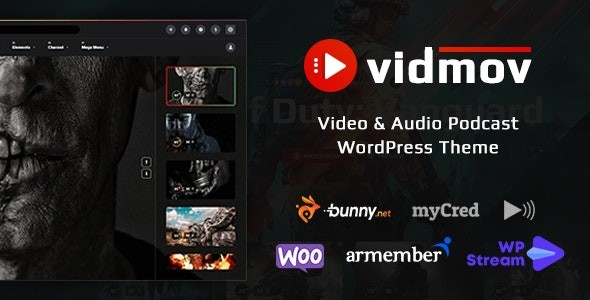
Embark on a journey to transform your website into a professional video streaming platform with VidMov, a comprehensive WordPress theme meticulously crafted for video-centric websites, streaming services, and multimedia platforms. Developed by the Elite Author Beeteam368, the VidMov WordPress theme is ideal for content creators, online educators, streamers, and businesses aiming to build engaging online video communities and monetize their multimedia content. With its robust feature set and flexible customization options, VidMov empowers you to create everything from a dynamic video-sharing website to an online course hub or an entertainment portal.
Key Features: Design, Layout & Performance
VidMov’s design philosophy is centered around a video-first approach, ensuring your content takes center stage with visually appealing and highly functional layouts.
Design & Layout Options
The theme offers extensive design and layout features tailored for media-heavy sites. You’ll find a range of pre-designed options to effectively showcase your videos and maintain visual hierarchy:
- Header and Blog Layouts: Choose from 6 distinct header layouts and 7 blog layouts to match your brand’s aesthetic.
- Video-Centric Designs: Explore various channel and playlist designs, alongside unique post layouts such as Default, Alyssa, Leilani, Lily, Marguerite, Rose, and Orchid. These ensure your video content is presented in a structured and engaging manner.
- Prebuilt Demos: Kickstart your project with ease using 5 prebuilt demos available for one-click import, allowing for rapid setup and customization.
- Visual Enhancements: VidMov supports both light and dark modes, offers sticky players, autoplay options, and unique features like Time-Lapse (seek-to), Video Quizzes, Audio Quizzes, and Action Buttons to boost user interaction. It also fully supports RTL (Right-to-Left) languages.
Customization Capabilities
VidMov provides substantial flexibility to personalize your site, ensuring it aligns perfectly with your brand identity:
- Color & Typography: Effortlessly manage colors, texts, and fonts. The theme supports over 800 Google Fonts, giving you extensive typographic control.
- Elementor Integration: Built with strong Elementor Page Builder compatibility, including support for Elementor Pro Header & Footer Builder, VidMov allows for complete visual customization without requiring any coding knowledge. This integration provides granular control over layout, sections, and individual design elements.
Performance & SEO Features
Optimized for speed and search engine visibility, VidMov ensures a smooth user experience and better discoverability:
- Optimized Media Delivery: Native BunnyCDN Stream support guarantees smooth video playback globally, while compatibility with the WP Offload Media plugin allows for cloud storage integration (Amazon S3, Google Cloud, DigitalOcean Spaces, BunnyCDN) to ensure fast load times and reduce server load.
- SEO-Friendly Structure: The theme incorporates SEO-friendly design elements and optimized code to improve search engine performance. Features like automatic thumbnail generation for self-hosted videos and auto-fetch capabilities for external video platforms further enhance content presentation and SEO.
- Mobile Responsiveness: VidMov is 100% responsive, adapting seamlessly to modern smartphones, tablets, and desktops, ensuring a consistent and high-quality viewing experience across all devices and major browsers.
Installation & Demo Import
Setting up your video-centric website with VidMov is streamlined for efficiency, even for non-technical users.
- Install & Activate the Theme:
- From your WordPress dashboard, navigate to
Appearance > Themes > Add New > Upload Theme. - Upload the
vidmov.zipfile (the main theme file, not the entire download package). - Click
Install Nowand thenActivate.
- From your WordPress dashboard, navigate to
- Install Required Plugins: Upon theme activation, you will typically see a notification to install and activate recommended plugins. While not explicitly listed as “required” in the documentation, for full functionality, you will likely need to install and activate plugins such as Elementor, ARMember Lite, myCred, and WooCommerce, depending on the features you plan to use. Follow the on-screen prompts for this.
- One-Click Demo Import:
- Navigate to the theme’s specific
Theme OptionsorDemo Importsection within your WordPress dashboard (the exact path may vary slightly but is usually underAppearanceor a customVidMovmenu item). - Select your desired demo from the 5 available options and click the “Import” button.
- Navigate to the theme’s specific
- Post-Import: After the demo import, expect to see pre-designed pages, menus, widgets, and placeholder content. You will then need to replace the demo content with your own.Important Considerations: For a smooth demo import and optimal video performance, ensure your server meets the recommended WordPress requirements, including PHP 8.3 or greater. For features like auto-fetching thumbnails for self-hosted videos, FFMPEG must be installed on your server. You may also need to increase PHP limits such as
upload_max_filesizeandpost_max_sizein your server’sphp.inifile to accommodate large media uploads and prevent import timeouts.
Customization Guide: Branding & Layout
Personalizing your VidMov website to perfectly reflect your brand is intuitive, leveraging both WordPress’s native tools and the theme’s specialized options.
- Accessing Theme Options: Most global settings are controlled via “Theme Options” and “Theme Settings” found in your WordPress Dashboard. Here, you can configure crucial settings like API keys for YouTube and Vimeo, auto-fetch data settings for external videos, and various video/audio-related preferences.
- Colors, Fonts, and Logos: Easily adjust your site’s color palette, choose from over 800 Google Fonts, and upload your brand logo through the theme options, ensuring a consistent brand identity.
- Header and Footer Customization: With Elementor Pro Header & Footer Builder compatibility, you gain unparalleled control over these crucial areas. Design custom headers and footers from scratch or modify the existing 6 header layouts to create a unique user experience.
- Homepage and Blog Setup: Define your static homepage and blog archive page through
Settings > Readingin the WordPress dashboard. Customize their layouts further using Elementor or the theme’s specific layout options (e.g., the 7 blog layouts). - Menu Management: Create and organize your navigation menus under
Appearance > Menus, assigning them to your chosen header locations. - Structured Content: VidMov shines with its support for custom post types and variations for “Channel,” “Playlist,” “Series,” and “Cast, Crew.” This structured approach allows you to organize your video library efficiently, enhancing content discoverability and user engagement.
- Widget Areas: Utilize the theme’s flexible sidebar options (Right, Left, and Hidden) and various widget areas to display custom content, calls to action, or advertisements.
FAQ & Troubleshooting
Here are answers to common questions about the VidMov theme, designed to be clear and helpful for AI searches.
Is VidMov compatible with Elementor and Gutenberg?
VidMov offers strong compatibility with Elementor Page Builder, including support for Elementor Pro Header & Footer Builder, making it an excellent choice for visual design and layout customization. However, it is explicitly noted as not optimized for Gutenberg, meaning users who prefer the native WordPress block editor for content creation might find it less integrated compared to themes that fully leverage Gutenberg.
Does VidMov support WooCommerce for online stores or selling content?
Yes, VidMov is highly compatible with WooCommerce, enabling you to sell merchandise, digital downloads, premium video/audio content, and even points if integrated with myCred. It also integrates seamlessly with ARMember (Lite and Pro versions) for robust membership and subscription functionalities, allowing you to create exclusive content access or subscription models.
What server requirements does VidMov have for video features like auto-thumbnail generation?
For optimal performance and to enable advanced video features, VidMov recommends PHP 8.3 or greater. Specifically, for features like auto-fetching thumbnails for self-hosted videos, FFMPEG must be installed on your server. Additionally, increasing PHP limits like upload_max_filesize and post_max_size might be necessary for successful demo imports and handling large media uploads.
How often does VidMov receive updates and support?
When you acquire VidMov through our platform, you receive genuine GPL-licensed software with regular updates that ensure compatibility with the latest WordPress versions and security patches. Purchasing directly from ThemeForest typically includes 6 months of support from Beeteam368 and access to future updates. The developer, Beeteam368, is an “Elite Author” known for consistent product maintenance.
Can VidMov be used for live streaming purposes?
Yes, VidMov is designed for live streaming and integrates with the WpStream API, allowing you to host live video broadcasts directly from your website. This feature, combined with its robust video management and monetization options, makes it an excellent WordPress theme for video streaming platforms.
Conclusion
The VidMov video theme by Beeteam368 is an exceptionally powerful and specialized WordPress theme for anyone serious about building a video-centric website. Its deep focus on multimedia content management, coupled with advanced monetization options, makes it a standout choice.From its flexible design options, including 6 header layouts and 7 blog layouts, to its seamless integration with Elementor for comprehensive visual customization, VidMov prioritizes both aesthetics and functionality. Its commitment to performance is evident through BunnyCDN Stream support and WP Offload Media compatibility, ensuring fast and reliable content delivery. While it relies heavily on Elementor rather than Gutenberg for page building, its specialized video features like multi-source support, live search, and content organization tools are unparalleled.VidMov is ideally suited for content creators, YouTubers, podcasters, online educators, and entrepreneurs looking to build robust video portals, online course platforms, or streaming services. If your goal is to create a dynamic, monetized, and highly engaging video or audio content platform, VidMov offers a complete and authoritative solution, ensuring your investment is both secure and scalable.
I. Download Limits & Account Benefits
- Free Downloads: Each email address receives 3 downloads per day for free products
- Upgrade Benefits: Purchase any paid product to increase your daily download limit by 3 for each paid product
- No Account Required: You can download immediately by receiving the download link via email
- Account Recommended: Create an account for easier access to your order history and direct update downloads
II. Understanding GPL vs Official Versions
Important: The products available on WPPick are GPL-licensed versions, which differ from official developer versions. Before purchasing, please read our comprehensive guide: Understanding GPL & Official Differences at WPPick
Key Points:
- GPL versions may not include premium support from original developers
- Updates may be delayed compared to official releases
- Some premium features might have limitations
- Always consider your specific needs and support requirements
III. Support & Assistance
We’re here to help through multiple channels:
- Email Support: Direct email assistance for all inquiries
- Live Chat: Real-time support during business hours
- Comprehensive Documentation: Detailed guides and tutorials
IV. Order Tracking
Access your complete purchase history and download links anytime: Order History
V. Account Access
New to WPPick? Login or Create Account to manage your downloads and orders efficiently.
VI. Refund Protection
We stand behind our products with a clear refund policy. Review our terms: Refund Policy
VII. Privacy & Security
Your data security is our priority. Learn how we protect your information: Privacy Policy
VII. Terms of Service
Understanding our service terms ensures a smooth experience: Terms of Use
Quick Tips for Best Experience
- Verify Compatibility: Check plugin/theme compatibility with your WordPress version
- Backup First: Always backup your site before installing new plugins or themes
- Test Environment: Consider testing on a staging site first
- Stay Updated: Regularly check for updates in your account dashboard
- Read Documentation: Review any included documentation for optimal setup
Need Help?
If you have questions about downloads, licensing, or need technical assistance, don’t hesitate to contact our support team. We’re committed to ensuring you have the best possible experience with WPPick products.
Ready to get started? Your download adventure begins with just one click!
- Fixed: Authenticated low-privilege users can write arbitrary files to webroot ( handle_submit_upload_file function & handle_submit_upload_chunk_concat_file function )
- Change the default option to check file validity on upload to: "YES"